DDR4 vs DDR5 RAM Understanding the Core Differences
Compare DDR4 or DDR5 RAM to understand key differences in channel architecture, speed, power efficiency, and bandwidth for your next system build.
System designers choose double data rate synchronous dynamic random access memory to boost computing platforms. Modern ddr memory transfers data on rising and falling clock edges. This dual-edge clocking doubles transfer speeds over traditional sdram chips. Nova Technology Company (HK) Limited, a HiSilicon-designated (authorized) solutions partner, integrates high-speed ddr components into advanced semiconductor hardware. Today, you evaluate ddr4 vs ddr5 efficiency when upgrading systems. Builders face choices between mature ddr4 ram modules and high-bandwidth ddr5 ram systems. Comparing ddr5 vs ddr4 stability helps you select ddr4 or ddr5 technology. High data rates deliver exceptional system bandwidth for your demanding enterprise workloads.
Key Takeaways
- DDR5 splits channels to boost data speed and system efficiency.
- DDR5 puts power regulation on the memory stick to improve stability.
- DDR5 doubles data burst size to speed up heavy file transfers.
- DDR5 powers modern computing platforms and delivers superior long-term performance.
Key Architectural Shifts in DDR4 vs DDR5

You evaluate significant structural changes when comparing ddr4 vs ddr5 engineering. The JEDEC publication JESD79-5 DDR5 SDRAM standard defines these internal updates. This publication signals a major evolution in memory system design. Modern processors require higher bandwidth efficiency to feed growing core counts. Upgrading your systems requires a firm grasp of these structural updates.
Sub-Channel Architecture and Burst Length
Legacy architecture relies on a single 72-bit bus per dimm. In ddr4, your system moves data across one 64-bit channel alongside eight ECC bits. In contrast, ddr5 splits the module into two independent 40-bit channels. Each sub-channel contains 32 data lines and eight dedicated ECC lines. These split channels allow simultaneous operations on the same dimm. This independent channel layout increases overall channel utilization significantly.
The internal prefetch depth also changes between generations. The ddr memory design in ddr4 uses an 8n prefetch buffer with a default burst length of BL8. Moving to ddr5 doubles this prefetch depth to 16n with a default burst length of BL16. Thus, a single sub-channel completes a full 64-byte cache line transfer in one burst. This doubled burst capability accelerates access to critical system files.
| Parameter | DDR4 Standard | DDR5 Standard | Real-World Impact |
|---|---|---|---|
| Channel Layout | Single 72-bit channel | Dual 40-bit sub-channels | Higher channel parallelism |
| Operating Voltage | 1.2V | 1.1V | Lower energy consumption |
| Default Burst Length | BL8 | BL16 | Complete 64-byte cache line per burst |
| Prefetch Depth | 8n | 16n | Doubled data fetch per core access |
The split architecture boosts data availability across enterprise applications. In ddr4 explained, a single broad channel handles one command at a time. In ddr5 explained, two sub-channels execute concurrent commands independently. This structure increases effective transfer rates under heavy server workloads. Higher parallelism minimizes processor idle time during intensive computations.
Power Regulation: Motherboard vs PMIC
Power delivery represents another fundamental shift in ddr4 vs ddr5 memory architecture. Motherboards manage direct voltage regulation for older ddr4 modules. This arrangement requires complex voltage routing across system board trace lanes. Consequently, motherboard trace noise can impair dynamic power delivery at higher data rates.
Conversely, ddr5 dimms feature an integrated Power Management Integrated Circuit on the dimm itself. This on-board controller receives a 12V supply directly from the motherboard. The circuit then converts this power to the native 1.1V operating voltage. Localized regulation reduces electrical noise on signal lines dramatically. This clean power supply supports higher capacity dram units and scales higher data rates smoothly.
Moving power regulation onto the dimm offloads design complexity from mainboards. System developers gain better voltage control per individual dimm. Energy efficiency improves by ~15–20% in comparison to legacy options. Server platforms experience lower operating temperatures across high-density deployments.
This shift affects platform cost structures and board layouts. Advanced ddr5 dimms cost more to produce due to extra components like the SPD Hub and thermal sensors. However, the architecture yields superior power stability and peak bandwidth gains reaching up to ~2x over previous hardware. Choosing between ddr5 vs ddr4 depends on your need for scaling channel speed versus upfront system costs. Evaluating ddr5 vs ddr4 trade-offs ensures you build the optimal platform for your target workload.
Signal Integrity Features in DDR4
Bus Inversion and Parity Checks
You must protect signal quality when sending fast binary bits through high-density circuit boards. In ddr4, system controllers implement Data Bus Inversion to reduce power consumption and state-switching noise. The transmitter counts active low signals on the bus during write operations. When more than half of the data lines switch to zero, the controller flips all signals. This inversion minimizes signal degradation across physical trace channels.
Command/address parity adds another protection layer for critical control lines on a dimm module. The memory controller calculates parity bits across command and address lines before transmission. However, parity checks carry specific detection limitations during real-world operations.
| Operation / Scope | Parity capability | Limitation or integration detail |
|---|---|---|
| Command/address signals | Detects only odd-bit errors | Cannot detect an even number of bit errors on CMD/ADD signals |
| Write operation | Uses CAP to detect address/command errors before writing into DRAM | Provides only limited detection capability for odd-bit errors during writes |
| Read operation | Detects only odd-bit errors on the command/address bus | Random multi-bit or even-bit address errors remain undetected; erroneous read addresses can cause silent data corruption, DUE, DME, or UE |
Cyclic Redundancy Check Mechanics
Cyclic Redundancy Check protects data bus transmissions during write actions. You calculate a mathematical checksum across payload bits at the memory controller level. The ddr memory interface appends this value directly to the data payload. The receiving ddr4 chip computes its own checksum and verifies match stability. In the ddr4 explained specification, this verification triggers a retry mechanism to clear errors.
These ddr4 safety tools guard high-speed ddr bus integrity between the host CPU and the dimm hardware. Conversely, ddr5 shifts primary error mitigation directly onto dynamic random access memory silicon. An integrated ddr5 chip utilizes On-Die ECC to correct single-bit errors inside internal memory cell arrays. While ddr4 relies on external motherboard lines for detection, ddr5 manages cell health internally. This architectural shift helps high-density ddr5 dimm hardware maintain high throughput stability under heavy workload stress.
DDR5 RAM Performance: Bandwidth and Latency
You evaluate system memory throughput by checking raw channel speed and response delay. Modern computing platforms demand huge data transfer capacity for high-speed workloads. Upgrading your platform requires a complete look at ddr4 vs ddr5 performance across various system tasks.
Transfer Rates and Prefetch Buffer
The transition from ddr4 to ddr5 increases overall ddr memory bandwidth significantly. JEDEC defines ddr5 speed options as a data rate in MT/s paired with a CAS latency. Higher data rates allow faster communication between your central processor and dynamic random access memory hardware. You achieve massive throughput improvements when moving to high-speed ddr5 dimms.
| Standard | JEDEC Transfer Rate | Prefetch / burst-depth difference |
|---|---|---|
| DDR4-3200 | 3200 MT/s | Smaller earlier-generation burst-size baseline |
| DDR5-7200 | 7200 MT/s | 16n prefetch / BL16; burst size doubled to 16 |
Architectural advances explain these massive performance gains in modern platforms. Under the ddr5 explained specification, prefetch depth increases to 16n. Each read or write command makes the DRAM core access 16 consecutive data words per I/O pin in parallel. The interface then serializes these bits for rapid transmission across physical traces. This doubled prefetch buffer sets the default burst length to 16 (BL16).
Higher burst length improves channel utilization when transmitting large data blocks. Your processor receives complete cache lines in fewer command cycles. This continuous flow helps feed higher capacity dram modules without starving processor cores. System tasks like video editing, scientific computing, and gaming benefit directly from this high bandwidth.
CAS Latency and Real-World Timings
Speed represents only one part of the total performance equation. You must also analyze clock cycles to understand actual physical response timing. Clock speed dictates total frequency, but CAS latency determines how many cycles pass before transmission starts. High ddr5 ram speed options often feature higher CAS latency values than older modules.
You calculate first-word latency in nanoseconds using a standard formula:
Latency (ns) = CL * 2000 / MT/s
This calculation reveals surprising facts when comparing ddr4 vs ddr5 kits. You can review exact latency metrics across typical enthusiast memory configurations.
| Memory kit | CAS latency | Transfer rate | Absolute latency | First-word latency |
|---|---|---|---|---|
| DDR4-3600 CL16 | 16 cycles | 3600 MT/s | 8.89 ns | ~8.9 ns |
| DDR5-6000 CL30 | 30 cycles | 6000 MT/s | 10.00 ns | ~10 ns |
The empirical results show that DDR4-3600 CL16 achieves lower absolute first-word latency than DDR5-6000 CL30. Older memory responds faster to single initial requests due to tighter cycle counts. However, ddr5 ram handles heavy concurrent requests much better because of independent channels.
Evaluating ddr5 vs ddr4 requires balancing initial latency against sustained throughput. Higher ddr5 speed offsets higher cycle counts by delivering twice as much data per burst. Modern software engines and gaming titles leverage continuous parallel transfers effectively. Therefore, ddr5 dimms offer superior long-term bandwidth efficiency for next-generation system platforms.
Upgrading Decisions: Choosing DDR4 or DDR5
Platform Compatibility and Motherboard Support
You must evaluate motherboard compatibility before planning system upgrade steps. Modern platforms require specific memory pinouts. Platform compatibility constraints limit older hardware choices. Nova Technology Company (HK) Limited, a HiSilicon-designated (authorized) solutions partner, provides chip-level solutions and system integration supporting ddr memory platform deployment. Next-generation processor compatibility makes current desktop sockets ddr5-exclusive. Evaluating ddr4 vs ddr5 compatibility prevents installation mistakes.
Bye Bye DDR4: DDR4 is now the budget option / legacy path. There are no new motherboards in 2025 for high-end CPUs that use DDR4. If you’re upgrading from an older build, unfortunately you can’t reuse DDR4 on newer platforms – but the performance gain of DDR5 makes it worthwhile.
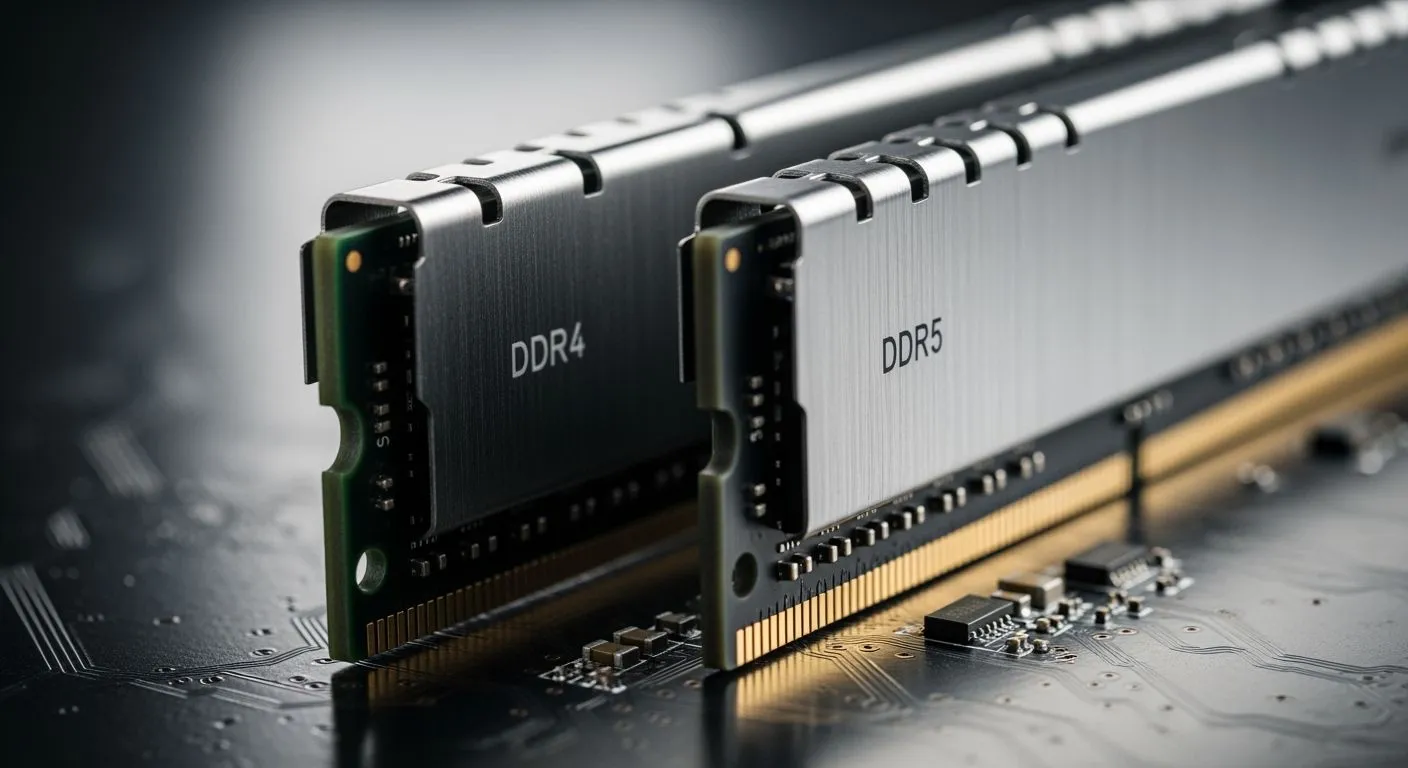
Physical key notch locations differ between generations. You cannot fit a ddr4 dimm module into a ddr5 dimm slot. Matching socket compatibility simplifies your upgrade project. Consumer boards restrict dimm channel layout, while workstation platforms support memory upgrades across eight slots.
| Platform | Sockets | Max RAM Slots | Max Capacity | Typical Use Case |
|---|---|---|---|---|
| Consumer | LGA 1700, AM5 | 4 slots | 128 GB | Gaming, 4K editing |
| Workstation | sTRX4, W790 | 8 slots | 4 TB | VMs, 8K editing |
Cost to Performance Evaluation
Selecting ddr4 or ddr5 requires evaluating total component costs. Market pricing makes ddr5 40–60% more expensive than ddr4 for equal capacity. However, higher speed options justify these costs. Video editing finishes 15–25% faster with ddr5 ram systems. 3D rendering runs up to +40% faster. These speed improvements make ddr5 better than ddr4 for creators.
Gaming setups show clear throughput advantages at 1080p. You gain +5–15% FPS in high-refresh titles when upgrading to faster ddr5 dimms. Selecting ddr4 or ddr5 impacts future system expandability. Evaluating ddr4 vs ddr5 options guides your long-term upgrade path.
- Prioritize capacity over speed: 32 GB DDR5-5600 beats 16 GB DDR5-6400 in modern games.
- Standard recommendation: Use 2×16 GB DDR5-6000 kits for mid-tier builds (32 GB total).
- Higher-end builds: Use 2×32 GB (64 GB) at similar speeds for capacity and performance.
- Future-proofing: DDR5 is mature for 2025; invest in fast ddr5 dimms for long-term use.
You balance system cost and architectural gains when evaluating ddr4 vs ddr5 options. Mature ddr4 ram offers low costs for routine workloads. Advanced ddr5 memory delivers higher transfer rates, on-module power regulation, and superior scaling headroom for heavy computing tasks.
| Decision Factor | DDR4 Selection | DDR5 Selection |
|---|---|---|
| Platform Compatibility | Choose ddr4 for existing legacy hardware sockets | Verify motherboard compatibility for modern processor sockets |
| Budget and Workload | Prioritize ddr4 when budget limits your upgrade | Choose ddr5 when you plan a heavy system upgrade |
Your choice to select ddr4 or ddr5 depends on long-term platform needs. Evaluating ddr5 vs ddr4 trade-offs ensures a smooth system upgrade.
FAQ
Can you fit a ddr5 module into a ddr4 slot?
You cannot fit a ddr5 dimm into a ddr4 slot. Physical key notch locations differ between generations. Motherboard compatibility limits your upgrade choices. You must select matching motherboard hardware before you install your memory module.
Should you choose ddr4 or ddr5 for a new build?
You should choose ddr5 for modern PC builds. New high-end processor platforms require ddr5 compatibility. While ddr4 offers lower costs, modern ddr5 memory delivers higher transfer rates and better gaming performance.
Why does ddr5 require new motherboard compatibility?
Signal pinout layout and electrical designs changed in ddr5 hardware. Power regulation shifts directly onto the dimm module. These structural updates break backward compatibility, requiring a system upgrade to modern sockets.
How does ddr4 vs ddr5 performance impact daily tasks?
Heavy workloads finish faster on ddr5 dimm hardware due to doubled burst length. Everyday system upgrade projects benefit from increased data bandwidth across demanding applications.