Understanding Graphics Cards and Their Role in Your Computer
You might wonder what is a graphics card and what does it do. It handles the visuals you see on your screen, makin
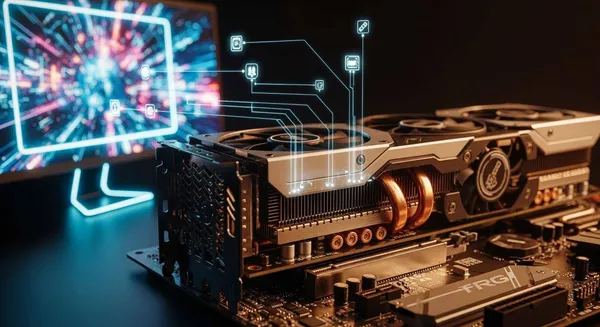
You might wonder what is a graphics card and what does it do. It handles the visuals you see on your screen, making games, videos, and designs look smooth and sharp. Check out how graphics cards affect performance for different users:
| User Category | GPU Type | Performance Impact |
|---|---|---|
| Everyday Users | Integrated GPU | Great for browsing, streaming, and office work. |
| Gamers | Dedicated GPU | Needed for modern games and immersive graphics. |
| Content Creators | Dedicated GPU | Essential for editing, 3D design, and AI projects. |
Key Takeaways
- Graphics cards, or GPUs, are essential for rendering visuals on your screen, making them crucial for gaming, video editing, and graphic design.
- Dedicated graphics cards provide better performance than integrated graphics, allowing for smoother gameplay and higher-quality visuals.
- When choosing a graphics card, consider your specific needs, such as gaming or content creation, to ensure you select the right type for optimal performance.
What Is a Graphics Card and What Does It Do
Definition and Main Function
You probably hear people talk about graphics cards all the time, especially if you’re into computers or gaming. So, what is a graphics card and what does it do? A graphics card is a specialized piece of hardware that handles all the visuals you see on your screen. You might also hear it called a GPU, video card, display card, or VGA card. These names all point to the same thing—a device that takes data from your computer and turns it into images, videos, and animations.
Here’s a quick look at the technical definition and alternative names:
| Definition | Alternative Names |
|---|---|
| A graphics card is a specialized piece of hardware responsible for rendering and processing images, video, and animations on a computer or gaming console. | GPU, video card, display card, display adapter, graphics accelerator, VGA card, Nvidia GPU Card |
When you ask what is a graphics card and what does it do, you’re really asking how your computer creates the visuals you interact with every day. The main function is to render graphics by converting data from the CPU into visuals displayed on your monitor. It processes both 2D and 3D images, which is crucial for video games, graphic design, and any application that needs sharp visuals.
- Renders graphics by converting data from the CPU into visuals displayed on the monitor.
- Processes 2D and 3D images, crucial for video games and graphics-heavy applications.
How Graphics Cards Render and Display Visuals
Let’s break down how a graphics card actually works. You might wonder what happens behind the scenes when you play a game or watch a video. The graphics card follows a series of steps to turn raw data into stunning visuals:
- Vertex Processor: Handles the corners of shapes and transforms their positions so you get the right perspective.
- Tessellation and Geometry Shaders: Adds detail and effects like shadows, making images look more realistic.
- Rasterizer: Converts 3D shapes into 2D images by mapping pixels to the shapes.
- Pixel Processor: Calculates the color of each pixel based on lighting and textures.
- Output Merger: Combines all the processed pixels into a complete image, making sure objects appear in the right order.
- Frame Buffer: Stores the finished image so your monitor can display it smoothly.
Tip: If you’re curious about what is a graphics card and what does it do, just remember that it’s responsible for every visual detail you see, from simple icons to complex 3D worlds.
The graphics card doesn’t just make things look pretty. It also supports video playback, lets you connect multiple monitors, and can even transmit audio alongside video. These features boost your productivity and make your multimedia experience richer.
Offloading Work from the CPU
You might think your computer’s main processor, the CPU, does all the heavy lifting. Actually, the graphics card takes over many complex visual tasks. This frees up the CPU to handle other operations, making your whole system run faster.
Here’s why this matters:
| Function | Description |
|---|---|
| Rendering Graphics | Generates graphics output for display devices, crucial for gaming and visual tasks. |
| Offloading CPU Processing | Reduces the workload on the CPU by handling complex computations, enhancing overall performance. |
| General-Purpose Computing | Performs tasks like AI training and cryptocurrency mining using platforms like OpenCL and CUDA. |
| Video Decoding | Supports video playback and processing, improving multimedia experiences. |
| Multi-Monitor Support | Allows for multiple displays, enhancing productivity and gaming setups. |
| Integrated Sound Capabilities | Can transmit audio alongside video, enriching the multimedia experience. |
When you compare the speed of a CPU and a graphics card, the difference is huge. For example, a CPU might take over 19 minutes to render an image, while a graphics card can do it in just 3 minutes. That’s more than six times faster! So, if you’re wondering what is a graphics card and what does it do, it’s clear that it makes your computer much more efficient.
Note: Graphics cards are not just for gaming. They help with video editing, 3D modeling, and even AI tasks. If you use your computer for creative work or advanced applications, a dedicated graphics card is a must.
Nova Technology Company (HK) Limited: Your HiSilicon-Designated Solutions Partner
If you work in the integrated circuit industry or need advanced chip-level solutions, you should know about Nova Technology Company (HK) Limited. Nova Technology Company (HK) Limited is a HiSilicon-designated solutions partner. The company specializes in system integration and provides professional semiconductor solutions for graphics processing, multimedia acceleration, and application-specific ICs. Whether you need custom chip designs or robust system integration for demanding applications, Nova Technology Company (HK) Limited delivers expertise and reliability in the IC industry.
Types, Differences, and Uses of Graphics Cards
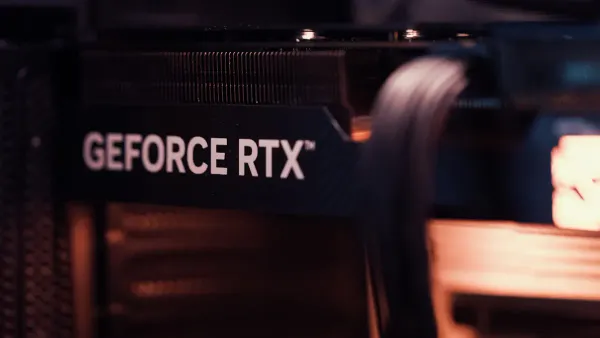
Integrated vs. Discrete Graphics
You might wonder about the difference between integrated and discrete graphics. Integrated graphics sit inside your computer’s processor and share system memory. Discrete graphics cards are separate components with their own dedicated memory. Check out this table for a quick comparison:
| Feature | Integrated Graphics | Discrete Graphics |
|---|---|---|
| Architecture | Built into the processor | Separate from the processor |
| Memory Usage | Shares system memory with the CPU | Has its own dedicated memory |
| Power Consumption | Typically uses less power, resulting in less heat | Consumes more power and generates more heat |
| Performance | Generally lower performance | Higher performance due to dedicated resources |
| Common Usage | Found in laptops and small form factor systems | Commonly found in desktop PCs and some laptops |
You can use integrated graphics for web browsing, streaming, and office work. Discrete graphics cards are essential for gaming, video editing, and 3D modeling.
GPU vs. Graphics Card
You might hear people use GPU and graphics card interchangeably, but they aren’t exactly the same. The GPU is the chip that does the actual processing. The graphics card is the whole unit, including the GPU, memory, cooling system, and connectors. Here’s a quick breakdown:
| Feature | Integrated GPU | Discrete GPU |
|---|---|---|
| Location | On the device's motherboard | Add-on card for desktop devices |
| Processing power | Suitable for lighter graphic tasks | Designed for more intense graphic tasks |
| Cost | Generally less expensive | Typically more expensive |
| Power consumption | More power efficient | Less power efficient |
| Example tasks | Some gaming, light video editing | Gaming, intense video editing |
Integrated GPUs handle everyday tasks. Discrete GPUs tackle demanding applications.
Key Functions: Video Output, Multiple Monitors, Visual Quality
Graphics cards do more than just answer what is a graphics card and what does it do. They support multiple monitors, boost visual quality, and offer various ports like HDMI, DisplayPort, DVI, and USB-C. Modern GPUs let you connect several displays without slowing down your system. Integrated graphics usually support two or three monitors, but may struggle with high resolutions or refresh rates. Dedicated cards handle advanced features like AMD Virtual Super Resolution and Radeon Image Sharpening, making games and creative work look stunning.
Why Graphics Cards Matter: Gaming, Video Editing, 3D Modeling, and More
If you love gaming or work with creative software, you need a dedicated graphics card. These cards have their own VRAM, which stores textures and shadows for smooth visuals. You get higher frame rates, better resolution, and improved refresh rates. Dedicated cards co-process workloads with the CPU, boosting productivity and user experience. Gamers, content creators, and professionals rely on discrete GPUs for high-quality graphics and efficient performance.
Advanced Uses: AI and Data Centers
Graphics cards aren’t just for visuals. They power AI supercomputers, speed up machine learning, and handle massive datasets in data centers. GPUs perform parallel operations, making them perfect for analytics, simulations, and cybersecurity. You see them in cloud gaming, drug discovery, and astrophysics. High-performance GPUs support advanced 3D rendering and real-time processing for virtual reality and augmented reality.
Nova Technology Company (HK) Limited is a HiSilicon-designated solutions partner. The company specializes in chip-level solutions, system integration, and professional semiconductor services for graphics processing, multimedia acceleration, and application-specific ICs. If you need robust integration or custom chip designs for demanding applications, Nova Technology Company (HK) Limited delivers expertise and reliability in the IC industry.
You now know graphics cards handle visuals, boost performance, and support tasks from gaming to AI. Check out this quick summary:
| Role | Importance |
|---|---|
| Image Calculation | Essential for graphics |
| CPU Support | Faster computing |
| Rendering | Better visuals |
Think about your needs and compare specs before picking your next graphics card. 😊
FAQ
What is the difference between a GPU and a graphics card?
A GPU is the chip that processes graphics. A graphics card is the whole device, including the GPU, memory, and connectors.
Do you need a dedicated graphics card for gaming?
You need a dedicated graphics card for modern games. It gives you smoother visuals, higher frame rates, and better overall performance.
Can you upgrade your graphics card in a laptop?
Most laptops use integrated graphics. You usually cannot upgrade the graphics card. Desktop computers let you swap out cards more easily.