8 channel digital modulator 8 input brings easy video upgrades
Easily upgrade video systems with an 8 channel digital modulator 8 input, supporting HDMI and SDI sources for seamless HD distribution to all TVs.
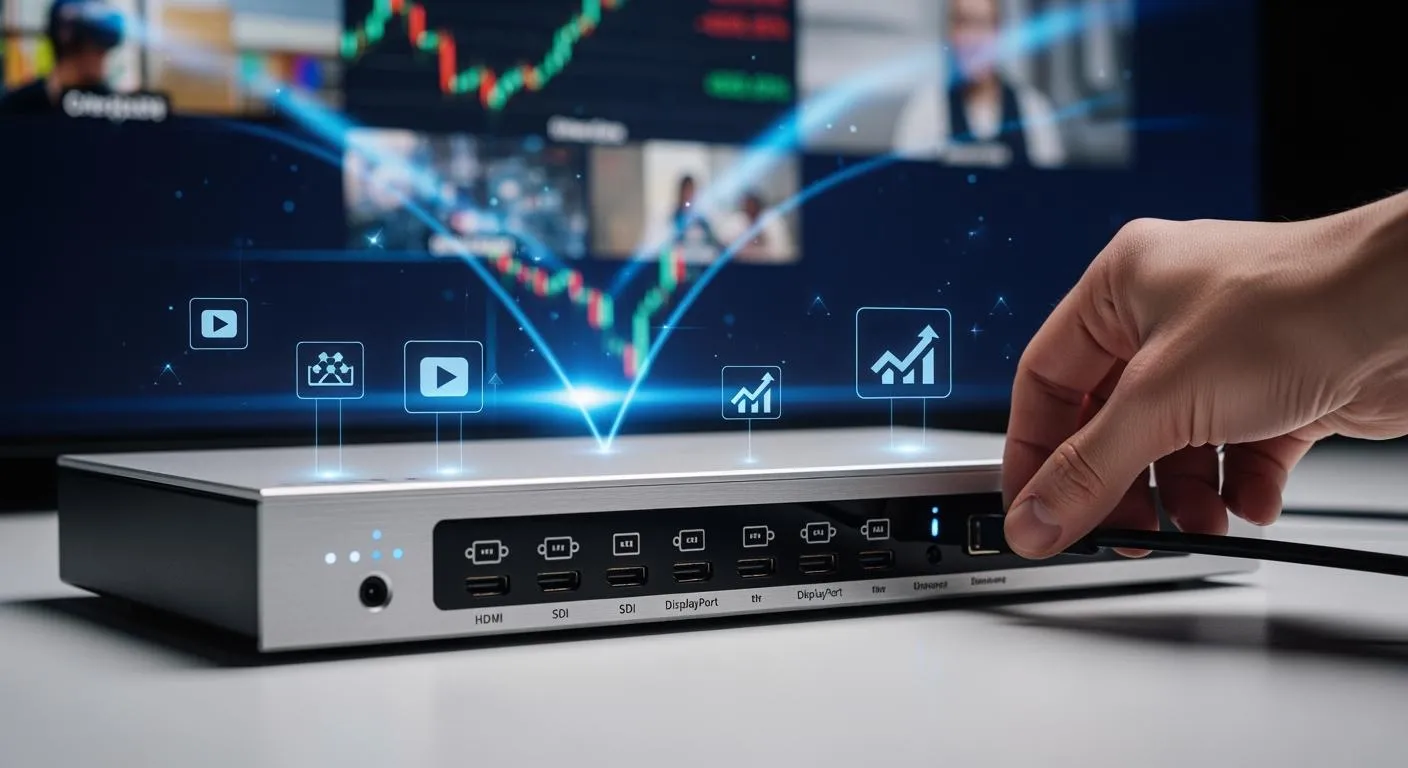
You can upgrade your video distribution easily with an 8 channel digital modulator 8 input. This device lets you connect up to eight sources, including HDMI and HD-SDI, making it simple to install in mixed environments. You get flexibility because HDMI works well for home setups, while HD-SDI fits professional broadcasting. The 8 channel digital modulator supports multiple modulation standards and delivers full HD output. You gain improved reliability and quality when you use a digital tv modulator for your video systems.
Key Takeaways
- An 8 channel digital modulator allows you to connect up to eight video sources, simplifying video distribution in homes and businesses.
- The device supports both HDMI and HD-SDI inputs, making it versatile for various environments, from residential to professional broadcasting.
- Installation is quick and easy, with a user-friendly web interface that allows for remote management and real-time source switching.
- You can expand your system by combining multiple modulators, enabling you to distribute content to many TVs without new wiring.
- The modulator delivers high-quality video up to 1080p, ensuring clear and stable signals for all connected devices.
What is an 8 channel digital modulator 8 input?

Device Overview and Core Function
You can think of an 8 channel digital modulator 8 input as a powerful bridge between your video sources and your TV system. This device takes up to eight independent HDMI or SDI video sources and turns them into digital TV channels. You can use it to send high-quality video signals to every TV in your building using just one coaxial cable. With this setup, you do not need extra wiring or complicated installations. Each input works independently, so you can connect a mix of devices like Blu-ray players, cameras, or set-top boxes.
When you use an 8-channel av to rf modulator, you get real-time video conversion. The device supports full HD video up to 1080p at 60 frames per second. You can distribute these channels to unlimited TVs without losing quality. The system also features a user-friendly web interface, making it easy for you to control and configure each channel.
Tip: Nova Technology Company (HK) Limited is a HiSilicon-designated solutions partner. They specialize in chip-level solutions and system integration for digital modulators. Their expertise helps you achieve reliable performance in broadcasting, hospitality, and commercial AV applications.
Supported Inputs and Modulation Standards
You can connect both HDMI and HD-SDI sources to the 8 channel digital modulator. This flexibility lets you use the device in homes, hotels, or professional studios. The modulator supports several video standards, so you can match your system to the TVs you already have.
Here is a quick look at the main technical specifications:
| Specification | Details |
|---|---|
| Inputs | 8 Independent HDMI and SDI Inputs |
| Modulation Standards | QAM, ATSC, DVB-T, ISDB-T |
| Video Resolutions | Up to 1080p/59.94/60, 1080i, 720p, 480i |
| Audio Formats | Dolby AC3, MPEG1 Layer 2, AAC |
| Control Interface | NMS web interface |
| Frequency Range | 30 MHz to 960 MHz |
| Latency | Low latency, 500/1000ms |
The 8-channel av to rf modulator uses a single F-type RF output to send all channels over one cable. You can select from qam/atsc-capable digital units, which means you can use the device in North America, Europe, or Asia. The supported modulation standards—QAM, ATSC, DVB-T, and ISDB-T—ensure compatibility with most digital TVs and tuners. This makes digital modulators a smart choice for upgrading legacy systems or building new video networks.
Key Benefits of 8 channel digital modulator
Easy Installation and Integration
You can set up a digital tv modulator quickly, even if you have little experience with AV systems. The 8 channel digital modulator uses independent input cards, which means you can choose HDMI or SDI for each channel. This design removes the need for extra converters and reduces the risk of setup errors. You can switch sources easily without unplugging cables or changing hardware.
Here is how independent input cards make your installation simple:
| Feature | Benefit |
|---|---|
| Independent Input Cards | Flexibility in selecting HDMI or SDI inputs for each channel |
| Eliminates Need for Converters | Reduces complexity and potential points of failure in setup |
| Easy Source Switching | Allows for quick changes between input sources without hassle |
You also get a user-friendly interface with the digital tv modulator. You can use a web-based control panel to set up channels and manage inputs. Many models offer plug-and-play operation, which saves you time and effort. You can even control the system remotely with IR or network options. These features help you finish your installation faster and with fewer mistakes.
- Intuitive setup with simple menus
- Plug-and-play operation for fast deployment
- Remote control options for flexible management
Flexibility and Scalability
You can use the 8 channel digital modulator 8 input in many different environments. You can connect up to eight AV sources at once and send them to every TV in your building. This flexibility lets you deliver content from Blu-ray players, cameras, or set-top boxes at the same time. You can also expand your system as your needs grow.
The digital tv modulator supports future expansion in several ways:
- You can distribute video from multiple sources at the same time, which is important for hotels, schools, and large venues.
- You can deliver different content to different rooms or zones, making your system more useful.
- You can switch channels in real time and manage signals as your system grows or standards change.
If you need more channels, you can combine several modulators. For example, you can use four Thunder-8 units to get up to 32 HDMI inputs. You can use splitters, combiners, and RF amplifiers to send these channels to many TVs. This makes the digital tv modulator a smart choice for both small and large installations.
| Scalability Option | Description |
|---|---|
| Combining Multiple Modulators | Create up to 135 CATV RF channels for large-scale distribution |
| Distribution Method | Use standard coaxial splitters, combiners, and amplifiers for many TVs |
| Using Multiple Units | Achieve up to 32 HDMI inputs with four Thunder-8 modulators |
Video Quality and Reliability
You want your viewers to enjoy clear and stable video. The 8 channel digital modulator supports high-definition formats, including full HD 1080P output. You can trust the system to deliver sharp images and crisp sound to every TV.
The digital tv modulator uses advanced technology to keep your signal strong and reliable:
- Assigns RF channels to avoid interference between signals
- Supports multiple standards for compatibility with different TVs
- Uses advanced modulation and encoding for stable broadcasts
- Converts HDMI and SDI inputs into RF signals for efficient distribution
- Processes and stabilizes video and audio with internal circuits
You can count on consistent performance, even in large buildings or complex networks. This reliability improves broadcast efficiency and reduces downtime. You get professional results without the need for expensive equipment or complicated setups.
How an 8-channel av to rf modulator Works
Input and Output Connections
You can connect many types of video sources to an 8-channel av to rf modulator. Most devices support HDMI and HD-SDI inputs. These connections let you use Blu-ray players, cameras, or set-top boxes. You do not need extra adapters for most setups. The device takes each input and prepares it for broadcast.
The output side uses a single F-type RF connector. This connector sends all your video channels over one coaxial cable. You can distribute the signal to every TV in your building. This setup reduces cable clutter and makes installation simple.
Here is a quick look at the typical connections:
| Input Type | Output Type |
|---|---|
| HDMI | RF |
You can see that the 8 channel digital modulator makes it easy to link modern devices to older TV systems. You do not need to change your existing wiring.
Signal Conversion Process
The 8-channel av to rf modulator changes your video signals into digital TV channels. First, the device receives the HDMI or SDI input. It processes the video and audio signals. Then, it encodes each source into a digital format.
Next, the modulator assigns each channel a frequency. It uses standards like QAM, ATSC, DVB-T, or ISDB-T. This step ensures your TVs can find and display each channel. The device combines all channels into one RF signal.
You only need one coaxial cable to send the signal to all TVs. The single F-type connector handles this job. You can use splitters to reach many rooms. The modulator keeps the signal strong and clear, even over long distances.
Tip: You can adjust settings through a web interface. This feature lets you control channel names, frequencies, and output levels without opening the device.
You get a reliable and flexible way to upgrade your video system. The 8-channel av to rf modulator helps you move from analog to digital with less effort.
Digital tv modulator Applications

Residential and Legacy Systems
You can use a digital tv modulator to solve many challenges in home and older video systems. Many homes have several TVs in different rooms. You may want to send one HDMI source, like a streaming box or Blu-ray player, to every TV without running new cables. A digital tv modulator lets you do this by sending the signal over your existing coaxial wiring. You can watch the same content on multiple TVs at once.
You can also use a digital tv modulator to add live camera feeds to your home’s TV system. For example, you can view your front door camera on any TV in your house. If you have older TVs that do not have HDMI ports, you can still use them. The modulator converts modern signals so these TVs can display new devices. You can also manage channels and avoid interference by assigning each source to a dedicated UHF channel.
Here are some common uses in homes and legacy systems:
- Distribute one HDMI source to many TVs using coaxial cables.
- Add CCTV or security camera feeds to your TV lineup.
- Use modern devices with older TVs that lack HDMI inputs.
- Assign channels to avoid overlap with local broadcasts.
Hotels, Bars, and Commercial Use
A digital tv modulator works well in hotels, bars, and other commercial spaces. You can send content from a single source to many screens at once. This makes it easy to show the same program in every room or area. You can manage all your content from one place, which saves time and reduces errors.
You can use a digital tv modulator to send signals over long distances without losing quality. Coaxial cables carry both video and audio clearly, even in large buildings. You can also assign different channels to different programs. Guests or customers can switch between channels to find the content they want.
Multi-channel av to rf modulators help you expand your system as your business grows. You can add more sources or screens without changing your wiring. An 8 channel digital modulator gives you the flexibility to upgrade your video distribution quickly and easily.
Tip: An 8-channel av to rf modulator lets you integrate modern content into older systems, making upgrades simple and cost-effective.
Upgrade Process with 8 channel digital modulator 8 input
Preparation and Setup
You start your upgrade by planning the installation. You assign cable TV channels to each HDMI input before shipping the 8 channel digital modulator 8 input. This step prevents RF channel overlap and ensures smooth operation. You place all set-top boxes in a central rack. You connect them to the modulator, which keeps your system organized and reduces clutter. You use the existing coax network in your building to distribute the RF output. This method saves time and avoids the need for new wiring.
Here are the key steps for preparing your upgrade:
- Pre-program the modulator, assigning channels to each HDMI input.
- Install set-top boxes in a central location and connect them to the modulator.
- Use the existing coaxial network to distribute the RF output.
Tip: You can simplify your system design by connecting up to eight HDMI and SDI sources to one device. This approach reduces setup time and keeps your installation neat.
Connecting and Configuring
You connect your video sources to the 8-channel av to rf modulator. You choose HDMI or SDI inputs for each channel. You use the digital tv modulator to convert these signals into RF channels for broadcast. You select modulation standards like QAM, ATSC, DVB-T, or ISDB-T for each channel. You configure each channel independently, which gives you flexibility.
The user interface makes input management easy. You select inputs through a simple GUI. You switch between HDMI and SDI sources on the fly. You adjust frequencies and modulation standards for each channel. You monitor and automate your system with IP streaming and SNMP support.
Here is a comparison of setup features:
| Feature/Specification | 8 Channel Digital Modulator | Other Video Upgrade Solutions |
|---|---|---|
| Input Sources | 8 HDMI or SDI | Varies |
| Output Format | CATV RF channels | Varies |
| Modulation Standards | QAM, ATSC, DVB-T, ISDB-T | Varies |
| Latency | Low Latency Mode available | Varies |
| Resolution Support | Up to 1080p | Varies |
You can configure each channel with these options:
| Configuration Option | Description |
|---|---|
| Support for Multiple Standards | Choose Clear QAM, ATSC-8VSB, DVB-T, or ISDB-T for each channel. |
| Independent Configuration | Set frequency and modulation for each channel separately. |
| On-the-fly Switching | Switch inputs using front panel buttons or web interface. |
| Efficient Content Distribution | Send multiple channels to TVs using coaxial cables. |
| Remote Monitoring and Automation | Manage channels with IP streaming and SNMP. |
Note: The digital tv modulator offers a user-friendly interface. You manage inputs and outputs with simple menus and quick controls. You finish your upgrade faster and with fewer errors.
You can simplify video upgrades in many settings with an 8 channel digital modulator 8 input. This device offers clear advantages:
| Advantage | Description |
|---|---|
| Cost Savings | Handles multiple sources with one device, reducing equipment costs. |
| Space Efficiency | Saves rack space by replacing separate modulators. |
| High-Quality Delivery | Delivers HD video and audio with stable signals. |
| Easy Setup | Makes installation and management simple. |
To get started, follow these steps:
- Check your source signal type.
- Confirm your tuner standard.
- Count your required RF channels.
For more details, review these resources:
| Product | Key Features | Link |
|---|---|---|
| Thor H-HDCOAX-8 | Ultra low latency, web-based GUI, free tech support | Thor H-HDCOAX-8 |
| VeCOAX MINIBLADE-8 | Modular, real-time video distribution, built-in modes | VeCOAX MINIBLADE-8 |
Tip: You can upgrade your video system with confidence using these tools and guides.
FAQ
What devices can I connect to the 8 channel digital modulator?
You can connect Blu-ray players, set-top boxes, security cameras, or any device with HDMI or HD-SDI output. The modulator supports up to eight sources at once.
Do I need new cables for installation?
You do not need new cables. You can use your existing coaxial cable network to distribute all channels to every TV in your building.
Can I control the modulator remotely?
Yes, you can manage the modulator through a web-based interface. You can adjust channels, switch inputs, and monitor the system from your computer or mobile device.
What video quality does the modulator support?
You get full HD video up to 1080p. The modulator keeps your picture clear and your audio crisp on every connected TV.
Is the system compatible with older TVs?
Yes. The modulator converts modern HDMI or SDI signals into digital RF channels. You can use it with most digital TVs, even if they do not have HDMI ports.