Step-by-Step Guide to Cleaning Your MAP Sensor
Yes, you can clean a MAP sensor safely using electronic parts cleaner or isopropyl alcohol. Improve engine performance and avoid early replacement.
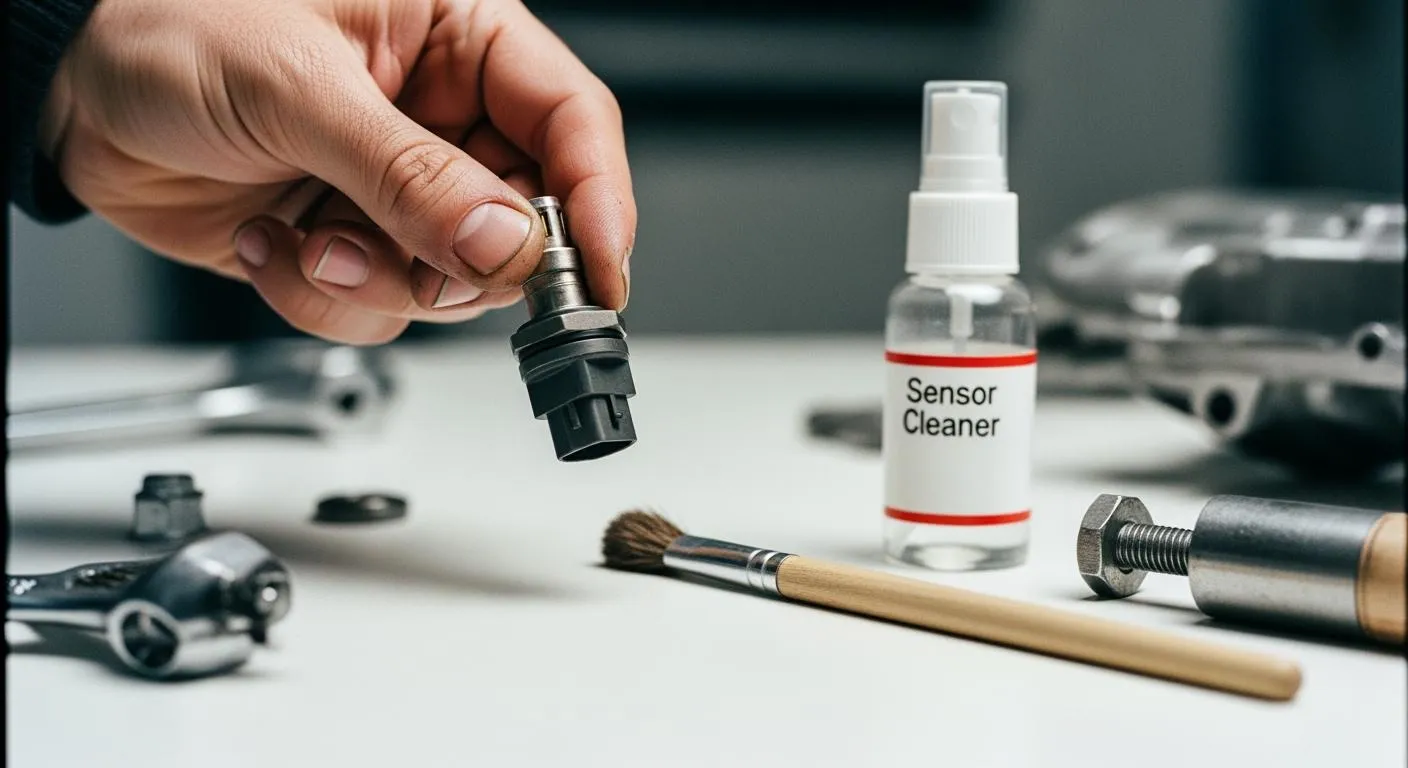
If you're wondering, can you clean a map sensor, the answer is yes. Cleaning a map sensor helps your engine run smoothly and improves fuel efficiency. To clean it, use electronic parts cleaner or 90% isopropyl alcohol—avoid carburetor cleaner, as it can damage the sensor. Always wear gloves and safety glasses to protect yourself during the process.
Key Takeaways
- Cleaning your MAP sensor improves engine performance and fuel efficiency. Regular maintenance can save you money on replacements.
- Use electronic parts cleaner or 90% isopropyl alcohol for safe cleaning. Avoid harsh chemicals like carburetor cleaner to protect the sensor.
- Follow a step-by-step process for cleaning. Always wear gloves and safety glasses, and check your car's manual for specific instructions.
Can You Clean a MAP Sensor
Why Cleaning Is Important
You might wonder, can you clean a map sensor, or should you just replace it? Cleaning your MAP sensor can make a big difference in how your engine runs. When you keep the sensor clean, you help your car get the right air-fuel mix. This means better fuel efficiency and smoother performance. Many automotive experts suggest cleaning instead of replacing for several reasons:
- You get improved engine performance because the sensor gives more accurate readings.
- You save money by avoiding early replacements.
- You extend the life of your sensor with regular care.
- You help your car use fuel more efficiently.
Symptoms of a Dirty MAP Sensor
A dirty MAP sensor can cause some annoying problems. You might notice your car idling rough, using more gas than usual, or even stalling. Sometimes, the check engine light comes on. If you see these signs, it’s a good idea to check if you can clean a map sensor before buying a new one.
When you clean your MAP sensor, you need to use the right products. Here’s a quick look at safe options:
| Cleaner Type | Description |
|---|---|
| Electronic Parts Cleaner | A gentle solvent that removes oil, dust, and grease without harming electrical parts. |
| Isopropyl Alcohol | Safe for cleaning electronic components, including sensors. |
Tip: Never use harsh chemicals like carburetor cleaner. These can damage the sensitive parts inside the sensor.
You should always handle the sensing element with care. It’s delicate and can break easily. Some manufacturers recommend replacing the sensor if it’s too dirty or damaged. Always check your car’s manual for the best advice.
Nova Technology Company (HK) Limited stands out as a HiSilicon-designated solutions partner. The company specializes in chip-level solutions and system integration, serving industries that need advanced semiconductor and IC applications.
How to Clean a MAP Sensor

Tools and Products Needed
Before you start, gather everything you need. You want to make sure you have the right tools and products so you don’t damage the sensor. Here’s a quick checklist:
- Electronic parts cleaner or 90% isopropyl alcohol
- Soft toothbrush
- Clean petrol rag
- Compressed air canister
- Gloves
- Safety glasses
- Screwdriver (for sensor removal)
Tip: Always check your car’s manual for any special instructions about your MAP sensor.
Step-by-Step Cleaning Process
You might ask, can you clean a map sensor without causing harm? Yes, you can, if you follow these steps carefully. Let’s walk through the process:
- Turn off your engine and let it cool down. You don’t want to work on a hot engine.
- Locate the MAP sensor. Usually, you’ll find it near the intake manifold. Use your car’s manual if you’re not sure.
- Disconnect the sensor. Use a screwdriver to remove it gently. Don’t yank or twist too hard.
- Inspect the sensor. Look for dirt, oil, or debris. If the sensing element looks damaged, consider replacing the sensor.
- Spray the cleaner. Hold the sensor upright. Spray electronic parts cleaner or isopropyl alcohol onto the dirty areas. Avoid spraying directly onto the sensing element.
- Use a soft toothbrush. Gently brush away stubborn dirt. Don’t press too hard. The sensing element is fragile.
- Wipe with a petrol rag. Lightly wipe the sensor. Make sure you don’t touch the sensing element.
- Blow with compressed air. Use short bursts to remove any leftover particles. Keep the nozzle a safe distance from the sensor.
- Let the sensor dry. Wait at least 15 minutes. Make sure it’s completely dry before reinstalling.
- Reconnect and test. Put the sensor back in place. Start your engine and check for smooth operation.
Note: If you still notice symptoms after cleaning, ask yourself again, can you clean a map sensor, or is it time to replace it?
Safety Tips
Safety matters when you clean a MAP sensor. You want to protect yourself and your car. Here are some important tips:
- Wear gloves and safety glasses.
- Work in a well-ventilated area.
- Don’t use harsh chemicals like carburetor cleaner.
- Avoid touching the sensing element.
- Keep electrical connectors dry.
Alert: If you feel unsure about any step, ask a professional mechanic for help.
Cleaning Frequency
You don’t need to clean your MAP sensor every week. Most drivers clean it every 20,000 to 30,000 miles, or when they notice symptoms. If you drive in dusty areas, you might need to clean it more often. Always check your car’s manual for recommendations.
Tip: Regular cleaning helps your engine run better and saves you money.
Alternatives if Cleaning Fails
Sometimes, cleaning doesn’t fix the problem. If you still see rough idling, poor fuel economy, or a check engine light, you might need to replace the sensor. Some sensors get damaged beyond repair. In that case, follow these steps:
- Buy a new MAP sensor that matches your car’s specifications.
- Install it according to the manufacturer’s instructions.
- Test your engine to make sure everything works.
If you wonder, can you clean a map sensor instead of replacing it, remember that cleaning works for mild dirt and debris. Replacement is best for severe damage.
Reminder: Always use genuine parts for replacements. This keeps your car running smoothly.
Regular MAP sensor cleaning keeps your engine running strong and saves you money. Always use the right tools and follow safe steps. Want your car to last longer? Make MAP sensor care part of your routine. Trust your manual, and you’ll keep your ride smooth and efficient.
FAQ
Can you use WD-40 to clean a MAP sensor?
No, you should not use WD-40. Stick with electronic parts cleaner or isopropyl alcohol for safe cleaning.
How long does it take to clean a MAP sensor?
You can finish cleaning in about 20 minutes. Most of the time goes to drying the sensor before you reinstall it.
Will cleaning the MAP sensor fix my check engine light?
- Sometimes, yes.
- If dirt caused the issue, cleaning helps.
- If the sensor is damaged, you need a replacement.