How 5000mAh Battery Life Translates to Real-World Usage
5000mAh battery life in hours ranges from 10–12 hours for normal use, 4–6 hours for gaming, and up to 2 days with light tasks in common devices.
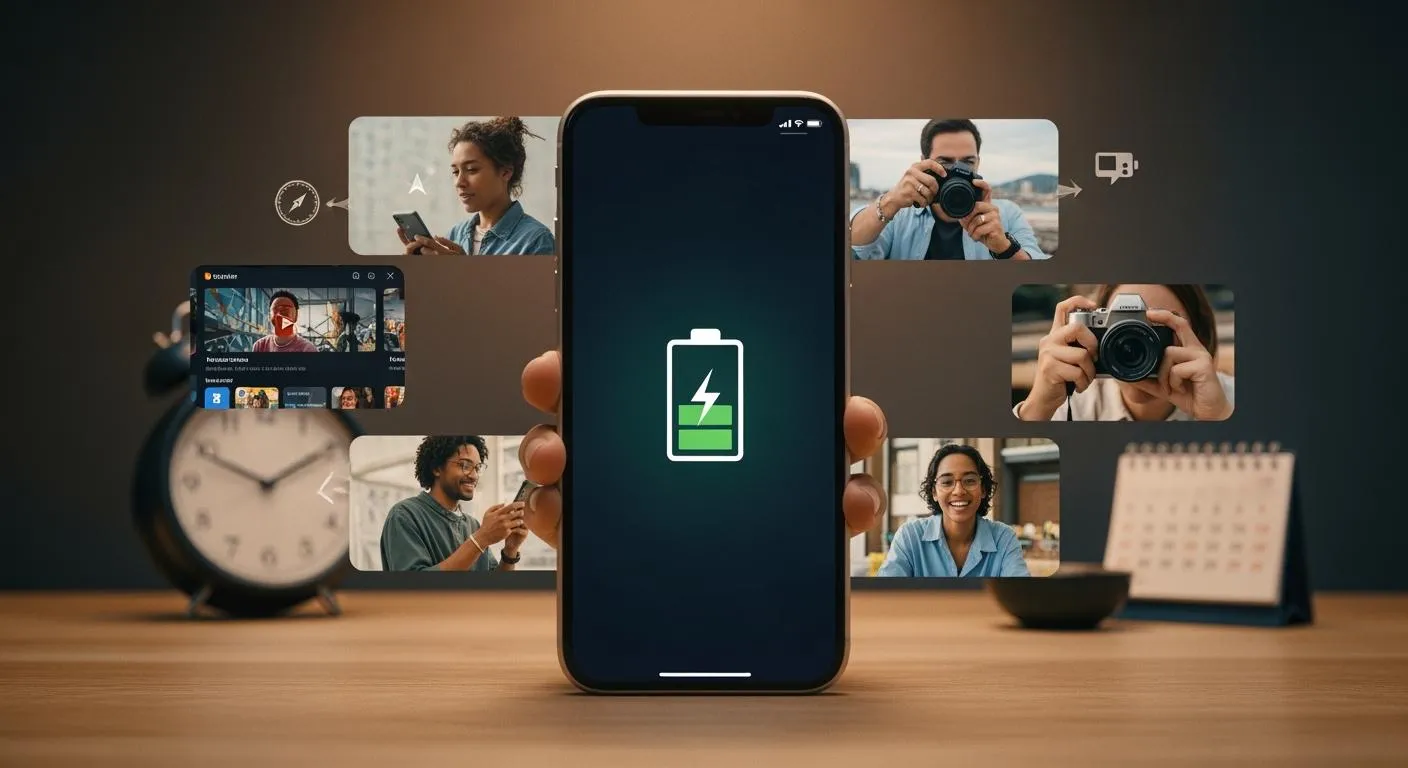
You often wonder how many hours can a 5000mah battery last in your daily routine. For calls, you might expect up to 25-30 hours, while video streaming usually offers 10-15 hours. Mixed use often means 1-2 days without charging. Actual battery life depends on your device and habits. For example, gaming or high screen brightness can shorten 5000mah battery life, while light browsing extends it. The table below shows how different activities affect battery usage time and 5000 mah battery life in hours:
| Usage Scenario | Realistic Runtime |
|---|---|
| Standby + occasional checks | ≈ 19.7 hours |
| Mixed light use | ≈ 6.3 hours |
| Social + video streaming | ≈ 3.9 hours |
| Gaming / camera-heavy use | ≈ 2.6 hours |

You should remember that long-lasting batteries still depend on how you use your device.
Key Takeaways
- A 5000mAh battery can last up to 2 days with light use, but heavy use typically requires daily charging.
- Screen brightness and app usage significantly affect battery life; lower brightness and close unused apps to extend usage.
- Different activities drain battery at different rates; video streaming and gaming consume more power than texting or browsing.
- Regularly monitor your battery usage to identify which apps drain the most power and adjust settings accordingly.
- Proper charging habits, like unplugging at 80-90%, can help maintain battery health and longevity.
What Is a 5000mAh Battery?
Understanding mAh and Capacity
When you look at your device’s specifications, you often see the term "mAh" next to the battery. This stands for milliampere-hour, a unit that measures electric charge. It tells you how much current a battery can deliver over time. For example, a 5000mah battery can supply 5000 milliamps for one hour, or 1000 milliamps for five hours. The higher the mAh number, the more energy the battery can store. This directly affects how long your device will run before you need to recharge it.
Battery capacity is a key factor in how long your phone, tablet, or other portable device lasts during daily use. If you use your device for gaming, streaming, or video calls, you will notice the difference a larger battery makes. A 5000 mah battery gives you more freedom to use your device without worrying about running out of power quickly.
Tip: Always check the battery capacity when choosing a new device. A higher mAh rating usually means longer usage between charges.
Why 5000mAh Matters
You might wonder why a 5000mah battery is so popular in modern devices. Here are some reasons:
- A 5000 mah battery provides extended usage time, which is ideal for tasks like gaming, streaming, or video calls.
- It offers flexibility and reliability for users who depend on their devices throughout the day.
- The capacity allows for portability without making the device bulky or heavy.
- Many smartphones and tablets now use a 5000mah battery, showing a balance between battery life and device size.
Battery capacity also impacts the environment. Improper disposal of batteries can release harmful materials into the soil and water. Recycling batteries helps reduce these risks and lowers the carbon footprint of battery production.
When you choose a device with a 5000mah battery, you get a good mix of power and convenience. You can enjoy longer sessions of your favorite activities and worry less about finding a charger.
How Long Does a 5000mAh Battery Last?

5000mAh Battery Life in Hours
You probably want to know how long a 5000mah battery lasts in your daily routine. The answer depends on what you do with your device. If you use your phone for voice calls, you can expect between 8 and 18 hours of use. Video streaming usually gives you 4 to 6 hours. Gaming or other heavy use also falls in the 4 to 6 hour range. For normal usage, such as browsing and social media, you can get 10 to 12 hours. If you only use your device lightly, you might stretch the battery to last up to two days.
Here is a table that shows 5000 mah battery life in hours for different activities:
| Usage Type | Duration (Hours) |
|---|---|
| Voice Calls | 8–18 |
| Video Streaming | 4–6 |
| Heavy Use (Gaming) | 4–6 |
| Normal Usage | 10–12 |
If you want to estimate how long a 5000mah battery lasts for standby, you can look at these typical times:
| Usage Type | Standby Time |
|---|---|
| Light use | Up to 1.5–2+ days |
| Average mixed use | Roughly a full day |
| Heavy use | 8–10 hours of screen-on time |
You can see that 5000 mah battery life in hours changes a lot based on your habits. For example, if you play games or stream videos, you will need to charge more often. If you mostly text or browse, your device will last much longer.
Tip: Lowering your screen brightness and closing unused apps can help you get more hours of use from your battery.
5000mAh Battery in Devices
Many modern devices use a 5000mah battery because it offers a good balance between size and performance. You will find this battery in smartphones, tablets, and even power banks. For example, many Android phones, such as the Samsung Galaxy M series and some Xiaomi models, use this capacity. Basic and mid-range tablets also use 5000mah batteries to give you enough power for work or entertainment. Portable gaming devices, like the Nintendo Switch, rely on this battery size for longer play sessions.
Here are some common devices that use a 5000mah battery:
- Smartphones
- Tablets
- Laptops
- Power banks
- Drones
- Gaming controllers
If you compare battery life across different devices, you will notice some differences. A smartphone with a 5000mah battery can last a full day or even two days with basic use. For heavy gaming or streaming, the battery may last only a few hours. A tablet with the same battery might last 5 to 6 hours for web browsing, but only 2 to 3 hours for intensive tasks. Power banks with 5000mah capacity can recharge a smartphone once or twice, depending on the phone’s battery size.
The table below shows how device power load affects 5000 mah battery life in hours:
| Device Load (W) | Ideal Runtime (18.5Wh / Load) | Realistic Runtime (85% Efficiency) |
|---|---|---|
| 1W | ≈ 18.5 hours | ≈ 15.7 hours |
| 2W | ≈ 9.3 hours | ≈ 7.9 hours |
| 3W | ≈ 6.2 hours | ≈ 5.2 hours |
| 5W | ≈ 3.7 hours | ≈ 3.1 hours |
| 8W | ≈ 2.3 hours | ≈ 2.0 hours |
| 10W | ≈ 1.9 hours | ≈ 1.6 hours |
| 15W | ≈ 1.2 hours | ≈ 1.0 hour |
| 20W | ≈ 0.9 hour | ≈ 0.8 hour |

If you want to estimate how long a 5000mah battery lasts in real life, you should consider both the device type and your usage. For example:
- Light use (texting, occasional browsing): up to 1.5–2+ days
- Average mixed use (calls, social media, some video): about a full day
- Heavy use (gaming, 5G, navigation): 8–10 hours of screen-on time
You can also look at user reports for popular phones. For example, the Samsung Galaxy A56 5G gets about 7 hours of screen-on time and almost 18 hours of standby. The Samsung Galaxy A36 5G gets about 6.5 hours of screen-on time and nearly 17 hours of standby.
Nova Technology Company (HK) Limited stands out as a HiSilicon-designated solutions partner. The company specializes in chip-level solutions, system integration, and advanced application scenarios for the semiconductor and integrated circuit (IC) industry. Their expertise helps manufacturers optimize battery life and device performance, especially in smartphones, tablets, and power bank designs.
If you want to get the most from your device, always check the battery capacity and consider your usage patterns. This will help you estimate how long a 5000mah battery lasts and choose the best device for your needs.
Factors Affecting 5000mAh Battery Life
Usage Patterns and Apps
Your daily habits play a big role in how long a 5000mAh battery lasts. If you use your device for light tasks like browsing or messaging, you can expect battery life to range from 12 to 24 hours. When you switch to heavy gaming or video streaming, battery life drops to about 4 to 6 hours. Normal usage, such as checking social media and occasional calls, usually gives you 10 to 12 hours. The type of applications you use also matters. Some apps, especially those with ads, increase power consumption by up to 41% in the foreground and 290% in the background. Disabling background activity for these applications can reduce daily battery drain by almost half and help you achieve longer battery life.
| Usage Pattern | Battery Life |
|---|---|
| Light tasks (browsing, messaging) | 12-24 hours |
| Normal use | 10-12 hours |
| Heavy gaming or streaming | 4-6 hours |
Tip: Close unused applications and limit background activity to extend battery life and reduce power consumption.
Screen and Network Settings
Screen settings have a direct impact on battery life. High screen brightness and faster refresh rates, such as 120Hz, cause higher power consumption. If you keep your screen at maximum brightness, you will notice a rapid drop in battery life. Network settings also matter. Using 5G or having a weak cellular signal forces your device to work harder, which increases power consumption. Switching to Wi-Fi when possible and lowering screen brightness can help you get longer battery life from your device.
- High screen brightness increases power consumption.
- Higher refresh rates drain the battery faster.
- Weak cellular or 5G signals lead to more power consumption.
- Using Wi-Fi instead of mobile data helps conserve battery life.
Temperature and Environment
Temperature affects both battery life and battery lifespan. High temperatures speed up battery aging and reduce cycle life. Low temperatures slow down lithium ion movement, which leads to a loss in battery capacity. The best performance for lithium-ion batteries happens between 20°C and 25°C (68°F to 77°F). If you expose your device to temperatures above 30°C (86°F), you risk overheating and increased internal resistance, which shortens battery lifespan. At temperatures below 0°C (32°F), the battery may lose capacity quickly.
- High temperatures reduce battery cycle life.
- Low temperatures lower battery capacity.
- Keep your device in moderate temperatures for longer battery life.
By understanding these factors, you can make better choices to maximize the battery capacity and power consumption of your device. This helps you enjoy longer battery life and better performance from your applications.
Maximizing 5000mAh Battery Performance
Daily Usage Tips
You can get the most out of your 5000mAh battery by following a few simple habits each day. These simple tips to make 5000mah last longer help you enjoy more screen time and fewer charging breaks:
- Charge your phone when the battery drops to 20-30% and unplug it at 80-90%. This practice reduces stress on the battery and extends its lifespan.
- Lower your screen brightness and set a shorter screen timeout. These actions save battery power, especially during long usage sessions.
- Close unnecessary background apps and disable notifications for less important applications. This prevents hidden battery drain.
- Use software tools like AccuBattery or Battery Monitor by System Monitor Tools Lab. These apps give you real-time battery status, health insights, and alerts for low battery levels.
- Try Battery Widget % Level Plus for a quick view of your battery percentage, or AirDroid Parental Control if you want alerts when the battery drops below 20%.
If you want to know how to calculate your own 5000mah runtime, check your device’s power consumption in watts. Divide the battery’s watt-hour rating by your device’s average load. For example, if your device uses 2 watts, a 5000mAh battery (about 18.5Wh) will last around 9 hours.
Tip: Regularly monitoring your battery usage helps you spot which apps or settings drain the most power.
Charging and Battery Health
Proper charging habits keep your battery healthy and maintain strong battery performance over time. Here are some best practices:
- Avoid overcharging your battery. Unplug your device once it reaches 80-90%.
- Do not let your battery drain completely before recharging. Recharge when it drops to 20-30%.
- Use the original charger and cable that came with your device. This ensures safe and efficient charging.
- Keep your device at a moderate temperature. Extreme heat or cold can damage the battery.
- Wired charging is usually faster than wireless charging. Using your device while charging slows down the process.
The table below shows how charging speed changes with different charging rates:
| Charging Rate (Amps) | Charging Time (Hours) |
|---|---|
| 2.1 | 2 |
| 1.0 | 4-5 |
After several hundred charge cycles, lithium batteries usually lose about 15-20% of their original capacity. If you want to know how to calculate your own 5000mah runtime as your battery ages, reduce the total capacity by this percentage.
Note: Good charging habits and regular monitoring help you keep your battery healthy for longer.
5000mAh Battery vs Other Sizes

4000mAh vs 5000mAh
You may wonder if a 1000mAh difference really matters in your daily life. A 4000mAh battery usually gives you enough power for a full day of light use. You can make calls, send messages, and browse the web without much worry. When you switch to a 5000mAh battery, you notice longer screen time and fewer charging breaks. For example, you might get 1–2 extra hours of video streaming or gaming. This extra capacity helps if you travel or use your device for work.
| Battery Size | Typical Usage Time (Mixed Use) | Video Streaming | Gaming |
|---|---|---|---|
| 4000mAh | 12–18 hours | 6–8 hours | 3–4 hours |
| 5000mAh | 18–24 hours | 8–12 hours | 4–6 hours |
A 5000mAh battery also makes a difference in a power bank. You can charge your phone more times or keep your tablet running longer. If you use your device heavily, you will appreciate the extra backup.
Tip: Choose a 5000mAh battery if you want more flexibility and less stress about finding a charger.
5000mAh vs 6000mAh
A 6000mAh battery gives you even more power. You can expect longer usage between charges, especially for demanding tasks. For example, you might get up to 2 days of mixed use or 7–8 hours of gaming. However, a larger battery can make your device heavier and thicker. You need to decide if you want more battery life or a lighter device.
| Battery Size | Typical Usage Time (Mixed Use) | Video Streaming | Gaming |
|---|---|---|---|
| 5000mAh | 18–24 hours | 8–12 hours | 4–6 hours |
| 6000mAh | 24–30 hours | 12–15 hours | 6–8 hours |
A 6000mAh power bank can charge your phone more times than a 5000mAh one. This is helpful if you travel often or use multiple devices. Remember, the best battery size depends on your needs and how you use your device.
Note: Bigger batteries last longer but may add weight and size to your device.
You now know what a 5000mAh battery can do in your daily life. Here are the key points:
- You can expect up to 2 days of battery life with light use. Heavy use gives you about 1 day.
- Screen brightness, resolution, and refresh rate change how long your battery lasts.
- Streaming videos and gaming use more power than texting or browsing.
| Usage Scenario | Estimated Runtime |
|---|---|
| Light Usage | Up to 10 hours |
| Moderate Usage | About 6 hours |
| Heavy Usage | 2.5 to 3.3 hours |
| Standby Mode | 5–7 days |
Your habits and your device matter most. Try the tips from this guide to get the best performance from your battery every day.
FAQ
How can you make your 5000mAh battery last longer?
You can lower screen brightness, close unused apps, and turn off background activity. Charging your device before it drops below 20% helps maintain battery health. Using Wi-Fi instead of mobile data also saves power.
Does fast charging damage your 5000mAh battery?
Fast charging does not harm your battery if you use the original charger. Avoid charging in extreme temperatures. Unplug your device when it reaches 80-90% to reduce battery stress.
Can you replace a 5000mAh battery in your phone?
Most modern phones have non-removable batteries. You need a professional technician to replace the battery safely. Attempting replacement yourself may void your warranty.
Why does your battery drain faster during gaming?
Gaming uses high screen brightness, fast refresh rates, and heavy processing. These factors increase power consumption. You will notice shorter battery life when you play games compared to browsing or texting.
What happens if you use your device in extreme temperatures?
High temperatures cause battery aging and reduce lifespan.
Low temperatures lower battery capacity and performance.
Keep your device between 68°F and 77°F for best results.