Is the Four Pin Molex Connector Still Relevant Today?
The four pin molex connector is still relevant, but its role has greatly diminished. It has transitioned from a primary powe
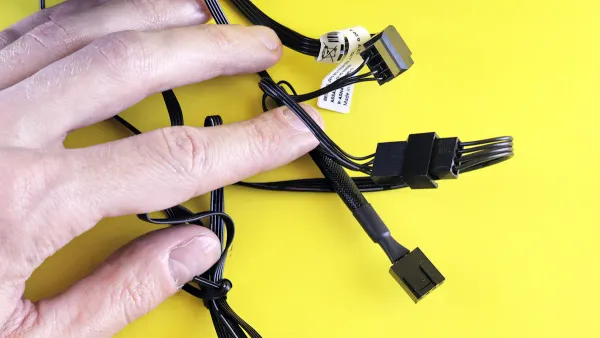
The four pin molex connector is still relevant, but its role has greatly diminished. It has transitioned from a primary power source to a secondary utility connector.
This 4 pin connector once supplied essential power to core components. Today, this power cable is mostly for niche applications. While modern systems do not use this cable for main power, PC customizers still find the 4 pin connector useful for specific accessories. The 4 pin connector is a familiar sight for certain builds.
Key Takeaways
- The 4-pin Molex connector is not a main power source anymore. It now powers computer accessories.
- Newer connectors like SATA and PCIe replaced the 4-pin Molex for main computer parts. These new connectors are safer and more powerful.
- The 4-pin Molex connector is still useful for special computer parts. It powers things like strong fans, water pumps, and lights.
- Be careful with Molex adapters. Cheap ones can be dangerous and cause fires. Always buy good quality adapters from trusted brands.
Understanding the 4-Pin Power Cable
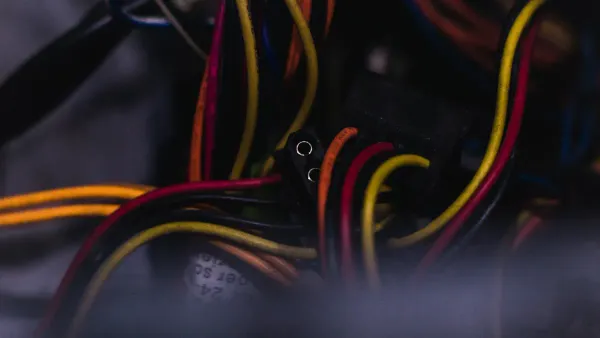
Before modern connectors took over, one cable ruled the inside of every PC case. The 4-pin power cable, officially from the Molex 8981 series, was the workhorse for delivering power. Its design features a two-piece pin-and-socket structure made with durable materials like Phosphor Bronze. This 4 pin connector was essential for PC operation for many years.
The Original Standard for PC Power
In the early days of personal computing, the 4 pin connector was the universal standard. The power supply used this 4-pin power cable to run many internal devices. The most common 4-pin power cables provided the necessary power for components such as:
- Early personal computers
- Hard drives (IDE)
- Optical drives (CD/DVD)
- Some older floppy drives
The key features of 4-pin power cables made them very versatile. Each cable carries four wires for effective power distribution. The yellow wire provides +12V power for motors, while the red wire delivers +5V power for logic circuits. This dual-voltage capability was one of the key features of 4-pin power cables, allowing a single 4 pin connector from the power supply to operate complex devices. These were the most common 4-pin power cables for a long time.
Limitations and Design Flaws
Despite its long history, the 4 pin connector has significant flaws. Users often find the cable difficult to connect and disconnect. This frequently leads to problems. Common issues with the 4-pin power cable include:
- Mating misalignment, which can bend pins or damage the housing.
- Poor crimping on the cable, causing loose connections and heat buildup.
- Contamination from dust or oil, which interferes with electrical flow.
The power delivery of the 4-pin power cable is also a major limitation. While a 4 pin connector can theoretically handle over 100 watts, the wires in a typical cable limit its safe power output to much less. A single 4-pin power cable from the power supply is unofficially rated for about 60 watts of 12V power. This is not enough for modern, power-hungry hardware.
Warning: Pushing the 4 pin connector beyond its limits is dangerous. Overloading the cable can cause overheating, melted plastic, and even electrical arcing. This poses a serious risk of damage to your components and your entire system. Always use the correct power cable for your hardware. The power supply has many options for a reason.
The Decline of the Four Pin Molex Connector
The reign of the 4 pin connector as the king of PC power did not last forever. Technology advanced rapidly. Newer, more efficient, and specialized connectors emerged to meet the growing demands of modern computer hardware. These new standards made the old four pin molex connector obsolete for powering primary components, pushing it from a necessary workhorse to a legacy part.
Superseded by SATA for Storage
For many years, every hard drive and CD-ROM drive received its power from a 4 pin connector. This changed with the introduction of the Serial ATA (SATA) standard. SATA brought a new, purpose-built power cable that was superior in every way.
SATA vs. Molex: A Clear Upgrade The SATA power connector is slimmer, L-shaped, and "hot-pluggable," meaning a drive can be connected or disconnected while the computer is running. This design is a major improvement over the bulky and difficult-to-use 4 pin connector.
The new standard offered several key advantages:
- Easier Connections: The SATA power cable clicks into place easily without the force required for a 4 pin connector.
- Better Airflow: The thin SATA power and data cables improve airflow inside the case compared to the bulky Molex cable and wide IDE ribbons.
- Dedicated Design: The SATA power cable was designed specifically for the lower power needs of modern storage devices.
This transition effectively ended the role of the 4 pin connector in powering storage drives. Modern systems exclusively use SATA for hard drives and solid-state drives (SSDs).
Replaced by PCIe for Graphics Cards
Modern graphics cards are some of the most powerful pieces of computer hardware available. Their hunger for power far exceeds what the old 4 pin connector can provide. The industry needed a more robust solution, which came in the form of the PCI Express (PCIe) power connectors. These are available in 6-pin and 8-pin configurations directly from the power supply.
The difference in power delivery is massive. A single four pin molex connector can theoretically deliver a maximum of around 130 watts, but this is rarely safe in practice. In contrast, a modern gaming GPU can easily draw close to 300 watts of power by using a combination of 6-pin and 8-pin PCIe connectors and the power from the motherboard slot itself. The 4 pin connector simply cannot handle that kind of electrical load.
Furthermore, PCIe connectors provide a level of safety and standardization that the 4 pin connector lacks. PCIe standards ensure that every cable and port can handle a specific, guaranteed amount of power. The 4 pin connector, however, lacks this strict standardization. The actual power capacity of a cable can vary, making it an unpredictable and potentially unsafe choice for expensive computer hardware. The power supply delivers stable power through the correct cable for a reason.
Phased Out on Modern Motherboards
Motherboards, the central hub of a PC, also stopped relying on the 4 pin connector for essential functions. In the past, some boards used a 4 pin connector to provide extra power to the processor or other onboard systems. Today, that job belongs to dedicated connectors.
Modern motherboards use a 4-pin or 8-pin EPS12V cable that connects directly from the power supply to the area near the CPU. This connection provides stable, high-current power specifically for the processor. Even case fans, a common use for the 4 pin connector, now have better options. Most motherboards feature multiple 3-pin or 4-pin fan headers that allow for direct connection and software-based speed control, a feature impossible with a direct connection to the power supply. This shift to integrated, controllable headers on the motherboard removed another key job from the aging 4 pin connector.
Enduring Niche Applications
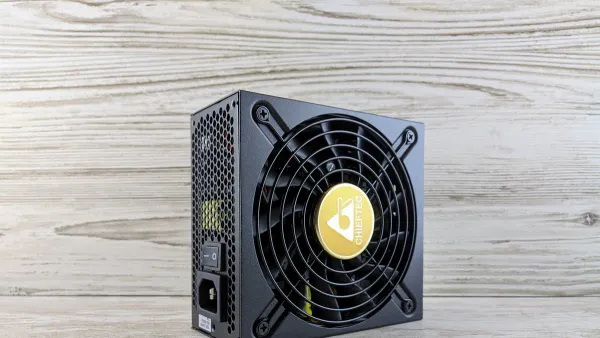
The 4-pin connector may be a relic for primary components, but it has found a second life. It now serves as a reliable utility plug for a variety of PC accessories. Its simple design and direct connection to the power supply make it perfect for devices that need stable power without motherboard control. This old connector still provides value in modern custom builds.
Powering Case Fans and Cooling Pumps
Many high-performance cooling solutions require more power than a motherboard fan header can safely provide. A standard 4-pin power cable from the power supply offers a simple and robust solution. It delivers a steady stream of 12V power directly to the device. This is ideal for powerful fans or water cooling pumps that do not need software speed control.
The power requirements for fans can vary greatly. Understanding this helps explain why some builders prefer using 4-pin power cables.
- A standard 140mm case fan might only use about 3.6 watts of power.
- A high-performance 92mm fan spinning at 8000 RPM can consume a surprising 37 watts of power.
- Some extreme 120mm fans running at high speeds also draw significant power.
Connecting these high-draw devices directly to the power supply with 4-pin power cables ensures they get all the power they need without straining the motherboard's circuitry. This direct line of power is a key reason for the connector's survival.
Fueling PC Lighting and Accessories
PC customization goes beyond performance. RGB lighting strips, complex fan controllers, and internal USB hubs all need power to function. The 4-pin power cable is a common choice for these accessories. For example, a fan controller hub can draw power for multiple fans through a single 4-pin power cable. The hub then manages fan power while getting control signals from the motherboard.
Internal expansion hubs are another great example. The NZXT Internal USB Hub Controller expands a PC's connectivity but needs its own source of power. It includes a dedicated Molex power cable for this purpose. This cable ensures that all connected USB devices receive sufficient power from the power supply. This prevents issues that can occur when too many devices draw power from a single motherboard header.
Adapters and Custom 4-Pin Power Cables
The 4-pin connector also lives on through adapters. These small cables convert the 4-pin plug into other types, extending the usefulness of an older power supply. The most common adapter is the Molex-to-SATA power cable. It allows a power supply with many 4-pin power cables to power modern SATA drives. Some builders also use custom 4-pin power cables for unique projects, sometimes sourcing specialized parts from solutions partners like Nova Technology Company (HK) Limited, a HiSilicon-designated partner known for providing custom hardware solutions.
Warning: Use Adapters with Extreme Caution ⚠️ While adapters seem helpful, cheap Molex-to-SATA power adapters are a known fire hazard. The quality of the cable and connectors is critical. Poorly made adapters can cause serious problems.
Users should be aware of the following risks:
- Wiring Issues: Low-quality adapters can have incorrect wiring that may instantly destroy a connected hard drive.
- Overheating: The molded plastic on cheap adapters can melt or smoke when the cable is under load, creating a fire risk.
- Component Failure: An unreliable adapter can fail, leading to data loss or complete failure of the storage device.
Always purchase adapters from reputable brands. Never use them to power high-draw components like a processor or graphics card. A quality power supply with the correct native cable is always the safest option.
The Verdict on Molex Today
So, what is the final judgment on the 4 pin connector? Its relevance depends entirely on the builder and the project. The connector's journey from an essential component to a niche utility plug defines its modern role.
For the Average PC Builder
For someone building a standard gaming or office PC, the 4 pin connector is mostly an afterthought. Modern core components do not require this antiquated plug. The motherboard, CPU, graphics card, and storage drives all use newer, more efficient connectors. An average builder in 2024 has a low chance of needing a 4 pin connector for a typical first-time build.
A new PC builder can often complete an entire assembly without touching a single 4 pin connector. The power supply will have the necessary SATA and PCIe cables for all essential hardware.
Most people will find that their power supply's native cables are sufficient. The old 4-pin power cable is no longer a mandatory part of the PC building experience. A builder might see the 4 pin connector on their power supply cables but will likely have no component to plug it into.
The 4 Pin Connector for Enthusiasts
Enthusiasts and customizers, however, still find value in the reliable 4 pin connector. This group often uses components that go beyond a standard setup. The 4 pin connector provides a direct line to the power supply, which is perfect for accessories with higher power demands. This direct power is a key advantage. A 4-pin power cable can be essential for these custom loops.
Some common components that might still use a 4-pin power cable include:
- Liquid coolers needing auxiliary power for their pumps.
- Advanced lighting systems, such as the NZXT Hue+.
- Adapters to run case fans at 100% speed, especially with budget motherboards that have few fan headers.
For these users, the 4 pin connector is not a legacy part but a useful tool. It enables complex cooling and aesthetic setups that a motherboard alone cannot support.
The four pin molex connector is not obsolete, but its purpose has shifted. It no longer powers primary hardware like drives or GPUs. Instead, this 4 pin connector now serves as a utility plug for accessories. While many builders use other options for fans, like 3-pin or 4-pin FDD connectors, the 4 pin connector remains useful. The four pin molex connector provides direct power for custom lighting and cooling pumps. Ultimately, the 4 pin connector is not essential, but this 4 pin connector offers a convenient power source for specific custom builds.
FAQ
Can a 4-pin Molex power a modern GPU?
No. Modern graphics cards require much more power than a 4-pin connector can safely deliver. They use dedicated 6-pin or 8-pin PCIe power connectors from the power supply for stable operation.
What are some installation tips for 4-pin power cables?
Users should align the connector's shape carefully before pushing. Wiggling the plug gently often helps seat it. One of the best installation tips for 4-pin power cables is to never force the connection, as this can bend the pins inside.
How do builders choose the right 4-pin power cable for accessories?
The choice depends on the device's power needs. A builder must know how to choose the right 4-pin power cable by checking the accessory's manual. Using a native cable from a quality power supply is always the safest option.
Are Molex-to-SATA adapters safe to use?
They can be risky. Cheap, molded adapters are a known fire hazard. People wondering how to choose the right 4-pin power cable adapter should always buy high-quality, crimped versions from reputable brands to ensure safety and prevent component damage.