BOM Upload Prep: Key Procurement Questions Before Submitting a Component RFQ
BOM and RFQ best practices for electronic component procurement. Upload your BOM or request a quote for mixed lines and flexible MOQ.
Why Incomplete BOMs Cost More Than You Think — And How RFQ Delays Compound
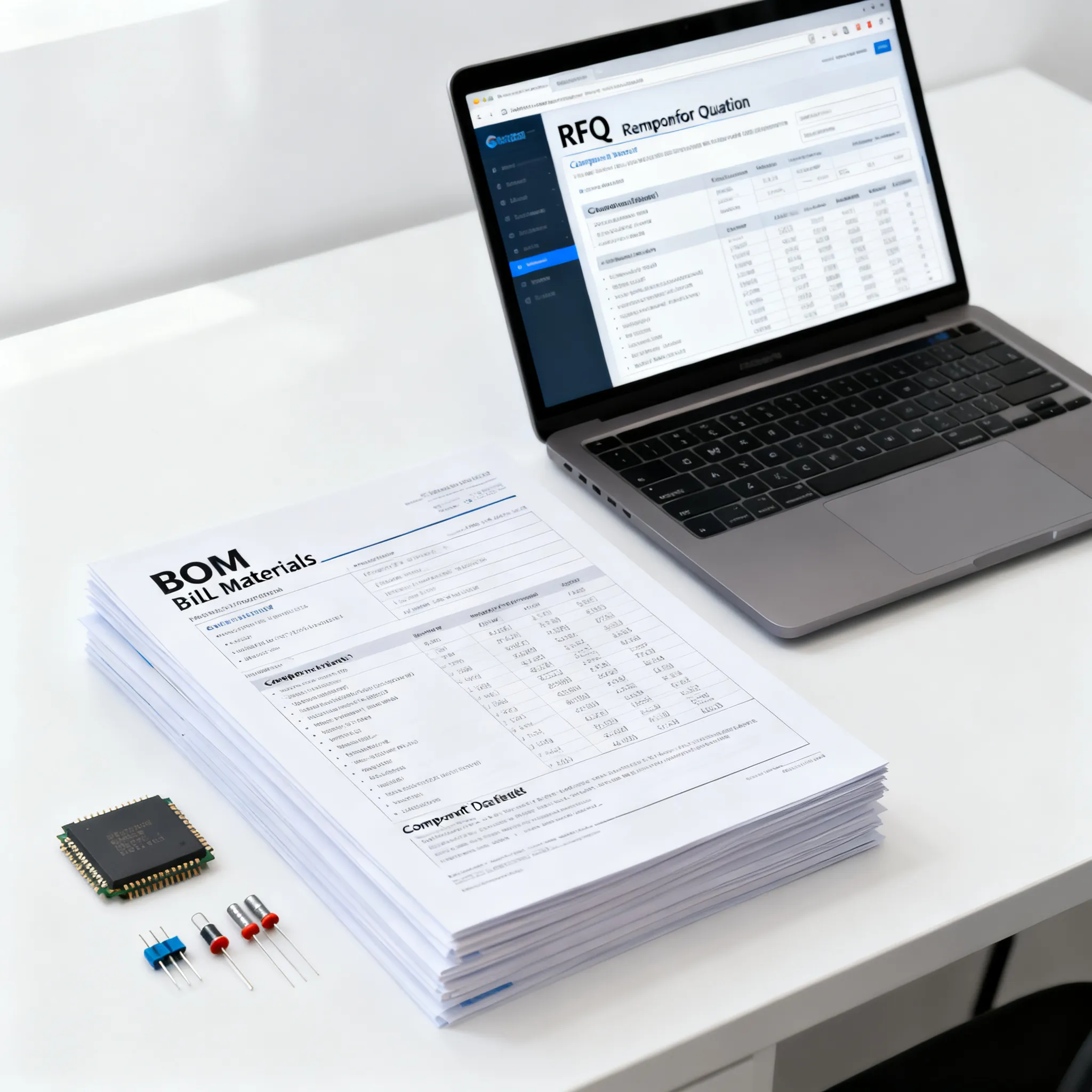
Most procurement teams spend more time clarifying a bill of materials than they do comparing quotes. The reason is simple: a BOM that looks complete to an engineer often contains gaps that stall an RFQ for days. When attributes such as the manufacturer MPN, alternate part numbers, package, or populate status are missing, the supplier’s first response is rarely a quote — it is a list of questions. Elisa IndustrIQ describes how procurement professionals jump between PLM, ERP, spreadsheets, and email just to close these gaps, and that most RFQ cycle time is lost precisely at this stage. Even fields that are sometimes treated as optional — populate status, revision level, or approved alternates — regularly become critical during a procurement hold, when a single ambiguous line item can freeze an entire batch.
When a BOM is submitted without these details, the cost multiplies across three dimensions. First, the back-and-forth clarification cycle delays the quote, compressing the time available for negotiation and allocation. Second, incomplete data forces the supplier to make assumptions that may not align with the design intent, increasing the risk of a mismatched part or a non-conforming alternate. Third, Ivalua warns that single-source risks and long-lead components must be flagged early; if the BOM obscures these constraints, the procurement team cannot formulate a buffer strategy before the design is frozen. The result is a sourcing event that starts with a handicap — and the longer the BOM sits in a clarification loop, the more likely it is that allocation windows close or that you are forced to accept a less favorable commercial position.
The table below breaks down the most common drivers of RFQ delays caused by incomplete BOMs and shows how they translate into procurement impact.
| Driver | Mechanism | Procurement Impact |
|---|---|---|
| Missing manufacturer MPN | Supplier cannot identify the exact part; must request clarification via email. | Adds 24–48 hours to quote turnaround; risk of quoting a near-equivalent that does not meet the design spec. |
| Absence of alternate MPNs | No fallback path if the primary part is allocation-sensitive; supplier must ask for approved alternates. | Leaves the quote vulnerable to single-point failure; may force a second sourcing round after the primary is rejected. |
| Unspecified populate status (DNP/DNI) | Supplier quotes full quantity for all lines, including do‑not‑place components, inflating the total. | Distorts unit cost and MOQ; wastes time on lines that are not needed for the current build. |
| Missing revision level | Supplier cannot confirm that the quoted part matches the current design iteration. | Introduces version mismatch risk; engineering change orders may be required after the quote, resetting the cycle. |
| No target price or delivery window | Supplier offers a price that meets their internal margin but may exceed the project budget; delivery dates are disconnected from production needs. | Forces a second negotiation round; delays comparative analysis across multiple suppliers. |
| Inconsistent part-number formatting | Automated tools cannot parse the BOM; manual intervention required to normalise MPNs. | Slows supplier matching and prevents bulk quote aggregation; increases error rate. |
Key takeaway: Every missing field is a future email. The procurement team that invests in BOM completeness before submitting the RFQ reduces the clarification cycle and moves directly to the quote comparison stage, where the real procurement leverage lies.
The Anatomy of an RFQ-Ready Bill of Materials
An RFQ‑ready BOM does more than list part numbers and quantities. It creates a self‑contained sourcing brief that allows a supplier to quote without asking for the basics. Altium and NextPCB emphasise that manufacturer name, alternate MPNs, populate status, revision level, estimated cost, and lead‑time expectations belong in the BOM from the start. Ivalua adds that standardised part numbers and quantities per unit, combined with detailed specifications, create a consistent foundation that procurement can use across multiple suppliers. A dedicated BOM upload service such as TrustCompo further expects notes on target pricing, delivery expectations, approved brands, and traceability requirements — all of which should be placed in the upload notes or a dedicated column, not buried in an email thread.
Structuring the BOM around field categories helps teams understand what must be resolved before submission versus what can be appended later. The table below groups these fields into essential, strongly recommended, and conditional categories, and describes the effect each has on the RFQ process.
| Segment/Option | Effect on RFQ | Notes |
|---|---|---|
| Essential fields (manufacturer MPN, quantity, reference designator) | Without these, the supplier cannot begin to quote; the RFQ is effectively stalled. | These are the minimum data required for any line item. Verify that every row contains a resolvable manufacturer part number. |
| Strongly recommended (alternate MPNs, populate status, revision level, package) | Absence triggers clarification loops and prevents the supplier from proposing alternatives or identifying Do Not Place lines. | Include at least one approved alternate MPN per line. Mark DNP components clearly to avoid over‑quoting. |
| Conditional / strategic (target price, delivery window, approved brands, traceability requirements) | Without these, the supplier may propose a commercially misaligned offer, forcing a second round of negotiation. | Add these in a dedicated notes column or in the upload description field of a BOM upload service. Use them to set boundaries without constraining the supplier’s ability to find allocation. |
| Lifecycle and risk flags (single‑source indicator, EOL status, known long‑lead items) | Suppliers cannot proactively mitigate risk if they are unaware of the constraint; later discovery may invalidate the quote. | Flag these early. Ivalua advises that procurement should identify single‑source and long‑lead components before the design is frozen. |
A BOM that includes all essential and strongly recommended fields, supplemented by conditional notes, effectively becomes a procurement instrument. It tells the supplier not only what you need, but also under what commercial and technical boundaries you are willing to operate — and that is what separates a quick, competitive quote from a prolonged email thread.
Manual Spreadsheets, Upload Services, or Integrated Platforms: Which BOM Submission Path Fits Your Team?
Procurement teams have three primary ways to submit a BOM for RFQ: email a spreadsheet, use a dedicated BOM upload service like TrustCompo, or adopt an integrated platform that automates validation and supplier matching. Each path offers a different balance between control, speed, and the depth of supplier engagement.
Emailing a spreadsheet is the most familiar and flexible method. You can attach the file, add a few notes, and send it to a list of approved suppliers. However, Elisa IndustrIQ points out that this approach forces procurement teams to switch between PLM, ERP, and email just to validate the BOM and track responses. Missing attributes are caught only after the supplier manually reviews the file, and the clarification process then unfolds in disjointed email threads. The result is a high‑touch, low‑automation workflow that works well for small, familiar BOMs but breaks down when you are quoting across dozens of suppliers in different formats.
A dedicated BOM upload service such as TrustCompo adds a layer of structure. TrustCompo expects you to attach the spreadsheet and use the notes field to communicate quantities, target pricing, delivery expectations, approved brands, alternates, and traceability requirements. The service then replies with a consolidated feedback loop that includes clarification questions, pricing, availability, and alternate‑path discussion. This approach reduces the context switching that Elisa identifies, but it still relies on the quality of the BOM you upload. If the BOM lacks critical fields, the service will generate the same clarification questions — just in a more structured interface.
Integrated platforms take automation further. Elisa IndustrIQ describes BOM‑aware assistants that detect missing attributes, compare supplier deltas, and answer context‑specific questions without leaving the tool. ProcureKey highlights the challenge of normalising quotes from dozens of suppliers, each quoting on a different subset of the BOM in a different format. An integrated platform tackles this by automatically mapping supplier responses to the original BOM lines, flagging deviations, and presenting a unified comparison view. The trade‑off is that you must adopt a standardised BOM template and may lose some of the informal negotiation nuance that an email thread allows.
To help you decide which path fits your team, the list below compares the three approaches across the dimensions that matter most during a component RFQ.
- Data validation: Manual spreadsheets rely on human review after receipt; upload services provide structured feedback but still depend on input quality; integrated platforms can validate fields at upload and flag missing attributes before the RFQ is sent.
- Supplier matching: With email, you manually select and track suppliers. Upload services often match to a predefined network. Integrated platforms can automatically suggest suppliers based on historical data and part categories.
- Clarification handling: Email leads to fragmented threads; upload services consolidate questions into a single interface; integrated platforms often provide a chat‑like or ticket‑based clarification workflow that is linked to the specific BOM line.
- Multi‑supplier quote aggregation: Spreadsheets force you to normalise quotes manually. ProcureKey describes the difficulty of comparing quotes when each supplier uses a different format. Integrated platforms automate normalisation and present side‑by‑side comparisons.
- Control and flexibility: Email gives you the most control over narrative and negotiation. Upload services offer a middle ground. Integrated platforms demand a disciplined BOM structure but give you the fastest cycle time.
Tip: Even if you ultimately adopt an integrated platform, start by enforcing the essential and strongly recommended fields in your BOM template. The tool’s automation is only as good as the data you feed it.
12 Questions to Resolve Before You Hit Send on Your Next Component RFQ
Before you upload a BOM or attach it to an email, working through a structured checklist can prevent the most common friction points. The questions below are drawn from real‑world procurement experience and the research cited throughout this article. They address completeness, risk, commercial boundaries, and the ability of suppliers to respond efficiently. Answering them does not guarantee a perfect quote, but it significantly reduces the chance that the first reply is a request for clarification.
- Have you flagged single‑source components? Ivalua stresses that procurement must identify single‑source risks early. Without a flag, the supplier does not know that a line requires special attention, and you lose the opportunity to discuss buffer stock or alternate design paths.
- Are alternate MPNs included for every line where a substitute exists? NextPCB notes that alternate MPNs become critical during procurement holds. Even if you do not plan to use the alternate, providing it allows the supplier to check allocation across multiple sources and keeps the quote alive if the primary part is constrained.
- Is populate status (DNP/DNI) clearly marked for every line? Without this, suppliers quote all lines, inflating the total and wasting time on components that are not needed for the current build. NextPCB warns that this field is often treated as optional but becomes critical during high‑volume ordering.
- Have you set target pricing and delivery windows? TrustCompo recommends using the notes field or upload description to communicate these expectations. Without them, a supplier may propose a price that exceeds your budget or a delivery date that misses your production milestone.
- Have you identified long‑lead or obsolete items before the RFQ leaves your desk? Elisa IndustrIQ highlights that lead‑time checks are a primary source of delay. If you already know a part is allocation‑sensitive, add a note to the BOM so the supplier can address it in the first response rather than discovering it later.
- Can suppliers easily quote on subsets and compare offers? ProcureKey points out that comparing quotes across dozens of suppliers is difficult when each quotes on a different subset of the BOM. Structuring the BOM so that line items are independent and clearly identifiable helps suppliers provide partial quotes and enables you to run a line‑by‑line award.
- Is the revision level locked and included in the BOM? Altium emphasises that the revision level tells the supplier which design iteration the quote applies to. If the BOM is still in flux, flag it as preliminary and warn the supplier that the revision may change — otherwise, you risk a quote that is invalid the moment engineering releases a new spin.
- Have you included the manufacturer name, not just an internal part number? Internal part numbers are opaque to suppliers. Every line should include the manufacturer name and full MPN so that the supplier can resolve the part in their own database.
- Are packaging and tape‑and‑reel requirements specified? If you need a specific package variant (e.g., reel size, tray, tube), state it. A supplier quoting a different package may introduce a line‑down situation during assembly.
- Have you communicated approved brands and any constraints on alternates? TrustCompo advises listing approved brands in the upload notes. If you are open to evaluating families such as GD32 or APM32 as potential candidates, mention that, but be clear that any substitution requires verification of package, pinout, and firmware compatibility — nothing is guaranteed.
- Is the BOM formatted consistently for automated tools? ProcureKey shows that automated sourcing tools can only compare quotes when the BOM is structured consistently. Use a standard template with predictable column headers, and avoid merged cells or embedded images.
- Have you included a point of contact and a response deadline? A BOM without a clear owner or timeline can sit in a supplier’s queue. Add a deadline and a contact name, even if the BOM is submitted through an upload service.
The table below presents a set of mitigation actions you can take before submitting the RFQ, along with the right moment to apply them and the trade‑offs involved.
| Action | When to Use | Trade‑off |
|---|---|---|
| Run a BOM field completeness audit against the essential/strongly recommended categories | Before every RFQ, regardless of project phase | Requires discipline to maintain a field standard; adds 30–60 minutes upfront but saves days of clarification. |
| Engage procurement during the preliminary design review | At the schematic or block‑diagram stage, before the BOM is frozen | Early involvement may slow design velocity, but it prevents single‑source and long‑lead surprises that force redesigns later (Ivalua). |
| Pre‑populate alternate MPNs and populate status before the RFQ | When the design is stable but not yet released for production | Engineering must invest time to qualify alternates; however, this avoids a procurement hold that can last weeks. |
| Use a dedicated BOM upload service for structured feedback | When quoting to multiple suppliers or when you need a consolidated response | You lose some narrative control compared to a direct email, but you gain a single feedback loop and faster comparison. |
| Add a response deadline and clear commercial boundaries in the upload notes | Every RFQ submission | Suppliers may decline if the deadline is too tight, but those who respond will do so with alignment to your timeline. |
Resolving these twelve questions before you hit send does not add complexity — it removes it. The RFQ that arrives on a supplier’s desk with all these elements addressed is the one that gets a fast, actionable quote, because the supplier can move directly to the commercial and allocation phase without stopping to ask for the basics.
What Procurement and Engineering Leads Ask About BOM RFQ Preparation
Q: What is the single biggest cause of RFQ turnaround delays?
Incomplete BOM data that triggers back‑and‑forth emails. Elisa IndustrIQ notes that most cycle time is lost to context switching between systems and missing attributes such as MPN, package, or alternate part numbers. When a supplier receives a BOM with gaps, the first action is not to quote but to ask for clarification — and that exchange can easily consume several days.
Q: At what design stage should we share the BOM with procurement?
As early as the preliminary design review. Ivalua advises that procurement can flag single‑source risks and long‑lead components before the design is frozen, avoiding costly redesigns later. Even a preliminary BOM with tentative part numbers gives procurement enough information to start scoping the supply base and highlighting potential bottlenecks.
Q: How do we communicate acceptable lead‑time trade‑offs without cluttering the BOM?
Use the notes field or a dedicated column for lead‑time flexibility. TrustCompo recommends explaining delivery expectations and tolerance for alternate parts in the upload notes rather than burying it in the spreadsheet. A simple statement such as “acceptable lead time: 6–8 weeks; can evaluate alternates if 12+ weeks” gives the supplier clear boundaries without adding columns that may confuse automated tools.
Q: What is the best way to handle components with no second source before the RFQ goes out?
Flag them for procurement review and include a risk assessment. Ivalua stresses that procurement should be involved early to identify these constraints and discuss buffer stock, alternate design paths, or approved substitutes. In the BOM, mark the line as “single‑source” and add a note asking the supplier to confirm allocation‑backed lead time and to propose any functionally equivalent candidates for evaluation; verify package, pinout, and firmware compatibility before accepting.
Q: Can we use the same BOM for both prototype and production sourcing?
Yes, but only if the BOM clearly distinguishes populate status and grade. NextPCB highlights that populate status (e.g., DNP for prototype) and component grade prevent expensive mistakes when the same list is used for high‑volume orders. If you do not separate these, a supplier may quote production quantities for components that are not installed in the prototype, or vice versa, leading to cost and schedule misalignment.
Q: How can we ensure our BOM works with automated sourcing tools without losing control?
Standardise part numbers and include all critical fields. ProcureKey shows that tools compare quotes across suppliers only when the BOM is structured consistently. Invest in a clean, predictable template with uniform column headers, and avoid free‑text fields that force manual interpretation. You retain control by defining the commercial boundaries in the upload notes and by selecting which suppliers receive the RFQ, while the automation handles the heavy lifting of normalisation and comparison.
References & Further Reading
- RFQ Process: What Happens After a BOM Hits Your Inbox — Elisa IndustrIQ
- BOM Upload Service for Electronic Components RFQ — TrustCompo
- BOM Sourcing Made Simple — ProcureKey
- BOM Management Process: From Design to Procurement — Altium
- Bill of Materials (BOM): The 2026 Procurement Guide — Ivalua
- Want to Build a Killer PCBA BOM? Here's Your Step‑by‑Step Guide — NextPCB
Getting your BOM RFQ‑ready is a process, not a one‑time fix. The investment you make in field completeness, risk flagging, and clear commercial boundaries pays off the moment a supplier can return a competitive quote without asking for clarification. The next time you prepare a component RFQ, work through the twelve questions, use the field categories to prioritise what to include, and choose a submission path that matches your team’s need for speed and control. When you are ready to source, upload your BOM on IC-Online and request a quote — our team handles mixed BOMs with flexible MOQ and will confirm allocation‑backed lead time and availability without guesswork.