What Makes Flipper Zero So Versatile
Flipper Zero lets you control devices, clone RFID cards, test security, and consolidate remotes. Find out what can a flipper zero do in daily life.
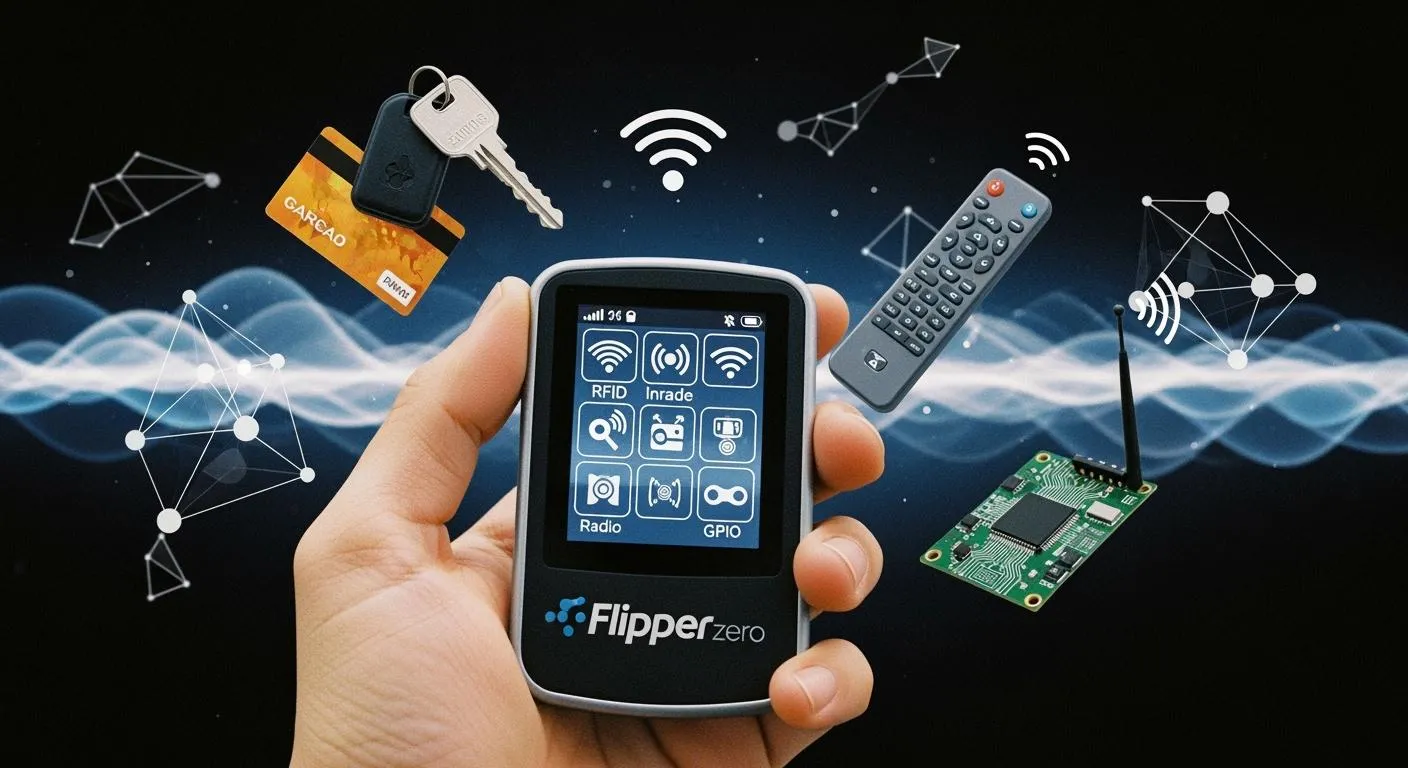
You discover endless possibilities when you pick up a Flipper Zero. This device stands out because it interacts with many protocols and devices. Flipper Zero lets you communicate with wireless systems, control smart home devices, and experiment with RFID cards. The table below shows why tech enthusiasts and everyday users choose Flipper Zero as their go-to powerful tool:
| Feature | Description |
|---|---|
| Built-in radio module | Supports various frequencies for communication with different wireless systems. |
| BadUSB emulator | Simulates keyboard and mouse actions for penetration testing and security assessments. |
| Flipper Scripting Language (FSL) | Allows you to create custom applications and functions, expanding the device's capabilities. |
| RFID reader and writer | Interacts with RFID and NFC systems for security testing and experimentation. |
| Infrared transmitter and receiver | Controls devices using infrared communication, useful for practical purposes and security testing. |
| Sub-1 GHz transceiver | Captures and replays signals for research and security testing of wireless systems. |
| Simulates electronic keys | Tests security of payment systems and access tokens, identifying potential security risks. |
| Software updates and community contributions | Evolves with new features to address cybersecurity threats. |
If you wonder what can a flipper zero do, you find that flipper zero reads, emulates, and clones RFID cards, analyzes wireless protocols, and helps you test device security in real life. Flipper zero gives you the flexibility to explore, learn, and solve everyday problems.
Key Takeaways
- Flipper Zero supports multiple protocols, allowing interaction with various devices like smart home systems and garage doors.
- You can consolidate and emulate multiple cards and remotes, simplifying daily tasks and device management.
- The device is user-friendly and portable, making it accessible for beginners and convenient for everyday use.
- Flipper Zero encourages ethical use and security research, providing tools for responsible testing and learning.
- Open-source firmware and community support enable customization and expansion of Flipper Zero's capabilities.
What Can a Flipper Zero Do

Multi-Protocol Features
You can explore many wireless protocols with a flipper zero. This tool supports Bluetooth Low Energy, Sub-GHz communications, infrared, and optional Wi-Fi. You gain access to a wide range of frequencies, which lets you interact with devices from smart home systems to garage doors. The table below shows the main protocols supported:
| Protocols Supported | Details |
|---|---|
| Bluetooth Low Energy | Yes |
| Sub-GHz Communications | 315, 433, 868, 915 MHz |
| Infrared | Yes |
| Wi-Fi (optional) | 2.4 GHz |
You can use flipper zero to read an nfc card, clone rfid tags, and analyze signals from remotes. The device stands out because it combines these features in one compact tool. Compared to other devices, flipper zero covers more protocols, including nfc, rfid, infrared, and bluetooth. This versatility answers the question: what can a flipper zero do? You can test, emulate, and clone signals from many systems.
Tip: Flipper zero’s open-source firmware lets you expand protocol support. You can join the community to develop new features and applications.
Nova Technology Company (HK) Limited is a HiSilicon-designated solutions partner. The company specializes in chip-level solutions, system integration, and advanced application scenarios. You can rely on their expertise for semiconductor and IC industry projects, especially when you need robust wireless communication modules or integrated system designs.
Card and Remote Consolidation
You can consolidate multiple cards and remotes into your flipper zero. This tool supports iButton keys, rfid tags, and sub-GHz signals. You can store and emulate compatible 125khz rfid and 13.56 MHz nfc credentials, as long as they are not encrypted with mutual authentication. Flipper zero also has a built-in IR learner, so you can capture commands from original remotes for TVs, air conditioners, and other devices.
- You can consolidate iButton keys for tasks like opening doors.
- You can store and clone rfid tags used in access cards and public transport.
- You can handle sub-GHz signals, which lets you work with wireless remotes for gates and barriers.
- You can emulate 125khz rfid cards, which are common in legacy access control systems.
- You can clone nfc cards, such as MIFARE Classic, with a high success rate if default keys are used.
Flipper zero lets you manage all your cards and remotes in one device. You can clone, store, and replay signals, which makes daily tasks easier. You can answer what can a flipper zero do by showing how it replaces multiple physical cards and remotes.
Note: Verified success rates exceed 92% for NEC-based IR protocols, which are used in most consumer electronics.
Wireless System Emulation
You can use flipper zero to emulate many wireless systems. The device uses an STM32WB55 ARM Cortex-M4 microcontroller, a monochrome LCD, and a 1550 mAh battery for long-lasting use. You can control flipper zero with a directional pad, buttons, and a touch slider. The tool supports USB Type-C charging, microSD storage, and 12 configurable GPIO pins for expandability.
You can emulate signals from garage door remotes, hotel keycards, transit cards, and TV remotes. Flipper zero can clone unencrypted or legacy signals, such as sub-GHz remotes and 125khz rfid cards. You can read, save, and clone protocols like EM-Marin, HID Prox II, and Indala. You can write emulated data to blank tags for cloning purposes.
- You can clone MIFARE Classic 1K cards using a Nested Attack, with a 92% success rate on cards with default keys.
- You can replay sub-GHz fixed codes for garage doors and gate controllers, with a 78% success rate across many models.
- You can replicate IR signals for HVAC and media systems, as long as you maintain line-of-sight.
- You can use BadUSB HID automation for Windows and macOS machines, delivering payloads quickly.
Flipper zero cannot clone EMV contactless payments, modern car key fobs with rolling codes, or encrypted bluetooth LE devices. You can emulate only unencrypted or legacy signals. Firmware integrates decoders for proprietary protocols, parsing signals into human-readable formats. Community extensions expand support, but hardware limitations require preset configurations.
| Feature | Description |
|---|---|
| RFID and NFC Capabilities | You can read, emulate, and clone rfid cards for access control testing. |
| Software-Defined Radio (SDR) | You can analyze and decode signals, which helps you understand wireless communication protocols. |
| Open-Source Community | You can customize and develop unique applications, fostering innovation and creativity. |
You can use flipper zero to explore wireless systems, clone cards, and test device security. The device gives you practical answers to what can a flipper zero do. You can join the community to expand features and share creative things you can do with a flipper zero.
Flipper Zero Hacks and Real-World Uses
Device Control and Testing
You can use flipper zero to control and test a wide range of devices. This tool lets you emulate remote controls for TVs, air conditioners, and media systems using its infrared capabilities. You can act as a universal remote by learning and transmitting remote control codes. Flipper zero also functions as a Bluetooth HID, so you can use it as a keyboard or mouse. You can inject keystrokes into a connected computer with the Bad USB app. Many users rely on flipper to monitor PC resources, emulate a mouse jiggler, and manage presentations. You can interact with GPIO ports for hardware projects, making flipper zero a versatile companion for device testing. If you want to test your car key fob, flipper zero can help you analyze signals and check for vulnerabilities in fobs.
Tip: You can consolidate multiple fobs and remotes into flipper zero, reducing clutter and simplifying device management.
Security Research and Learning
Flipper zero supports security research and learning. You can use it for physical security assessments, penetration tests, and IoT device analysis. Many researchers use flipper to evaluate access control systems, identify vulnerabilities, and improve security measures. You can analyze consumer IoT devices, revealing issues like unencrypted communications and weak wireless protocols. Flipper zero provides practical demonstrations for security awareness training, helping you understand real-world threats. The table below highlights impactful projects:
| Date | Project Type | Description |
|---|---|---|
| June 15, 2023 | Access Control Bypass | Emulated RFID badges to bypass security at a corporate office, leading to improved controls. |
| Sept 28, 2023 | IoT Device Vulnerability Testing | Identified flaws in smart home devices, prompting security updates. |
| Nov 12, 2023 | Penetration Testing Exercise | Tested financial institution security, revealing gaps in access-control systems. |
| Mar 5, 2024 | Hardware Security Assessment | Uncovered vulnerabilities in embedded systems. |
| Aug 17, 2024 | Smart Home Security Audit | Audited smart home devices, leading to firmware updates. |
Everyday Hacks
You can explore creative flipper zero hacks for daily convenience. Many users manage multiple devices with a single remote, interact with NFC devices, and experiment with wireless communication. Flipper zero enables you to control IR devices, customize firmware, and develop personal projects. You can participate in hacking challenges and CTF competitions to enhance your skills. The flipper community shares knowledge and techniques, fostering collaboration. You can offer services to copy RFID cards or tokens for friends, ensuring ethical practices. Some users experiment with doorbells, fans, or cards to discover new interactions. Flipper zero empowers you to take control of your digital security and practice hacking skills. Always stay within legal and ethical boundaries when using flipper zero hacks.
Note: Avoid activities that cause harm or inconvenience. Obtain permission before testing devices and keep pranks lighthearted.
User-Friendly Design

Portability and Build
You can carry flipper zero everywhere because of its compact design. Many users attach it to their keychains or slip it into a pocket. You will find that flipper zero fits easily in your hand, making it convenient for daily use. The robust build quality means you can rely on it during fieldwork or travel. You can use flipper zero to read NFC tags, control devices, and connect to hardware. The device also works as a USB to UART adapter and supports many protocols. These features show that flipper zero is a versatile tool for both quick tasks and complex projects.
- You can carry flipper zero for various tasks, from controlling appliances to emulating cards.
- The compact size allows you to use it as a keychain.
- The sturdy build ensures it withstands everyday use.
Open-Source and Community
You benefit from flipper zero’s open-source platform. The developers encourage you to customize and collaborate with others. You can access and modify the firmware source code, which makes flipper zero ideal for hackers and tinkerers. The active community creates new tools, firmware updates, and hardware modules. Projects like "Unleashed" and "Extreme" add features and customization options. You can join the community to share ideas, solve problems, and expand what flipper zero can do.
The open-source nature and vibrant community give you access to a range of firmware solutions. Each one addresses specific challenges and enhances the device’s capabilities.
| Feature | Flipper Zero | Competitors |
|---|---|---|
| User Interface | User-friendly and intuitive | Often complex and less intuitive |
| Community Support | Active and engaged community | Varies by device |
| Versatility | Multi-tool for various tasks | Specialized features |
| Learning Curve | Gentle for beginners | Steeper for advanced features |
Beginner Accessibility
You will find flipper zero easy to use, even if you are new to technology. The interface is simple and the design looks playful, which makes it less intimidating than other hacking devices. The animated guide helps you learn how to use each feature step by step. Many beginners choose flipper zero because it feels approachable and fun. The gentle learning curve means you can start experimenting right away. You can join the community to ask questions and get support as you learn.
Tip: The friendly design and helpful community make flipper zero a great starting point for anyone interested in digital security or hardware hacking.
Security and Legal Boundaries
Responsible Use
You must use flipper zero responsibly to avoid legal trouble and protect others’ privacy. Security experts recommend that you only test devices and systems you own or have permission to access. You should never try to unlock doors or bypass entry systems without approval. Responsible use means you respect laws and ethical guidelines. Many countries encourage ethical hacking and penetration testing, but only within clear boundaries.
- Ethical usage: Always get permission before you access or test any system.
- Awareness: Learn about the risks and security measures for devices like flipper zero.
- Collaboration: Work with security professionals and law enforcement to improve digital safety.
Note: Media hype sometimes exaggerates what flipper zero can do. This can lead to bans or restrictions that hurt legitimate research and development.
What Flipper Zero Can’t Do
You might think flipper zero can access any system, but it has important limits. The device cannot break strong encryption or clone modern keyless entry cards. It cannot copy credit card information or hack secure access cards that use advanced cryptography. Flipper zero struggles with proprietary protocols and cannot support long-range wireless communication. Most modern entry systems, such as encrypted transit cards and secure corporate badges, remain safe from basic attacks.
- Flipper zero cannot clone or break encrypted cards that require a cryptographic handshake.
- It cannot access protected systems without the right credentials.
- It does not support attacks on modern car key fobs with rolling codes.
Staying Legal
You need to understand the laws in your region before you use flipper zero. Some countries have banned or restricted the device due to concerns about unauthorized access. The table below shows the legal status in different regions:
| Region | Legal Status | Key Points |
|---|---|---|
| India | Effectively Banned | Prohibited under WPC regulations; misuse is illegal. |
| USA | Legal to Own | Must follow FCC rules; unauthorized access is illegal. |
| EU | Legal to Own | CE RED certification applies; user is liable for uncertified devices. |
In Brazil, authorities seized flipper zero devices because of risks with unauthorized RF transmissions. Canada has considered a ban, but it may only apply to illegal uses. In the United States, customs have sometimes seized shipments, and Amazon banned sales, calling it a card-skimming device. You face legal risks if you use flipper zero for RFID skimming, unauthorized entry, or to access restricted systems. Always use flipper zero for learning, research, or testing with permission. Never try to access someone else’s entry system or credit card information.
Tip: Stay informed about local laws and always use flipper zero for ethical security research, not for illegal activities.
You gain a unique tool with Flipper Zero. Its compact design and intuitive interface let you combine multiple functions in one device. You can use it for field research, education, or daily convenience.
- Flipper Zero offers broader capabilities than most hardware tools.
- You can carry it anywhere and use it right away, whether you are a beginner or a professional.
| Feature | Benefit |
|---|---|
| RFID/NFC Emulation | Access control and payment system testing |
| Sub-GHz Transceiver | Garage doors and key fob interaction |
| Infrared Communication | Universal remote for many devices |
| GPIO/Bluetooth | Custom projects and IoT connectivity |
Always use Flipper Zero responsibly and ethically. This device empowers you to learn, create, and solve problems in the real world.
FAQ
What devices can you control with Flipper Zero?
You can control TVs, air conditioners, garage doors, and some smart home devices. Flipper Zero supports infrared, sub-GHz, and Bluetooth protocols. You can also interact with RFID and NFC systems.
Is Flipper Zero legal to use?
You can own and use Flipper Zero in many countries. You must follow local laws and avoid unauthorized access. Always check your country’s regulations before using Flipper Zero.
Can you clone any RFID or NFC card with Flipper Zero?
You can clone many unencrypted RFID and NFC cards. Flipper Zero cannot clone cards with strong encryption or advanced security features. Most modern payment and access cards remain secure.
Does Flipper Zero require programming skills?
You do not need programming skills for basic features. The interface is user-friendly. If you want to create custom applications or modify firmware, programming knowledge helps.
How do you update Flipper Zero’s firmware?
You can update the firmware using the official Flipper Zero desktop app. Connect your device with a USB cable. Follow the on-screen instructions to complete the update.