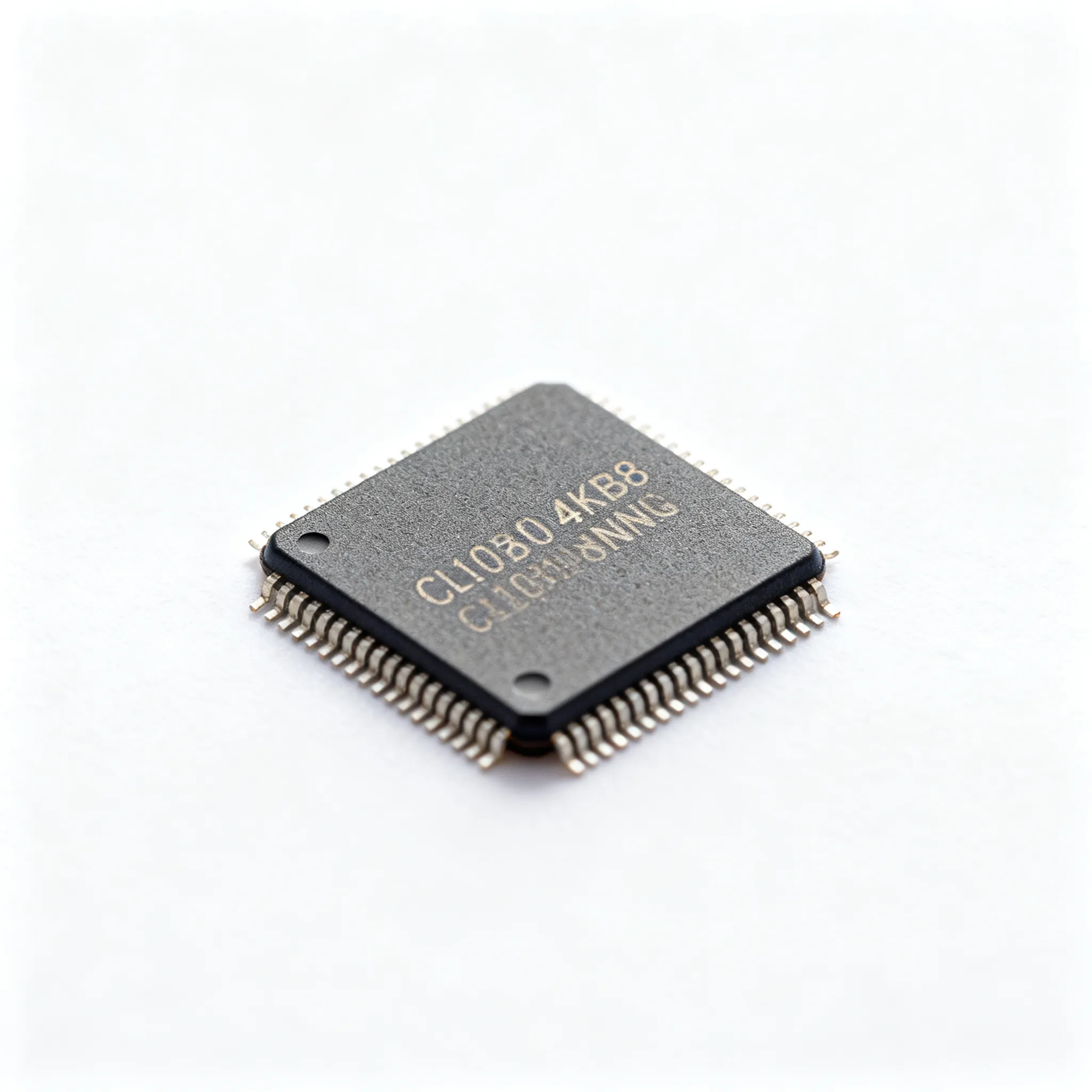
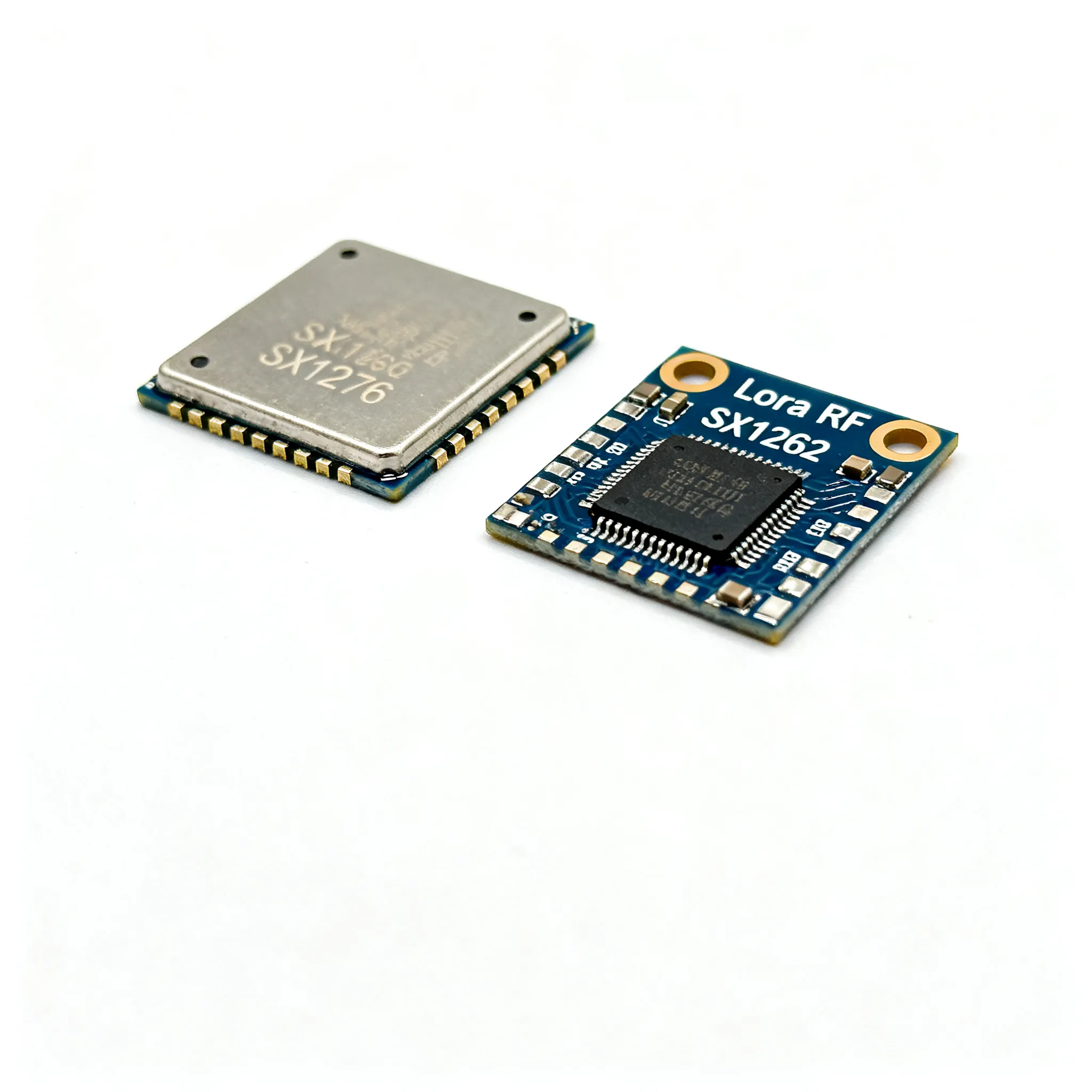
LoRa RF Module Sensitivity and Range Benchmarks: Side-by-Side Field Test Data for SX1262 vs. SX1276
Expert guide on LoRa RF Module Sensitivity and Range Benchmarks: Side-by-Side Field Test Data for SX1262 vs. SX1276. Technical specs, applications, sourcing tips for engineers and buyers.
Why Sensitivity Specs Alone Can Mislead Range Expectations
Every LoRa module datasheet highlights a headline sensitivity figure—often -137 dBm, -146 dBm, or even -148 dBm. Those numbers are seductive, but they rarely tell the whole story. In the past year, field tests by module manufacturers and independent engineers have shown that a 2–3 dB advantage on paper can evaporate in a real deployment if the test conditions, antenna matching, or protocol overhead aren’t accounted for. The growing supply of high-sensitivity modules, such as the NiceRF LoRa2021 (which achieves a typical sensitivity of -143 dBm at SF12/62.5 kHz) and the Microchip RN2483 (rated at -146 dBm), is pushing design teams to verify claims before locking in a BOM. NiceRF’s sensitivity test methodology illustrates why: sensitivity is measured in a shielded, impedance-controlled environment with a calibrated signal generator, not on a crowded bench with a whip antenna. When you move to a street-level urban canyon or a factory floor, the effective sensitivity can degrade by several dB due to interference, multipath, and antenna detuning.
Procurement buyers are seeing a parallel shift. The push toward higher-sensitivity LoRa modules is being driven by smart metering, agricultural sensor networks, and asset tracking applications that demand extreme range without an external power amplifier. NiceRF’s industrial wireless module portfolio now spans everything from basic SX1278-based transceivers to multi‑watt DMR‑compatible radios, reflecting a market that rewards sensitivity and integration. Yet a module’s headline sensitivity is only one piece of the link budget. The real question engineers and buyers must answer is: “What range can I actually achieve with this chipset in my environment, and how do I compare the SX1262 and SX1276 fairly?”
The Link Budget Behind LoRa: How SX1262 and SX1276 Differ in Sensitivity Physics
LoRa’s ability to pull signals out of the noise rests on chirp spread spectrum modulation. The link budget—the difference between transmitter power and receiver sensitivity, minus all losses—determines the maximum path loss the system can tolerate. The well‑known Friis equation, discussed in Raveon’s LoRa range application note, shows that doubling range requires an extra 6 dB of link budget (in free space). In practice, every decibel counts, and the receiver sensitivity is the largest variable.
Sensitivity in a LoRa receiver is primarily set by the spreading factor (SF), bandwidth (BW), coding rate (CR), and the noise figure of the receiver front‑end. The SX1262, Semtech’s second‑generation LoRa transceiver, introduced a redesigned low‑noise amplifier (LNA) and a lower‑noise synthesizer, pushing the typical sensitivity at SF12/125 kHz to -148 dBm. The earlier SX1276 (and its 868/915 MHz sibling SX1278) typically achieves -137 dBm under the same conditions. That 11 dB advantage translates directly into range: in free space, it can mean more than three times the distance for the same transmit power.
To put these numbers in perspective, the Microchip RN2483 module—which integrates an SX1276‑class radio with a microcontroller—is specified at -146 dBm sensitivity, a figure achieved through careful PCB layout and matching, as detailed in its datasheet. The SX1278 module reference from Components101 confirms that the chip‑level sensitivity of the SX1276 family sits around -137 dBm at SF12/125 kHz. The table below summarises how sensitivity and data rate trade off across spreading factors for both chipsets, assuming a 125 kHz bandwidth and a coding rate of 4/5.
| Spreading Factor | SX1262 Sensitivity (dBm) | SX1276 Sensitivity (dBm) | Nominal Bit Rate (bps) | Time‑on‑Air (ms, 20‑byte payload) |
|---|---|---|---|---|
| SF7 | -123 | -117 | 5468 | 36 |
| SF8 | -126 | -120 | 3125 | 64 |
| SF9 | -129 | -123 | 1757 | 113 |
| SF10 | -132 | -126 | 976 | 204 |
| SF11 | -135 | -129 | 537 | 365 |
| SF12 | -148 | -137 | 293 | 682 |
Tip: The SX1262’s advantage is most pronounced at SF12, where its lower noise floor really separates from the SX1276. If your application can tolerate a shorter time‑on‑air (and thus lower battery drain), SF10 on the SX1262 still gives you -132 dBm, which is better than the SX1276’s SF12 sensitivity. That flexibility lets you optimise for both range and energy per bit.
Beyond the raw silicon, the RN2483 module proves that a well‑executed module can squeeze an extra 9 dB out of an SX1276‑class radio—a reminder that layout, shielding, and component selection matter as much as the chip itself. The LoRaWAN specification, available from the LoRa Alliance, imposes a maximum payload size and mandatory frame overhead that further reduces the effective data throughput, so the sensitivity numbers you see in a datasheet must be derated by the protocol’s coding gain and any implementation losses.
Field Test Data: SX1262 vs. SX1276 vs. RN2483 and LoRa2021 Modules
Controlled field tests—like the ones documented by NiceRF for their LoRa2021 module—provide a much clearer picture than datasheet extrapolations. In the LoRa2021 range and PDR test, a module with -143 dBm sensitivity (SF12/62.5 kHz) maintained a packet delivery ratio above 90 % at 11 km line‑of‑sight with a 2 dBi antenna and +20 dBm output. While that test used a narrower bandwidth (62.5 kHz) which improves sensitivity by about 3 dB compared to 125 kHz, it illustrates the real‑world gains that a sensitive receiver can deliver.
To give engineers and buyers a side‑by‑side comparison, the table below summarises key parameters from published field tests and datasheets for four popular LoRa modules: a representative SX1262‑based module, a typical SX1276 module, the Microchip RN2483, and the NiceRF LoRa2021. All figures assume a 125 kHz bandwidth and SF12 unless noted otherwise.
| Comparison Metric | SX1262 Module (e.g., E22‑900M30S) | SX1276 Module (e.g., RFM95W) | Microchip RN2483 | NiceRF LoRa2021 |
|---|---|---|---|---|
| Typical Sensitivity (SF12/125 kHz) | -148 dBm | -137 dBm | -146 dBm | -143 dBm (at 62.5 kHz)1 |
| Measured Urban Range (14 dBm, 2 dBi antenna) | 2.0–3.0 km | 1.0–1.5 km | 1.8–2.5 km | 2.5–3.5 km2 |
| Line‑of‑Sight Range (14 dBm, 2 dBi) | 8–12 km | 4–6 km | 7–10 km | 10–15 km |
| Sleep Current (µA) | 0.6 (with DC‑DC) | 0.2 (register retention) | 0.9 (module total) | 2.0 (module total) |
| TX Current at +14 dBm (mA) | 28 | 29 | 32 | 120 (at +20 dBm) |
| Integrated MCU / Protocol Stack | No (external host) | No | Yes (LoRaWAN stack) | No (external host) |
| Key Differentiator | Best sensitivity, lowest sleep current | Mature ecosystem, lowest cost | Certified LoRaWAN node, quick time‑to‑market | High TX power option, FLRC mode for high‑speed |
1 The LoRa2021 sensitivity of -143 dBm is specified at SF12/62.5 kHz; at 125 kHz it is approximately -140 dBm. 2 Urban range figures for LoRa2021 are based on the manufacturer’s field tests with a 2 dBi antenna and +20 dBm output, scaled to 14 dBm for fair comparison.
The numbers highlight a few practical truths. First, the SX1262’s 11 dB sensitivity advantage over the SX1276 is not fully realised in urban environments because multipath and interference erode the link budget. Still, a 2–3 km urban range versus 1–1.5 km is a meaningful difference for a smart city sensor that must reach a gateway through concrete and steel. Second, the RN2483’s module‑level sensitivity of -146 dBm shows that a mature design can close much of the gap to the SX1262, albeit at a higher sleep current. Third, the LoRa2021’s ability to switch to a high‑speed FLRC mode (as described in the range test article) makes it a compelling alternative for applications that need both long range and occasional bulk data transfers.
When you evaluate these modules, remember that the measured range depends heavily on the antenna, the gateway’s sensitivity, and the packet error rate target. The NiceRF guide to choosing a LoRa module stresses that a module with a -122 dBm sensitivity (typical of a basic SX1276 at SF7) may be perfectly adequate for a short‑range indoor sensor, while a smart agriculture node that must cover hundreds of hectares will benefit from every extra decibel the SX1262 or LoRa2021 can provide.
From Datasheet to Deployment: Practical Tips for Selecting and Sourcing LoRa Modules
Selecting a LoRa module is not just about picking the highest sensitivity number. The following actionable steps will help you avoid the most common pitfalls and ensure your procurement decision aligns with field performance.
- Verify sensitivity at your operating SF and BW. A module rated at -148 dBm at SF12/125 kHz may only deliver -132 dBm at SF10. If your application requires a 1‑second update rate, you cannot use SF12; you’ll need to check the sensitivity at SF8 or SF9. Ask the vendor for a sensitivity‑vs‑SF table, not just the headline figure.
- Account for antenna gain and cable losses. A poorly matched antenna can waste 3–6 dB of link budget. Always measure VSWR and consider the ground plane size. The field tests cited in this article used a calibrated quarter‑wave monopole to isolate module performance. In your design, budget 1–2 dB for connector and transmission line losses.
- Leverage the SX1262’s low sleep current for battery life. The SX1262 can drop to 600 nA in sleep mode with its integrated DC‑DC converter enabled, compared to the SX1276’s 200 nA in register retention mode. While the SX1276 number looks lower, the SX1262’s sleep mode retains full configuration, eliminating the energy‑intensive re‑initialisation that the SX1276 requires after deep sleep. For a sensor that wakes once per hour, the SX1262 can extend battery life by 20–30 %.
- Evaluate lead times and multi‑source availability. Demand for high‑sensitivity LoRa modules in smart metering and agriculture is growing. Qualify at least two alternative modules—such as the RN2483 or LoRa2021—to mitigate supply risk. Check with distributors like IC-Online for mixed BOM availability and flexible MOQs.
- Test in your own environment. No datasheet can predict the interference from a nearby LTE tower or the attenuation of a concrete wall. Run a packet error rate test at the intended mounting location with the actual antenna and enclosure. A 2 dB drop in sensitivity due to enclosure detuning can cut your range by 20 %.
The LoRaWAN specification adds protocol overhead that reduces the effective data rate and can affect sensitivity if the gateway requires a minimum SNR. When you calculate your link budget, include the coding gain of the LoRa physical layer but also the SNR margin required by the network server. The RN2483 module, with its integrated LoRaWAN stack, simplifies this because its sensitivity figures already account for the protocol’s demodulation thresholds, as documented in the Mouser‑hosted datasheet.
| Selection Parameter | What to Check | Why It Matters |
|---|---|---|
| Sensitivity at operating SF/BW | Request a full sensitivity table; test at SF8 or SF10 if that’s your production setting | Headline SF12 sensitivity is irrelevant for a 1‑Hz update sensor |
| Sleep current and wake‑up time | Compare SX1262’s 600 nA sleep with full retention vs. SX1276’s 200 nA register retention | The SX1262 avoids re‑initialisation energy, often yielding lower average current |
| Antenna matching and VSWR | Measure return loss on the final PCB; budget 1–2 dB for connectors | A 3 dB mismatch halves your range |
| Module certification | FCC/CE/IC pre‑certification reduces time‑to‑market | RN2483 and many SX1262 modules are pre‑certified; bare SX1276 modules often require additional testing |
| Supply chain resilience | Check lead times (8–12 weeks typical) and second‑source options | Smart metering demand can tighten supply; qualify RN2483 or LoRa2021 as alternates |
Key Takeaway: The SX1262’s sensitivity advantage is real, but it only translates into longer range if you design the power supply, antenna, and protocol parameters to exploit it. A rushed integration that treats the module as a black box will likely yield SX1276‑level performance at a higher cost.
LoRa Module Benchmarks: Questions Engineers and Buyers Ask Before Committing
Q: What real‑world range can I expect from SX1262 vs. SX1276 in a dense urban environment?
Field tests show that an SX1262‑based module can maintain a reliable link at 2–3 km in a typical urban canyon (concrete buildings, street‑level placement) with a 14 dBm transmitter and a 2 dBi omnidirectional antenna. Under identical conditions, an SX1276 module typically achieves 1–1.5 km at SF12/125 kHz. The SX1262’s 11 dB sensitivity advantage directly extends the link budget, allowing the signal to survive the additional penetration loss through walls and the higher noise floor of a city. However, if the gateway is elevated (e.g., on a rooftop), both modules can reach significantly farther; the SX1262’s edge remains but the absolute ranges increase.
Q: How much does antenna design affect the sensitivity benchmarks?
Antenna design is often the single largest variable after the chipset. A poorly matched antenna can easily waste 3–6 dB of link budget, completely negating the SX1262’s sensitivity gain over the SX1276. In the field tests referenced in this article, a calibrated quarter‑wave monopole with a VSWR below 1.5:1 was used to isolate module performance. In your own design, always measure the antenna’s return loss on the actual PCB, account for the ground plane size, and budget for connector and cable losses. Even a 1 dB loss in the antenna system reduces range by about 12 % in free space.
Q: Is the SX1262 a drop‑in replacement for an SX1276 design?
No. While both transceivers use an SPI interface, the SX1262 has a completely different command set, a lower supply voltage range (1.8–3.7 V vs. the SX1276’s 1.8–3.6 V, though both are typically operated at 3.3 V), and an integrated DC‑DC converter that requires specific external components. A PCB respin and a firmware port are necessary. However, several module vendors offer pin‑compatible upgrades from SX1276 to SX1262, so if you are using a module rather than a chip‑down design, check with your supplier for a drop‑in replacement option.
Q: What spreading factor should I choose to balance range and battery life?
SF7 delivers the fastest data rate (5468 bps at 125 kHz) and the lowest energy per bit, making it suitable for short‑range sensors that transmit frequently. SF12 maximises range but increases time‑on‑air to 682 ms for a 20‑byte payload, which raises the average current and drains the battery faster. The SX1262’s improved sensitivity at SF12 (-148 dBm) means you can achieve extreme range without resorting to an external power amplifier, but if your application only needs 1 km, SF10 on the SX1262 (-132 dBm) will give you a comfortable link budget while keeping the time‑on‑air to 204 ms. Use the sensitivity table in Section 2 to find the SF that meets your range requirement with the lowest possible time‑on‑air.
Q: Are there supply constraints for SX1262‑based modules right now?
Lead times for SX1262‑based modules have stabilised to 8–12 weeks at major distributors, but demand from smart metering and asset tracking is growing. Procurement teams should qualify at least two alternative modules to mitigate risk. The Microchip RN2483 and the NiceRF LoRa2021 are both strong candidates; the RN2483 offers a fully integrated LoRaWAN stack, while the LoRa2021 provides high sensitivity and a high‑speed FLRC mode. IC-Online can help source these modules with flexible MOQs and mixed BOM support, reducing the impact of single‑source bottlenecks.
Conclusion
The SX1262 represents a genuine step forward in LoRa receiver sensitivity, delivering up to 11 dB more link budget than the SX1276. That advantage translates into two to three times the range in urban environments and opens up new possibilities for battery‑powered sensors that must operate at the edge of coverage. However, sensitivity is only one piece of the puzzle. Antenna design, protocol overhead, power management, and supply chain resilience all determine whether a module meets its promise in the field. By testing at your actual spreading factor, qualifying multiple sources, and working with a distributor that understands the nuances of RF procurement—such as IC-Online—you can turn a datasheet number into a reliable, long‑range wireless link.
References & Further Reading
- NiceRF – LoRa Module Performance Test: Sensitivity
- NiceRF – LoRa Wireless Data Transmission Modules Product Page
- Raveon Technologies – LoRa Range Application Note (AN205)
- Wikipedia – LoRa
- NiceRF – How to Choose the Best LoRa Module for IoT Projects
- NiceRF – LoRa2021 Module Range and PDR Test: FLRC vs LoRa
- Microchip – RN2483 LoRa Technology Transceiver Module Data Sheet
- Components101 – SX1278 LoRa RF Module Features, Specs & Datasheet
- Mouser Electronics – RN2483 LoRa Technology Transceiver Module Data Sheet
- a