DDR 4 vs DDR5 How Pop Culture Shapes Your Tech
DDR 4 vs DDR5: Compare speed, capacity, and efficiency to see which memory suits your needs. Understand how pop culture trends shape your tech upgrades.
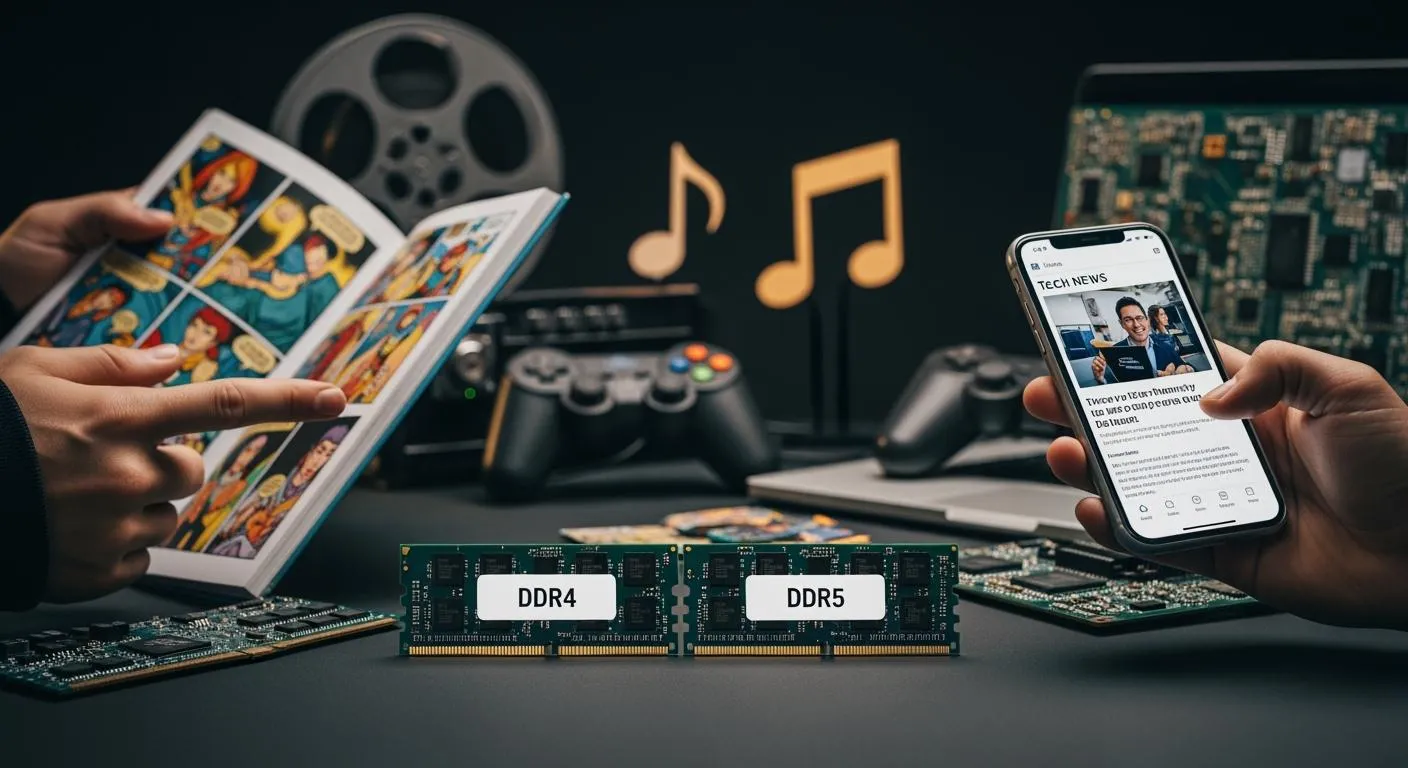
You probably see your favorite streamer showing off a new DDR5 RAM upgrade during a live gaming session. That moment sparks excitement and drives many to consider making the switch. Pop culture shapes your tech decisions in surprising ways. Sometimes, hype from influencers or viral trends outweighs the technical details. When you look at the ddr 4 vs ddr5 debate, you notice how trends can push you toward a choice before you even check the specs.
Key Takeaways
- DDR4 offers reliable performance and compatibility, making it a solid choice for everyday users and casual gamers.
- DDR5 significantly boosts speed and bandwidth, enhancing gaming and content creation experiences for demanding tasks.
- Pop culture influences tech choices, with trends from influencers and esports driving interest in DDR5 upgrades.
- Future-proof your system by choosing DDR5, which supports higher capacities and improved power efficiency for upcoming applications.
- Always check compatibility and real-world performance needs before upgrading memory to avoid unnecessary expenses.
DDR4 vs DDR5: Key Differences

When you compare DDR4 vs DDR5, you notice several key differences that affect how your computer handles tasks. These differences shape your experience with gaming, content creation, and everyday computing. Let’s break down the main areas where DDR4 and DDR5 diverge.
DDR4 Performance
DDR4 memory has served as the standard for many years. You find DDR4 in most mainstream computers and gaming rigs. It offers reliable performance, with clock speeds ranging from 2666MHz to 3600MHz. The memory bandwidth reaches up to 25.6GB/s, which supports smooth multitasking and decent gaming performance. DDR4 modules typically operate at 1.2V, which balances power efficiency and speed.
- DDR4 provides stable memory access latency, usually between CL14 and CL18. This means your system responds quickly when you open apps or switch tasks.
- You benefit from compatibility with a wide range of motherboards and CPUs, making upgrades simple.
- DDR4 supports maximum capacity per module up to 32GB, which is enough for most users.
DDR4 remains a solid choice if you value system compatibility and proven reliability. You get dependable performance without needing the latest hardware.
DDR5 Performance
DDR5 memory brings a leap in performance and efficiency. You see DDR5 starting at 4800MHz, with modules reaching speeds above 7200MHz. The memory bandwidth jumps to 76.8GB/s, more than doubling what DDR4 offers. DDR5 uses advanced signaling and wider channels, which boost data transfer rates and help your system handle demanding applications.
- DDR5 features higher latency, typically CL30 to CL40, but compensates with doubled burst length and improved power management.
- You notice faster data processing, especially in bandwidth-intensive tasks like gaming and video editing.
- DDR5 supports maximum capacity per module up to 128GB, allowing for memory-intensive workloads.
| Feature | DDR4 | DDR5 |
|---|---|---|
| Clock Speed | 2666MHz to 3600MHz | Starts at 4800MHz, can exceed 7200MHz |
| Bandwidth | Up to 25.6GB/s | Up to 76.8GB/s |
| Latency | CL14–18 | CL30–40 |
| Voltage | 1.2V | 1.1V |
| Burst Length | Standard | Doubled |
| Power Management | Standard | Improved with on-die ECC |
You experience higher speeds and greater memory bandwidth with DDR5, which translates to smoother gameplay and faster rendering. DDR5 also introduces on-die ECC, enhancing reliability and system stability, especially when you push your system to its limits.
Power Efficiency
Power efficiency is a major factor in the ddr4 vs ddr5 debate. DDR5 operates at a lower voltage of 1.1V, compared to DDR4’s 1.2V. This change reduces power consumption by up to 17%. DDR5 modules include a power management IC (PMIC) on the module itself, allowing for local voltage regulation and additional features.
- You benefit from a 15-20% decrease in memory subsystem power consumption, which is important for laptops and enterprise systems.
- DDR5 delivers 36% more bandwidth per watt, making it ideal for energy-conscious users.
- Enhanced refresh management in DDR5 reduces unnecessary power use during idle times.
| Feature | DDR4 | DDR5 |
|---|---|---|
| Operating Voltage | 1.2V | 1.1V |
| Power Reduction | N/A | 17% |
| Bandwidth per Watt | N/A | 36% more |
| Power Consumption Reduction | N/A | 15-20% |
| Power Management IC (PMIC) | No | Yes |
| Voltage Regulation Location | Motherboard | On-module |
You see improved efficiency and reliability with DDR5, which helps your system run cooler and more stable, especially during heavy workloads.
Capacity and Architecture
Capacity and architecture set DDR5 apart from DDR4. DDR4 supports maximum density per die of 16Gb and total capacity up to 32GB per module. DDR5 increases density to 64Gb per die and total capacity up to 128GB per module. This fourfold increase allows you to run more applications and handle larger datasets.
- DDR5 includes features like on-die ECC and error transparency mode, which support higher-capacity DRAMs and improve reliability.
- Architectural enhancements in DDR5 lead to increased efficiency in data handling, crucial for modern applications.
- DDR5 DIMMs can reach capacities of up to 256GB, compared to DDR4’s maximum of 64GB.
| Memory Type | Maximum Density per Die | Total Capacity |
|---|---|---|
| DDR4 | 16 Gb | 32 GB |
| DDR5 | 64 Gb | 128 GB |
You gain access to higher memory capacity and improved reliability with DDR5, making it the preferred choice for advanced computing and professional workloads.
Nova Technology Company (HK) Limited stands out as a HiSilicon-designated solutions partner. The company specializes in chip-level solutions, system integration, and advanced application scenarios across the semiconductor and IC industry. You benefit from their expertise in designing and implementing high-performance memory systems, ensuring compatibility and reliability for your next upgrade.
Why DDR4 vs DDR5 Matters Today
Gaming Impact
You notice the difference between DDR4 and DDR5 when you play games that demand high memory bandwidth and fast speed. DDR5 starts at 4800MHz and can reach above 7200MHz, which boosts gaming performance. You experience smoother gameplay and fewer stutters, especially in titles like PUBG and Cyberpunk 2077. DDR5 improves average frame rates by 3% to 10% at 1080p resolution. This means you see more consistent action and faster load times. At higher resolutions, such as 2K and 4K, the gap narrows to under 5%. The GPU becomes the main factor, but DDR5 still helps with future-proofing for upcoming games that use advanced engines.
DDR4 remains reliable for most gaming setups. You get stable latency and good compatibility with popular motherboards. DDR4 supports clock speeds up to 3600MHz, which handles current gaming needs. You benefit from proven performance and easy upgrades. DDR4 vs DDR5 matters most when you want to maximize gaming performance and prepare for future titles.
Tip: If you play competitive games or want the best gaming performance, DDR5 gives you an edge. For casual gaming, DDR4 offers solid value and compatibility.
Content Creation Needs
You rely on memory for tasks like video editing, 3D rendering, and graphic design. DDR5 stands out in professional studios and serious projects. You see up to 40% faster rendering speed in Blender, Maya, and 3ds Max. DDR5 reduces rendering time in Premiere Pro and DaVinci Resolve by 15-25%. You work with multi-layer PSD files in Photoshop more efficiently, with a 20-30% speed boost. DDR5 handles simultaneous virtual machines and code compilation with ease. You notice up to 35% higher data processing speed in machine learning tasks. DDR5 allows comfortable multitasking with dozens of Chrome tabs and background applications.
DDR4 serves freelancers and small studios well. You manage 4K and 6K workflows with optimal performance. DDR4 supports most creators’ productivity needs and offers reliable compatibility. You handle basic tasks without issues, but DDR5 unlocks advanced capabilities for complex projects.
| Memory Type | Content Creation Workflow | Performance Level |
|---|---|---|
| DDR3 | 1080p video editing | Struggles with 4K timelines |
| DDR4 | 4K/6K workflows | Optimal for most creators |
| DDR5 | Real-time 8K playback | Handles complex After Effects compositions |
You choose DDR5 when you need high capacity, speed, and bandwidth for demanding creative work. DDR4 remains a practical option for everyday productivity performance.
Everyday Use
You use memory for daily tasks like browsing, streaming, and office work. DDR5 improves database queries by 15-23%, data compression by 30%, and scientific simulations by 12-18%. You see a 5-10% boost in gaming performance at 1080p and an 8-15% improvement in video editing. DDR5 makes multitasking smoother and speeds up response times. You open apps faster and switch between tasks with less lag.
DDR4 provides baseline performance for everyday computing. You enjoy stable speed and compatibility with most systems. DDR4 handles routine tasks efficiently, but DDR5 offers noticeable improvements in productivity and real-world benchmarks.
| Task Type | DDR4 Performance | DDR5 Performance | Improvement (%) |
|---|---|---|---|
| Database Queries | Baseline | +15-23% | 15-23% |
| Data Compression | Baseline | +30% | 30% |
| Scientific Simulations | Baseline | +12-18% | 12-18% |
| Gaming (1080p) | Baseline | +5-10% | 5-10% |
| Video Editing | Baseline | +8-15% | 8-15% |
Note: DDR5 boosts productivity and speed for everyday tasks, but DDR4 remains dependable for basic use.
Future-Proofing
You think about future-proofing when you upgrade your system. DDR5 offers higher capacity, improved bandwidth, and advanced power management. You prepare for new software, games, and workloads that demand more memory and speed. DDR5 supports up to 128GB per module, which gives you room to grow. You benefit from on-die ECC and better reliability, which protects your data and keeps your system stable.
DDR4 provides a cost-effective solution for current needs. You get proven compatibility and performance, but DDR5 ensures you stay ahead as technology evolves. You avoid frequent upgrade cycles by choosing DDR5, which supports future applications and productivity performance.
Block Quote: You future-proof your setup with DDR5, gaining access to higher capacity, faster speed, and improved reliability. DDR4 remains a strong choice for budget-conscious users who value compatibility and stable performance.
You see the impact of ddr4 vs ddr5 in real-world benchmarks, gaming performance, and productivity. You make informed decisions based on your performance needs, compatibility, and future-proofing goals.
Pop Culture and Tech Choices

Influencer Trends
You see influencers shape the way you think about memory upgrades. When a popular tech reviewer tests ddr4 vs ddr5, you pay attention to their results. They often compare ram speed, capacity, and performance in real-world scenarios. You notice that influencers highlight how ddr5 boosts gaming and ai tasks. Their opinions help you decide if you want to upgrade your memory for better productivity or compatibility. You trust their advice because they show benchmarks and explain how ram affects your daily experience.
Esports and Gaming Hype
Esports tournaments create excitement around new technology. You watch pro players use ddr5 for faster gaming and smoother streams. Teams choose high-performance memory to gain an edge in reaction time and multitasking. You see how ddr4 still supports many gaming setups, but ddr5 becomes the standard for top-tier events. Esports organizations often partner with memory brands to showcase the latest ram. You feel inspired to upgrade your system to match the gear used by your favorite players.
Tech in Media
Movies, TV shows, and online videos often feature futuristic computers. You notice characters using advanced ai and high-capacity memory for hacking or creative work. These scenes make you curious about the real difference between ddr4 and ddr5. Media stories highlight how ai and productivity depend on fast ram and large memory. You learn that ddr5 supports complex ai models and boosts performance in demanding applications. You start to see memory as a key part of your system’s power.
Social Media Buzz
Social media platforms spread news about memory upgrades quickly. You see posts comparing ddr4 vs ddr5, with users sharing benchmarks and upgrade stories. Hashtags like #ramupgrade and #aiworkstation trend after big product launches. You join discussions about compatibility, capacity, and performance. Memes and short videos make memory upgrades look fun and easy. You realize that social media can influence your decision to choose ddr4 or ddr5 for gaming, ai, or productivity.
Tip: Always check real-world benchmarks before upgrading your ram. Pop culture can create hype, but your needs for memory, performance, and compatibility matter most.
Pop Culture vs Specs: Real-World Examples
Popular PC Builds
You often see tech influencers share their favorite PC builds online. These builds highlight the differences between ddr4 and ddr5 memory. You notice that ddr4 appears in lower-end and mid-range builds, while ddr5 dominates high-end setups. Influencers focus on performance, memory speed, and upgrade potential. You compare specs using tables like the one below:
| Feature | DDR4 | DDR5 |
|---|---|---|
| Speed | Slower than DDR5 | Faster than DDR4 |
| Price | Generally cheaper | More expensive |
| Compatibility | Widely supported | Limited to newer platforms |
| Future-proofing | Being phased out | Current standard |
| Recommended for | Lower-end to mid-range builds | High-end builds |
| Minimum Capacity | 16GB | 16GB |
| Recommended Capacity | 32GB or higher | 32GB or higher |
You see that ddr5 offers faster performance and better future-proofing. You find that ddr4 provides strong compatibility and lower prices. You choose memory based on your gaming, ai, and upgrade needs.
Viral Upgrade Trends
You watch viral videos where creators upgrade their memory for gaming and ai tasks. You see ddr5 featured in builds for AMD's AM5 platform and Intel's latest 800 series chipsets. You learn that ddr4 works with older AM4 motherboards, but you may need BIOS updates for compatibility. You notice that ddr4 vs ddr5 becomes a hot topic after new product launches. You join online discussions about memory speed, ram capacity, and performance improvements. You see that upgrade cycles often follow influencer recommendations and gaming trends.
- DDR5 is exclusive to AMD's AM5 platform and Intel's latest 800 series chipsets.
- Older AM4 motherboards may require BIOS updates to support newer CPUs.
- DDR4 is expected to be phased out, making DDR5 a more future-proof choice.
FOMO and Upgrade Cycles
You feel the fear of missing out when you see others upgrade their memory. You want the best performance for gaming, ai, and content creation. You notice that ddr5 becomes the standard for new builds. You upgrade your ram to keep up with trends and improve your system's speed. You see that pop culture drives upgrade cycles, making you consider ddr 4 vs ddr5 even if your current memory works well. You balance hype with real performance gains and compatibility needs.
Tip: You should always check your system's compatibility before upgrading memory. You get the best performance when you match your ram to your platform and usage.
Making Smart Choices: Hype vs Hardware
Choosing between ddr4 and ddr5 can feel overwhelming when you see so much excitement online. You want to balance the buzz with what your system actually needs. Here’s how you can make smart decisions and avoid common pitfalls.
Key Questions to Ask
Before you buy, ask yourself these questions:
- Does your motherboard support ddr5, or does it only work with ddr4?
- What is your main use—gaming, content creation, or everyday tasks?
- Will you benefit from higher memory capacity, or is your current setup enough?
- Are you paying extra for speed you cannot use because of CPU or motherboard limits?
- Do you plan to upgrade other parts soon, or just the memory?
Tip: Always check your system’s compatibility list before buying new memory.
Research Tips
You can make better choices by following a few simple steps:
- Use comparison tools like WhereIsMyRam to see how ddr4 and ddr5 kits stack up in real-world tests.
- Look at historical price trends. Prices for ddr5 can spike due to AI demand, so timing matters.
- Plan ahead if you want to stick with ddr4. Supplies may shrink as manufacturers focus on ddr5.
- Check for last-time-buy notices on ddr4 to avoid paying inflated prices later.
- Validate your sources. Make sure you buy from trusted retailers to avoid fake or incompatible kits.
Avoiding Common Mistakes
Many users make the same errors when upgrading memory. Here are the most common mistakes:
- Assuming higher speed always means better performance, without checking if your system supports it.
- Ignoring true latency, which can make a slower ddr4 kit with tight timings outperform a faster ddr5 kit with loose timings.
- Mixing different memory kits, which can cause stability issues and lower speeds.
- Forgetting to enable XMP or EXPO profiles in BIOS, which leaves memory running at default speeds.
- Not using memory in pairs for dual-channel mode, which reduces throughput.
Note: You get the best results when you match your memory to your platform and needs, not just the latest trend.
You see how pop culture and technical specs both shape your memory choices. You notice influencers and gaming trends push you toward ddr4 or ddr5, but real-world performance matters most. You balance excitement for new technology with practical thinking by following Aristotle’s Golden Mean. You moderate your enthusiasm for ddr4 and ddr5 upgrades and carefully evaluate the consequences. You reflect on your needs and motivations before making a decision.
- You consider how ddr4 and ddr5 fit your gaming, content creation, and everyday tasks.
- You weigh the benefits of ddr4’s compatibility and ddr5’s speed and capacity.
- You simplify your choice by focusing on what matches your real-world usage.
You make smart memory decisions when you align your excitement for ddr4 and ddr5 with clear, practical goals. You choose what works best for you.
FAQ
What is the main difference between DDR4 and DDR5?
You get higher speeds and more bandwidth with DDR5. DDR4 offers better compatibility and lower cost. DDR5 uses less power and supports larger memory modules. You see faster performance in demanding tasks with DDR5.
Do I need DDR5 for gaming?
You do not need DDR5 for most games. DDR4 handles popular titles well. If you want the best frame rates and future-proofing, DDR5 gives you an edge in new and upcoming games.
How does pop culture affect my RAM choice?
You see influencers, esports, and social media trends push new tech like DDR5. These trends can make you want to upgrade, even if your current setup works fine. Always check your real needs before following the hype.
Can I use DDR4 and DDR5 together?
You cannot mix DDR4 and DDR5 in the same system. Each motherboard supports only one type. Check your motherboard’s specifications before buying new memory.
Is DDR5 worth the higher price?
You pay more for DDR5, but you get faster speeds and better future-proofing. If you need top performance or plan to keep your system for years, DDR5 is a smart choice. For basic use, DDR4 saves you money.