What Makes Synchronous DRAM Essential for Fast Computing
You need fast and reliable ram for your computer to work well. Synchronous dram connects directly with the system clock in y
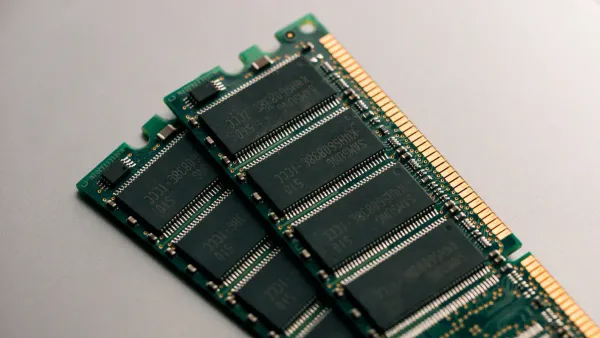
You need fast and reliable ram for your computer to work well. Synchronous dram connects directly with the system clock in your device. This type of random access memory lets you transfer data quickly between the CPU and ram. When you use synchronous dram, every part of your computer’s circuit board can talk to ram at the right time. Ram stores important information so your processor can grab it right away. In electronic components, ram is the key to speed. Random access memory like this makes sure your computer can handle many tasks at once. You see the difference every time you open apps or play games. Ram keeps your system running smoothly.
- Synchronous dram answers the question: what is synchronous dram? It is the ram that keeps up with your processor.
Key Takeaways
- SDRAM synchronizes with the system clock, allowing for faster data transfers and improved efficiency in computing tasks.
- This type of RAM can handle multiple instructions simultaneously, making it ideal for multitasking and running demanding applications.
- Using SDRAM reduces power consumption and heat generation, leading to longer device lifespan and better performance.
- Upgrading to SDRAM can significantly enhance your computer's speed, especially for gaming and high-performance tasks.
- SDRAM is widely used in modern devices, including computers, gaming consoles, and networking equipment, due to its reliability and speed.
What Is Synchronous DRAM
SDRAM Definition
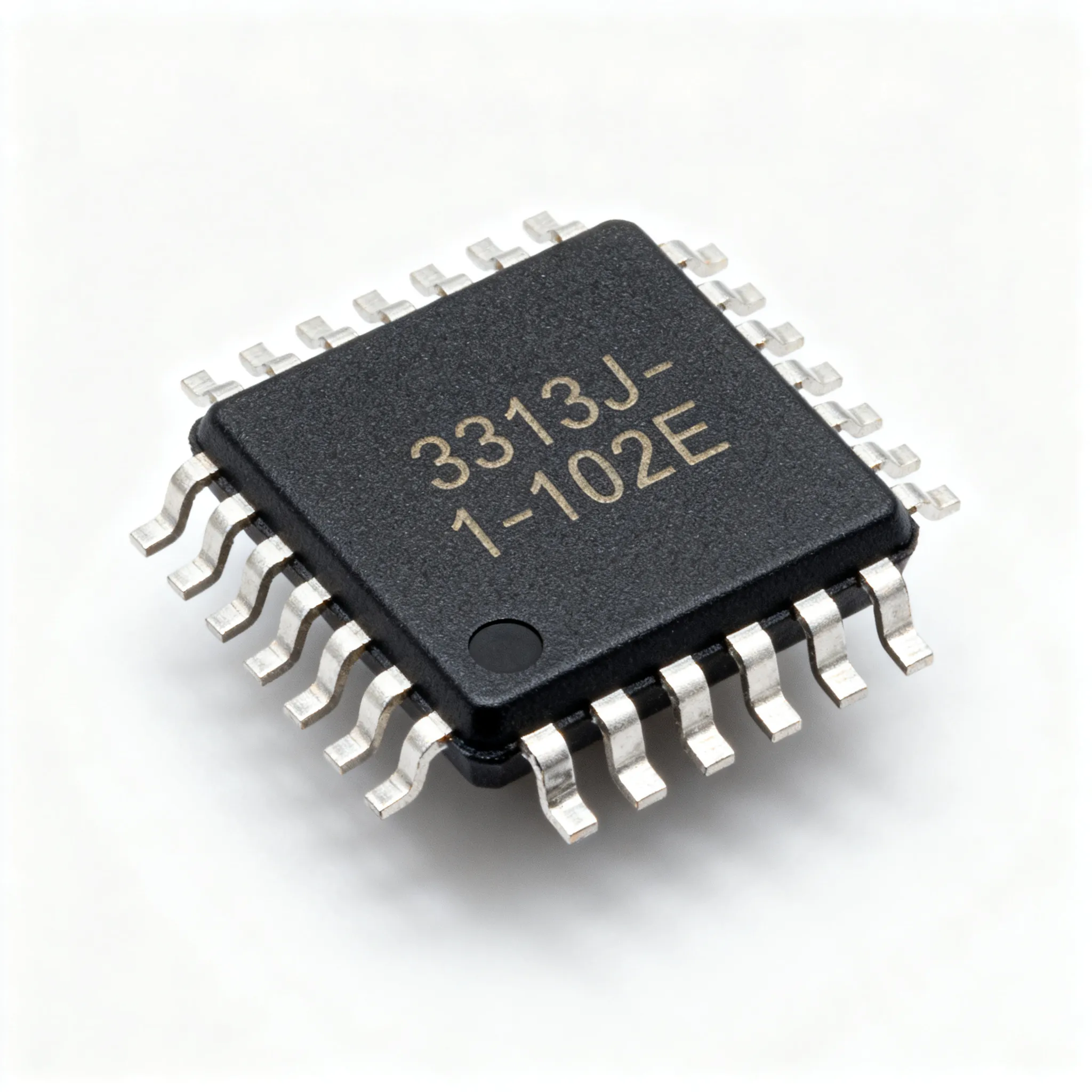
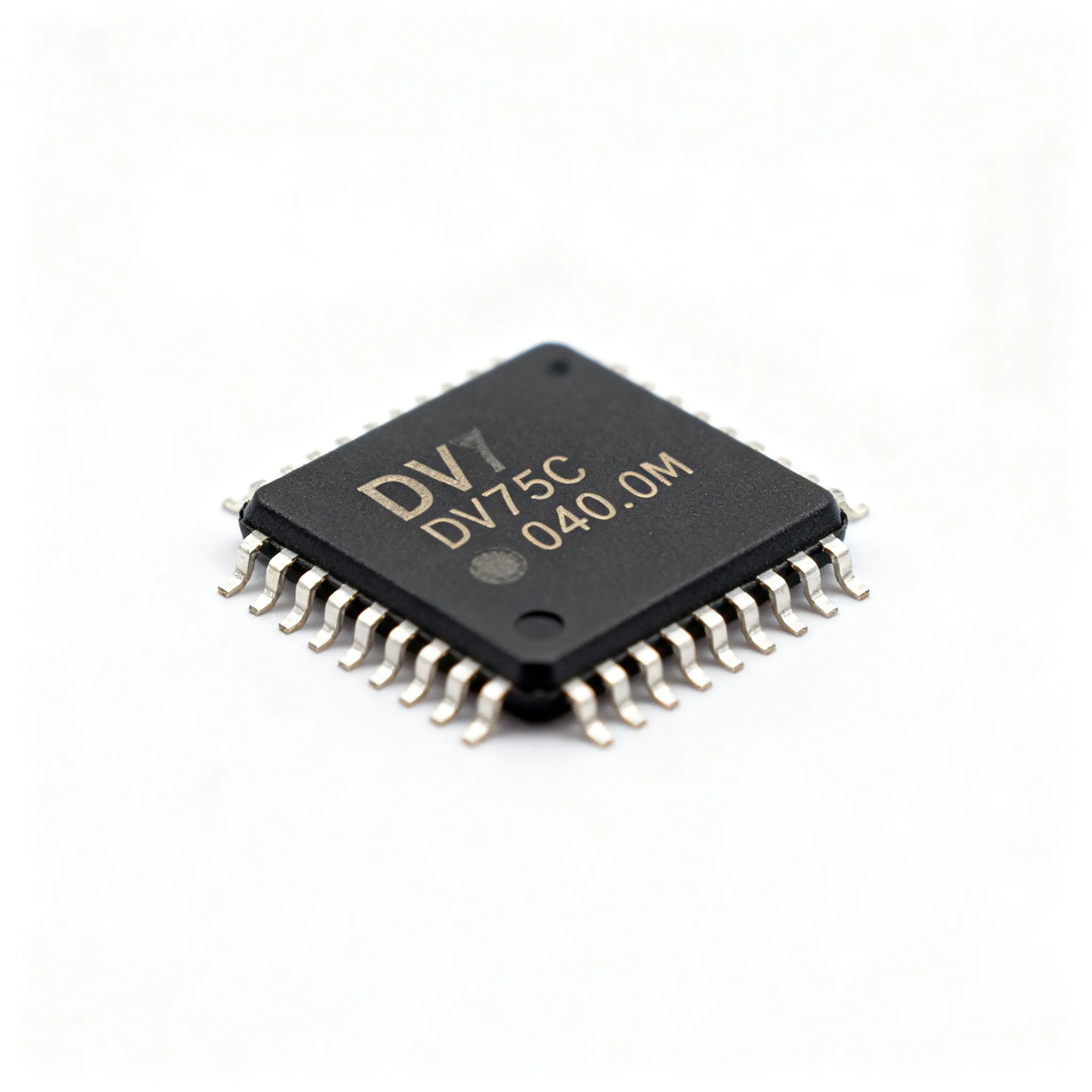
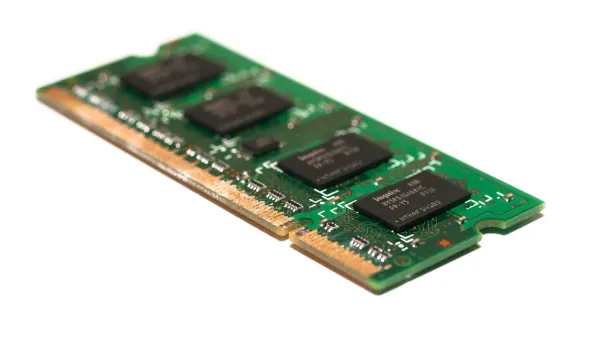
You often hear the term "SDRAM" when you look at computer parts or read about integrated circuits. If you want to know what is synchronous dram, you need to understand how it works inside your device. SDRAM stands for Synchronous Dynamic Random Access Memory. This type of ram connects directly to the system clock in your computer. The system clock controls the timing for every part of your motherboard, including the CPU and memory chips. SDRAM matches its operations with this clock, so every data transfer happens at the right moment.
When you use ram that synchronizes with the system clock, your computer can process information faster. The CPU and memory controller send instructions to ram, and SDRAM responds in sync with the clock signals. This design makes SDRAM much more efficient than older types of random access memory. You get smoother performance when you open apps, play games, or run multiple programs at once.
Tip: SDRAM is a key electronic component in modern integrated circuits. It helps your processor access data quickly, which boosts overall system speed.
Key Features
You might wonder what makes SDRAM different from other types of ram. Here are the main features that set it apart:
- SDRAM synchronizes with the CPU clock speed, which improves efficiency and reliability.
- It allows for faster data retrieval and processing compared to asynchronous memory.
- SDRAM can handle multiple instructions at the same time, thanks to its design.
- The architecture uses double data rate (DDR) technology, so data transfers happen on both the rising and falling edges of the clock signal. This doubles the bandwidth without raising the clock speed.
- Modern SDRAM modules, like DDR4, use advanced prefetch techniques. These allow several data transfers per clock cycle, making ram even faster.
- SDRAM supports error correction features, such as ECC and ChipKill, which help prevent data loss in critical applications.
- Manufacturers design SDRAM to fit different motherboard chipsets and form factors, so you can find ram for desktops, laptops, and servers.
Here is a table that compares SDRAM with asynchronous memory:
| Feature | SDRAM | Asynchronous Memory |
|---|---|---|
| Synchronization | Operates in sync with the system clock | No synchronization with the clock |
| Efficiency | Handles multiple tasks simultaneously | Limited task handling |
| Latency | Reduced latency due to synchronization | Higher latency |
| Data Access Rate | Improved through parallel processing | Slower access rates |
| Ideal Applications | High-speed data processing (e.g., gaming) | General applications |
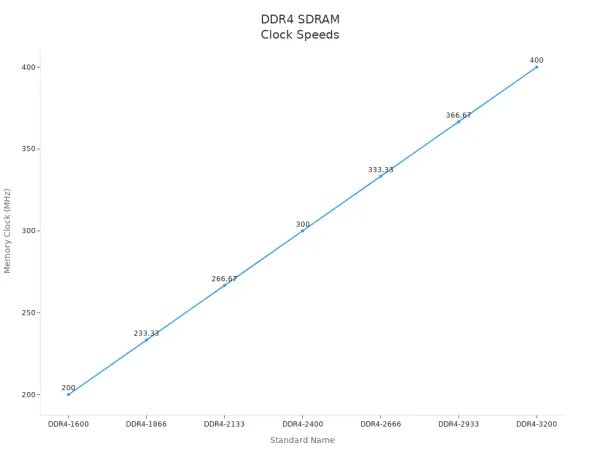
SDRAM modules come in many speeds. Here is a chart showing DDR4 SDRAM memory clock speeds for different module standards:
You find SDRAM in many electronic devices. Here are some common uses:
- System ram in computers, including desktops, laptops, and servers.
- Graphics processing units (GPUs) for fast calculations and smooth graphics.
- Gaming consoles and embedded systems for quick access to game data.
- Networking equipment like routers and switches for efficient data transfers.
- Mobile devices such as smartphones and tablets for multitasking and running apps.
SDRAM plays a major role in integrated circuits and electronic components. It helps your device run faster and more reliably. When you ask what is synchronous dram, you see that it is the ram that keeps up with your processor and supports all your computing needs.
How SDRAM Works
System Clock Sync
You use ram every time you open an app or play a game. SDRAM, or synchronous dynamic random access memory, works by matching its actions with the system clock. This clock controls the timing for all electronic components on your motherboard. When you ask what is synchronous dram, you learn that it keeps up with the CPU and system bus by syncing with each clock cycle.
- SDRAM synchronizes with the system’s bus clock, giving you precise control over memory access.
- Data moves between the CPU and ram in step with the clock cycles.
- This process boosts efficiency and speed in handling data.
SDRAM operates in synchronous mode. It aligns its operations with the system clock. You benefit from internal buffering, which lets SDRAM interleave tasks across several memory banks. This design increases bandwidth and keeps your computer running smoothly. The timing of read and write commands matches the clock cycles, so you get reliable data transfers. Every part of your integrated circuit works together, making sure your ram responds quickly.
Data Access Process
When you use random access memory, you want fast data access. SDRAM uses advanced techniques to speed up this process. One important feature is fast page mode. This method lets you access multiple bits of data within the same row much quicker than older types of ram.
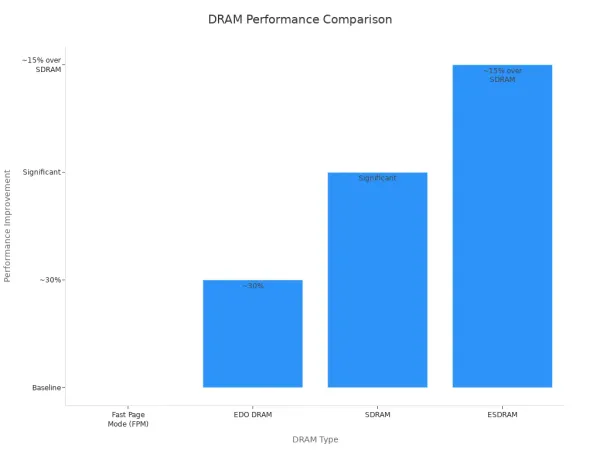
Here is a table showing how SDRAM compares to other DRAM technologies in electronic components:
| DRAM Type | Performance Improvement | Notes |
|---|---|---|
| Fast Page Mode (FPM) | Baseline | Initial implementation of page mode |
| EDO DRAM | ~30% | Allows precharge sooner |
| SDRAM | Significant | Quicker access to multiple bits in same row |
| ESDRAM | ~15% over SDRAM | Increased size and cost, but faster |
You see the impact of SDRAM in integrated circuits every time your device loads data quickly. Fast page mode and synchronized clock cycles make ram a vital part of electronic components. Your computer can handle more tasks at once, and you get a smoother experience.
Note: SDRAM’s design helps your processor access random access memory faster, which improves overall system performance.
SDRAM vs. Asynchronous DRAM
Main Differences
When you look at electronic components inside your computer, you see different types of ram. SDRAM and asynchronous DRAM are two main types of dynamic random access memory. You might wonder what is synchronous dram and how it stands out. The answer lies in how each type connects with the system clock and how they handle data.
Here is a table that shows the main architectural differences between SDRAM and asynchronous DRAM:
| Feature | SDRAM | Asynchronous DRAM |
|---|---|---|
| Synchronization | Synchronized with the system bus | Not synchronized with the system bus |
| Speed | Operates at higher clock speeds | Slower data access and transfer rates |
| Pipelining | Uses pipelining for simultaneous processing | Does not support pipelining |
| Refresh Rate | Requires less frequent refreshing | Requires more frequent refreshing |
| Module Design | Designed in modules for easy expansion | Typically not modular |
You see that SDRAM works in sync with the system bus. This means every action matches the timing of the system clock. Asynchronous DRAM does not follow the system clock, so it cannot keep up with fast data transfers. SDRAM uses pipelining, which lets it process several instructions at once. Asynchronous DRAM cannot do this, so it works slower. You also notice that SDRAM needs less frequent refreshing, which saves energy and keeps your device running longer.
Performance Comparison
You want your computer to run fast and handle many tasks. SDRAM gives you this speed because it matches the system clock and uses pipelining. When you use SDRAM, your ram can send and receive data quickly. This makes a big difference in performance, especially when you open many apps or play games.
Asynchronous DRAM cannot match this speed. It works without the system clock, so it often waits before sending or receiving data. You might notice delays when you use devices with asynchronous DRAM. SDRAM modules also fit easily into different integrated circuits, making upgrades simple.
Tip: If you want the best performance from your electronic components, choose SDRAM. It helps your random access memory work faster and more efficiently.
You find SDRAM in most modern computers, gaming consoles, and networking equipment. It supports high-speed data transfers and keeps your system stable. Asynchronous DRAM appears in older devices, where speed is less important. When you compare both types, SDRAM stands out as the better choice for fast, reliable ram in today’s integrated circuits.
Performance Benefits

Faster Data Access
You want your computer to respond quickly when you open a program or load a game. SDRAM gives you this speed by letting your processor reach data in ram at the exact moment it needs it. This type of random access memory works in sync with the system clock, so every command happens right on time. You see the difference when your device loads files or switches between apps without delay. High-speed memory like SDRAM keeps your system running smoothly, even when you use many programs at once. In electronic components, fast ram means your integrated circuits can handle more work in less time.
Note: Fast data access in ram helps your processor avoid waiting, which means you get a better experience every time you use your device.
Efficiency Gains
You save energy and boost productivity with SDRAM. This random access memory uses less power because it refreshes less often and works only when needed. Your device stays cooler and lasts longer. SDRAM also supports pipelining, which lets it handle several tasks at once. You get higher performance from your computer because ram can send and receive data quickly. Integrated circuits with SDRAM use advanced designs to keep up with modern demands. When you use efficient ram, your device can run more apps and process more data without slowing down.
Here is a table showing how SDRAM improves efficiency in electronic components:
| Feature | SDRAM Benefit |
|---|---|
| Power Usage | Lower |
| Task Handling | Multiple at once |
| Heat Generation | Reduced |
| Upgrade Options | Easy to expand |
Real-World Impact
You see the power of SDRAM in many devices. In gaming consoles and enterprise computers, ram plays a key role in delivering smooth graphics and fast processing. GDDR SDRAM, a special type of high-speed memory, supports detailed graphics and complex environments. You get smooth gameplay and quick response times, which are important for both work and play.
- GDDR SDRAM provides high memory bandwidth for rendering graphics in gaming consoles.
- It supports complex environments and smooth gameplay at high resolutions.
- Enterprise computers use SDRAM to manage large amounts of data quickly and reliably.
When you use devices with SDRAM, you notice faster load times, better multitasking, and reliable performance. Ram in integrated circuits helps your computer keep up with your needs every day.
You rely on ram for every fast action your computer takes. SDRAM stands out because it works in sync with the system clock, making ram much faster than older types. When you use ram in electronic components and integrated circuits, you get better performance and lower power use. Here is a table that shows how SDRAM types have improved over time:
| SDRAM Type | Max Clock Speed | Data Transfer Rate | Power Consumption |
|---|---|---|---|
| DDR2 | Doubled from DDR1 | 4x higher than DDR1 | Reduced |
| DDR3 | 800 MHz | Up to 2133 Mbps | Lower |
| DDR4 | 3200 MHz | Up to 25.6 GB/s | Less than before |
You see ram everywhere, from gaming systems to data centers. The demand for high-performance ram keeps growing as AI, IoT, and cloud computing expand. SDRAM gives you the speed and efficiency you need in modern random access memory.
FAQ
What does SDRAM stand for and why is it important in electronic components?
SDRAM means Synchronous Dynamic Random Access Memory. You find this ram in many integrated circuits. It helps your computer process data quickly and keeps your system running smoothly.
How does ram synchronization with the system clock improve performance?
Ram matches its actions with the system clock. You get faster data transfers and better timing. This design lets your electronic components work together and boosts the speed of your integrated circuits.
Can you upgrade ram in most devices with integrated circuits?
You can upgrade ram in many computers and laptops. Most integrated circuits support new ram modules. You improve speed and multitasking by adding more ram to your device.
Why do gaming consoles and graphics cards use SDRAM?
Gaming consoles and graphics cards need fast ram for smooth graphics and quick data access. SDRAM supports high-speed memory operations in these electronic components. You get better gameplay and sharper images.
What happens if your device has too little ram?
If your device has too little ram, you notice slow performance. Electronic components struggle to keep up with tasks. You may see delays when you open apps or run programs in integrated circuits.