Decoding IC Markings: How to Interpret Integrated Circuit Codes for Component Sourcing
Decoding integrated circuit codes is an important skill for finding parts. These codes show key details like specs, maker, and date made. Knowing them helps you avoid buying the wrong parts. This keeps your project working well without problems or failures.

Decoding integrated circuit codes is an important skill for finding parts. These codes show key details like specs, maker, and date made. Knowing them helps you avoid buying the wrong parts. This keeps your project working well without problems or failures.
Learning this skill saves time and prevents expensive mistakes. It is very helpful when dealing with tricky circuits or rare parts.
Key Takeaways
-
Knowing IC markings helps you pick the right parts. This avoids expensive errors in your work.
-
IC codes show important details like maker name, part number, and date. These help you learn about the component.
-
Magnifying tools can help you see tiny or worn-out markings. This makes sure you identify parts correctly.
-
Check the maker's datasheet for specs and compatibility. This ensures the part works well in your project.
-
Watch out for fake parts. Buy from trusted sellers and check markings to keep your project safe.
Basics of Integrated Circuit Codes
Key elements of IC markings (manufacturer prefix, part number, date codes)
Integrated circuit codes give important details to identify parts. These markings usually include three main things: the manufacturer prefix, the part number, and the date code.
-
Manufacturer Prefix: This shows who made the IC. For example, "TI" means Texas Instruments, and "ST" stands for STMicroelectronics. Knowing these prefixes helps you find where the part came from.
-
Part Number: The part number tells the IC's type and job. It often has letters and numbers that explain its series, voltage, or other features.
-
Date Code: This tells when the IC was made. It usually has a year and week, like "2315" for the 15th week of 2023. Date codes help you pick parts that work well and avoid old ones.
Common IC families and their identifiers
Integrated circuits are grouped into families for different uses. Knowing these families makes finding parts easier.
|
Description |
|
|---|---|
|
By Level |
Fully Rugged, Semi Rugged, Others |
|
By End Use |
Consumer Electronics, Manufacturing, Healthcare, Industrial, Automotive, Others |
|
By Application |
Mobile Phones, Tablets, Scanners, Others |
|
By Geography |
North America, Europe, Asia Pacific, LAMEA |
For example, microcontrollers like PIC and AVR are used in embedded systems. Operational amplifiers, such as LM741, are common in analog circuits. Each family has special codes to tell them apart.
Manufacturer-specific coding conventions
Companies use their own ways to label IC codes. These methods can be very different, so learning them is key to understanding the codes.
For example, Texas Instruments uses "SN" for standard logic ICs and "LM" for linear ICs. STMicroelectronics uses "STM32" for microcontrollers and "L78" for voltage regulators. Knowing these systems helps you read codes fast and correctly.
Tip: Always check the manufacturer's datasheet to learn their coding system. It explains the codes clearly and avoids mistakes.
Identifying IC Packages
Common IC package types and their characteristics
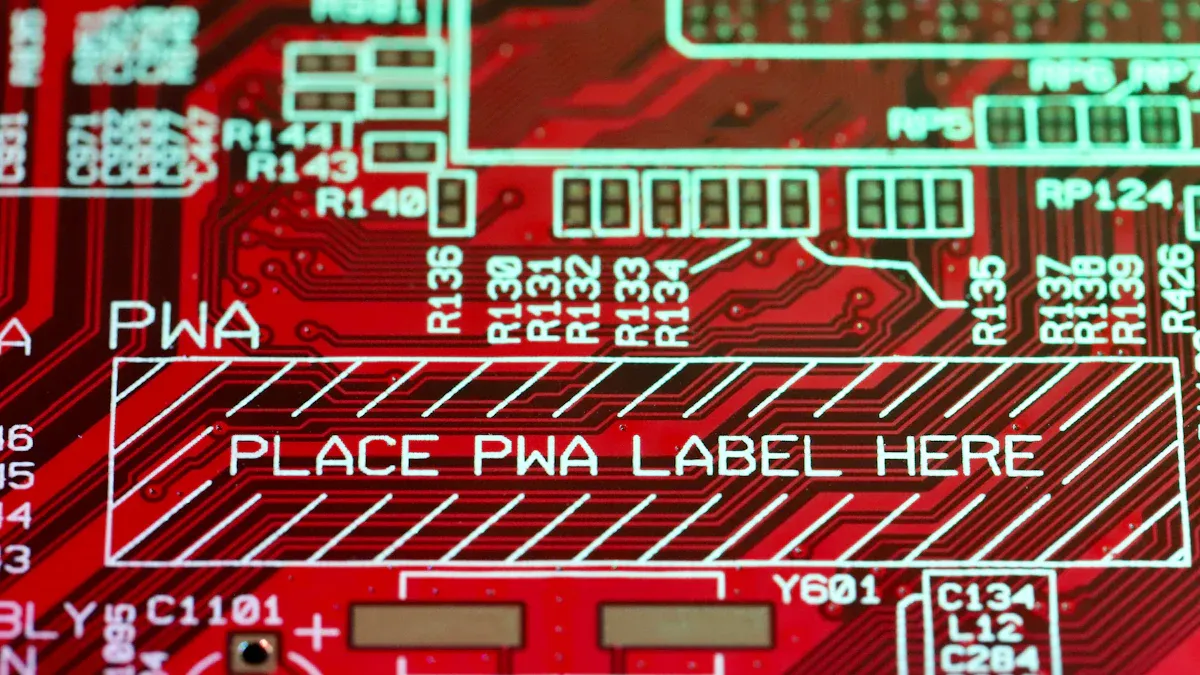
Integrated circuits come in different packages for specific uses. These packages protect the IC and connect it to circuits. Common types include:
-
DIP (Dual In-line Package): Has two rows of pins. It works well for breadboards and testing.
-
SOIC (Small-Outline IC): A smaller surface-mount package with short pins. It fits compact designs.
-
QFP (Quad Flat Package): Pins are on all four sides. It is often used in processors and microcontrollers.
-
BGA (Ball Grid Array): Uses solder balls instead of pins. It performs well but needs special tools to assemble.
Each package has its own size, pin layout, and mounting style. Knowing these helps you pick the right one for your project.
Using package markings to identify components
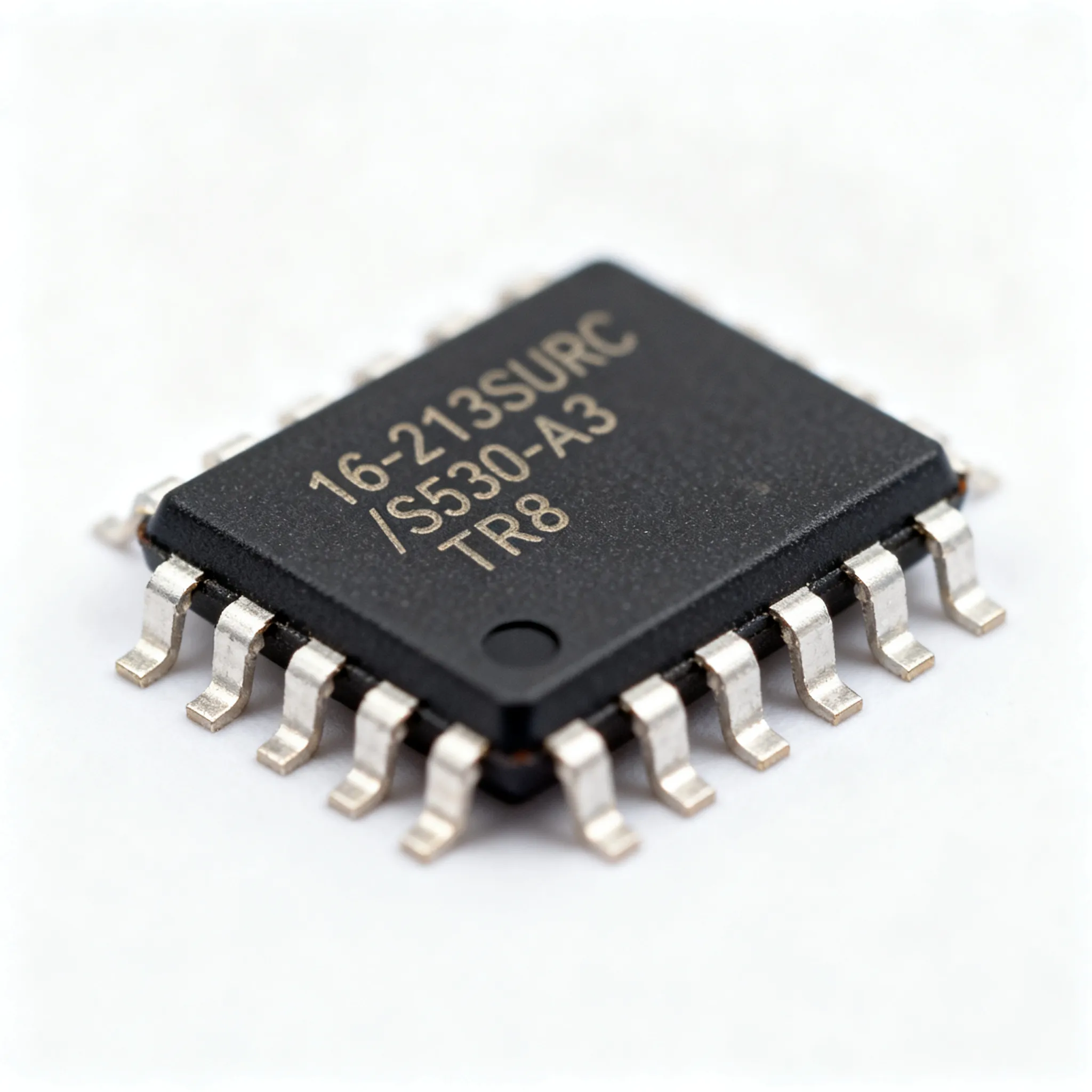
Markings on IC packages show important details. These include the part number, company logo, and sometimes the date code. For example, a SOIC package might have "LM358" printed on it. You can check this number in a datasheet to learn its features.
Look closely at the markings' font, alignment, and clarity. Fake ICs often have blurry or uneven markings. A magnifying tool can help you read small or faded text better.
Tips for distinguishing between similar packages
Some IC packages look alike, which can be confusing. Use these tips to tell them apart:
-
Mounting Style: DIP packages are bigger and easier to handle. SOIC packages are smaller and need careful tools for assembly.
-
Pin Configuration: Count the pins and check their layout. DIP packages have two rows, while QFP packages have pins on all sides.
-
Footprint Matching: Compare the IC's footprint with standard symbols like SOIC or QFP. Make sure the pad size and shape match the IC's specs.
Tip: Always check the datasheet to confirm the package type. This avoids mistakes and ensures your design works properly.
By learning these differences, you can easily find and use the right IC package. This skill is important for working with IC codes and choosing parts for your projects.
Decoding Part Numbers
Steps to understand part numbers
Learning IC codes starts with reading part numbers. These numbers show what the chip does, its series, and specs. Follow these steps to decode them:
-
Find the Manufacturer Prefix: Look for the prefix that shows who made the chip. For example, "TI" means Texas Instruments, and "ST" stands for STMicroelectronics. This helps you know where the chip came from.
-
Understand the Part Number: Check the letters and numbers after the prefix. They tell the chip's type, series, and features. For example, "LM358" is a dual operational amplifier.
-
Locate the Date Code: Find the four-digit number showing when the chip was made. It includes the year and week, like "2315" for the 15th week of 2023. This helps you know if the chip is new or old.
-
Read the Datasheet: Use the part number to find the datasheet. This document explains the chip's specs, pin layout, and how it works. It ensures the chip fits your project.
Tip: Use a magnifying glass to read tiny or faded markings. This helps you see all the details clearly.
Examples of common IC part numbers
Knowing popular IC part numbers makes decoding easier. Many companies use similar formats for their chips. Here are some examples:
|
Manufacturer Prefix |
Example Part Numbers |
What They Mean |
|---|---|---|
|
Am - AMD |
Am2901ADC |
AMD 2901 chip, revision A, ceramic case |
|
SY - Synertek |
SY6502 |
Synertek 6502 chip |
|
74 |
74LS02, 74HC14 |
Chips in the 7400 TTL Logic Series |
|
4000 |
4000 to 4585 |
CMOS Logic Series chips |
|
MC68xx |
MC68HC12 |
Motorola 6800 and 68000 CPUs and related chips |
You might also see families like 80x86 series (e.g., 8086, 80386) or 8051 microcontrollers (e.g., 8031, 8051). These numbers show the chip's design or use.
Note: Standard part numbers make sourcing easier and less confusing. Always check the datasheet to be sure.
Using datasheets to check part numbers
Datasheets are the best tool for understanding IC codes. After finding the part number, look for its datasheet online or on the maker's site. Here's how to use it:
-
Check Specs: Match the part number with the datasheet's info. Look at voltage, pin layout, and temperature limits.
-
Confirm Package Type: Make sure the chip's package fits your design. For example, "SOIC" packages are different from "DIP" ones in size and mounting.
-
Ensure Compatibility: Read the datasheet's notes to see if the chip works for your project. This avoids mistakes and keeps your design running well.
Tip: Save links to datasheet sites like Digi-Key or Mouser. These sites also offer tools to compare parts and suggest alternatives.
By learning these steps, you can decode part numbers easily and find the right components. This skill is key for working with IC codes and sourcing parts successfully.
Tools and Techniques for Decoding Integrated Circuit Codes
Using magnification tools for small or faded markings
Tiny or worn markings on integrated circuits can be hard to read. Magnification tools make it easier to see these markings clearly. Handheld magnifiers, USB microscopes, and optical magnifiers are common options. A USB microscope lets you zoom in on small text and take pictures for review. Optical magnifiers with LED lights help you see better in dim lighting.
Pick a magnification tool based on marking size and workspace needs. Handheld magnifiers are good for portable use. USB microscopes provide stronger zoom and digital features for detailed checks. These tools save time and prevent mistakes when reading IC codes.
Tip: Choose a magnifier with adjustable zoom. This helps you focus on markings of different sizes and capture all details.
Leveraging datasheets and manufacturer resources
Datasheets are the best way to understand IC codes. Makers create these documents to explain specs, pin layouts, and features. Search for the datasheet using the part number on the IC. Websites like Digi-Key, Mouser, and company sites have large datasheet collections.
Manufacturers also offer guides and notes about their coding systems. For example, Texas Instruments explains voltage limits for its "LM" series in its datasheets. Compare the datasheet with the markings on your IC to confirm its type and compatibility.
Note: Save links to datasheet websites for quick access. This makes searching easier and ensures you always find accurate information.
Online databases and forums for IC identification
Online databases and forums help you identify integrated circuits. Sites like Octopart and FindChips collect data on ICs, including datasheets, prices, and stock. You can search by part number or maker prefix to find the right component.
Forums like EEVblog and Reddit electronics groups are great for solving IC identification problems. Experts and hobbyists share advice and tips. For example, someone might post a photo of an IC with unclear markings, and others can help figure out what it is.
Studies show online tools improve accuracy in identifying ICs. Metrics like citation speed and random forest models show high precision rates. These tools save time and lower the chance of buying fake or wrong parts.
|
Indicator Type |
What It Shows |
|---|---|
|
First-Citation Speed |
How quickly a patent gets cited, showing its tech value. |
|
Patent Family Size |
The legal importance of a patent based on its family size. |
|
Forward Citations |
How competitive a patent is, based on later citations. |
|
High accuracy rates (above 95%) for finding valuable patents. |
Tip: Join forums to learn from skilled users. Their advice can help you decode markings faster and more easily.
Overcoming Common Challenges
Solutions for faded or illegible markings
Faded markings on integrated circuits can be hard to read. Use tools like USB microscopes or handheld magnifiers to zoom in on small text. These tools also let you take pictures for closer inspection. Good lighting helps too. LED magnifiers make markings easier to see in dim spaces.
Cleaning the IC surface can also help. Dust or dirt may hide markings. Use a soft brush or isopropyl alcohol to clean gently without damage. If markings are still unclear, check the IC's pin count and package type. Compare these details with datasheets to figure out its identity.
Tip: Handle ICs carefully to avoid breaking pins or damaging the package during cleaning.
Identifying and avoiding counterfeit components
Fake components can harm your projects by failing or performing poorly. To spot counterfeits, use authentication tools and strict testing methods. Forensic DNA markers are highly accurate, with almost no errors.
A study by the U.S. Navy and Department of Commerce showed fake electronics are common in military supply chains. This proves the need for trusted suppliers and better authentication systems.
|
Evidence Type |
Description |
|---|---|
|
Study Findings |
Fake electronics affect military supply chains, needing stricter testing. |
|
Authentication Technology |
DNA markers ensure authenticity with nearly zero error rates. |
Note: Buy ICs only from trusted sellers and check their certifications to avoid fake parts.
Sourcing obsolete or hard-to-find ICs
Finding old or rare integrated circuits can be tricky. Supply chain issues or high demand make it harder. Try these methods to locate them:
-
Work with distributors who specialize in discontinued parts.
-
Search online databases like Octopart or FindChips for availability.
-
Use reverse engineering to recreate the missing IC's function.
-
Join forums and communities to get tips on rare components.
Plan logistics carefully to avoid delays. Customs rules and shipping regulations can slow delivery. Tariffs and import fees may raise costs, so budget for these expenses. Follow local and global rules to ensure smooth sourcing for important projects.
Tip: Check suppliers thoroughly to avoid fake or low-quality parts. Reliable sourcing keeps your project on track.
Understanding integrated circuit codes helps you find the right parts. It keeps your electronics working well and avoids expensive mistakes. Tools like magnifiers, datasheets, and online resources make identifying components easier.
Spotting fake parts is important for safe designs. Methods like physical checks and electrical tests improve accuracy. For example:
|
Evidence Type |
Description |
|---|---|
|
Fake Part Detection |
Autoencoding tools are 83% accurate, better than older methods. |
|
System Safety |
Finding fake ICs is key for keeping systems secure. |
|
Inspection Techniques |
Using both physical and electrical tests improves detection. |
Practice decoding often to get better at it. Watch out for problems like unclear markings or fake parts. Learning these skills helps you pick good components and make successful projects.
FAQ
What can you do if an IC marking is unreadable?
Use a USB microscope or magnifier to check the marking. Clean the IC with isopropyl alcohol to remove dirt. If it’s still unclear, look at the pin count and package type. Match these details with datasheets to identify the IC.
How can you check if an IC is real?
Buy ICs from trusted sellers or official distributors. Look at the markings for clear and neat printing. Compare the part number with the datasheet from the manufacturer. Use websites like Octopart to confirm the specs. Avoid deals that seem too cheap.
Are there tools to make decoding IC markings easier?
Yes, tools like USB microscopes and online databases help a lot. Websites like FindChips and datasheet libraries are useful. Forums like EEVblog have experts who share tips. These tools save time and make decoding more accurate.
Can you swap an old IC for a newer one?
Yes, but make sure they match. Check the datasheet of the old IC and compare it with the new one. Look for similar pin layouts, voltage needs, and functions. If unsure, ask experts or check forums for advice.
Why should you check the date code on an IC?
The date code shows when the IC was made. It helps you avoid old or worn-out parts. Newer ICs work better and last longer in projects. Always check the date code before buying an IC.