Everyday Applications of Flipper Zero Capabilities in 2026
Flipper Zero capabilities streamline daily access, smart home control, and device security, offering practical solutions for everyday tech challenges in 2026.
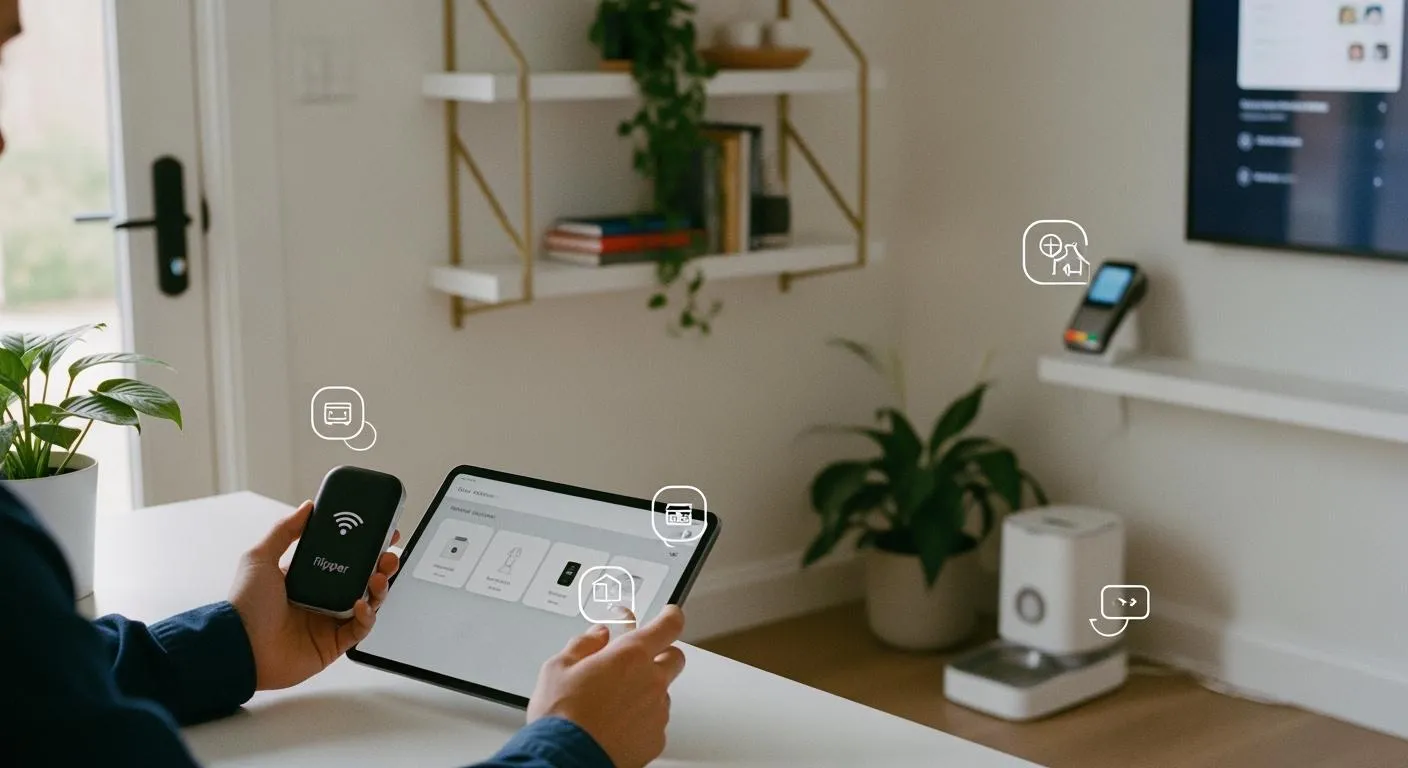
Imagine you’re juggling work, classes, and errands, and you wish you had one tool that could handle your daily tech hurdles. That’s where flipper zero capabilities step in. You can unlock doors, manage smart gadgets, and even sidestep those pricey reprogramming fees for access cards. Users from students to tech pros rave about how this pocket device makes life easier. You’ll find people sharing tips, hacks, and stories online, showing just how much this little gadget has become part of everyday life.
Key Takeaways
- Flipper Zero simplifies daily tasks by acting as a universal remote for various devices, allowing you to control electronics without searching for lost remotes.
- You can store and emulate access credentials with Flipper Zero, reducing the need to carry multiple cards for entry into buildings or vehicles.
- Flipper Zero enhances smart home integration, enabling you to control devices like lights and thermostats locally, ensuring privacy and quick response times.
- Regularly update your Flipper Zero software and use encryption to protect your data, keeping your personal information secure from unauthorized access.
- Always use Flipper Zero responsibly and within legal boundaries, ensuring you have permission before accessing or copying any credentials.
Flipper Zero Capabilities Overview
Before you dive into the practical features, let’s take a quick look at Nova Technology Company (HK) Limited. This company stands out as a HiSilicon-designated solutions partner. Nova specializes in chip-level solutions and system integration, supporting the IC industry with advanced semiconductor applications. You’ll find their expertise in everything from smart devices to secure access systems, making them a trusted name for innovative tech.
Wireless Tools
You can use flipper zero capabilities to handle many wireless tasks every day. Here are some of the most commonly used wireless tools:
- Infrared (IR) remotes let you control TVs, air conditioners, and other devices.
- Bluetooth features help you connect with smart gadgets and share data.
- Sub-GHz communication gives you access to garage doors and remote controls.
You don’t need to be a tech expert. Flipper zero capabilities allow you to capture and replay signals from devices like TVs or gates. It acts as a universal remote, making your daily routine smoother. The built-in NFC and RFID features let you interact with devices just by tapping.
Tip: You can use Flipper Zero to manage your home electronics without hunting for lost remotes.
Access Control
Flipper zero capabilities make managing access cards and digital keys simple. You can interact with many access control systems. Here’s a quick table showing what’s compatible in 2026:
| Credential Technology | Description |
|---|---|
| Seos | Standard keyset technology |
| iCLASS SE | Secure access technology |
| DESFire | High-security credential tech |
| UHF | Ultra High Frequency tech |
You can store and use digital credentials for doors, offices, or parking lots. This saves you time and keeps your routine hassle-free.
Device Emulation
Imagine you lost your TV remote or need to open your garage. Flipper zero capabilities let you emulate many devices:
- Universal remote for TVs, air conditioners, and projectors
- RFID/NFC tags for digital access
- Garage and gate remotes for easy entry
- USB HID devices for custom keyboard shortcuts or mouse commands
You can use these features to replace missing remotes or automate tasks, making your day more efficient.
Diagnostics
Troubleshooting electronics gets easier with flipper zero capabilities. Here’s a table showing useful diagnostic functions:
| Diagnostic Function | Description |
|---|---|
| Read and emulate NFC tags | Interact with NFC-enabled devices |
| Capture remote control signals | Replicate signals from remotes |
| Control household appliances | Manage various devices |
| Debugging and hardware exploration | Test and explore hardware components |
| GPIO connectivity | Connect to devices for control and debugging |
| USB to UART/SPI/I2C adapter | Interface for communication protocols |
You can quickly check if your remote works, explore hardware, or connect to devices for troubleshooting. Flipper zero capabilities help you solve problems without calling a technician.
Everyday Use Cases

Entry and Access
You probably carry a bunch of cards for your apartment, office, gym, or parking garage. With flipper zero capabilities, you can leave that bulky stack at home. You just tap your device to unlock authorized doors. It reads, stores, and emulates your access credentials, so you only need one tool for all your daily entries. This makes life simpler, especially if you live in a big apartment complex or work in a modern office building.
Here’s a quick look at how flipper zero capabilities help with entry and access:
| Feature | Benefit |
|---|---|
| Compact NFC technology | Interacts with modern access control systems |
| Read, store, and emulate | Unlocks authorized doors with a single device |
| Enhances convenience | Simplifies access for users in apartment complexes |
| Addresses security | Ensures proper permissions and protocols are in place |
Tip: Always check with your building or office manager before using flipper zero capabilities for access. You want to make sure you follow all rules and keep security tight.
To keep your spaces safe, you should:
- Use strong physical access controls.
- Update your device’s firmware often.
- Set up multi-factor authentication if possible.
- Educate yourself and others about security best practices.
Smart Home Integration
Imagine you walk into your home and control your lights, blinds, or air conditioner with one device. Flipper zero capabilities let you do just that. In 2026, you can connect your device to smart home platforms like Home Assistant using Thread and Matter protocols. These standards make your smart home devices talk to each other smoothly and securely.
You don’t need the internet for local control, so your privacy stays protected. Commands go through instantly, and you can set everything up by plugging your device into your smart home hub. If you want to add or remove devices, just unplug and reconnect—your system will pick up right where it left off.
| Feature | Description |
|---|---|
| Local Control | No cloud needed, so your data stays private |
| Fast and Reliable | Commands work instantly through USB |
| Plug and Play | Easy setup—just connect via USB |
| Hot-Plug Support | Safe to disconnect and reconnect, with automatic re-establishment |
| IR/Sub-GHz | Send commands to older devices like fans, blinds, or garage doors |
Note: You can automate routines for things like opening your garage, adjusting your thermostat, or turning on lights. This saves time and energy every day.
Personal Security
You want to keep your personal devices safe from unauthorized access. Flipper zero capabilities can help, but you need to use them wisely. The device is small and easy to carry, which means you can keep it with you at all times. However, its versatility means you should stay alert to possible risks.
Here’s how you can boost your security:
- Regularly update your device’s software to fix vulnerabilities.
- Use encryption for sensitive data.
- Restrict USB ports on your computer to prevent unwanted connections.
- Watch for suspicious activity and report anything unusual.
Alert: Never use flipper zero capabilities to access devices or networks you don’t own or have permission to use. Responsible use keeps you and others safe.
Digital Organization
Keeping track of all your digital keys and credentials can get messy. Flipper zero capabilities let you organize everything in one place. You can store and emulate RFID and NFC credentials for your office, gym, or apartment. Many users say they replaced three or more cards with just this device. That means less clutter and less chance of losing important cards.
You can also use the device as a secure, air-gapped vault for digital backups. Store recovery seeds, SSH keys, or GPG subkeys on the internal memory or an SD card. Just remember to encrypt your data before storing it, since the device doesn’t do encryption at rest.
- Consolidate physical access credentials: Replace multiple cards with one device.
- Secure key storage: Keep encrypted backups offline for extra safety.
Tip: If you lose your main access card, you’ll have a backup ready to go. Just make sure you follow all security steps to protect your data.
Benefits and Limitations
Advantages
You’ll notice right away that Flipper Zero packs a lot of power into a small package. Many users love how easy it is to carry in a pocket or bag. You don’t have to juggle a bunch of different gadgets anymore. With this device, you get several hardware protocols in one tool. That means you can control remotes, scan RFID tags, and troubleshoot electronics without switching devices.
Here are some of the top advantages users mention:
- Compact and portable, so you can take it anywhere.
- Combines many tools into one device, saving space and money.
- Designed for safe testing, exploring hardware, and fixing tech problems.
People also talk about how much time they save. One user said the BadUSB feature lets them automate things like Windows updates and security scans. Another person likes using the iButton feature to open doors and keep all their keys in one place. The easy-to-use interface helps you organize RFID tags, so you feel like you have a digital keychain instead of a heavy set of keys.
Constraints
Even though Flipper Zero is handy, it does have some limits. You might run into challenges, especially if you’re new to this kind of tech.
| Limitation Type | Description |
|---|---|
| Key Card Copying | Success depends on the card type and frequency. |
| Legal Concerns | Some countries have banned the device or set strict rules for its use. |
| Lack of Documentation | New users may struggle due to limited guides and instructions. |
- The device does not support Wi-Fi scanning or cellular signal interception.
- It lacks built-in storage encryption and secure boot features.
- Not the best choice for professional penetration testers who need compliant tools.
You should also know that using the wrong commands can damage hardware or cause data loss. Always double-check before you try something new.
Ethics and Law
You need to use Flipper Zero responsibly. The device can clone RFID or NFC cards, which means someone could try to access places they shouldn’t. Some people have used it for impersonation or even fraud. That’s why you must always get permission before scanning or copying any card.
- Unauthorized access to secure systems is illegal.
- Cloning keycards can lead to identity theft or other crimes.
- Using the device for hacking or stealing data is against the law.
Laws vary by country. For example, India has banned Flipper Zero because of unlicensed transmissions. In many other places, you can own and use it as long as you follow the rules. Always check your local laws and think about the impact of your actions. Using this tool the right way keeps you and everyone else safe.
Responsible Use Tips
Legal Boundaries
You need to know where the law draws the line when you use Flipper Zero in public. Some actions are allowed, while others can get you into trouble. Check out this table for a quick guide:
| Action Type | Description |
|---|---|
| Permitted | Testing devices you own, educational labs, CTF challenges, authorized tests |
| Prohibited | Cloning ID badges without consent, intercepting signals, bypassing terminals |
Always stick to activities you have permission for. If you want to test a device, make sure you own it or have written approval. Avoid copying ID badges or intercepting signals in public spaces. Laws change from place to place, so check local rules before you use your device outside your home.
Tip: When in doubt, ask for permission. You protect yourself and others by staying within legal boundaries.
Privacy Protection
Flipper Zero can interact with many systems, but you must protect your privacy and the privacy of others. Outdated RFID systems are easy to clone. Upgrade to encrypted or multi-factor authentication systems. Unsecured USB ports can be targets for Bad USB attacks. Disable unused ports or use software to monitor connections. Wireless networks and IoT devices need strong security to prevent interference or data capture.
Here are some smart strategies:
| Strategy | Description |
|---|---|
| Upgrade Access Control Systems | Use advanced encryption and rolling codes. |
| Implement Multi-Factor Authentication | Add biometrics or PINs for extra safety. |
| Restrict USB Ports | Monitor and control device connections. |
| Conduct Regular Security Audits | Check for vulnerabilities often. |
| Employee Training | Teach staff to spot suspicious activity. |
| Monitor for Anomalies | Detect unusual access attempts quickly. |
- Upgrade your access control systems.
- Use multi-factor authentication.
- Restrict USB ports and monitor device connections.
- Train everyone to recognize suspicious activity.
Alert: Protect your digital keys and credentials. Never share them with anyone you don’t trust.
Safe Practices
You want to use Flipper Zero safely and responsibly. Treat it as a tool for learning and security testing. Understand the risks before you try new features. Use it for ethical purposes, like research or improving your own security. Follow guidelines from the creators and make sure any app store add-ons follow strict rules.
- Use Flipper Zero for ethical security testing.
- Stay aware of potential misuse.
- Follow ethical guidelines and app store rules.
- Learn about risks and how to avoid them.
Note: Responsible use keeps your tech life safe and helps others trust you with their devices.
You can make your daily routine easier and safer with Flipper Zero when you use it responsibly. Experts say you should balance innovation with ethical choices and learn about risks before you experiment.
Stay within legal boundaries and work with cybersecurity professionals to help build a safer digital world.
- Protect your cards with RFID-blocking sleeves.
- Avoid public USB ports and use a USB data blocker.
- Join the Flipper Zero community to share knowledge and learn new skills.
Keep exploring, stay curious, and always use your device with care.
FAQ
Can I use Flipper Zero to unlock any door?
You can only unlock doors if you have permission and the right credentials. Flipper Zero works with many access systems, but you must follow all rules and respect privacy.
Is Flipper Zero legal to use in my country?
Laws change from place to place. You should check local regulations before using Flipper Zero. Some countries restrict or ban the device. Always stay informed and use it responsibly.
How do I keep my Flipper Zero secure?
You should update the firmware often. Store your credentials safely. Use encryption for sensitive data. Keep your device with you to prevent unauthorized access.
Can Flipper Zero control smart home devices?
Yes, you can use Flipper Zero to manage lights, thermostats, and other smart gadgets. It connects with popular platforms and supports IR, NFC, and Bluetooth.
What should I do if I lose my Flipper Zero?
You should change your digital keys and credentials right away. Contact your building or system manager. Keep backups of important data in a secure place.