Understanding the 74HC595D Datasheet
You use the 74HC595D to change serial data into parallel outputs. The 74HC595D Datasheet gives you important details for connecting, choosing, and fix
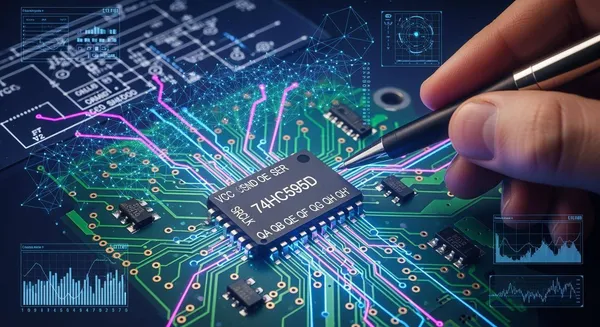
You use the 74HC595D to change serial data into parallel outputs. The 74HC595D Datasheet gives you important details for connecting, choosing, and fixing this IC. Its high-speed C2MOS technology works well with digital signals. Students, hobbyists, and engineers all get help from learning about datasheets. You can get good at reading datasheets if you practice.
Key Takeaways
The 74HC595D changes serial data into eight parallel outputs. This lets you control many devices with fewer microcontroller pins.
Always check the 74HC595D Datasheet for important facts. It tells you about pin functions, voltage ratings, and timing. This helps you use it the right way.
You can connect more than one 74HC595D chip together. This gives you more outputs but only uses a few control pins from your microcontroller.
Keep your wiring neat to stop mistakes. This helps your circuits work well with the 74HC595D.
Use the 74HC595D to control LEDs and add more outputs in your projects. It saves power and works fast, which is helpful.
74HC595D Overview
Shift Register Basics
Sometimes you want to control many things with just a few microcontroller pins. The 74HC595D helps by working as an 8-bit shift register and latch. You send data into the chip one bit at a time. It turns this serial data into eight parallel outputs. This lets you control things like LEDs, displays, or relays with fewer wires.
The 74HC595D Datasheet says the chip can:
Change serial data into parallel data
Give microcontrollers more output options
Run LED matrices and control many devices
You find important facts in the 74HC595D Datasheet, like voltage needs and timing steps. These facts help you hook up the chip right and make your circuit work well.
Key Functions and Technology
The 74HC595D works well because it uses C2MOS technology. This technology gives you the speed of LSTTL and the low power use of CMOS. You can see how the 74HC595D matches up with other logic families in this table:
Speed Comparison | Power Consumption | |
|---|---|---|
74HC595D | Like LSTTL | Low (CMOS efficiency) |
LSTTL | High | Moderate to High |
CMOS | Moderate | Low |
TTL | High | Moderate |
You can use the 74HC595D in new electronics because it is fast and saves power. This makes it a good pick for projects needing speed and low energy use.
Tip: Always look at the 74HC595D Datasheet before you start. It gives you the info you need to use the chip safely and correctly.
Reading the 74HC595D Datasheet
When you first look at the 74HC595D Datasheet, you might feel overwhelmed by all the numbers and diagrams. You can break it down into simple parts. Start with the pinout and pin functions. These tell you how to connect the chip and what each pin does. Next, look at the block diagram. This shows you how the inside of the chip works.
Pinout and Pin Functions
You need to know what each pin does before you connect the 74HC595D. The datasheet gives you a pinout table. This table lists each pin, its name, if it is input or output, and what it does. Here is a clear version of the pinout for the 74HC595D:
Pin# | Pin Name | I/O | Pinout Description |
|---|---|---|---|
1 | Q_B | O | Q_B Output: Parallel output for bit B of the shift register. |
2 | Q_C | O | Q_C Output: Parallel output for bit C of the shift register. |
3 | Q_D | O | Q_D Output: Parallel output for bit D of the shift register. |
4 | Q_E | O | Q_E Output: Parallel output for bit E of the shift register. |
5 | Q_F | O | Q_F Output: Parallel output for bit F of the shift register. |
6 | Q_G | O | Q_G Output: Parallel output for bit G of the shift register. |
7 | Q_H | O | Q_H Output: Parallel output for bit H of the shift register. |
8 | GND | - | Ground Pin: Connect to system ground. |
9 | Q_H' | O | Q_H' Output: Serial output for cascading multiple shift registers. |
10 | SRCLR | I | Shift Register Clear Input: Active-low, clears the shift register when low. |
11 | SRCLK | I | Shift Register Clock Input: Shifts data on rising edge. |
12 | RCLK | I | Storage Register Clock Input: Latches shift register data to outputs on rising edge. |
13 | OE | I | Output Enable: Active-low, enables parallel outputs when low. |
14 | SER | I | Serial Data Input: Accepts serial data for the shift register. |
15 | Q_A | O | Q_A Output: Parallel output for bit A of the shift register. |
16 | V_CC | - | Power Pin: Supply voltage, typically 2V to 6V. |
You can use this table as a quick reference when wiring your circuit. Each output pin (Q_A to Q_H) gives you one bit of parallel data. The SER pin takes in your serial data. The SRCLK and RCLK pins control when data moves and when it gets stored. The OE pin lets you turn the outputs on or off. The SRCLR pin clears the shift register if you set it low. The Q_H' pin helps you connect more than one 74HC595D in a row.
Tip: Always double-check your connections with the pinout table from the 74HC595D Datasheet. This helps you avoid wiring mistakes.
Understanding Block Diagram
The block diagram in the 74HC595D Datasheet shows you how the chip works inside. You do not need to understand every detail, but you should know the main parts.
Serial Data Input (SER): This is where your data enters the chip, one bit at a time.
Shift Register: This part stores your data as you shift it in with the SRCLK pin.
Storage Register (Latch): When you pulse the RCLK pin, the data moves from the shift register to the storage register. This action updates the outputs.
Parallel Outputs (Q_A to Q_H): These pins show the data you stored. You can use them to control LEDs or other devices.
Output Enable (OE): This pin lets you turn all outputs on or off at once.
Cascade Output (Q_H’): This pin sends the last bit of data to another 74HC595D if you want more outputs.
You can think of the block diagram as a map. It shows how data flows from the input, through the shift register, into the storage register, and finally out to the pins. The control pins (SRCLK, RCLK, OE, SRCLR) help you move and manage the data.
Note: If you get confused by the block diagram, look back at the pinout table. The table and diagram work together to help you understand how to use the chip.
When you read the 74HC595D Datasheet, focus on these two parts first. The pinout tells you how to connect the chip. The block diagram shows you how the chip handles your data. With practice, you will get better at reading datasheets and using chips like the 74HC595D in your projects.
Features and Specs
Voltage and Current Ratings
You need to know the voltage and current ratings before you use the 74HC595D. This chip works with a wide range of voltages. You can use it in many types of circuits. Here is a table that shows the typical operating voltage range:
Voltage Range | Specification |
|---|---|
74HC595D |
The chip can handle an output current of up to ±25 mA per pin. This means you can drive small loads like LEDs directly from the outputs. You should always check the 74HC595D Datasheet to make sure you do not exceed these limits.
Speed and Timing
The 74HC595D works fast. It shifts data into its register on each clock pulse. You can update all outputs at once by sending a pulse to the storage register clock. This feature helps you control many devices quickly. The chip can drive up to 15 LSTTL loads. It uses low power, so your projects stay efficient.
Receives serial data on the DS input.
Transfers data to the storage register on a clock edge, updating outputs simultaneously.
This process lets you manage outputs with precise timing.
Package Information
You can find the 74HC595D in different package types. The most common is the SOIC16, which is easy to use on circuit boards. Here is a table with package details:
Package Type | Pins | Mounting Type | Dimensions (mm) |
|---|---|---|---|
SOIC16 | 16 | Surface Mount | 10.2 × 6.0 × 1.38 |
This small size helps you save space in your designs.
Maximum Ratings
You must not exceed the maximum ratings to keep the chip safe. Here are the key limits:
Absolute maximum output current: ±25 mA per pin
You should also avoid using the chip above 6.0 V or in very hot or cold conditions. Staying within these ratings helps your circuit last longer.
Tip: Always check the ratings and specs before you connect the chip. This step prevents damage and keeps your project running smoothly.
Using the 74HC595D
Basic Circuit Steps
You can set up the 74HC595D in a few clear steps. This process helps you turn serial data into parallel outputs for your project. Follow these steps to connect and operate the IC:
Connect Power and Ground
Attach the Vcc pin to a 5V power supply. Connect the GND pin to your circuit ground.Wire the Serial Data Input
Link the SER (Pin 14) to your microcontroller’s data output. This pin receives one bit at a time.Set Up the Clock Pins
Connect SRCLK (Pin 11) to your microcontroller’s clock output. This pin shifts data into the register on each rising edge.Latch the Data
Attach RCLK (Pin 12) to a microcontroller pin. This pin moves the data from the shift register to the output pins when you send a pulse.Enable the Outputs
Tie OE (Pin 13) to ground. This step turns on the outputs. If you want to disable the outputs, set this pin high.Clear the Register (Optional)
Connect SRCLR (Pin 10) to Vcc for normal operation. Pull it low if you want to clear the shift register.Connect Your Loads
Use Q_A to Q_H (Pins 15, 1–7) to drive LEDs, relays, or other devices. Add current-limiting resistors if you use LEDs.
Tip: Keep your wiring neat and avoid splices. A clean setup helps you find and fix problems faster.
Timing and Latching
You control when data moves through the 74HC595D by using clock and latch signals. The chip uses two main clocks:
Shift Register Clock (SRCLK):
Each time you send a rising edge to this pin, the chip shifts in one bit of data from the SER pin.Storage Register Clock (RCLK):
When you pulse this pin, the chip moves all eight bits from the shift register to the output pins at once.
This two-step process lets you load new data without changing the outputs right away. You can prepare your data, then update all outputs together. This method prevents flicker in displays and keeps your outputs stable.
Note: The storage register acts like a buffer. It holds your data until you decide to show it on the outputs.
Cascading Devices
You can expand your project by connecting more than one 74HC595D. This method is called cascading. Here’s how you do it:
Connect the First Chip
Power the first 74HC595D as usual. Connect the control pins (SER, SRCLK, RCLK, OE) to your microcontroller.Link the Cascade Output
Take the Q_H’ (Pin 9) from the first chip and connect it to the SER (Pin 14) of the next chip. This link passes the data along.Share the Control Signals
Connect SRCLK and RCLK of all chips to the same microcontroller pins. This setup keeps all chips in sync.Add More Chips
Repeat the process for each extra chip. You can control many outputs with just three microcontroller pins.Use Good Practices
Place current-limiting resistors on outputs that drive LEDs. Add decoupling capacitors between Vcc and GND for each chip. Keep your clock signal clean to avoid glitches.
Tip: You can chain as many chips as you need, but long chains may need slower clock speeds for reliable operation.
Troubleshooting Tips
If your circuit does not work, you can follow these steps to find and fix the problem:
Check the Power Supply
Make sure your supply voltage stays between 2V and 6V. An unstable supply can cause the chip to act strangely.Verify Clock Signals
Look at the SRCLK and RCLK signals. They should have clear rising edges. Wrong signals can stop data from shifting or latching.Inspect the Wiring
Search for loose wires, shorts, or open connections. Even one bad wire can cause the whole circuit to fail.Avoid Messy Wiring
Keep your wires neat and avoid splices. A tangled setup makes it hard to spot mistakes.Test One Step at a Time
Try sending simple patterns to the chip first. Check if the outputs match your input data.
If you still have trouble, check the 74HC595D Datasheet for more details on pin functions and timing. Careful reading can help you solve most problems.
Note: Patience and a systematic approach help you fix most issues with shift registers.
Applications
LED and Display Control
You can use the 74HC595D to run lots of LEDs or display parts with only a few microcontroller pins. The chip takes in serial data and sends it out as parallel signals. You put in data one bit at a time. Then, you update all the outputs at once. This way works great for LED grids and seven-segment displays.
You use fewer microcontroller pins by sending data one after another.
You control each LED or display part right from the outputs.
You can handle big displays, like scoreboards, by using multiplexing.
Here is a table that explains why the 74HC595D is good for displays:
Feature | Description |
|---|---|
Serial to Parallel Conversion | Changes serial data into parallel signals for LEDs and displays. |
Reduced GPIO Usage | Lets you use less microcontroller pins. |
Multiplexing Capability | Manages lots of LEDs in big display systems. |
Tip: The 74HC595D Datasheet shows timing and wiring info for safe display control.
Output Expansion
Sometimes you need more outputs than your microcontroller gives you. The 74HC595D makes it easy to add more. You can connect many chips together to control lots of things.
Use less microcontroller pins for control.
Link chips together for even more outputs.
Plug in the chip easily because it has a standard pinout.
Get help and info since many people use this chip.
Save money when you build big projects.
You can use this chip to run relays, buzzers, or other digital things.
Other Uses
The 74HC595D can do more than just run LEDs or add outputs. You can use it for power control in battery devices. It helps you manage power and save energy. You can also send data to LCD screens, so updates look smooth. In home automation or robots, you can switch 5V loads with steady control.
Application | Benefit |
|---|---|
Controls power for better energy use. | |
LCD screen interfacing | Sends data bits for smooth screen changes. |
Controlling 5V loads | Switches things in home automation and robots. |
You can find more ideas and info in the 74HC595D Datasheet.
Alternatives Comparison
74HC595D vs Other Shift Registers
You may see other shift registers like the 74LS595 or 74HCT595 when you look for the 74HC595D. Each type has its own strengths. You should know how they compare before you choose one for your project.
The 74HC595D uses high-speed CMOS technology. This gives you faster operation than the 74LS595, which uses low-power Schottky TTL technology.
The 74HC595D uses less power than the 74LS595. This helps you save energy, especially in battery-powered projects.
The 74HC595D works with a wider voltage range. You can use it in more types of circuits.
The 74HCT595 is similar to the 74HC595D but works better with TTL input signals. This makes it a good choice if you mix old and new parts in your design.
You should pick the chip that matches your speed, power, and voltage needs. If you want fast and efficient circuits, the 74HC595D is a strong choice.
Tip: Always check the datasheet for each chip. You will find the best match for your project.
Choosing the Right Device
You want a shift register that fits your project’s needs. The 74HC595D stands out because of its useful features. Here is a table that shows why you might choose it:
Feature | Benefit |
|---|---|
Serial-to-parallel conversion | Makes data handling easy in digital projects. |
Works well in battery or energy-saving designs. | |
Control multiple outputs | Lets you use fewer microcontroller pins. |
Signal integrity over distance | Keeps signals strong in big LED displays or long wires. |
Simplified design architecture | Makes your circuit easy to build and expand. |
You should use the 74HC595D if you have a microcontroller with few GPIO pins. It works well in large LED displays and public signs. You can trust it for reliable and scalable circuits.
Note: The 74HC595D helps you build projects that are simple, efficient, and ready for future upgrades.
You can learn the 74HC595D Datasheet by following simple steps. First, look at the pinout. Next, check the voltage and current ratings. Then, look at example circuits. Knowing these things helps you make good circuits and fix problems. Here is a checklist to help you:
Check the supply voltage and temperature range.
Find the control pins: SER, SRCLK, RCLK, OE, Q’.
Look at timing diagrams to use the chip right.
Keep the datasheet close for later projects. If you have questions or want to share, write a comment below!
FAQ
What does the 74HC595D do?
You use the 74HC595D to turn serial data into eight parallel outputs. This lets you control many devices, like LEDs, with just a few microcontroller pins.
How do you connect multiple 74HC595D chips?
You connect the Q_H’ pin of the first chip to the SER pin of the next chip. You share the clock and latch signals. This setup lets you control more outputs.
Can you drive LEDs directly from the 74HC595D?
Yes, you can drive small LEDs directly. You should use a current-limiting resistor for each LED. Do not exceed 25 mA per output pin.
What happens if you connect the power supply wrong?
If you reverse the power supply, the chip may get damaged. Always double-check your wiring before turning on the power.