Microfarad Symbol on Meter Surprises Beginners with Its Power
Microfarad symbol on meter shows capacitance values. Understanding μF, uF, or MFD helps beginners measure capacitors and avoid electronics mistakes.
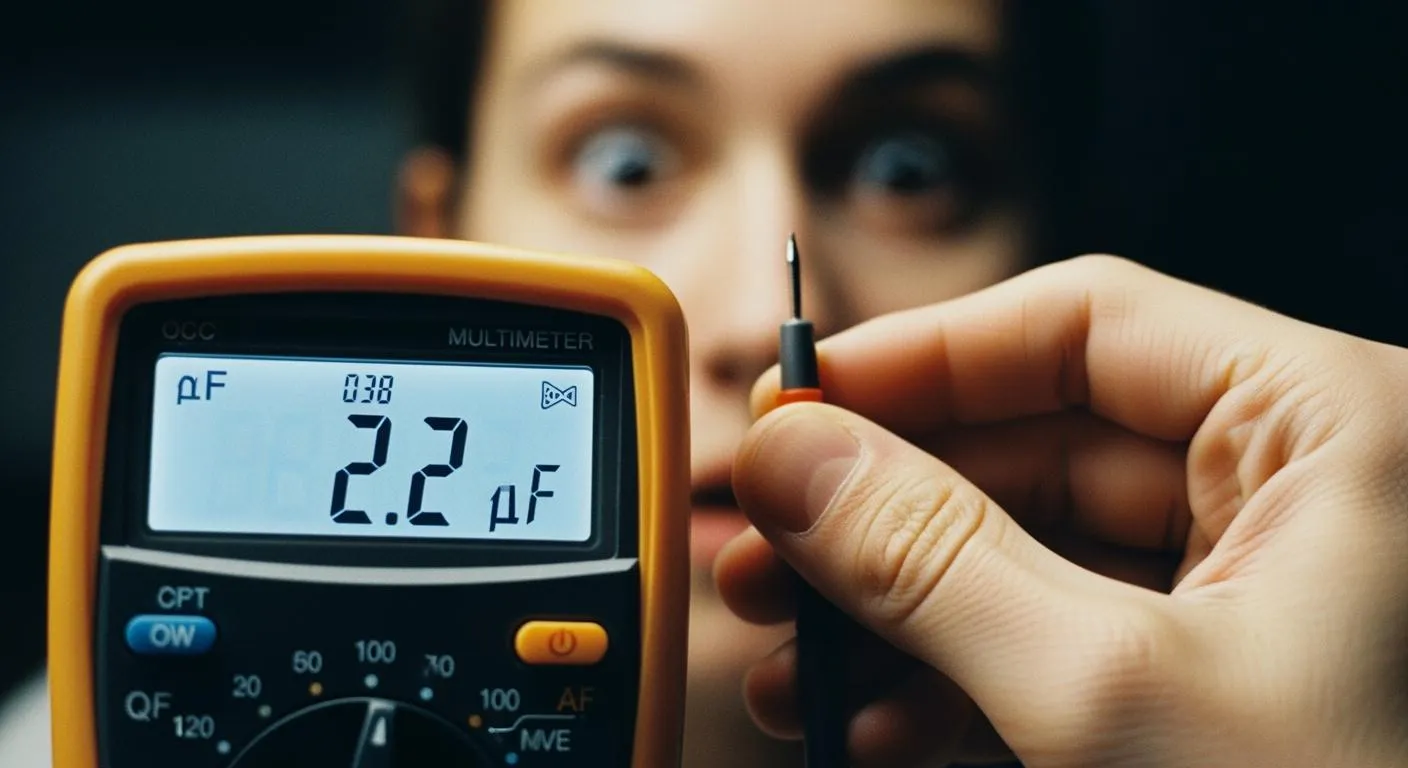
When you first see the microfarad symbol on meter displays, you might wonder what it means and why it appears so often. This symbol, shown as μF, uF, or sometimes MFD, tells you the capacitance value in a circuit. Recognizing it helps you test capacitors accurately and solve electronics problems with confidence. Many beginners feel surprised by how essential this symbol becomes in everyday electronics work. According to Physics for Scientists and Engineers by Tipler and Mosca, understanding these symbols is a key step in mastering basic electronics.
Key Takeaways
- Recognize the microfarad symbol (μF, uF, MFD) to measure capacitance accurately in circuits.
- Always check your meter's manual to understand which symbol it uses for microfarads.
- Discharge capacitors before testing to ensure safety and accurate readings.
- Use the correct mode on your meter to avoid mistakes when measuring capacitance.
- Understanding microfarads helps you select the right components and troubleshoot effectively.
Microfarad Symbol on Meter: What to Look For

Symbol Variations: μF, uF, and MFD
You will encounter several ways to represent microfarads when you use a meter. The most common variation is μF, which stands for microfarads. Some meters display uF instead of μF because the Greek letter μ is not always available on digital screens. Older meters or schematics sometimes use MFD, which also means microfarads. Manufacturers chose these abbreviations based on convenience, historical practices, and their own standards.
- The abbreviation uF appears often because it is easier to type on keyboards.
- MFD was popular in older electronics due to a lack of standardization.
- Each manufacturer had unique rules for labeling microfarads.
You should remember that all these variations mean the same thing. When you see μF, uF, or MFD, you are looking at the microfarad symbol on meter displays. This knowledge helps you avoid confusion and ensures you measure capacitance correctly.
Where to Find the Symbol on Your Meter
You can find the microfarad symbol on meter dials, screens, or next to buttons. On digital multimeters, the symbol usually appears as μF or uF. Analog meters may use MFD or show the capacitor symbol, which looks like two parallel lines or a straight and curved line. Some meters use auto-ranging displays, so you might see μF for larger capacitors and nF for smaller ones.
Tip: Always check your meter's manual to confirm which symbol it uses for microfarads.
Here is a table to help you distinguish microfarads from similar units:
| Symbol Type | Description | ||
|---|---|---|---|
| Standard Microfarads Symbol | The symbol for microfarads is μF, commonly found on multimeter dials. | ||
| Capacitor Symbol | Some multimeters use the capacitor symbol — | — to indicate capacitance measurement. | |
| Alternative Notation | Some meters may display uF instead of μF due to display limitations. | ||
| Auto-Ranging Display | In auto-ranging multimeters, the display shows μF for medium-to-large capacitors and nF for small capacitors. |
You should not confuse microfarads with nanofarads (nF) or farads (F). Microfarads measure most common capacitors, while nF and F represent much smaller or much larger values. If you select the wrong unit, your readings will not match the component's actual value.
When you recognize the microfarad symbol on meter displays, you gain confidence in testing and troubleshooting. You avoid mistakes and improve your electronics skills.
What Microfarads Measure
Capacitance Basics
Capacitance tells you how much electric charge a component can store. You find capacitors in almost every electronic device. These parts act like small batteries, holding and releasing energy when needed. The standard unit for measuring capacitance is the microfarad. Most capacitors in circuits use values in microfarads because this unit fits the size and function of common electronic parts.
The physical design of a capacitor affects its capacitance.
- A larger plate area lets the capacitor store more charge.
- Using materials with a higher dielectric constant increases energy storage.
- Placing the plates closer together also boosts capacitance.
When you use a meter, you often see the microfarad symbol on meter displays. This symbol helps you know you are measuring the right unit for most capacitors.
Why Microfarads Matter in Electronics
You need to measure capacitance to check if a capacitor works well. Meters show capacitance in different units based on the component's size. For example, you might see μF for medium capacitors, nF for small ones, and F or mF for very large types. Here is a quick guide:
| Symbol/Mode | Description | ||
|---|---|---|---|
| Standard Microfarads | The symbol for microfarads is µF, commonly found on multimeter dials. | ||
| Capacitor Symbol | Some multimeters use the capacitor symbol — | —, allowing measurement in nF, µF, or mF. | |
| C or CAP Mode | Certain models indicate capacitance with “C”, “CAP”, or “Cx”, used for microfarad readings. | ||
| uF | Some meters display uF instead of µF due to display limitations. | ||
| Auto-Ranging | Auto-ranging meters show µF for medium-to-large, nF for small, and mF for large capacitors. |
If you read the wrong unit, you might misjudge a capacitor’s health. Recognizing the microfarad symbol on meter displays helps you avoid mistakes and ensures your measurements match the component. This skill gives you more control and accuracy when working with electronics.
Measuring Capacitance with Your Meter

Using the Microfarad Setting
You can measure a capacitor’s value with confidence when you follow the right steps. Start by making sure the power to your circuit is off. This keeps you safe and protects your meter. Next, discharge the capacitor using a resistor. Hold the resistor across the terminals for a few seconds. Always check that the capacitor is fully discharged before you continue.
Now, set your multimeter to the capacitance mode. Look for the microfarad symbol on meter dials or screens. If you are unsure, check your user manual. Remove the capacitor from the circuit. This step prevents other components from affecting your reading.
Attach the test leads to the capacitor’s terminals. Wait for the meter to settle and display a value. Some meters have an auto-range feature, so you may see the reading change before it locks in. If your meter has a Relative mode, use it for small values to improve accuracy.
- Power off the circuit.
- Discharge the capacitor with a resistor.
- Confirm the capacitor is fully discharged.
- Set the meter to capacitance mode (look for the microfarad symbol on meter).
- Remove the capacitor from the circuit.
- Connect the test leads to the capacitor.
- Read the displayed value.
Tip: Always double-check the meter’s mode before testing. This prevents errors and keeps your measurements reliable.
Tips for Accurate Readings
You can avoid common mistakes by following a few simple rules:
- Always discharge the capacitor before testing. This protects your meter and gives accurate results.
- Remove the capacitor from the circuit. Other components can change the reading.
- Select the correct mode or range on your meter.
- For polarized capacitors, connect the probes correctly. Reversed probes can cause unstable readings.
- Clean the capacitor terminals and ensure good contact with the probes.
If you see an “OL” or out-of-range message, the capacitor may be faulty or too large for your meter. Try a different range or check the component.
Note: Accurate measurements help you troubleshoot circuits and replace faulty parts with confidence.
Why Beginners Are Surprised
Common Misconceptions
You might feel confused the first time you see the microfarad symbol on meter displays. Many beginners mix up microfarads with other units like nanofarads (nF) or picofarads (pF). This confusion happens because the symbols look similar, but the values are very different. For example, one microfarad (μF) equals 1,000 nanofarads or 1,000,000 picofarads. If you use the wrong unit, you can select the wrong capacitor for your project.
Electronics instructors often explain that capacitance measures how much electric charge a capacitor can store. Since one farad is a huge amount, you usually work with smaller units. You see microfarads, nanofarads, and picofarads in most circuits. Understanding these differences helps you pick the right component for each job.
Here is a quick reference table:
| Unit | Value in Farads |
|---|---|
| Microfarad (μF) | 0.000001 F |
| Nanofarad (nF) | 0.000000001 F |
| Picofarad (pF) | 0.000000000001 F |
You should always check the symbol on your meter before testing. This habit prevents mistakes and helps you get accurate results.
Real-World Impact of Understanding the Symbol
When you understand the microfarad symbol on meter displays, you improve your troubleshooting skills. You can read circuit diagrams and identify the correct capacitor values. This skill lets you choose the right parts for repairs and avoid costly errors.
Knowing the difference between units helps you prevent circuit failures. You also protect your devices from damage by matching the correct polarity and voltage ratings.
Here are some ways this knowledge helps you in real-world electronics work:
- You interpret capacitor values correctly in schematics.
- You select the right replacement parts during repairs.
- You avoid mistakes that could cause a circuit to stop working.
Capacitance plays a big role in how circuits store energy and filter signals. When you master the microfarad symbol on meter displays, you gain confidence and accuracy in every project.
Microfarad Symbol and Electronics Skills
Building Broader Knowledge
You build your electronics skills when you recognize the microfarad symbol on meter. This symbol helps you understand how capacitors work in circuits. You learn to measure, test, and select the right components for each project. You also gain experience with other meter functions, such as resistance and voltage settings. Practicing these skills prepares you for more advanced troubleshooting.
You can explore different meter modes to see how each setting affects your readings. Try measuring capacitors with various values and compare the results. Use the auto-ranging feature to see how the meter switches between microfarads, nanofarads, and picofarads. This hands-on practice gives you confidence and helps you avoid mistakes.
Tip: Keep a notebook to record your measurements and observations. This habit helps you track your progress and spot patterns in circuit behavior.
Nova Technology Company (HK) Limited stands out as a HiSilicon-designated solutions partner. The company specializes in chip-level solutions, system integration, and advanced application scenarios in the integrated circuit industry. You see their expertise in designing and implementing ICs for consumer electronics, industrial systems, and communication devices. Learning about industry leaders like Nova Technology Company helps you understand how professional engineers use tools and symbols, such as the microfarad symbol on meter, to solve real-world challenges.
Troubleshooting with Confidence
You troubleshoot circuits with greater confidence when you master the microfarad symbol on meter. You quickly identify faulty capacitors and replace them with the correct values. You read schematics and match components to their symbols. You also use your meter to check other parts, such as resistors and diodes.
Here is a simple troubleshooting checklist:
- Identify the microfarad symbol on meter.
- Measure the capacitor value.
- Compare the reading to the schematic.
- Replace faulty components.
- Test the circuit for proper operation.
You improve your skills each time you practice. You gain the ability to solve problems and keep your projects running smoothly. You also prepare for more complex tasks in electronics and integrated circuits.
You build a strong foundation in electronics when you master the microfarad symbol on meter. This skill helps you test capacitors, solve problems, and read schematics with confidence. Practice using your meter and identifying this symbol during every project. You will find that your troubleshooting improves as your understanding grows.
Next, explore other meter symbols and try advanced measurements to expand your electronics knowledge.
FAQ
What does the microfarad symbol (μF) mean on my meter?
You see the microfarad symbol (μF) when your meter measures capacitance. It tells you the value of a capacitor. Most electronic circuits use capacitors with values in microfarads.
Why do some meters show uF or MFD instead of μF?
Meters use uF or MFD because some displays cannot show the Greek letter μ. All three mean microfarads. You can use them interchangeably when measuring capacitors.
How do I know if I am using the correct setting to measure microfarads?
Check your meter dial or screen for μF, uF, or MFD. If you see a capacitor symbol (—| |—), select it. Always read your meter’s manual for details.
Can I measure capacitance without removing the capacitor from the circuit?
You should remove the capacitor before measuring. Other components can affect your reading. This step gives you the most accurate result.
What should I do if my meter shows “OL” when measuring a capacitor?
“OL” means the value is out of range or the capacitor is faulty. Try a different range or test another capacitor. Replace the component if it still shows “OL”.