Serial Peripheral Interface Bus: Saving Space and Simplifying Connections
You can make your circuit board smaller when you use the serial peripheral interface bus in your designs. It needs fewer con
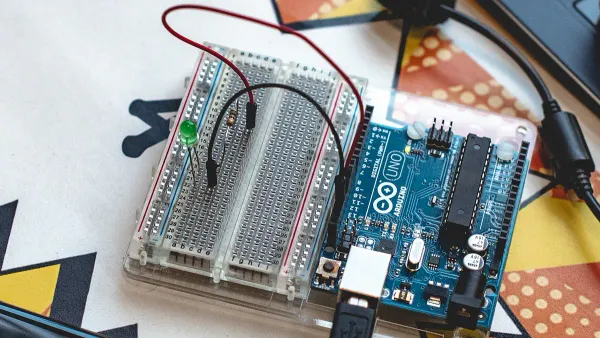
You can make your circuit board smaller when you use the serial peripheral interface bus in your designs. It needs fewer connections, so you save space and reduce the number of I/O ports on your microcontroller. SPI also brings high-speed communication. Look at the table below to see how the serial peripheral interface reaches data rates above 10 MHz, much faster than UART or I2C. This speed and flexibility help you connect sensors, displays, and memory chips with fewer wires and less clutter.
| Protocol | Typical Data Rate |
|---|---|
| SPI | > 10 MHz |
| UART | 9600 bps - 115200 bps |
| I2C | 100 kHz - 5 MHz |
| USB | 1.5 Mbps - 40 Gbps |
You will notice the benefits of SPI when you compare it to other protocols, especially in designs where space and speed matter most.
Key Takeaways
- SPI helps you save space on circuit boards by using fewer wires than other communication methods.
- With only four main signal lines, SPI simplifies connections and reduces the chance of mistakes during assembly.
- SPI supports high-speed data transfer, making it ideal for applications that need quick communication, like sensors and displays.
- The master-slave setup in SPI allows you to connect multiple devices easily, keeping your designs organized.
- Using SPI can improve the reliability of your embedded systems with built-in error checking and stable communication.
SPI Benefits for Embedded Systems
Space-Saving Design
You can make your embedded designs smaller and more efficient with SPI. The serial peripheral interface bus uses fewer wires than parallel communication methods. This helps you save valuable board space and reduce the number of I/O ports needed on your microcontroller.
- Serial communication is more reliable and efficient, which supports space-saving designs.
- You only need a few signal lines for SPI, so you can fit more features into limited space.
- Parallel communication needs many pins and large connectors, which take up more room on your PCB.
- Smaller connectors and less wiring mean you can create more compact embedded systems.
Many system-on-a-chip processors and microcontrollers include SPI controllers. This built-in support helps you use less board real estate, which is important when you design compact electronic components and integrated circuits.
Simplified Connections
SPI makes wiring much easier for you. The interface uses a simple synchronous protocol that only needs four main signal lines: MISO, MOSI, SCK, and SS. This setup reduces connection complexity and helps you avoid mistakes during assembly.
- You can connect multiple devices using the master-slave model without complex wiring.
- Only four signal lines are needed, which minimizes the number of connections.
- The simple interface allows for easy communication between microcontrollers and peripherals.
| Benefit | Explanation |
|---|---|
| Reduced Assembly Time | SPI uses only four wires, making it quick to set up and reducing hardware complexity. |
| Error Reduction | The minimal overhead of the protocol leads to faster communication and lowers the chance of data errors. |
| Reduced Processing Burden | SPI’s simple protocol means your microcontroller spends less time managing data transfer. |
You will notice that this simplicity not only saves time but also improves reliability in your embedded projects.
Flexible Data Rates
SPI stands out for its flexible and high-speed data transfer. You can adjust the speed to match your application’s needs, which is especially useful in embedded systems that require fast and reliable communication.
- SPI can operate at speeds over 10 MHz, and in some cases, even exceed 100 MHz.
- The protocol supports full-duplex communication, so you can send and receive data at the same time.
- Flexible data rates help you achieve high-speed data transfer for time-sensitive tasks.
| Protocol | Data Transfer Rate |
|---|---|
| SPI | Exceeds 100 MHz |
| UART | Typically lower |
| I2C | Generally lower |
SPI’s ability to handle high-speed data transfer makes it ideal for applications like sensors, displays, and memory chips in embedded systems. You get reliable communication and fast data exchange, which boosts the performance of your electronic components and integrated circuits.
Serial Peripheral Interface Bus Architecture
Master-Slave Setup
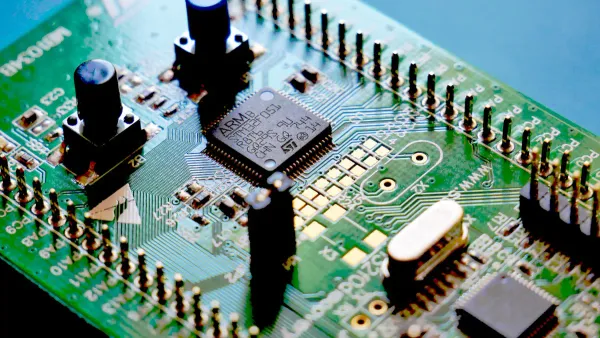
You can connect many electronic components to your microcontrollers using the master-slave setup in the serial peripheral interface bus. The master device controls the communication and selects which slave device to talk to. Each slave needs its own chip select signal, called nSS. You can generate this signal with hardware or software. Hardware-generated nSS keeps everything in sync with the SPI peripheral. Software-generated nSS works, but you must manage timing carefully to avoid problems.
| Aspect | Description |
|---|---|
| Master-Slave Configuration | The SPI bus allows one master to connect to multiple slave devices, with each slave requiring an individual nSS signal. |
| nSS Signal Requirement | Each slave device needs a separate nSS signal, which can be generated either by hardware or software. |
| Hardware vs Software nSS | Hardware-generated nSS is synchronized with the SPI peripheral, while software-generated nSS may lead to timing issues if not managed correctly. |
This setup lets you add sensors, displays, and memory chips to your board without making the wiring too complex.
Minimal Wiring
SPI uses only four main signal lines. You get clock, serial data in, serial data out, and slave select. This simple wiring helps you save space on your printed circuit board. You do not need to worry about strict impedance control for most applications. You can focus on routing and layout, making sure each slave select line reaches the right device.
- SPI lines only require impedance control for long interconnects, which is rare.
- The lack of strict impedance requirements lets you design with more freedom.
- The bus consists of four unidirectional single-ended channels: three signals from the master and one return data line from the slave.
- You can size traces to 50 Ohms, but it is not mandatory.
- Proper routing and consistent trace widths help keep your board simple.
This minimal wiring makes the interface easy to use and helps you reduce board complexity in your electronic designs.
SPI Communication Protocol
The spi communication protocol gives you reliable data transfer between microcontrollers and electronic components. The master device starts the communication and sends the clock signal. This keeps everything synchronized. Each slave device has a unique chip select line, so you can choose which device to talk to. SPI supports full-duplex communication, so you can send and receive data at the same time.
- The master initiates communication and controls data exchange by providing the clock signal.
- Each slave is identified by a chip select line, allowing the master to activate specific slaves.
- Full-duplex communication enables simultaneous data transmission and reception.
You can use the serial peripheral interface for fast and efficient data transfer in your embedded systems. This protocol helps you connect sensors, displays, and memory chips with reliable communication.
SPI vs. Other Protocols
SPI vs. I2C
You often compare SPI and I2C when you design electronic components. Both protocols help you connect microcontrollers to sensors, displays, and memory chips. SPI gives you higher speed, but you need more wires and chip select lines for each device. This can make your circuit more complex. I2C uses only two wires, which saves space and makes your board easier to design. You get built-in error detection with I2C, which helps with reliability.
| Feature | I2C | SPI |
|---|---|---|
| Number of Wires | 2 (SDA, SCL) | 4 (MOSI, MISO, SCK, CS) |
| Complexity | Simpler, easier to design | More complex, needs more lines |
| Device Addition | Easier to add devices | Needs chip select for each device |
| Speed | Up to 5 MHz | Over 100 MHz |
Tip: Choose SPI for high-speed data transfer. Use I2C when you want a simple interface and need to save board space.
SPI vs. UART
SPI and UART serve different needs in embedded systems. SPI supports full-duplex communication, so you can send and receive data at the same time. You get high data rates, which are important for fast transfer between microcontrollers and peripherals. UART uses fewer pins and works well for point-to-point communication. You get built-in error checking with UART, which helps in noisy environments. SPI works best for short distances and multiple devices, but you need more pins and careful wiring.
| Parameter | SPI | UART |
|---|---|---|
| Data Rate | Up to 50 Mbps or more | Up to 1 Mbps |
| Communication | Full-duplex, synchronous | Asynchronous, point-to-point |
| Pin Count | 4 or more | 2 |
| Error Checking | Needs extra software | Built-in (parity bits) |
| Device Support | Multiple devices with chip select | Two devices only |
| Distance | Short | Long |
Choosing the Right Protocol
You should consider several factors when you select a protocol for your electronic design. SPI gives you speed and flexibility, but you need more pins and careful layout. I2C saves space and simplifies wiring, but you get lower data rates. UART works well for simple communication between two devices and offers error checking.
- Speed: Use SPI for fast data transfer.
- Scalability: Choose I2C for easy device addition.
- Hardware complexity: SPI needs more pins; UART uses fewer.
- Addressing: I2C supports device addressing; SPI uses chip select lines.
- Distance: UART works better for long-distance communication.
- Power efficiency: I2C and UART often use less power than SPI.
You can match the protocol to your project needs. The serial peripheral interface bus gives you the benefits of high-speed communication and flexible data transfer. You can connect sensors, displays, and memory chips with reliable performance. When you design electronic components and integrated circuits, you should weigh the trade-offs for each protocol.
Real-World Impact
Embedded Applications
You see spi in many embedded systems today. The serial peripheral interface bus connects microcontrollers to sensors, displays, and memory chips. You find this interface in smartphones, smartwatches, gaming consoles, and industrial automation equipment. These applications rely on fast data transfer and reliable communication. You can check the table below to see how spi improves performance in different devices.
| Application | Description |
|---|---|
| Smartphones | SPI connects processors with peripherals like touchscreens and fingerprint sensors for efficient communication. |
| Smartwatches | SPI facilitates communication between microcontrollers and sensors, enhancing functionality and performance. |
| Gaming Consoles | SPI enables high-speed data transfer between custom processors and memory, improving gameplay experience. |
| Industrial Automation | SPI is used in PLCs for real-time monitoring and control, enhancing operational efficiency. |
| Data Acquisition | SPI gathers data from multiple sensors, allowing for effective analysis and response in industrial settings. |
Design Examples
You can use spi to save space and simplify connections in your electronic designs. The serial peripheral interface reduces the number of pins needed by microcontrollers. You can connect multiple peripherals to a low-pin-count interface, which helps you optimize board space. Fewer pins mean fewer traces on your printed circuit board. This design approach makes manufacturing easier and reduces the number of signal layers required.
- You use spi to connect sensors and displays with minimal wiring.
- You design compact boards for wearable devices and IoT modules.
- You simplify the layout for integrated circuits by sharing the bus among several components.
Tip: When you use spi, you create efficient designs that support high-speed data transfer and reliable communication.
Reliability Improvements
You improve reliability in embedded systems when you choose spi. The protocol supports built-in error checking and acknowledgement signals. You get stable communication for mission-critical functions. Push-pull drivers in spi enhance speed and signal integrity. You can adapt your system to changes in hardware or software without losing functionality.
Recent studies show spi increases reliability in IoT and wearable devices. Verification methods like UVM help you identify and handle faults. In GNSS software receivers, spi improves signal acquisition and tracking accuracy. These results confirm the benefits of spi for performance and reliability in embedded applications.
Integration Challenges
Signal Integrity
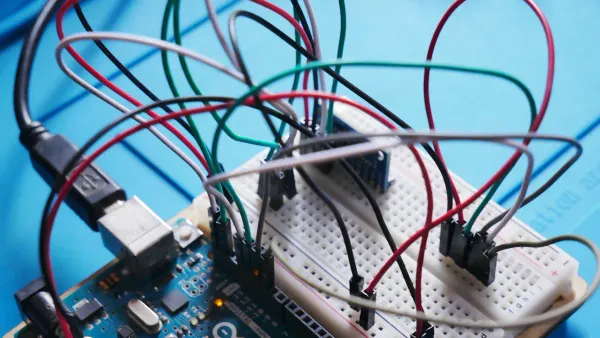
You may face signal integrity problems when you use spi for communication between electronic components. Fast data rates can cause spikes and electromagnetic interference on your circuit board. You can improve signal quality by following these steps:
- Place a ferrite bead in series with the signal line. This bead acts like a large resistance at high frequencies and helps dampen spikes.
- Add a series resistor, usually between 22 and 50 ohms, at the driver output. This slows down the signal edges and reduces high-frequency noise.
- Program the driver for slower edge rates. Lower edge rates minimize electromagnetic interference and keep your data stable.
Tip: Good signal integrity ensures reliable spi communication and prevents data errors in your integrated circuits.
Multiple Devices
You often need to connect several devices to your microcontroller using spi. Each device requires its own chip-select line, which can make wiring complex. You must plan your board layout carefully to avoid mistakes. Here are some points to remember:
- spi uses a three-wire interface for communication, but each device needs a separate chip-select line.
- Adding more devices increases the number of chip-select lines and can complicate your design.
- Unlike I2C, which allows many devices to share the same clock and data lines, spi needs individual connections for each device.
You should always check your microcontroller’s pin count before adding more devices. This helps you keep your board organized and ensures smooth data transfer.
Best Practices
You can follow best practices to make your spi connections robust and efficient. These steps help you avoid errors and maximize performance in your electronic designs:
- Use Direct Memory Access (DMA) for long data streams. DMA moves data quickly and frees up your microcontroller for other tasks.
- Manage multiple memory chips with separate chip-select lines. This improves scalability and keeps communication clear.
- Handle the Chip Select (CS) line properly to signal the end of each transaction.
- Use all four spi wires: Serial Clock (SCK), Master Out Slave In (MOSI), Master In Slave Out (MISO), and Slave Select (SS).
- Set clock polarity (CPOL) and clock phase (CPHA) to match your devices. Correct settings reduce errors during data transmission.
- Take advantage of spi’s full-duplex communication to boost speed and efficiency.
Note: Careful planning and setup help you achieve reliable spi communication and fast data transfer in your integrated circuits.
You can make your electronic designs smaller and more reliable with the serial peripheral interface bus. SPI gives you high-speed data transfer, simple hardware, and the ability to connect many devices. You save space and reduce complexity in your circuits.
| Benefit | Description |
|---|---|
| High Speed Data Transfer | Fast, real-time communication for embedded systems. |
| Simple Hardware | Only four signal lines needed. |
| Flexible Configurability | Works with many types of components. |
For more on SPI tools and analyzers, explore devices like the Cheetah SPI Host Adapter or Beagle Protocol Analyzer.
FAQ
What devices commonly use SPI in electronics?
You find SPI in microcontrollers, sensors, displays, and memory chips. Many integrated circuits use SPI for fast data transfer. You see SPI in smartphones, smartwatches, and industrial controllers.
How many wires do you need for SPI communication?
You need four main wires: MOSI, MISO, SCK, and SS. Some systems add extra chip select lines for more devices. Fewer wires help you save space on your circuit board.
Can you connect multiple devices to one SPI bus?
You can connect several devices to one SPI bus. Each device needs its own chip select line. This setup lets you add sensors, displays, and memory chips to your microcontroller.
Why does SPI offer higher speed than I2C?
SPI uses a simple synchronous protocol. You get faster data rates because SPI does not need complex addressing or error checking. This speed helps you transfer data quickly between electronic components.
What problems might you face with SPI in integrated circuits?
You may see signal integrity issues at high speeds. Long wires can cause noise and data errors. You can fix these problems by using resistors, ferrite beads, and careful board layout.