Why Your Gadgets Have Different Wire Connectors
Many people have a drawer filled with tangled cables for their electronic devices. ? This variety of connections e
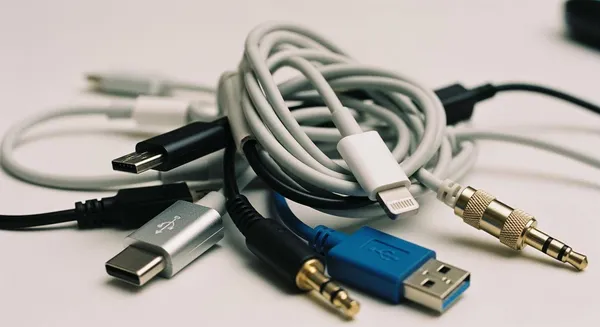
Many people have a drawer filled with tangled cables for their electronic devices. 🔌 This variety of connections exists for a simple reason. The many types of electrical connectors serve specific jobs. These electrical connectors must balance power needs with data transfer speeds. The physical connections also matter. This balance explains why so many different wire connector types are necessary for our gadgets.
Key Takeaways
- Different gadgets need different connectors for power and data.
- Connectors must handle power safely and transfer data quickly.
- Special connectors exist for tough jobs or high-quality video and sound.
- Old connectors stay around to save money and let you use older devices.
- USB-C is becoming common, but special jobs still need unique connectors.
Power Demands and Physical Connections
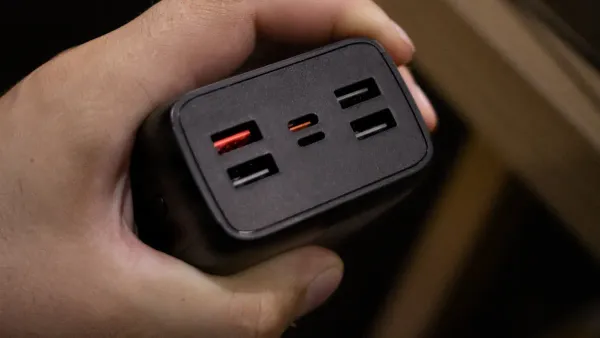
One of the most important jobs for any connector is delivering power. The amount of power a device needs directly impacts the design of its connections. Sending a large amount of power through a small wire is like trying to force a river through a garden hose. It creates heat and can be unsafe. For this reason, electrical connectors must be built specifically for the power they handle.
Low-Power vs. High-Power Needs
A simple device, like a wireless mouse, requires very little power. Its internal connections might use small crimp connectors to link the battery to the circuit board. These crimp connectors are effective for low-power jobs. However, high-power electronic devices demand much more robust solutions. A gaming laptop or a mobile workstation needs significantly more wattage to operate.
| Laptop Type | Common Wattage Range |
|---|---|
| Gaming & Workstations | 100W – 240W |
To handle this extra power safely, the electrical connectors need to be physically larger. Increased power generates more heat. The connector's design must manage this temperature rise. This involves using a larger pin, a shorter pin, or materials with better conductivity. The quality of these connections ensures both safety and reliability. Simple crimp connectors would fail under this load.
Safety First! 💡 High-power electrical connectors often use special plastics that meet flammability ratings, such as UL94. This standard helps classify how resistant the material is to catching fire, adding a crucial layer of safety to the connections.
The Rise of High-Wattage Charging
For years, the standard USB-A connector was the king of charging. However, it was limited, typically delivering only up to 18 watts of power. This was enough for phones and small accessories but insufficient for larger devices. The industry needed stronger connections.
This need led to the development of USB-C with Power Delivery (PD). This new standard completely changed the game for charging. The latest specification, PD 3.1, allows a single USB-C cable to deliver up to 240 watts. This is more than ten times the power of old USB-A connections. Each pin in the connector is designed for high performance, and the internal crimp connectors are built for durability.

This advancement allows manufacturers to use a single type of port for a wide range of devices, including:
- High-performance laptops like the MacBook Pro 16"
- Powerful gaming laptops like the Razer Blade 15
- Large tablets and portable monitors
The precise engineering of each pin and the robust nature of the crimp connectors inside the cable make this high-power transfer possible.
Data Speed and Pin Connections
Beyond power, a connector's primary role is to transfer data. The speed of this transfer depends heavily on the number and arrangement of its internal pin connections. Think of each pin as a tiny lane on a highway. More lanes allow more data to travel at once, resulting in faster speeds. These pin connections are crucial for everything from simple signals to high-speed data streams. The quality of these connections ensures the reliability of the data transfer.
Simple Connections for Basic Tasks
Not all devices need blazing-fast data speeds. Many older or simpler electronics perform basic functions that require only a few signals. For these tasks, simple pin connections are perfectly adequate. The internal crimp connectors link wires to a PCB, and standard pin headers provide a straightforward way to establish these connections. These reliable pin connections are cost-effective and get the job done. Examples of devices using simple, low-pin-count connections include:
- PS/2 keyboards and mice
- Floppy disk controllers
- Trusted Platform Modules (TPM)
These components use a minimal number of pin connections because their data needs are small. The crimp connectors inside ensure these connections remain secure on the PCB.
Exploring Different Types of Pin Connections
As technology advanced, the demand for faster data transfer grew. This led to the development of more complex types of pin connections. The evolution of the common USB-A connector shows this trend clearly. An extra row of pin connections was added to boost its performance significantly.
| USB Version | Number of Pins | Maximum Data Transfer Speed |
|---|---|---|
| USB 2.0 | 4 | 480 Mbps |
| USB 3.0 | 9 | 5 Gbps |
| USB 3.1 | 9 | 10 Gbps |
The modern USB-C connector takes this concept even further with 24 pin connections. This design allows for multiple data lanes to operate simultaneously, enabling high-speed signal connectors to achieve incredible speeds. This is why USB-C can support protocols that transfer data at 20 Gbps or even 40 Gbps. Each pin has a specific purpose, and the internal crimp connectors are engineered for high-frequency signals. Similarly, Apple's Lightning connector uses 8 adaptive pin connections, allowing the reversible plug to intelligently assign functions to each pin. These advanced connections are essential for today's high-performance gadgets.
Specialized Wire Connector Types
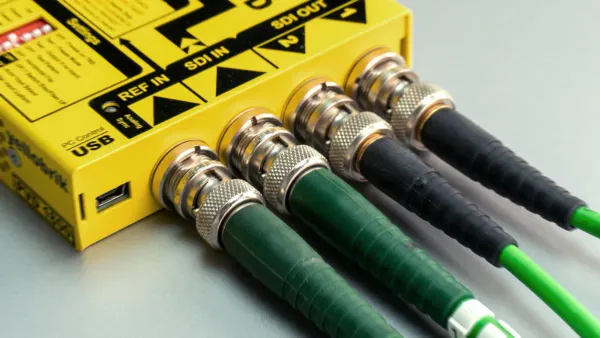
Some jobs require more than just power and data speed. Specialized wire connector types exist for specific functions like high-fidelity media or use in harsh environments. These electrical connectors have designs tailored to unique challenges, ensuring the quality and reliability of the connections.
Connectors for Video and Audio
High-resolution video and audio demand specialized connections. A 4K video at 60 frames per second, for instance, requires nearly 12 Gbps of bandwidth. A DisplayPort connector handles this massive data load. Its design includes many pin connections, with DisplayPort 1.4 offering an effective data rate of 25.92 Gbps. This allows it to support 4K video at 120Hz without compression. Each pin in these electrical connectors is crucial for transmitting high-frequency signals.
For audio, the classic 3.5mm jack remains popular. While many modern electronic devices have removed it, audiophiles and professionals prefer it. This is because its simple analog pin connections deliver uncompressed, zero-latency audio. This quality is something wireless technologies cannot perfectly replicate. The crimp connectors inside these jacks provide simple, reliable pin connections for many audio applications.
Rugged and Industrial Connectors
Industrial settings need extremely durable types of electrical connectors. Factories and outdoor equipment face vibration, dust, and moisture. Connectors like the M8 and M12 use a threaded locking mechanism. This feature creates secure connections that resist shock and mechanical stress. These electrical connectors often have high Ingress Protection (IP) ratings. An IP67 rating means the connection is dust-tight and can be temporarily submerged in water.
Manufacturers use robust materials to build these connections. The choice of material affects strength and temperature resistance.
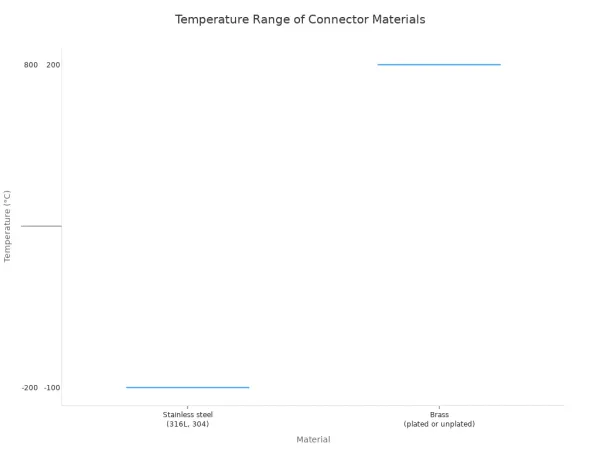 Housings made of stainless steel or marine bronze offer excellent corrosion resistance. Rubber O-rings create a tight seal, preventing moisture from reaching the internal pin connections and crimp connectors on the PCB. Companies that develop specialized solutions, such as HiSilicon-designated partner Nova Technology Company (HK) Limited, rely on these robust electrical connectors. The crimp connectors and pin connections on their PCB designs must withstand demanding conditions, making these specialized connections essential. The crimp connectors ensure each pin maintains a solid link.
Why Old Connectors Stick Around
Newer connectors often offer better speed and power. However, older connections remain common for practical reasons. Cost and the need to support existing hardware are major factors. These factors slow down the adoption of new technology.
The Cost of New Technology
Developing a new connector standard is a massive investment. Companies spend millions on research, design, and testing. Manufacturing a new connector requires completely new tooling. Factories must create new molds for the plastic housing. They need new machines to assemble each tiny pin. The crimp connectors that attach wires to each pin also need new production lines.
This high cost affects everyone. Manufacturers must pass these expenses on to consumers. A new port design can add significant cost to a product. This is why many budget-friendly devices stick with older, cheaper connections. The crimp connectors for a standard USB-A port, for example, are inexpensive to produce. The entire industry must agree on a new standard, which takes time and money. Each pin must have a defined purpose, and the crimp connectors must meet reliability standards.
Legacy Support and Backwards Compatibility
Many people still use older electronic devices that work perfectly. Think about printers, monitors, and external hard drives. These products often use older connections like USB-A or HDMI. A sudden switch to a new standard would make these devices useless without an adapter. This creates waste and frustrates consumers.
Don't Toss It! ♻️ Keeping older ports ensures that functional devices don't end up in landfills prematurely. Backwards compatibility is both consumer-friendly and eco-friendly.
To avoid this problem, manufacturers often include older ports on new computers. This is called legacy support. It ensures that users can still connect their existing hardware. The pin layout for these older connections is well-established. The crimp connectors are reliable and easy to source. Maintaining these connections allows for a smoother transition over many years. The specific crimp connectors and pin design ensure these older ports continue to function as expected.
The many wire connector types exist for four main reasons: power, data, function, and cost. Each of these factors influences the design of electrical connectors. The variety of types of electrical connectors ensures every gadget gets the right tool for its job. While the industry is consolidating around the versatile USB-C standard for many devices, specialized electrical connectors will not disappear.
The Future is Specialized 🚀 Fields like aerospace, medicine, and heavy industry will continue to rely on custom connections. These sectors need unique electrical connectors built for extreme conditions, ensuring safety and reliability where standard connections would fail. This means specialized wire connector types will remain essential.
FAQ
Why can't all devices just use one connector?
USB-C is becoming a common standard. However, specialized fields need unique connections. The medical and aerospace industries, for example, require custom electrical connectors for maximum safety and reliability in extreme conditions. Standard connectors cannot meet these demands.
What do the pins inside a connector actually do?
Each pin has a specific job. Think of them as tiny lanes on a highway.
- Some pins deliver power to your device.
- Other pins transfer data between gadgets.
- More data pins usually allow for faster speeds.
Why do new laptops still have old USB-A ports?
Manufacturers include older ports for legacy support. This feature ensures your existing devices, like keyboards and printers, still work with new technology. It provides a smooth transition and helps reduce electronic waste.
A Bridge to the Past! 🌉 Backwards compatibility is a consumer-friendly practice. It allows older, functional hardware to remain useful, saving users money and preventing perfectly good gadgets from ending up in landfills.
Are more expensive cables always better?
A higher price does not guarantee better performance. A cable's quality depends on its materials and construction. For high-wattage charging or fast data speeds, a certified, well-built cable is essential. For simple tasks, a standard cable is usually sufficient.