USB vs USB C Choosing the Right Connector for Your Devices
Compare usb and usb c for device compatibility, speed, power delivery, and future-proofing. Find the right connector for your modern electronics.
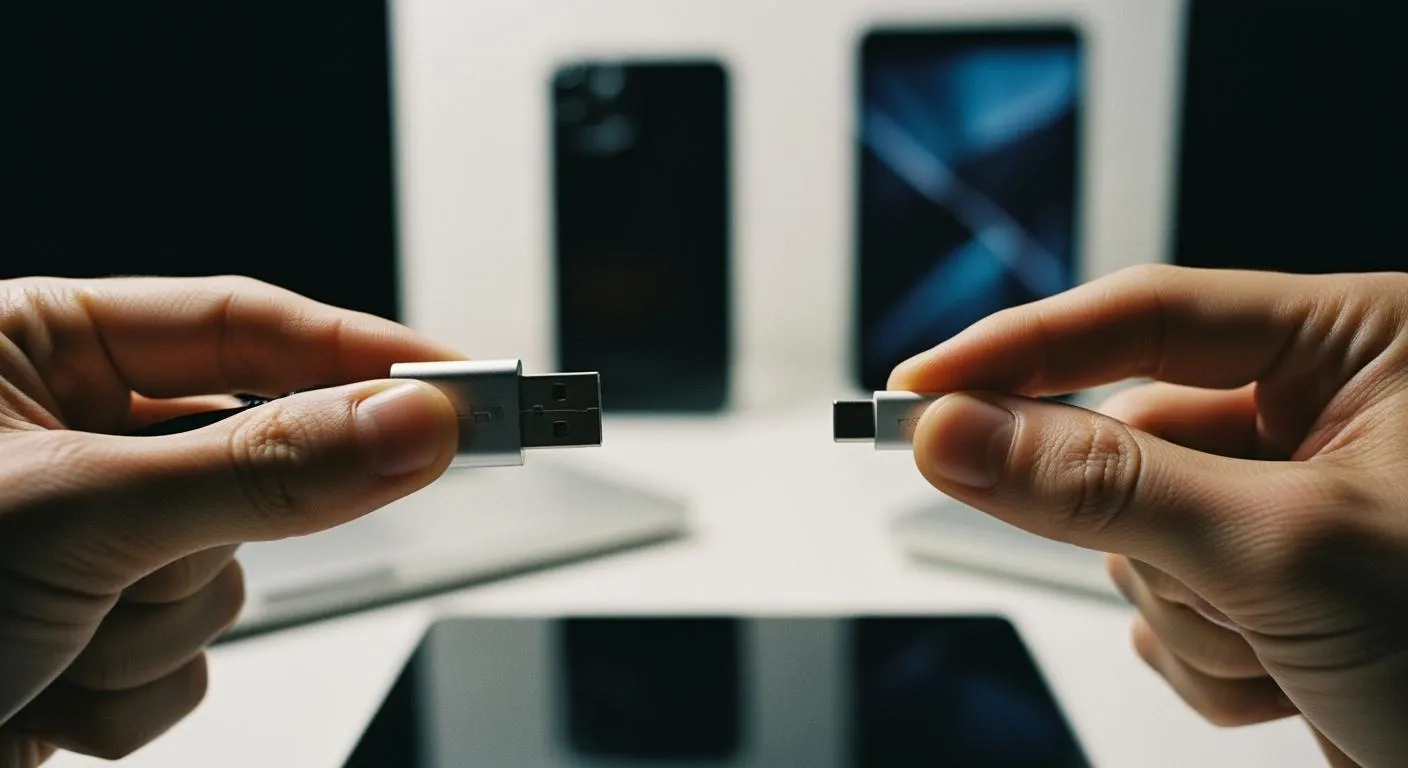
You face a choice between usb and usb c connectors for your devices. You want the best option for your device. Consider these factors before you decide:
- Compatibility with existing devices
- Data transfer speed
- Power delivery capabilities
- Future trends in usb-c technology
Usb-c is becoming the new standard. Usb still works well for many devices.
Key Takeaways
- USB-C connectors are reversible, making them easier to use. You can plug them in either way, reducing frustration.
- USB-C supports faster data transfer speeds and higher power delivery. This means quicker file transfers and the ability to charge larger devices efficiently.
- Choosing USB-C helps future-proof your devices. As more electronics adopt USB-C, you ensure compatibility with upcoming technology.
USB and USB C: Key Differences

Connector Design and Usability
You interact with usb and usb c connectors every day, but their designs set them apart. Usb connectors, like USB-A and USB-B, have a larger, rectangular shape. You can only insert them one way, which often leads to frustration when you try to plug them in. Usb-c connectors, on the other hand, use a compact, oval design. You can insert them either way, making your experience much smoother.
Here is a quick comparison of their physical features:
| Feature | USB Connectors | USB-C Connectors |
|---|---|---|
| Shape | Larger, rectangular, non-reversible | Compact, oval, reversible |
| Orientation | Fits only one way | Can be inserted either way |
| Size | Bulky | Smaller footprint |
| Mounting | Requires metal housings and screws | Can use snap-lock or threaded designs |
You will notice that usb-c connectors save space and reduce errors. The reversible design means you do not have to worry about the correct orientation. This feature alone improves usability and cuts down on mistakes.
- Usb-c's reversible connector makes your life easier by eliminating the need to check which side is up.
- You can use one cable for data, video, and power, which simplifies your setup.
- Usb-c supports higher data transfer rates, so you get faster performance.
- You will find fewer cables and less clutter on your desk.
If you work with professional AV equipment, usb-c stands out. It supports high-resolution video and low latency, which is ideal for demanding environments. You also save time and effort because you do not need to troubleshoot multiple cables.
Device Compatibility
When you choose between usb and usb c, you need to think about device compatibility. Usb connectors have been around for decades, so you see them on many older and current devices. Usb-c is newer, but it is quickly becoming the standard for modern electronics.
Here is a table showing which devices use each connector:
| USB Type | Common Devices |
|---|---|
| USB-A | PCs, laptops, chargers |
| USB-B | Printers, scanners, external hard drives |
| USB-C | Smartphones, laptops, tablets |
| Micro-USB | Older smartphones, tablets |
| Mini-USB | Digital cameras, portable devices |
Usb-c compatibility gives you wide device compatibility with the latest smartphones, tablets, and laptops. However, you may still need usb connectors for printers, scanners, and some external hard drives.
You might face challenges when you switch from usb to usb-c. Sometimes, your old cables charge your device but do not transfer data. This can cause confusion. Legacy devices may not work well with new usb-c ports or power supplies. If you use the wrong cable, you risk damaging your device due to voltage differences. Not all usb-c cables are the same—some are for charging, while others are for data transfer. Always check your cable type to avoid overheating or damage.
Tip: Always match your cable to your device's needs. Usb-c cables for laptops may not work safely with smaller gadgets.
Usb and usb c connectors both offer strong compatibility, but usb-c compatibility is growing fast. You get more flexibility and future-proofing with usb-c, but you should check your devices before making the switch.
Evolution of USB Connectors

From USB to USB-C
You have seen usb connectors change a lot since the 1990s. Each new version brought an improvement in speed, power, and design. Here is a timeline that shows how usb evolved into usb-c:
- In 1995, seven companies started developing usb, leading to the first integrated circuits.
- By 1996, usb 1.0 launched with basic bandwidth and standard connectors.
- In 1998, usb 1.1 arrived and gained more users.
- The year 2000 saw usb 2.0, which increased transfer speeds and introduced new connector types like usb-b.
- In 2007, mini connectors changed to micro connectors, and usb On-The-Go technology appeared.
- In 2008, usb 3.0 brought SuperSpeed data transfer.
- By 2013, usb 3.1 offered Gen 1 and Gen 2 variants.
- In 2014, usb-c entered the market, improving data and power transfer rates.
- In 2017, usb 3.2 added new modes using usb-c fabric.
- In 2019, usb 4.0 launched, reaching speeds up to 40 Gbps and supporting Thunderbolt 3.
You can see that each version of usb aimed to solve real problems. The introduction of usb-c marked a major improvement. It gave you a reversible connector, higher speeds, and more power.
Nova Technology Company (HK) Limited stands out as a HiSilicon-designated solutions partner. You benefit from their expertise in chip-level solutions, system integration, and advanced application scenarios across modern electronics.
Why USB-C Is the New Standard
You now find usb-c everywhere because it offers a universal standard for devices. This connector simplifies your experience by letting you use one cable for many devices. You get faster data transfer, with usb 4.0 supporting up to 40 Gbps. The reversible design means you never have to guess which way to plug it in.
Manufacturers choose usb-c for several reasons:
- Policymakers in Europe and other regions push for universal charging ports.
- Environmental concerns drive the move to reduce e-waste.
- Standardizing on usb-c lowers development costs and meets consumer demand for efficient products.
- You get a better user experience and can reuse cables and chargers across devices.
You see usb-c as the standard in laptops, smartphones, and even monitors. The connector delivers up to 240 watts of power, making it suitable for high-demand devices. As more electronics adopt usb-c, you enjoy a simpler, faster, and more sustainable future.
USB-C Features and Advantages
Reversible Connector
You often struggle with traditional usb connectors because you must align them perfectly. Usb-c solves this problem with a reversible connector. You can insert usb-c cables in either direction, which makes connecting devices much easier. This design removes the hassle of flipping the cable and improves your daily experience.
- Usb-c connectors work in both orientations, so you never have to guess which way is correct.
- The intuitive design of usb-c features helps you avoid frustration and saves time.
Universal Compatibility
Usb-c stands out for its compatibility across many devices and brands. You can use the same usb-c cable for laptops, smartphones, tablets, and even monitors. Usb-c features make it possible to transfer data, charge devices, and send video signals with one connector.
- Usb-c connectors are reversible, making them simple to use.
- Usb Power Delivery supports unified charging and high-speed data transfer.
- EU policies now require usb-c for mobile devices, which increases compatibility.
- Usb-c charging capabilities allow higher power for larger devices.
- Usb-c features support high-resolution video and audio transfer.
| Manufacturer | Functionality Supported | Notes |
|---|---|---|
| Manufacturer A | Full functionality (data, charging, video) | N/A |
| Manufacturer B | Data transfer only | Limited use with legacy devices |
| Manufacturer C | Charging and data transfer | No video output support |
You may need adapters for older usb devices. Usb-c is backward-compatible, but some cables limit speed or features.
"The big problem is that functionality a user might expect in a product isn’t necessarily provided... the lack of a stricter standard fosters this opaque reality."
Durability and Safety
Usb-c cables use advanced materials and engineering for better durability and safety. Many usb-c cables have thick silicone jackets, reinforced overmolds, and flexible designs. These features help usb-c cables last longer, even with frequent use.
| Cable Name | Durability Features | Performance After Testing |
|---|---|---|
| Anker PowerLine III | Thickened silicone jacket, flexible design | No damage, mild discoloration |
| Cyvensmart | Reinforced strain relief, braided sheath | No damage after 100 folds, still charging |
| Belkin, Cable Matters, Anker Thunderbolt | Reinforced jackets, strong overmolds | No significant wear after tests |
Usb-c features protect your devices and ensure safe charging. You get reliable performance from your usb-c cables, which means fewer replacements and safer connections.
Data and Power Performance
Data Transfer Speeds
You want fast data transfer when you move files between devices. USB and usb-c connectors offer different levels of speed. Older USB 2.0 ports reach up to 480 Mbps, which works for basic accessories and simple file transfers. USB 3.0 and USB 3.1 Gen 1 increase the speed to 5 Gbps, making everyday file transfers much quicker. USB 3.1 Gen 2 doubles that to 10 Gbps, which helps when you transfer large videos or back up your system. Usb-c connectors support even higher speeds, with USB 3.2 reaching 20 Gbps and USB4 or Thunderbolt 3/4 hitting 40 Gbps. You notice a big difference in performance when you use usb-c for high-speed storage or external displays.
| USB Version | Maximum Speed |
|---|---|
| USB 2.0 | 480 Mbps |
| USB 3.0/3.1 Gen 1 | 5 Gbps |
| USB 3.1 Gen 2 | 10 Gbps |
| USB 3.2 | 20 Gbps |
| USB4/Thunderbolt 3/4 | 40 Gbps |

In real-world use, usb-c often completes large data transfers in seconds, while older USB types may take much longer. This speed boost improves your workflow and saves time.
Power Delivery Capabilities
Usb-c stands out for its power delivery abilities. Standard USB 2.0 provides only 2.5 watts, which is enough for small devices. USB 3.0 and 3.1 offer up to 4.5 watts. Usb-c power delivery changes the game by supporting up to 100 watts with USB PD 3.0 and up to 240 watts with USB PD 3.1. This means you can charge laptops, monitors, and even some power-hungry tools using usb-c.
| Specification | Maximum Power | Maximum Voltage | Maximum Current |
|---|---|---|---|
| USB 2.0 | 2.5 W | 5 V | 500 mA |
| USB 3.0/3.1 | 4.5 W | 5 V | 900 mA |
| USB Type-C 1.2 | 15 W | 5 V | 3 A |
| USB PD 3.0 | 100 W | 5/9/15/20 V | 5 A |
| USB PD 3.1 | 240 W | 28/36/48 V | 5 A |

Usb-c power delivery also supports faster charging for smartphones and laptops. You get efficient power management, adaptive delivery, and support for a wide range of devices. Usb-c power delivery ensures your devices charge quickly and safely, making it the best choice for modern electronics.
Choosing the Right Connector
Factors to Consider
You face many choices when selecting between usb and usb c connectors for your devices. You want to match your device needs with the right connector, so you avoid compatibility issues and maximize performance. Consider these important factors:
-
Device Compatibility
You must check which connector your devices use. Many older devices rely on usb ports, while newer devices often feature usb-c. You can connect usb-a mice and keyboards to usb-c ports with adapters. Flash drives and external hard drives transfer data between usb-a and usb-c devices. Existing usb-a charging cables power or sync devices with usb-c ports. Specialized accessories like usb-a card readers remain functional with adapters. You gain flexibility by using adapters, but you should verify compatibility before purchasing new peripherals. -
Data Speed and Delivery
You want fast data transfer and reliable delivery. Usb-c supports higher speed and greater delivery than traditional usb connectors. Usb-c cables deliver up to 40 Gbps, while usb 2.0 and usb 3.0 offer lower speeds. If you transfer large files or use external displays, usb-c gives you better performance. Usb-c also supports power delivery up to 240 watts, which is ideal for charging laptops and monitors. -
Power Delivery and Charging
You need to consider power delivery for your devices. Usb-c provides more power than usb, so you can charge larger devices. Usb-c power delivery adapts to your device, ensuring safe and efficient charging. Usb-c cables support fast charging for smartphones, tablets, and laptops. -
Accessory Availability
You should check the availability of accessories for your devices. Usb and usb c both offer a wide range of peripherals. Usb devices include printers, scanners, and older external drives. Usb-c peripherals include docking stations, monitors, and high-speed storage. You can use adapters to connect usb devices to usb-c ports, which increases compatibility. -
Safety Considerations
You must use the correct cable for your device. Not all usb-c cables support high-speed data or power delivery. Some cables only charge, while others transfer data. Using the wrong cable can cause overheating or damage. Always check the specifications before connecting your devices.
Tip: You should match your cable to your device's requirements. Usb-c cables for laptops may not work safely with smaller gadgets.
- Industry Expertise and Solutions
Nova Technology Company (HK) Limited stands out as a HiSilicon-designated solutions partner in the integrated circuit industry. You benefit from their chip-level solutions, system integration, and advanced application scenarios. Nova Technology Company (HK) Limited provides professional support for usb and usb c connectors, ensuring your devices achieve optimal compatibility and delivery performance.
Future-Proofing Your Devices
You want your devices to stay relevant as technology evolves. Usb-c offers several advantages for future-proofing:
- Usb-c supports power delivery, high-speed data transfer, and video output. You use one connector for many devices, which simplifies your setup.
- Major tech manufacturers like Apple and Google adopt usb-c, so you know it will remain important for future devices.
- Usb-c is expected to stay the standard for years, ensuring compatibility with upcoming technologies.
- Usb-c cables become more common, making them a reliable choice for new devices.
- Investing in usb-c now ensures your devices work with future peripherals and accessories.
You benefit from the standardization of usb-c. Devices from different manufacturers communicate seamlessly, so you avoid compatibility issues. Usb-c delivers consistent performance, making it easier to connect and use your devices.
Note: Usb and usb c both offer strong compatibility, but usb-c gives you more flexibility and delivery for future devices.
You should consider the long-term benefits when choosing between usb and usb c. Usb-c delivers higher speed, greater power, and broader compatibility. You save time and money by investing in usb-c connectors and cables. Usb-c ensures your devices stay connected and ready for new technology.
You see usb-c leading the way for most devices. You get faster data speeds, higher power delivery, and a reversible connector. The table below shows why usb-c outperforms usb for new devices:
| Feature | usb | usb-c |
|---|---|---|
| Data Speed | Slower | Faster |
| Power Delivery | Limited | Higher |
| Compatibility | Older devices | New devices |

You make smarter choices when you understand these differences. Choose usb-c for your devices to stay ready for the future.
FAQ
What devices use USB-C connectors?
You find USB-C on most new smartphones, tablets, laptops, and monitors. Many modern accessories and docking stations also use USB-C for data and charging.
Can you use a USB-C cable with older USB devices?
You can use adapters to connect USB-C cables to older USB-A or USB-B devices. Check compatibility before connecting to avoid data or charging issues.
Does USB-C always mean faster charging?
Not all USB-C cables support fast charging. You need a cable and charger that both support USB Power Delivery (PD) for the fastest and safest charging.