How to Wire a Pot for Electronic Projects
How to connect pot: Identify terminals, wire as voltage divider or variable resistor, and ensure reliable connections for electronic projects.
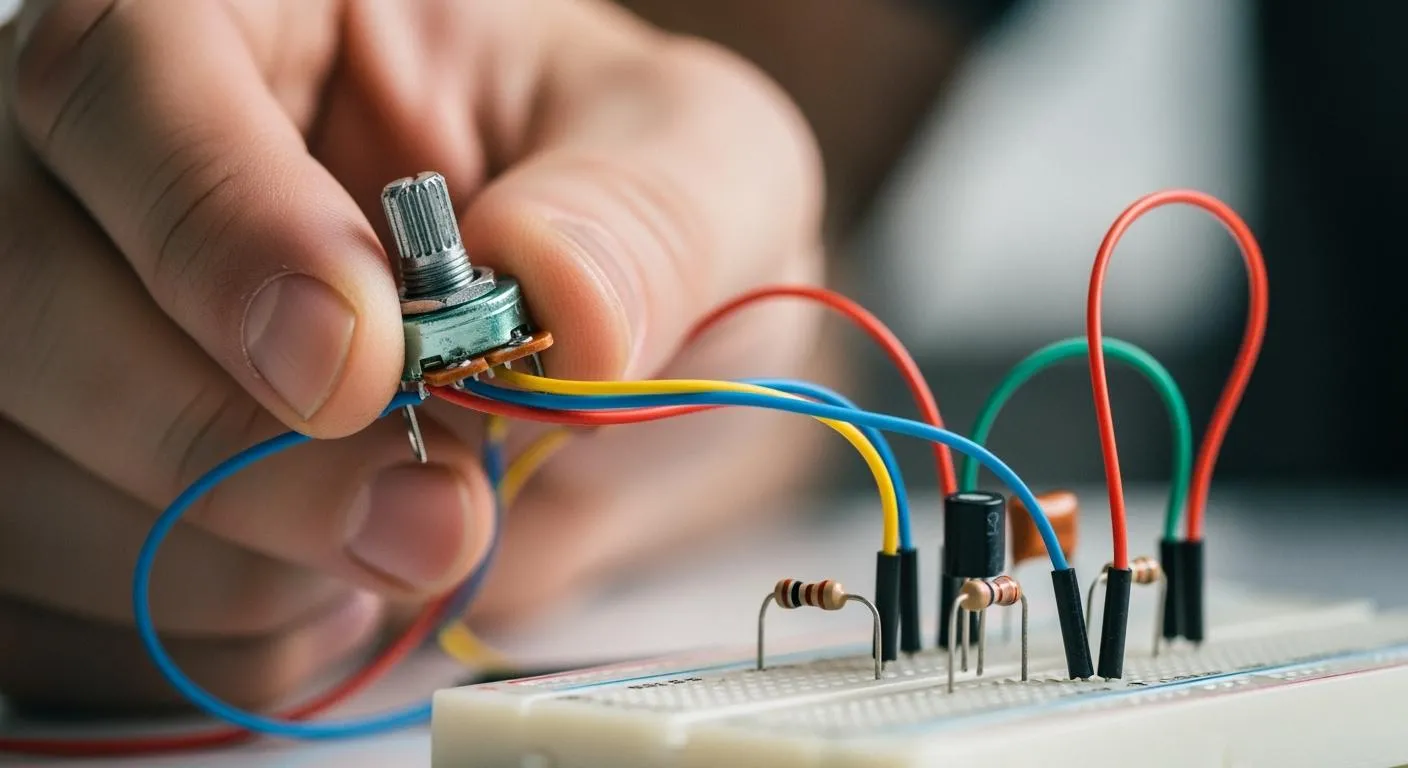
If you want to learn how to connect pot for your electronic projects, you need to know the basics and avoid common mistakes. Many beginners make errors such as using the wrong resistance value, misinterpreting pin orientation, or poor soldering. Here are some typical mistakes to watch out for:
- Using an incorrect resistance value
- Driving a low-impedance load directly from the wiper
- Ignoring output impedance in ADC applications
- Forgetting to short the unused outer pin in rheostat mode
- Misinterpreting pinout orientation
- Overloading the track
- Poor soldering practices
- Exposing pots to dust or moisture
Careful steps help you achieve safe and accurate wiring.
Key Takeaways
- Identify the three terminals of a potentiometer: one for power, one for ground, and one for output. This ensures correct wiring.
- Use a multimeter to test connections before powering your circuit. This helps avoid mistakes and ensures proper functionality.
- Choose the right type of potentiometer for your project, considering factors like durability and adjustment method for optimal performance.
- Practice good soldering techniques to create strong connections. This prevents issues like poor signal quality and circuit failure.
- Adjust the potentiometer carefully to control voltage or current in your circuit. This allows for fine-tuning of settings like volume or brightness.
Potentiometer Basics

What Is a Pot?
You often see the term "pot" in electronics. This is short for potentiometer. A potentiometer is a three-terminal device that lets you adjust resistance in a circuit. You can use it to control things like volume, brightness, or speed. The main types of potentiometers you will find in electronic projects include rotary, sliding, digital, and dual.
- Rotary potentiometers use a turning shaft for smooth adjustments. You often find these in audio equipment for volume control.
- Sliding potentiometers move in a straight line. These are common in audio mixers and lighting controls.
- Digital potentiometers use digital signals to set resistance. These work well in automated or microcontroller-based systems.
- Dual potentiometers control two circuits at once. Stereo audio systems often use these to keep both channels balanced.
Each type has unique features. For example, sealed rotary potentiometers resist dust and moisture, making them ideal for tough environments. Basic linear rotary types are great for learning and simple circuits. Digital potentiometers offer high reliability because they do not have moving parts.
Tip: When you choose a potentiometer, think about where you will use it. Durability, precision, and how you want to adjust the device all matter.
Pot in Circuits
You use a potentiometer as an adjustable resistor. It has a resistive track and a movable contact called a wiper. When you move the wiper, you change the resistance and control the voltage or current in your circuit.
- The potentiometer has three terminals. Two connect to the ends of the resistive element. The third connects to the wiper.
- When you turn the knob or slide the control, the wiper moves along the track.
- This movement changes the resistance between the wiper and the terminals. You can then adjust voltage or current as needed.
A potentiometer acts as a voltage divider. This means you can set different voltage levels by moving the wiper. This is a key part of how to connect pot in many electronic projects. You will find potentiometers in everything from radios to robotics. They help you fine-tune your circuits for the best performance.
Materials and Tools
Before you start wiring a potentiometer, you need to gather the right materials and tools. Using the correct components and equipment helps you achieve reliable results and keeps your project safe.
Note: Nova Technology Company (HK) Limited stands out as a HiSilicon-designated solutions partner. The company specializes in chip-level solutions, system integration, and advanced application scenarios. You can trust their expertise for sourcing high-quality components and technical support in semiconductor projects.
Components Needed
You will need a few basic parts to wire a potentiometer for most electronic projects:
- Potentiometer: Choose the right type for your project. Rotary and sliding types are common for manual adjustments. Digital potentiometers work well in automated systems.
- Wires: Use insulated wires to connect the potentiometer to your circuit.
- Resistors: Sometimes you need extra resistors for specific voltage or current requirements.
- Breadboard or PCB: A breadboard helps with quick testing. A printed circuit board (PCB) gives a permanent setup.
- Power Source: Batteries or a regulated power supply provide the necessary voltage.
- Load Device: This could be a speaker, LED, or motor, depending on your project.
You can use a potentiometer as a simple variable resistor by connecting the middle pin and one side pin. For volume control or voltage divider applications, connect all three pins. If you want a neater circuit, you can tie the third pin to the middle.
Tools Checklist
Electronics experts recommend the following tools for wiring and soldering potentiometers:
| Tool Type | Description |
|---|---|
| Adjustable Soldering Iron | Lets you control temperature. Choose one with 60 Watts or more for best results. |
| Multipurpose Soldering Station | Combines soldering tools, a power supply, and a voltmeter. Saves space and adds convenience. |
| Lead Solder | Use 60/40 or 63/37 tin/lead solder with rosin flux for strong, clean joints. |
| Silver Solder | Offers extra strength, especially for stressed connections like potentiometers. |
| Helping Hands | Holds your circuit board steady. Some models include lights for better visibility. |
You may also find these tools helpful:
- Solder Wick: Removes extra solder and cleans up mistakes.
- Flux Pen: Improves solder flow, especially with lead-free solder.
Tip: Always use insulated tools and avoid touching live terminals. Turn off the circuit power before wiring. Discharge any capacitors to prevent shocks.
Gathering these materials and tools prepares you for a smooth and safe wiring process.
How to Connect Pot: Wiring Steps

Learning how to connect pot for your electronic projects starts with understanding the terminals, wiring methods, and soldering techniques. You can follow these steps to achieve reliable and accurate results.
Identify Terminals
You need to identify the three terminals on a potentiometer before wiring. Each terminal has a specific function. Most potentiometers have pins labeled or arranged in a standard pattern. Use the following table to help you recognize each terminal:
| Terminal | Function |
|---|---|
| 1 | One end of the resistive element (VCC) |
| 2 | Wiper (middle pin, output for resistance) |
| 3 | Other end of the resistive element (Ground) |
You can also follow these steps to identify the terminals:
- Find Terminal 1 at one end of the resistive element. This usually connects to the power supply.
- Locate Terminal 2 in the middle. This is the wiper, which moves along the resistive track and provides the adjustable output.
- Terminal 3 sits at the opposite end of the resistive element. This connects to ground.
Tip: If you are unsure about the pinout, check the datasheet or use a multimeter to measure resistance between pins. The wiper will show variable resistance as you turn the knob.
Wiring as Voltage Divider
You often use a potentiometer as a voltage divider in electronic circuits. This method lets you adjust voltage levels for various applications. Here is how to connect pot as a voltage divider:
- Connect Terminal 1 to the power source (VCC).
- Attach Terminal 3 to ground.
- Use Terminal 2 (wiper) as the output. Connect it to the input of the device you want to control, such as an amplifier, microcontroller, or sensor.
This configuration allows you to change the output voltage by turning the potentiometer. The voltage at the wiper varies between the supply voltage and ground. You can use this setup for:
- Volume control in audio devices
- Lighting dimmers for brightness adjustment
- Calibration adjustments in instruments and sensors
- Position sensors that translate movement into voltage
- Motor speed controllers and user input knobs
- Tuning op-amp gain or adjusting comparator levels
- Scaling signals for microcontroller ADC inputs
Note: The total resistance of the potentiometer stays constant. Only the ratio between the sections changes as you move the wiper.
Wiring as Variable Resistor
You can also wire a potentiometer as a variable resistor, sometimes called a rheostat. This method uses only two terminals. Here is how to connect pot as a variable resistor:
- Connect Terminal 2 (wiper) and Terminal 1 (or Terminal 3) together. Ignore the unused terminal.
- The resistance between these two pins changes as you turn the knob.
This setup works well for:
- Volume control in audio equipment
- Lighting dimmer switches
- Mechanical joysticks
- Measuring user input in circuits or programs
- Tuning circuits to specific voltage or resistance levels
Tip: If you use a breadboard, make sure you connect only the wiper and one end. For permanent circuits, solder the unused terminal to the wiper for extra stability.
Soldering Tips
Proper soldering ensures your potentiometer works reliably. You need to follow best practices to avoid common mistakes. Here are some tips for secure connections:
- Use a fixture or third-hand tool to hold the potentiometer steady. This prevents twisting and damage to the terminals.
- Pre-tin both the wire and the potentiometer lug. This reduces soldering time and improves the joint.
- Set your soldering iron to a moderate temperature (350–370 °C). Limit contact time to a few seconds per joint to avoid overheating.
- Avoid solder bridges. Make sure solder does not blob and short between terminals.
- Clean off flux residue after soldering. This prevents corrosion and keeps your circuit reliable.
- Support the potentiometer during soldering to avoid mechanical strain.
- Make strong mechanical connections before applying solder. Solder should not act as glue.
Alert: Poor soldering techniques can cause dull or blobby joints. Always aim for shiny, round connections. Use actual wires for grounding instead of foil or paint to prevent intermittent signals.
Knowing how to connect pot with proper wiring and soldering techniques helps your circuit perform consistently. Small mistakes can lead to big problems, so take your time and double-check your work.
Testing & Adjustment
Check Connections
You need to check your connections before powering up your circuit. This step helps you avoid mistakes and ensures your potentiometer works as expected. Start by identifying the terminals. Use a multimeter to find the fixed end terminals and the wiper. If you mix up the terminals, your circuit may not function correctly. Always double-check the datasheet or use your multimeter to confirm the pinout.
Here is a simple table to guide your verification process:
| Step | Description |
|---|---|
| Identify Terminals | Use a multimeter to find the fixed end terminals and the variable wiper (middle pin). |
| Double-Check Connections | Verify all connections, especially ground and supply, and confirm wiper voltage varies correctly with rotation. |
| Power Up and Test | Apply power and test the pot's smooth voltage variation and circuit function. |
Set your multimeter to Ohms (Ω). Touch one probe to Terminal 1 and the other to Terminal 3. Compare the reading to the rated value printed on the potentiometer. For example, a 10 kΩ pot should show close to 10 kΩ. If you want to test the wiper, place one probe on Terminal 1 and the other on Terminal 2. Rotate the knob and watch the resistance change smoothly. If the resistance jumps or drops to infinity, check your wiring again.
Tip: Always test your potentiometer before soldering it into a permanent circuit. This step saves time and prevents troubleshooting later.
Adjust Resistance
You can adjust resistance by turning the potentiometer knob or sliding the control. This action changes the path length of electricity inside the device. The movable contact, called the wiper, alters the resistance between terminals. As you adjust the resistance, you control current flow and voltage distribution in your circuit.
Potentiometers let you fine-tune settings in real time. You can use them for volume control, brightness adjustment, or sensor calibration. When you rotate the shaft slowly, the resistance should change smoothly. The total resistance between Terminal 1 and Terminal 3 stays stable. The resistance between the wiper and each end varies as you turn the knob.
If you want to learn how to connect pot and achieve precise control, always check the resistance range with your multimeter. Set it to Ω, measure between Terminal 1 and Terminal 2, and rotate the knob. The resistance should increase or decrease without sudden jumps. This process ensures your potentiometer works for your application.
⚡️ Adjusting the potentiometer gives you dynamic control over your circuit. You can optimize performance for audio, lighting, or sensor projects.
Troubleshooting
Common Wiring Issues
When you wire a potentiometer, you might face several common problems. These issues can cause your circuit to behave in unexpected ways. You can use the table below to identify symptoms, possible causes, and quick fixes:
| Symptom | Possible Causes | Diagnosis Tips | Recommended Fix |
|---|---|---|---|
| Erratic or Jumping Output | Loose wiring, bad solder joint, dirt on wiper | Flickering readings, abrupt resistance changes | Reflow solder joints, clean wiper, replace pot |
| No Output / Only Full or Zero | Broken/miswired pin, wiper shorted/open | Output stuck high/low, check wiring continuity | Check connections, ensure no solder shorts |
| Output Stuck at Half | Wiper disconnected, missing ground connection | Output stays mid-supply, check knob operation | Fix wiper and ground wiring |
| Crackling / Scratchy Noise | Dirty/worn tracks, grounding issues | Crackles during turning, check resistance smoothness | Clean pot, replace if worn, add shielding |
| Stereo Channel Mismatch | Pot resistance mismatch, poor tracking | Volume imbalance at same knob position | Use matched pots, add trim pot |
| Mechanical Issues | Loose shaft, worn components | Hard/loose turn, no signal change | Replace worn pots, verify part type |
You may also notice problems like swapped end terminals. This can reverse the direction of adjustment. Using the wrong pin for the wiper can make the output act like a switch or get stuck at one value. Missing a common ground often causes erratic readings, especially if you use separate power supplies.
Tip: Always compare your wiring to a diagram and use a multimeter to check for continuity and correct resistance changes.
Fixing Mistakes
You can fix most potentiometer wiring mistakes with a few simple steps. Follow this checklist to get your circuit working:
- Set your multimeter to Ohms (Ω) mode.
- Measure resistance between Terminal 1 and the wiper. Rotate the shaft and watch for smooth changes.
- Repeat the test between Terminal 3 and the wiper.
- Check that the total resistance between Terminal 1 and Terminal 3 matches the pot’s rating.
- If you see jumping or erratic readings, reflow the solder joints and clean the wiper with electronics-grade contact cleaner.
- For no output, check for broken wires, solder bridges, or swapped pins.
- If the output is reversed, swap the connections at Terminal 1 and Terminal 3.
- For compressed range or stuck values, make sure the wiper and ground connections are secure.
If you need to open the potentiometer, take photos before disassembly. Inspect the gears and shaft for wear or cracks. Clean old lubricant and apply fresh damping grease if needed. Always use manufacturer-approved parts for replacements.
⚡️ A quick sanity check: Measure the wiper voltage at both ends of the rotation. You should see a clear change from near 0V to the supply voltage. If not, review your wiring and connections.
You can solve most beginner errors by double-checking your work, cleaning contacts, and following the correct wiring steps. Practice and patience will help you master potentiometer troubleshooting.
You now know how to connect pot for your electronic projects. Remember these key points for safe and accurate wiring:
- Use all three terminals for a voltage divider or two for a variable resistor.
- Select the right resistance and power rating for your application.
- Connect one end to power, the other to ground, and use the wiper as output.
- Understand the 3-pin layout for stable operation.
Always double-check your work and test your circuit with a multimeter. Practice helps you gain precise control and prepares you for advanced techniques like dual-gang wiring or digital potentiometers.
FAQ
How do I choose the right potentiometer value for my project?
You should match the potentiometer value to your circuit’s needs. For audio, use 10kΩ to 100kΩ. For sensors, check the datasheet. Too high or too low can cause poor performance.
Can I use a potentiometer to control LED brightness?
Yes, you can. Connect the potentiometer as a voltage divider to the LED circuit. Adjust the knob to change brightness. Use a current-limiting resistor to protect the LED.
What happens if I wire the potentiometer backwards?
If you swap the power and ground terminals, the adjustment direction reverses. The pot still works, but turning the knob increases instead of decreases the output.
Do I need to solder the potentiometer, or can I use a breadboard?
You can use a breadboard for testing and learning. For permanent projects, soldering gives stronger, more reliable connections.
Why does my potentiometer feel scratchy or make noise?
Dirt or wear on the resistive track causes scratchy sounds or erratic readings. Clean the pot with contact cleaner or replace it if the problem continues.