Digital Signage Hardware Sourcing: SoCs, Display Drivers, and Board-Level Supply
Digital Signage Hardware Sourcing: SoCs, Display Drivers, and Board-Level Supply
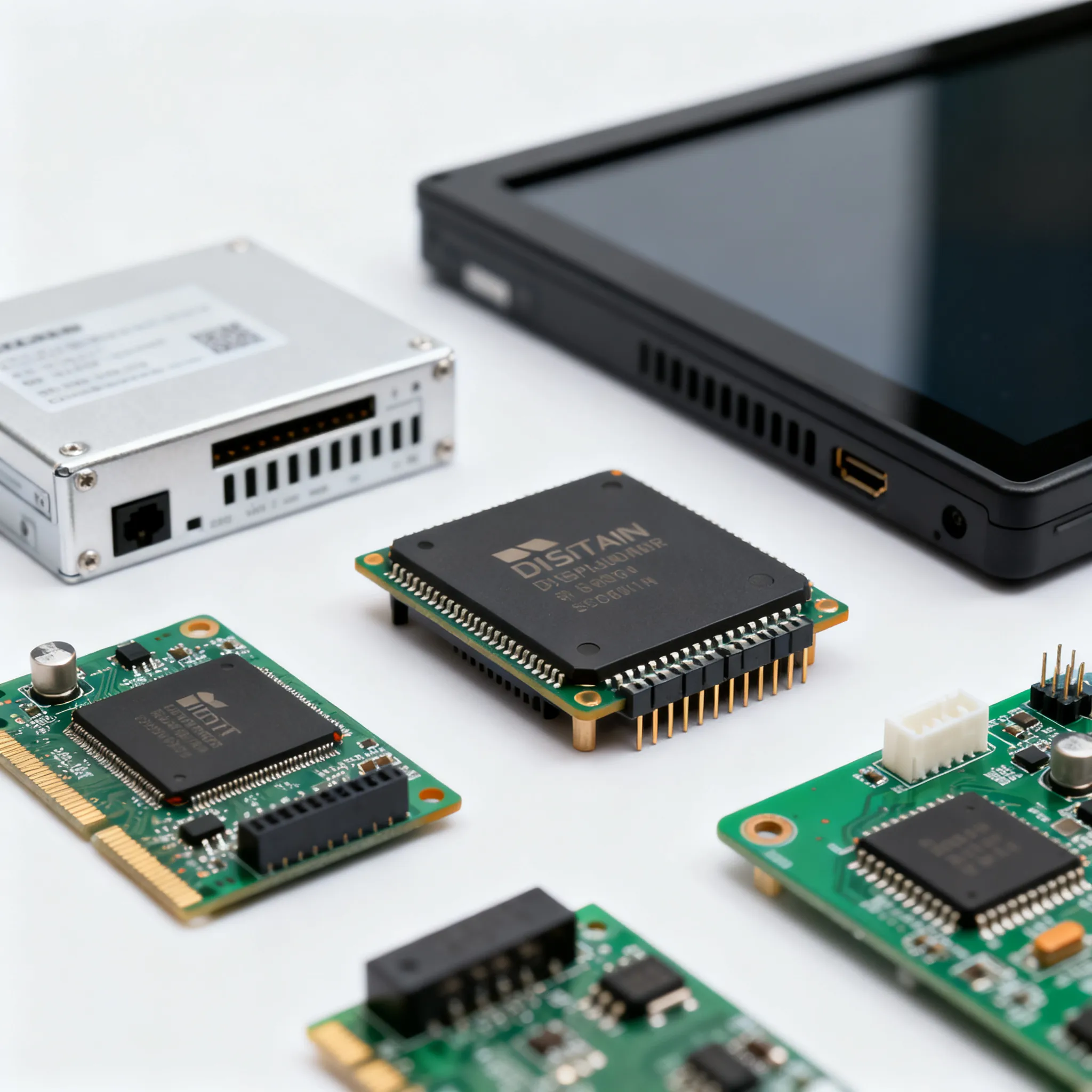
Why Memory Shortages and Escalating SoC Complexity Are Redefining Digital Signage Sourcing
The digital signage hardware supply chain is navigating a memory shortage crisis that will test procurement teams through 2026. Low-priced DRAM inventories that have cushioned the market are forecast to deplete by early 2026, triggering another round of price adjustments (Next MSC). This isn’t a transient spike. AI-driven demand for high-bandwidth memory is absorbing a disproportionate share of global capacity, leaving the professional display sector to compete for remaining DDR and LPDDR allocations. The invidis market intelligence report warns that “elevated memory costs” will persist well into the second half of 2026, making it a structural cost driver rather than a short-term logistical hiccup (invidis).
Simultaneously, the silicon inside digital signage is becoming more complex. Modern smart displays condense what were once separate media player boxes into a single System-on-Chip (SoC) that must handle 4K video decode, multi-layer graphics, network security, and remote management—all while running 24/7 in thermally constrained enclosures. The Bluefin’s 2026 hardware guide underscores that SoC reliability and the ability to manage multi-site rollouts consistently are now top-tier differentiators (The Bluefin). Every field failure in a large-scale network ripples into truck rolls, content down-time, and brand damage. That’s why leading manufacturers have shifted focus from design validation alone to rigorous production-line quality control that mirrors the stress conditions of the deployed environment (DisplayNow).
For engineering and procurement leads, the sourcing landscape is being redefined by these converging pressures. Selecting a digital signage board or integrated display is no longer a simple comparison of processor speed and price. You need to interrogate the entire board-level supply chain: the authenticity of memory lifetime commitments, the firmware update roadmap, the thermal headroom of the display driver, and the availability of second-source silicon. The remainder of this article provides a framework for that interrogation, grounded in the architectures and supply dynamics that shape today’s digital signage hardware.
Inside a Digital Signage SoC: Display Drivers, Memory Interfaces, and Board-Level Integration
A digital signage SoC is a highly integrated application processor designed to drive one or more displays without an external computer. At its heart, you’ll find a heterogeneous compute cluster—often a mix of Arm Cortex-A performance cores and a GPU capable of rendering OpenGL ES or Vulkan content layers. The video decode pipeline is hardware-accelerated, supporting codecs like H.264, H.265 (HEVC), and increasingly AV1, which directly affects the chip’s ability to handle 4K60 content without dropping frames. The display controller interfaces to the panel through LVDS, eDP, or HDMI/DisplayPort outputs, and it must support the precise timing and color depth required by high-brightness signage panels.
External memory is the most supply-sensitive component. Most SoCs today use LPDDR4 or LPDDR4X for power efficiency, but cost-optimized designs may fall back to DDR4. The memory controller’s support for multi-rank configurations and error-correcting code (ECC) can make a difference in 24/7 reliability. Flash storage—typically eMMC or UFS—holds the operating system and content cache, and its endurance rating matters when the system performs frequent log writes or content updates. The power management IC (PMIC) sequences the rails, monitors temperature, and often includes a watchdog timer that can recover a hung processor without manual intervention—critical for unattended outdoor installations.
The table below compares SoC families commonly found in digital signage boards, giving you a hardware envelope to reference when evaluating OEM specifications.
| SoC Family | CPU Cores | GPU | Video Decode | Max Display Resolution | Memory Support | Key Interfaces | Typical Use Case |
|---|---|---|---|---|---|---|---|
| MediaTek Genio 500 (MT8365) | 4× Cortex-A53 | Arm Mali-G52 | 4Kp30 HEVC, H.264 | 4K @ 30 Hz | LPDDR4/LPDDR4X up to 4 GB | LVDS, eDP, HDMI 2.0 | Entry-level smart signage, menu boards |
| Qualcomm QCS6125 | 4× Cortex-A53 + 4× Cortex-A73 | Adreno 612 | 4Kp60 HEVC, H.264 | 4K @ 60 Hz | LPDDR4X up to 8 GB | eDP, HDMI 2.0, MIPI DSI | Mid-tier interactive signage, QSR digital menus |
| NXP i.MX 8M Plus | 4× Cortex-A53 + Cortex-M7 | GC7000UL | 4Kp30 HEVC, H.264 | 4K @ 30 Hz | LPDDR4, DDR4 up to 4 GB | LVDS, HDMI 2.0, MIPI DSI | Industrial signage, edge AI for audience analytics |
| Rockchip RK3588 | 4× Cortex-A76 + 4× Cortex-A55 | Arm Mali-G610 | 8Kp30, 4Kp120 HEVC, AV1 | 8K @ 30 Hz, multi-display | LPDDR4X/LPDDR5 up to 32 GB | eDP, HDMI 2.1, DP 1.4 | High-end video walls, multi-display signage |
Key takeaway: The choice of SoC dictates the memory technology you will be locked into. Designs based on Rockchip RK3588 with LPDDR5 may deliver superior performance, but LPDDR5 supply is under extreme pressure from AI edge devices. Conversely, the i.MX 8M Plus’s DDR4 option opens a more mature, multi-supplier DRAM ecosystem, which can be a significant advantage when memory availability tightens. The display driver interface also matters: building a board that supports both LVDS and eDP gives you panel flexibility while maintaining a single PCB layout.
Integrated SoC Displays vs. External Media Players: Architectures, Costs, and Long-Term Flexibility
The industry has split into two deployment architectures: smart displays with built-in SoCs that run the content management software directly, and external media players connected to commercial displays via HDMI. Each architecture has passionate advocates, and the right choice depends on your network scale, in-house engineering capability, and lifecycle expectations. The guides from The Bluefin, PosterBooking, ScreenCloud, and Look Digital Signage all converge on the same set of trade-offs, but the procurement implications are often underdiscussed.
The table below compares the two architectures across the criteria that matter most during a multi-site commercial rollout.
| Comparison Metric | Built-in SoC Display | External Media Player | Selection Criteria & Failure Boundary |
|---|---|---|---|
| Total cost of ownership (TCO) | Lower upfront cost; no separate player hardware, cabling, or enclosure | Higher upfront cost; player + mounting + cables + power supply | SoC wins for 1–50 sites; at scale, the player’s upgrade flexibility may offset higher initial cost |
| Installation complexity | Single unit; power and network only | Requires HDMI, USB, and power to the player; more points of failure | SoC reduces installation time by 30–45% per site; critical for tight retail windows |
| 24/7 reliability | Fewer interconnects; SoC thermal-throttling must be validated for continuous operation | Player can be thermally isolated from the display; easier to cool independently | If the SoC design lacks a watchdog timer, a player with a dedicated controller may be more rugged |
| OS flexibility | Typically Android or a locked-down Linux; OS updates tied to SoC vendor | Full Linux, Windows, or custom RTOS; you control the update cadence | Custom Linux on a player allows 10+ year security patches; Android SoC may be abandoned after 3 years |
| Upgrade/repair path | Replace the entire display when the SoC is obsolete or fails | Swap the player; preserve the panel investment | If the panel is the expensive part (video wall), a player-based architecture protects that investment |
| Memory shortage exposure | SoC memory is soldered on the display board; you inherit the supplier’s memory sourcing decisions | Player memory is on a replaceable module; you can switch player vendors easily | During the 2025–2026 shortage, players with socketed DRAM offer a buffer; SoC designs with soldered-down LPDDR are at the mercy of the display OEM |
Real-world deployments often blend both approaches. A quick-service restaurant chain might use SoC-based menu boards indoors for cost and simplicity, while outdoor drive-thru displays rely on a separate media player housed in an IP55 enclosure with active cooling, as PosterBooking’s buyer guide illustrates. The key sourcing decision is whether you want to manage one hardware SKU with a single firmware image or are willing to trade that simplicity for longer lifecycle control.
Sourcing Digital Signage Boards: Memory Selection, Firmware Longevity, and Avoiding Vendor Lock-In
When you move from evaluating a reference design to qualifying a volume supplier, the conversation shifts from datasheet specifications to supply agreements and lifecycle commitments. The following table outlines the qualification parameters that experienced procurement teams impose on SoC-based display boards, directly reflecting the production quality control rigor described by DisplayNow.
| Key Parameter | Target Requirement | Verification Method |
|---|---|---|
| DRAM temperature grade | Industrial range (-40 to +85 °C) for outdoor; commercial (0 to +85 °C) for indoor with adequate thermal margin | Request DRAM vendor’s qualification report with HTOL data; validate PCB thermals via IR camera during 72-hour burn-in |
| Memory supply continuity | 10-year availability commitment from the DRAM vendor; second-source pin-compatible alternative qualified on the same board | Obtain a long-term supply agreement (LTSA) from the module or IC maker; demand a bill of materials with two approved DRAM part numbers |
| Firmware update policy | Monthly security patches for 5 years; OTA update capability via CMS; bootloader unlock for custom OS if needed | Review the SoC vendor’s LTS roadmap; test OTA failover in a lab environment; require a written end-of-life policy with 12-month notice |
| Power management robustness | No thermal throttling at 45 °C ambient with backlight at 100%; PMIC watchdog timer with <5-second recovery | Run continuous 4K video playback for 96 hours in a chamber at 45 °C; monitor SoC temperature and verify zero frame drops |
| Conformal coating (outdoor) | IPC-CC-830-compliant coating on both sides of the PCB; protected connectors | Visual inspection under UV light; salt fog test per IEC 60068-2-52 for coastal installations |
| Display driver interface flexibility | Dual LVDS + eDP output on the same board; configurable timing parameters | Verify panel compatibility list from the supplier; test with at least two different panel vendors to ensure timing register configurability |
Beyond the checklist, the most effective risk mitigation strategy is to structure the commercial agreement to reflect memory market realities. Instead of a fixed-price BOM, negotiate a memory cost pass-through clause that references a public DRAM price index, with a ceiling. This aligns the supplier’s incentives with yours; they won’t be forced to cut corners on DRAM sourcing when spot prices rise. Pair this with a contractual obligation to provide a second DRAM source within 12 months of the product launch. If the primary DRAM vendor has an allocation event, the board supplier can switch to the qualified second source without requalifying the entire board.
Here are the steps you should follow to qualify a new SoC-based display board supplier, distilled from the field experience of engineering teams managing networks of 1,000+ endpoints:
- Request a full BOM with manufacturer part numbers for all memory ICs, PMIC, and the SoC itself. Run those part numbers against the manufacturer’s lifecycle status database. Any component flagged as “not recommended for new design” (NRND) is a red flag.
- Perform a 168-hour burn-in test. Run the board at maximum CPU/GPU load with the backlight at 100% and the ambient temperature at the upper limit of your deployment (e.g., 45 °C). Monitor for bit flips by comparing video output checksums against a known pattern.
- Verify the firmware update mechanism. Flash a signed firmware image, then attempt to flash an unsigned one. A secure boot chain is non-negotiable for public-facing networks. Test OTA recovery after a power failure during the update.
- Negotiate a 5-year supply agreement for the board, with a 2-year advance notice of discontinuation and a last-time-buy window of at least 12 months. Include a clause that allows you to buy bare boards with the SoC and memory, preserving your ability to assemble locally if the supplier faces production constraints.
Tip: If your design uses an Android-based SoC, push the supplier to commit to Android Enterprise Recommended requirements, which mandate at least 5 years of security updates. If they can’t, consider a separate media player that runs a custom Linux build you control.
Digital Signage SoC and Display Driver Sourcing: Questions from Engineering and Procurement Leads
Answer: Start by reviewing the manufacturer’s temperature-rated DRAM selection. For outdoor signage, specify industrial-grade DRAM with an operating range of -40 to +85 °C or wider. Check that the memory ICs are JEDEC-compliant and sourced from vendors with documented long product life cycles, such as Micron’s industrial DRAM lines. Require qualification reports that include high-temperature operating life (HTOL) data. Ask for a written 10-year availability commitment, and ensure the board design supports a footprint-compatible second source to avoid single-sourcing traps.
Answer: An Android SoC display provides a compact, all-in-one design with broad app ecosystem support, but you inherit the SoC vendor’s Android update policy—often fragmented and with limited long-term guarantees. A dedicated media player running a custom Linux build gives you full control over the software stack, enabling timely security patches and the ability to harden the OS for your specific use case. The trade-off is increased hardware complexity: additional cabling, enclosures, and a higher per-unit cost. Choose the Android SoC path if you need rapid deployment across many sites with minimal IT overhead; opt for Linux players if you need a 7- to 10-year lifecycle with deep in-house firmware expertise.
Answer: Secure buffer stock of critical memory configurations through long-term supply agreements that include volume commitments. Qualify a second DRAM vendor on the same board footprint so that you can switch with minimal requalification. Work with SoC suppliers that offer memory-agnostic memory controllers—for example, designs that support both LPDDR4X and DDR4, allowing you to shift to the more available technology. Avoid designs that lock you into a single DRAM type that is forecast to be in shortage (like LPDDR5 in 2026). During the design phase, consider migrating to DDR4-based boards if supply visibility is poor, as DDR4 is a more mature, multi-sourced ecosystem (JEDEC DDR4).
Answer: Look for wide-temperature passive components, conformal-coated PCB for humidity protection, and a power management design that can handle constant load without thermal throttling at your maximum ambient temperature. The display driver should support automatic brightness control via an ambient light sensor input on the SoC, and the system must include a hardware watchdog timer that can recover from firmware hangs without manual intervention. Verify that the board’s eDP or LVDS signals are routed with controlled impedance and that the timing parameters are configurable to accommodate panel aging. Request a test report from the supplier showing 1,000 hours of continuous operation at 45 °C with no pixel clock instability.
Answer: Multi-sourcing can protect against supplier shortages, but it introduces fragmentation in firmware, color calibration, and remote management. A pragmatic approach is to qualify a primary and a secondary supplier that use the same underlying SoC family and identical panel specifications. Sign a volume agreement with the primary that covers 80% of your forecast, and use the secondary for overflow or risk mitigation. Maintain a single golden firmware image that works on both suppliers’ hardware, which requires the board-level IP blocks to be identical. Avoid sourcing from vendors that use the same SoC but different display driver ICs unless you can thoroughly validate panel compatibility.
Answer: Firmware update commitments directly impact the operational lifespan of the hardware. Ask SoC suppliers for a public long-term support (LTS) roadmap that covers both the board support package (BSP) and the underlying OS. Confirm that security patches will be delivered for at least 5–7 years, and that the firmware can be updated remotely via OTA or a centralized CMS. Avoid vendors that tie critical updates to a paid subscription without a clear end-of-life policy. If the vendor’s LTS roadmap is shorter than your planned deployment cycle, the hardware becomes a sunk cost—you must either budget for a full replacement or accept the security risk.
As you navigate the current sourcing environment, remember that the ideal digital signage board is not the one with the highest clock speed, but the one whose supply chain you can trust for the next decade. By aligning memory choices with market realities, demanding transparent firmware policies, and building multi-source flexibility into your contracts, you can keep your network of displays running reliably through the memory shortages and silicon transitions ahead. For mixed BOM procurement and flexible MOQ options, visit IC-Online to connect with suppliers that specialize in board-level digital signage components.
Need components or PCBA support for Digital Signage products? IC-Online helps smart-device OEMs with sourcing and board-level supply — see our Smart Device Solutions or contact our team for a BOM review.
References & Further Reading
- Memory Shortage Crisis Hits Digital Signage Market Hard — Next MSC
- Memory Shortage: Severe Impact Reaches Digital Signage Market — invidis
- How to Choose Digital Signage Hardware in 2026 — The Bluefin
- Quality Control: How Digital Signage Manufacturers Ensure Product Reliability — DisplayNow
- Digital Signage Hardware: Complete Buyer’s Guide (2026) — PosterBooking
- The Buyer’s Guide to Digital Signage Hardware — ScreenCloud
- Digital Signage Hardware Selection — Ultimate Buyer’s Guide — Look Digital Signage
- MediaTek Genio Platform
- Qualcomm IoT Processors
- NXP i.MX 8M Plus
- Rockchip RK3588
- Micron Industrial DRAM
- JEDEC DDR4 Standard
- IC-Online — Mixed BOM and Flexible MOQ Sourcing