How a UPS with USB Ports Protects Your Home Office
Power outages can stop your work and even harm your devices. With a ups usb, you keep your home office safe from power inter
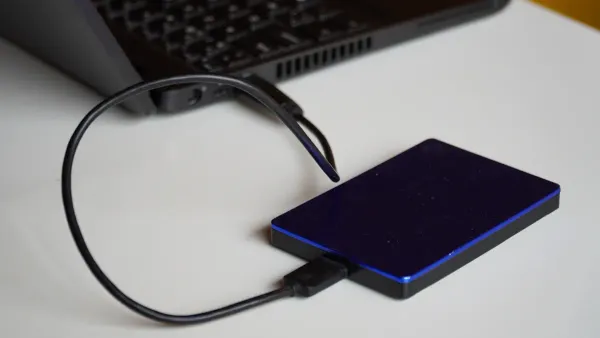
Power outages can stop your work and even harm your devices. With a ups usb, you keep your home office safe from power interruptions and data loss. You get to charge your phone or tablet during an outage, which helps you stay connected. Stable power means your electronic components and integrated circuits work smoothly. You also get cool features like remote management, safe shutdown, and alerts, so you always know your setup is protected.
Key Takeaways
- A UPS with USB ports provides backup power during outages, ensuring you can save your work and keep devices running.
- Multiple USB ports allow you to charge several devices at once, reducing clutter and keeping your workspace organized.
- Surge protection features in a UPS safeguard your sensitive electronics from sudden power spikes, extending their lifespan.
- Regular maintenance and testing of your UPS ensure reliable performance and protect your electronic components effectively.
- Choosing a UPS with remote management features helps you monitor battery status and receive alerts, enhancing your control over your home office setup.
UPS USB Overview
What Is a UPS USB?
You might wonder what makes an ups usb different from a regular power backup. An ups usb is a device that gives your home office backup power during outages and keeps your electronics safe from sudden surges. The special part? It comes with built-in USB ports. These ports let you charge your phone, tablet, or other gadgets directly from the ups usb, even when the main power goes out. You don’t need extra adapters or wall plugs. This setup helps your electronic components and integrated circuits stay protected and powered, so your devices keep working smoothly.
Tip: If you work with sensitive electronics, a ups usb can help prevent damage to integrated circuits by providing steady power and filtering out harmful spikes.
Key Features for Home Offices
When you pick an ups usb for your workspace, you want features that match your needs. Here are some things to look for:
- Multiple USB ports: You probably use more than one device at a time. Some ups usb models only have one USB port, which can be a problem if you need to charge several devices. Make sure you choose a model with enough ports for your workflow.
- Surge protection: This feature shields your electronic components and integrated circuits from sudden voltage spikes.
- Battery backup: You get time to save your work and shut down safely, which keeps your data and devices safe.
- Compatibility: Some ups usb devices don’t support macOS PowerChute software. If you use a Mac, check this before you buy.
- Alerts and remote management: These features let you know when the battery is low or if there’s a problem, so you can act fast.
| Feature | Why It Matters for Home Offices |
|---|---|
| Multiple USB Ports | Charge several devices at once |
| Surge Protection | Protects sensitive electronics |
| Battery Backup | Prevents data loss and device damage |
| Compatibility | Works with your operating system |
| Alerts/Remote Management | Keeps you informed and in control |
With the right ups usb, you keep your home office running, your devices charged, and your electronic components safe.
UPS Power Protection
Backup Power for Devices
When the lights go out, your work does not have to stop. A ups battery backup gives you time to save your files and shut down your devices safely. You get backup for your computer, monitor, and even your Wi-Fi router. This means you can keep working or finish that important email, even during power outages.
The amount of backup you get depends on the ups you choose. Some models give you just enough time to save your work, while others can keep your devices running for hours. Here’s a quick look at average backup times for home office setups:
| UPS Configuration | Average Runtime |
|---|---|
| UPS with no generator | 10-15 minutes |
| UPS with a generator | 10-15 minutes |
| UPS with extended battery runtime | Two or more hours |
- The runtime changes based on how much power your devices use.
- The size of your ups battery backup also affects how long you can keep things running.
A good ups keeps your electronic components and integrated circuits safe by providing steady backup power. This helps prevent sudden shutdowns that can damage sensitive parts inside your devices.
Surge and Spike Filtering
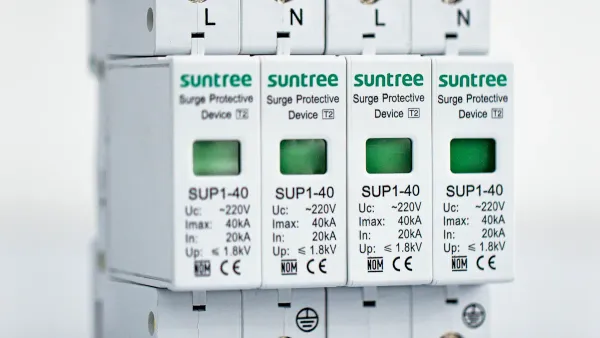
Power surges and spikes can happen at any time. These sudden jumps in power can harm your computer, printer, and even the tiny integrated circuits inside your electronics. A ups battery backup helps by filtering out small surges and spikes, giving your devices cleaner power.
Note: While a ups can handle minor surges, it does not replace surge protectors for big events like lightning strikes. For the best protection, use a ups with surge protectors together.
Here’s what you need to know about surge and spike filtering:
- A ups battery backup offers some surge protection, but it is not as strong as dedicated surge protectors.
- It can filter out small spikes, but high-energy surges can still get through.
- Surge protectors handle bigger surges, so pairing them with your ups gives you better coverage.
- Electrical surges can reach levels that a ups cannot handle alone. Relying only on a ups for surge protection can put your devices at risk.
| Feature | UPS Devices | Surge Protectors |
|---|---|---|
| Surge Protection | Yes, varying levels | Yes |
| Backup Power | Yes, during outages | No |
| Clean Power | Yes, filters power fluctuations | No |
| Scalability | Yes, can protect entire systems | No |
| Cost | Generally higher | Generally lower |
| Installation | May require professional installation | Typically easy to install |
A ups battery backup also helps with other power problems, like voltage sags, brownouts, overvoltage, and line noise. These issues can cause errors or even damage the integrated circuits in your devices. By smoothing out these bumps, a ups keeps your home office running smoothly.
Safe Shutdown and Data Security
Sudden power outages can cause you to lose important files or even break your computer. A ups battery backup gives you time to save your work and shut down your devices the right way. This protects your data and keeps your electronic components safe.
- Mini ups systems keep your devices running during outages, so you do not lose your work.
- A ups battery backup lets you finish what you are doing and shut down safely.
- Some ups models have safe shutdown features. They can automatically save your work and turn off your computer if you are not there.
- This process protects the integrated circuits and other sensitive parts inside your devices.
A real-world example shows how important this is. A global consulting firm used a modular ups system to protect its server room. When the power went out for 30 minutes, the ups kept everything running. The company avoided losing $2 million in productivity and revenue.
Tip: Always connect your most important devices to your ups battery backup. This includes your computer, monitor, and anything else with sensitive electronic components.
A ups battery backup does more than just keep the lights on. It protects your data, your devices, and the tiny integrated circuits that make your home office work.
USB Port Benefits
Charging During Outages
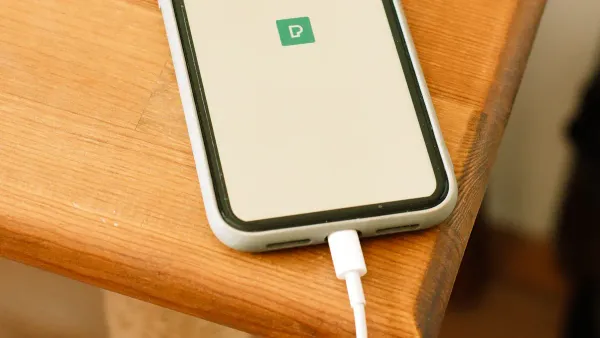
Imagine you are working on a big project and suddenly, an outage hits your neighborhood. Your computer stays on because you have a UPS with usb charging ports. You grab your phone and plug it into one of the usb ports. Now, you can keep your phone charged and stay connected with your team or family. You do not need to search for a wall outlet or worry about losing touch during an outage.
The usb charging ports on your UPS make it easy to power up your tablet or headphones, even when the lights go out. You get peace of mind knowing your electronic components and integrated circuits inside your devices stay safe and powered. This means you can keep working, send messages, or join video calls without missing a beat.
Tip: Always keep your most important devices plugged into the usb charging ports on your UPS. You will never have to worry about a dead battery during an outage.
Reducing Adapter Clutter
You probably have a lot of gadgets in your home office. Each one comes with its own charging adapter. These adapters can pile up and make your workspace messy. When you use a UPS with integrated usb ports, you can charge your devices directly. You do not need extra adapters or tangled cords.
Here is how integrated usb charging ports help you:
- The APC Back-UPS has a built-in usb port for easy connection to laptops, tablets, and smartphones.
- You can charge your devices straight from the UPS, so you do not need extra charging adapters.
- Your desk stays neat and organized, which helps you focus on your work.
- Fewer adapters mean less risk of damaging electronic components and integrated circuits from using the wrong charger.
A clean workspace makes it easier to manage your devices and protect the sensitive parts inside them. You spend less time searching for the right adapter and more time getting things done.
Supporting Multiple Devices
Modern home offices use many devices at once. You might have a laptop, a tablet, a phone, and wireless headphones. A UPS with multiple usb charging ports lets you charge all these devices at the same time. You do not need to wait for one device to finish charging before plugging in another.
This setup supports your workflow and keeps your electronic components and integrated circuits safe. You can keep your devices powered during an outage, so you do not lose access to important files or calls. The usb ports on your UPS make it easy to switch between devices and stay productive.
| Device | Can Charge During Outage? | Protected Components |
|---|---|---|
| Laptop | Yes | Integrated circuits |
| Smartphone | Yes | Electronic components |
| Tablet | Yes | Integrated circuits |
| Headphones | Yes | Electronic components |
You get flexibility and reliability in your home office. The usb charging ports on your UPS help you keep everything running smoothly, even when the power goes out.
Home Office UPS Selection
Assessing Power Needs
You want your home office ups to handle all your devices without breaking a sweat. Start by listing every device you use, like your computer, monitor, printer, and router. Check the voltage and amperage for each one. Owner’s manuals usually show these numbers. Add up the VA ratings and toss in a 10% buffer for safety. This way, your reliable ups system can keep your electronic components and integrated circuits safe during outages.
Here’s what you should look at when picking a home office ups:
- Price: Stay within your budget.
- Energy efficiency: Save on electricity bills.
- Runtime: Make sure you have enough time to save work and shut down.
- Load: Match the ups to the total power your devices need.
- Size and weight: Pick something that fits your space.
- Storage medium: Choose the right battery type for your needs.
- Connectivity: Make sure you can connect all your devices.
You also want to think about battery performance, scalability, warranty, and how the ups fits into your workspace.
Choosing USB Port Types
Not all USB ports are the same. Some home office ups models offer standard USB-A ports, while others include USB-C for faster charging. If you use newer devices, look for USB-C. This helps your electronic components and integrated circuits charge quickly and safely. Check how many USB ports you get. If you use lots of devices, pick a home office ups with multiple ports. This keeps your workflow smooth and your devices powered.
| USB Port Type | Best For | Charging Speed |
|---|---|---|
| USB-A | Older devices | Standard |
| USB-C | Newer devices | Fast |
Extra Features to Consider
A home office ups can do more than just keep the power on. Some models have remote management features. You can check battery status, get alerts, and even control your ups from anywhere. The CP1500PFCRM2U, for example, has Automatic Voltage Regulation to protect your devices from small power changes. It also has a color LCD for quick checks and alerts.
Remote management cards and cloud monitoring let you watch over your home office ups from your phone or computer. PowerPanel® Business and PowerPanel® Cloud send alerts by email or app, so you always know what’s happening. These features help you protect the electronic components and integrated circuits inside your devices, even when you’re not at your desk.
Tip: If you work remotely or travel often, remote management and alert features make your home office ups even more valuable.
Uninterruptible Power Supply Setup & Care
Installation Tips
Setting up your UPS with USB ports is the first step to keeping your home office safe. You want to make sure your electronic components and integrated circuits get the best protection. Here’s a simple guide to help you install your UPS:
- Place your UPS in a well-ventilated area. Good airflow keeps the battery cool and helps it last longer.
- Keep the UPS away from moisture and direct sunlight. This protects the battery and sensitive electronic components.
- Calculate the total load for your devices. Add up the power needs for your computer, monitor, router, and anything else with integrated circuits.
- Choose a UPS that matches your load and has enough USB ports for your workflow.
- Connect only authorized devices. This prevents overload and keeps your battery working well.
- Secure the UPS so only you or trusted users can access it.
- Plan for future growth. If you add more devices, check if your UPS can handle the extra load.
Tip: Always test your UPS after installation. Simulate a power outage to make sure your battery backup works and your devices stay protected.
Maintenance and Battery Care
Your UPS battery is the heart of your power protection system. If you want your electronic components and integrated circuits to stay safe, you need to take care of the battery. Here’s what you should do:
- Test your battery regularly. Run self-tests to spot problems early.
- Compare the battery’s capacity with the original data. If it drops below 80%, replace it.
- Schedule annual inspections for the battery, capacitors, and fans. This keeps everything running smoothly.
- Replace air filters every month. Clean filters help the battery stay cool and protect sensitive parts.
- Use the right battery type for your UPS. Check the manufacturer’s recommendations.
- Keep the battery in a temperature-controlled space. Extreme heat or cold can shorten its life.
- UPS batteries usually last 3 to 5 years. Replace them on time to avoid failures.
Regular battery care means your UPS will always be ready. You protect your devices and the tiny integrated circuits inside them.
Ensuring Ongoing Protection
You want your UPS to give you reliable protection every day. Here’s how you can make sure your electronic components and integrated circuits stay safe:
- Use a UPS with Automatic Voltage Regulation (AVR). This feature keeps voltage steady and protects your battery.
- Connect all sensitive devices to the UPS. This includes computers, routers, and anything with integrated circuits.
- Check battery health often. Replace the battery as soon as you see signs of wear.
- Run regular system tests. These tests help you catch problems before they affect your protection.
- Train yourself or your team on UPS operation. Know how to handle alarms and troubleshoot issues.
- Choose a UPS that can grow with your needs. If you add more devices, upgrade your UPS for better protection.
- The average UPS lasts 5 to 10 years. With good battery care, you get long-term protection for your home office.
Note: Regular self-tests and battery checks help you avoid surprises. Your UPS will always be ready to protect your electronic components and integrated circuits when you need it most.
A UPS with USB ports keeps your home office equipment safe and your workflow smooth. You protect equipment from power surges and keep electronic components and integrated circuits running. You get backup power for equipment, so you never lose your work. You can charge equipment like phones and tablets during outages. Many users say this setup is perfect for home office equipment and rate it highly for convenience. You avoid data loss and keep equipment connected. You manage equipment easily with power management features. You keep equipment organized and reduce clutter. You make sure equipment stays productive, even when the power goes out.
- Prevents data loss for equipment
- Maintains productivity for equipment
- Protects equipment from surges
- Users love the convenience for equipment
- Perfect for home office equipment
- Solid choice for equipment needing USB charging
- Keeps equipment connected
- Manages equipment with ease
- Organizes equipment and reduces clutter
You should consider a UPS with USB ports as an essential part of your home office setup. Your equipment, electronic components, and integrated circuits will thank you!
FAQ
What makes a UPS with USB ports better for my home office?
You get backup power for your home office devices and can charge phones or tablets during outages. The ups protects electronic components and integrated circuits from surges. You keep your workflow smooth and your workspace organized.
How does a UPS protect electronic components in my home office?
The ups filters out spikes and surges. You avoid damage to integrated circuits in your home office devices. You get steady power, which helps your equipment last longer and keeps your data safe.
Can I charge multiple devices at once with a UPS in my home office?
You can charge several devices at the same time. The ups with USB ports lets you power up phones, tablets, and headphones. You keep your home office running and protect electronic components from sudden power loss.
How often should I check my UPS in my home office?
You should test your ups every month. You make sure the battery works and your home office equipment stays protected. Regular checks help you spot problems with electronic components and integrated circuits early.
Do I need a special UPS for sensitive electronics in my home office?
You should pick an ups with surge protection and USB ports. Sensitive electronic components and integrated circuits in your home office need steady power. You get better protection and keep your devices safe.