Lightning or Type C Making the Best Choice for Your Tech
You want the best connector for your tech. USB-C usually gives you faster charging, quicker data transfer, and better compat
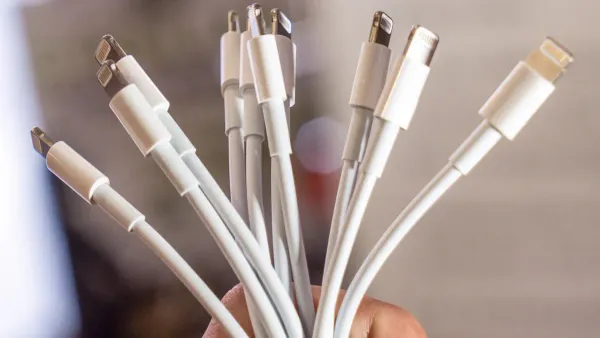
You want the best connector for your tech. USB-C usually gives you faster charging, quicker data transfer, and better compatibility with most devices. When you look at lightning vs type c, you see how each connector fits into the world of electronic components and integrated circuits. Choosing the right cable helps your devices run smoothly.
- Tip: Check your device’s port before buying a new cable so you avoid mistakes.
Key Takeaways
- USB-C offers faster charging speeds, reaching up to 100W, compared to Lightning's maximum of 18W.
- USB-C supports higher data transfer rates, up to 40Gbps, making it ideal for moving large files quickly.
- USB-C is more versatile, working with a wide range of devices, while Lightning is limited to Apple products.
- Choosing USB-C can future-proof your tech setup, as it is becoming the global standard for charging and data transfer.
- For mixed device users, USB-C simplifies connectivity, reducing the need for multiple cables and adapters.
lightning vs type c
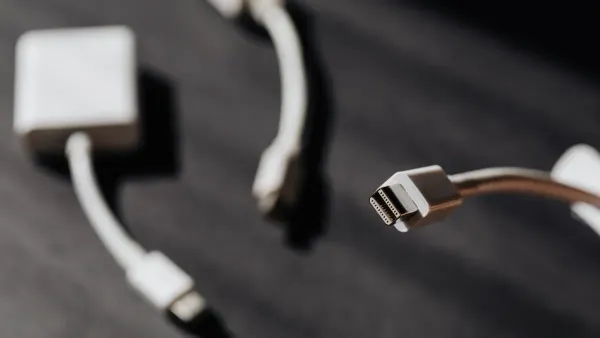
When you compare lightning vs type c, you want a clear view of how each connector performs in the world of electronic components and integrated circuits. Here’s a quick table to help you see the main differences:
| Feature | Lightning Cable | USB-C |
|---|---|---|
| Compatibility | Works only with Apple devices | Works with many brands and device types |
| Charging Speed | Up to 18W fast charging (newer models) | Up to 100W with Power Delivery (PD) |
| Data Transfer | Up to 480Mbps (USB 2.0 speeds) | Up to 40Gbps (USB 3.1/USB 4.0) |
| Versatility | Mainly for charging and basic data on Apple devices | Supports charging, data, video, and more |
Compatibility
You will notice that compatibility is a big difference in the lightning vs type c debate. Lightning cables only work with Apple products like iPhones and iPads. USB-C connects to many devices, including Android phones, tablets, laptops, and even monitors. If you use different brands or want to connect to more electronic components, USB-C gives you more options.
Charging Speed
Charging speed matters when you need power fast. Lightning cables support up to 18W fast charging on newer Apple devices. USB-C can deliver up to 100W, which means you can charge not just phones but also laptops and other high-power devices. In the lightning vs type c comparison, USB-C stands out for charging speed.
Data Transfer
Data transfer speed affects how quickly you move files. Lightning cables reach up to 480Mbps, which works for basic tasks. USB-C can go up to 40Gbps, making it much faster for large files, videos, or backups. If you work with lots of data, USB-C is the better choice in the lightning vs type c matchup.
Versatility
Versatility is key in modern tech. Lightning cables focus on Apple devices and basic functions. USB-C handles charging, data, video output, and more. You can use USB-C with many electronic components and integrated circuits, making it a true all-in-one connector. When you look at lightning vs type c, USB-C offers more flexibility for your tech needs.
lightning cable
Apple Devices
You use a lightning cable every day if you own apple devices like an iphone or ipad. The lightning connector fits perfectly into the charging port of your iphone. Apple designed this cable for its products, so you find it in every box with new apple devices. You charge your iphone quickly and transfer photos or music between your apple devices and your computer. The lightning cable works with many apple accessories, such as headphones and keyboards. You notice that the lightning cable connects easily to the electronic components inside your iphone. The cable helps your device communicate with integrated circuits, making charging and data transfer possible. If you use only apple devices, the lightning cable gives you a simple solution for your tech needs.
Tip: Always check your apple device’s port before buying a new lightning cable. Some newer apple products now use USB-C instead.
Limitations
You face several limitations when you use a lightning cable. First, the lightning cable only works with apple devices. You cannot use it with non-apple gadgets unless you buy an adapter. The cable costs more than USB-C cables because apple keeps the design proprietary. You see that the lightning cable has only 16 pins, which limits its data transfer speed to USB 2.0. This means you move files slower than with USB-C, which uses 24 pins for faster speeds. The lightning cable charges your iphone at up to 18W, but USB-C can reach much higher speeds. You notice that USB-C cables work with more electronic components and integrated circuits, making them more versatile. Many users say that USB-C cables last longer and handle more wear and tear than lightning cables.
- Main limitations of the lightning cable:
- Only works with apple devices
- Higher price due to proprietary design
- Slower data transfer because of fewer pins
- Lower charging speed compared to USB-C
- Less durable than USB-C cables
You should think about these limitations before you buy a new lightning cable for your iphone or other apple devices. If you use many types of tech, USB-C may fit your needs better.
usb-c cable
Universal Use
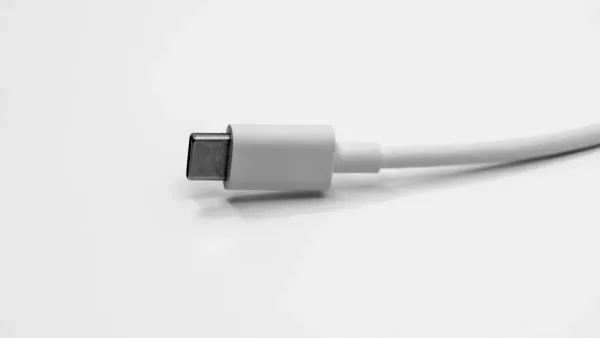
You see the usb-c cable everywhere. This cable works with many devices, not just one brand. You can use a usb-c cable with Android phones, tablets, laptops, headphones, and even some gaming consoles. The usb-c connector fits into many electronic components and integrated circuits, making it a true universal solution. You do not need to worry about which way you plug it in because the usb-c connector is reversible. This feature saves you time and frustration. The usb-c standard has become the main choice for new tech products. You find it in smart home devices, cameras, and even some monitors. When you use a usb-c cable, you connect to a wide world of technology.
Tip: If you have different devices at home or work, choosing a usb-c cable helps you avoid carrying many types of cables.
Advantages
The usb-c cable gives you many advantages over other cables. You get faster charging speeds, which means your devices power up quickly. The usb-c standard supports up to 100W charging, so you can even charge laptops with the same cable you use for your phone. Data transfer is much faster with a usb-c cable. Some devices reach speeds up to 40Gbps, which helps when you move large files or videos. The usb-c connector also supports video output, so you can connect your device to a monitor or TV with the same cable.
Here is a quick look at how usb-c cable compares to Lightning:
| Feature | Lightning Cable | USB-C |
|---|---|---|
| Compatibility | Apple only | Universal |
| Charging Speed | Up to 18W | Up to 100W |
| Data Transfer Speed | Up to 480Mbps | Up to 40Gbps |
| Versatility | Basic | Charging, data, video |
| Market Adoption | Limited | Widely adopted |
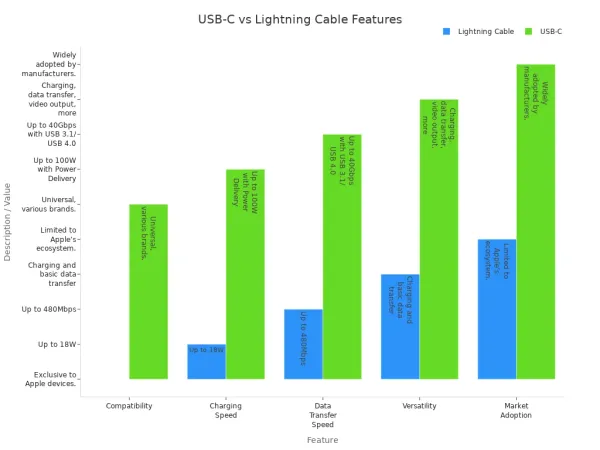
You benefit from the usb-c cable’s universal compatibility, fast charging, and high-speed data transfer. The usb type-c design also supports more functions, such as video and audio output. Many technology experts say the usb-c cable is the best choice for most users. The usb-c standard keeps growing, so you can expect even more devices to use this cable in the future. When you choose a usb-c cable, you make your tech setup simpler and more powerful.
- Key benefits of usb-c cable:
- Universal compatibility across brands
- Fast charging up to 100W
- High-speed data transfer up to 40Gbps
- Supports video and audio output
- Widely adopted usb-c standard
usb-c vs lightning
Charging Speed
You want your devices to charge quickly. When you compare usb-c vs lightning, usb-c stands out for charging speeds. Most usb-c cables support up to 100W of power delivery. Some new usb c standards even reach 240W, which means you can charge laptops, tablets, and phones with one cable. Lightning connectors support up to 2.4 amps, which is about 12W. If you use a usb-c to lightning cable with a 20W or higher power adapter, you get faster charging for your iPhone. Real-world tests show that flagship phones using usb-c charge much faster than those using lightning.
| Charging Technology | Phone Brand | Charging Speed (W) | Notes |
|---|---|---|---|
| USB Power Delivery | Apple | 26W | Fast charging with third-party chargers |
| Proprietary Fast Charging | Motorola | Up to 125W | Needs original charger and cable |
| Proprietary Fast Charging | Xiaomi | Up to 120W | Needs original charger and cable |
| USB Power Delivery | Samsung | Varies | Compatible with third-party chargers |
| Proprietary Fast Charging | OPPO/OnePlus | Up to 65W | Needs original charger and cable |
You see that usb-c gives you more charging capability and flexibility. The connector works with many electronic components and integrated circuits, making charging and data transfer easier across devices.
Data Transfer
You need fast data transfer speeds for moving files, photos, and videos. Usb-c cables reach up to 10Gbps with USB 3.1 Gen 2. Thunderbolt 3 usb c cables hit 40Gbps, which is ideal for professionals who transfer large files. Lightning cables reach up to 480Mbps, which is much slower. When you use usb-c to lightning cable, you get better speeds than standard lightning, but usb-c still wins for data transfer.
| Connector Type | Charging Speed | Data Transfer Speed |
|---|---|---|
| USB-C | Up to 30W | Faster than Lightning |
| Lightning | Up to 20W | Standard for Apple |
- Usb-c cables provide faster data transfer speeds, which helps you move large files quickly.
- You experience seamless transfers of videos and documents.
- Professionals benefit from the efficiency of usb-c in syncing data between devices.
Usb-c connects directly to the integrated circuits inside your devices, allowing for high-speed charging and data transfer.
Compatibility
You want a connector that works with many devices. Usb-c vs lightning shows a clear difference in compatibility. Usb-c works with Android phones, tablets, laptops, monitors, and even gaming consoles. Lightning is limited to Apple devices. Usb-c is becoming the global standard for most tech products. Over 85% of new smartphones in 2024 use usb-c. Apple is also moving to usb-c, which means you will see more devices with this connector.
| Feature | USB-C | Lightning |
|---|---|---|
| Compatibility | Used by many devices across platforms | Primarily used for Apple devices |
| Data Transfer Speed | Supports faster data transfer speeds | Reliable but generally slower |
| Charging Capability | Delivers more power for charging | Limited to Apple devices |
| Reversibility | Yes | No |
- Usb-c simplifies charging and data transfer for users.
- The transition to usb-c by Apple increases compatibility across devices.
- Usb-c to lightning cable helps bridge the gap for Apple users.
You connect usb-c to many electronic components and integrated circuits, making your tech setup more flexible.
Versatility
You want your connector to do more than just charge. Usb-c supports charging, data, video output, and audio. You can connect your device to a monitor or TV using usb-c. Usb-c ports natively support video output to external displays. Lightning needs a special adapter for video output, which adds cost and complexity. Usb-c supports alternate modes like HDMI, MHL, and Ethernet. Lightning does not offer these features.
| Feature | USB-C Cable (Samsung) | Lightning Cable (Apple) |
|---|---|---|
| Compatibility | Works with any device with usb-c port | Limited to Apple devices with lightning port |
| Fast Charging | Up to 25W | Usb-c to lightning: Up to 20W |
| Data Transfer Speed | Up to 10 Gbps | Usb-c to lightning: Up to 480 Mbps |
| Video Output | Supports various alternate modes | Usb-c to usb-c: Up to 6K, usb-c to lightning: N/A |
| Alternate Modes | Supports HDMI, MHL, Ethernet | Usb-c to usb-c: Thunderbolt 3/4, DisplayPort; usb-c to lightning: N/A |
- Usb-c supports video output directly to displays and monitors.
- Lightning requires adapters for HDMI or VGA output.
- Usb-c works with more electronic components and integrated circuits, making it the most versatile connector.
Durability
You want your cables to last. Usb-c cables with reinforced pins and thicker insulation last longer, especially those with braided exteriors. Lightning cables have smaller contacts and can feel fragile. Some lightning cables show wear after a few months of heavy use. Usb-c cables perform better in stress and bend tests. Apple and Amazon Basics lightning cables functioned after 11,500 bends, which means a lifespan of over six years. Lightning cables can endure around 12,000 insertion cycles, usually lasting about one year in optimal conditions.
- Usb-c cables with strong construction last longer.
- Lightning cables may wear out faster with heavy use.
- Usb-c connectors handle more plugging and unplugging, which is important for devices with many electronic components.
You see that usb-c offers better durability, especially for users who need reliable charging and data transfer every day.
Choosing the Right Connector
For Apple Users
If you use only Apple devices, you face a choice between Lightning and USB-C connectors. Apple has started to include USB-C ports in some new devices because of new rules in the European Union. You may notice that USB-C offers faster charging and higher data transfer speeds. Many users prefer USB-C because it works with more devices and makes travel easier. Lightning is still common in older Apple products, but it is a proprietary connector. This means you cannot use it with non-Apple devices. The table below shows what you should consider:
| Factor | Description |
|---|---|
| Regulatory Influence | EU rules push Apple to use USB-C in new devices. |
| Consumer Preferences | Most users want USB-C for convenience and travel. |
| Charging Speed | USB-C charges faster than Lightning. |
| Data Transfer Capabilities | USB-C moves data much quicker than Lightning. |
| Proprietary Nature | Lightning only works with Apple, but USB-C is universal. |
Tip: If you plan to buy new Apple devices, check if they use USB-C. This helps you avoid buying extra cables.
For Mixed Devices
You may own both Apple and non-Apple devices. In this case, you want a connector that works with everything. USB-C gives you the best solution. It connects to many types of devices, including phones, tablets, laptops, and even monitors. If you use Lightning, you may need adapters to connect to non-Apple devices. This can cause problems with compatibility and sometimes limits what your devices can do. The table below highlights common challenges:
| Challenge Type | Description |
|---|---|
| Compatibility Issues | Non-Apple accessories may not work with Lightning ports. |
| Limitations in Functionality | Some features may not work with Lightning cables on non-Apple devices. |
| Need for Adapters | You may need adapters to connect Lightning to USB-C devices. |
You save time and money by choosing USB-C for your mixed device setup. You also make your ecosystem and compatibility stronger, so you can use one cable for many devices.
Future-Proofing
You want your tech to last. USB-C is becoming the global standard for charging and data transfer. The European Union now requires USB-C in all new phones. Apple has started to follow this rule. Most people want a universal port for all their devices. USB-C gives you faster charging, better data speeds, and works with more electronic components and integrated circuits. If you want to future-proof your setup, choose USB-C. This connector will support your devices as technology changes. You will not need to buy new cables every time you upgrade your devices. Your ecosystem will stay simple and ready for new tech.
Pros and Cons
Lightning Pros
You may find several benefits when you use a lightning cable with your Apple devices. The connector fits perfectly into iPhones and iPads, making charging and data transfer simple. You get a compact design that works well with many Apple accessories. The lightning cable connects directly to the electronic components inside your device, allowing smooth communication with integrated circuits. You can use the same cable for charging, syncing music, or transferring photos. Apple’s design ensures that the cable works reliably with its products.
Tip: If you use only Apple devices, the lightning cable gives you a straightforward solution for daily tasks.
Lightning Cons
You should consider the pros and cons of lightning cable before you buy. Technology reviewers point out several drawbacks:
- The proprietary nature of the lightning cable causes compatibility issues with non-Apple devices.
- You pay higher costs compared to USB-C alternatives, which means you may need extra accessories.
- Data transfer speeds stay slow, mostly limited to USB 2.0.
- The cable does not support fast charging like many Android devices.
- Durability can be a problem, with cables often breaking or fraying after regular use.
You may notice these issues if you try to connect your lightning cable to other electronic components or integrated circuits outside the Apple ecosystem.
USB-C Pros
You gain many advantages when you switch to USB-C. The cable supports Power Delivery, which charges devices up to 33% faster than standard cables. USB-C intelligently adjusts voltage and current, helping protect battery health. You can use one cable for charging, data transfer, and connecting displays, which reduces clutter. USB-C simplifies cable management by replacing several traditional ports. The connector negotiates power levels between devices for safe charging. You get fast and flexible data transfer, reaching speeds up to 40 Gbps. USB-C can transmit video signals, so you can connect your device to a monitor with a single cable. This versatility makes USB-C ideal for working with many electronic components and integrated circuits.
USB-C Cons
You should know about some disadvantages of USB-C. The connector supports many protocols, which can cause confusion about device compatibility. You may find that USB-C does not always work with older USB Type A or B devices, limiting some transfer options. Some cables are mismarketed or nonstandard, which can damage your device due to incorrect resistor values. Longer USB-C cables only reach USB 2.0 speeds, so you lose fast data transfer with extended lengths.
| USB-C Cons | Description |
|---|---|
| Protocol confusion | Not all devices work together |
| Compatibility limitations | Older USB types may not connect |
| Cable quality issues | Nonstandard cables can harm components |
| Speed limits on long cables | Fast speeds only on short cables |
You should check your cables and devices to avoid problems with electronic components and integrated circuits.
You see USB-C becoming the top choice for most users. Major brands now use USB-C in new devices, driven by the need for seamless connectivity and universal compatibility with electronic components and integrated circuits. Lightning may still suit you if you use only Apple products. When you decide, think about your device ecosystem, future upgrades, and how speed and versatility affect your daily tech experience. Choose the connector that keeps your devices running smoothly and ready for tomorrow’s technology.
FAQ
Can you use a USB-C cable with Apple devices?
You can use USB-C cables with newer Apple devices like iPad Pro and iPhone 15. These devices have USB-C ports that connect directly to the integrated circuits inside. Older Apple devices still use Lightning connectors.
Does USB-C charge faster than Lightning?
USB-C charges faster than Lightning. USB-C supports higher power delivery, which helps electronic components inside your device get energy quickly. You see shorter charging times with USB-C, especially for laptops and tablets.
Why do some devices still use Lightning?
Some Apple devices use Lightning because Apple designed it for their products. The connector fits the electronic components and integrated circuits in older iPhones and iPads. Apple is slowly switching to USB-C for better compatibility.
Is USB-C more durable than Lightning?
You find USB-C cables last longer. The connector has a stronger build and connects securely to electronic components. Lightning cables may wear out faster, especially with frequent use. USB-C handles more plugging and unplugging.
Can one cable work for charging, data, and video?
You can use a USB-C cable for charging, data transfer, and video output. The cable connects to different electronic components and integrated circuits in your devices. Lightning cables mostly support charging and basic data, not video.