Thermal & Power Budgeting Always Keeps HiSilicon SoCs Running Smooth
Imagine your smartphone as a busy city, where every building needs electricity and cooling to work well. When you use HiSili
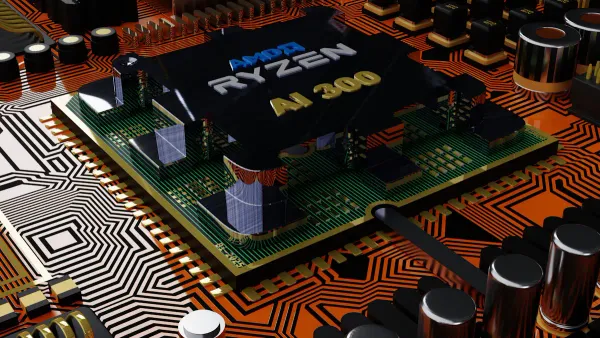
Imagine your smartphone as a busy city, where every building needs electricity and cooling to work well. When you use HiSilicon system-on-chips, thermal & power budgeting acts like city planners, making sure everything runs smoothly. If you ignore thermal & power budgeting, heat starts to build up fast. Increased gate density in these chips causes hot spots and makes devices less stable. Thermal & power budgeting controls temperature, reduces electrical problems, and keeps your device working longer. You get better performance, fewer crashes, and a phone that lasts.
Thermal & power budgeting keeps your SoCs cool, safe, and reliable every day.
Key Takeaways
- Thermal and power budgeting are essential for keeping HiSilicon SoCs cool and efficient, leading to better performance and longer device life.
- Real-time monitoring and dynamic management help prevent overheating, ensuring your device runs smoothly during heavy use.
- Smart power allocation and dynamic voltage scaling optimize energy use, extending battery life and enhancing overall efficiency.
- Integrated control between thermal and power systems allows devices to adapt quickly, maintaining performance without overheating.
- Reliable thermal and power management reduces crashes and extends the lifespan of your device, providing peace of mind for users.
Thermal & Power Budgeting in SoCs
What Is Thermal Budgeting?
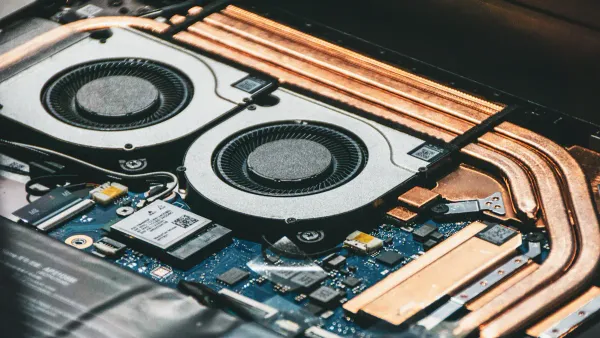
You can think of thermal budgeting as a way to keep your arm device cool and safe. When you use your phone or tablet, the arm chip inside works hard and creates heat. If the heat builds up too much, the arm chip slows down or even shuts off to protect itself. Thermal budgeting sets a safe limit for how much heat the arm chip can handle. This helps your arm device stay at the right temperature, so you get steady performance and avoid sudden shutdowns.
- Increased power densities in modern arm socs create more heat than ever before.
- Traditional cooling methods often cannot keep up with these new thermal challenges.
- Designers now use new strategies, like separating logic layers, to help manage heat.
- Good thermal management starts early in the arm chip design process.
What Is Power Budgeting?
Power budgeting helps you get the most out of your arm socs without wasting energy. It means planning how much power each part of the arm chip can use. You want every arm core and feature to work well, but you also need to stay within the total power limit. Power budgeting tracks and manages power use from the start of the design. This keeps your arm device running longer and helps avoid problems like dark silicon, where some arm cores must stay off because there is not enough power.
Power budgeting also includes noise budgeting. This predicts changes in the power supply, so your arm chip can keep working smoothly and reliably.
Role in SoC Performance
Thermal and power budgeting play a big role in how well your arm socs perform. If you balance power and heat, you get better performance and longer battery life. Here is how these strategies affect your arm device:
| Key Findings | Description |
|---|---|
| Power Function | Input patterns decide how much power the arm chip uses. |
| Power Estimation | Designers use statistics to guess average power use and plan for efficiency. |
| Genetic Algorithm | Special methods help optimize how the arm chip handles power. |
| Simulation Method | Simulations test how each arm part uses power and handles heat. |
- High-end arm socs must balance heavy workloads with power-to-performance trade-offs.
- Accurate power estimation is key for making sure your arm device works well and lasts.
- Power dissipation must fit the budget of your device, which affects battery life and thermal reliability.
- Dark silicon happens when only some arm cores can run because of power limits, so smart budgeting is a must.
When you use a device with a HiSilicon arm soc, you benefit from careful planning that keeps everything cool, efficient, and reliable.
Thermal Budgeting Methods
Real-Time Monitoring
You need real-time temperature monitoring to keep your cortex-a76 device safe and fast. Sensors inside the cortex-a76 microarchitecture check the temperature at many points. These sensors send data to the system, which helps you avoid overheating. You see the benefits when your device stays cool during gaming or video streaming. Real-time monitoring works with power modeling to predict heat before it becomes a problem. This process uses modeling to track how much heat each part of the cortex-a76 chip creates. You get steady performance because the system reacts quickly to changes.
Tip: Real-time monitoring helps your cortex-a76 device run longer and avoid sudden slowdowns.
Dynamic Management
Dynamic thermal management (DTM) keeps your cortex-a76 SoC running smooth even when the workload gets heavy. The system watches temperature thresholds and makes changes when needed. You see these actions in real time:
- The system checks if the temperature reaches a trigger threshold. If it does, it lowers the operational frequency to prevent overheating.
- If the temperature hits a critical threshold, the system takes stronger steps to protect the hardware.
- When the temperature drops back to a safe level, the system slowly returns to normal operation.
You get better performance gains because dynamic management adjusts the cortex-a76 chip’s speed and power use. Power modeling helps the system decide how much power each part can use without causing heat problems. This process keeps your device stable and helps you avoid crashes.
Performance Impact
Thermal budgeting methods give you clear performance improvements, especially when you push your cortex-a76 device hard. You notice that model predictive control (MPC) algorithms boost system performance by about 10–20% compared to older methods. These performance gains mean your device can handle more tasks without overheating. You get smoother gaming, faster app launches, and longer battery life. Power modeling and thermal budgeting work together to keep the cortex-a76 SoC efficient.
SPICE simulation plays a big role in accurate thermal analysis. You benefit from these advanced modeling techniques:
| Analysis Type | Description |
|---|---|
| Power-Thermal (PT) Loop | This loop checks how power dissipation affects heat spread in the cortex-a76 system. |
| Power-Thermal-Electrical (PTE) Loop | This loop adds electrical factors to improve the analysis of thermal impacts. |
| Iterative Analysis | The system repeats calculations to find a stable solution for power and heat distribution. |
You get reliable performance because SPICE simulation helps designers predict and fix heat issues before you ever use the device.
Note: Thermal budgeting methods and power modeling make sure your cortex-a76 SoC stays cool, fast, and reliable, even during heavy use.
Power Budgeting in SoCs

Power Allocation
When you use a device with a cortex-a76 chip, you rely on smart power allocation. The power budget sets a clear limit for how much power each part of the chip can use. This helps you get the best performance and power benefits without overheating or wasting energy. Designers use the concept of Thermal Safe Power (TSP) to guide these decisions. TSP tells you the highest power level the cortex-a76 chip can handle safely. If you go over this limit, the chip gets too hot and may slow down or shut off.
Here is how TSP shapes power budgeting in cortex-a76 SoCs:
| Aspect | Description |
|---|---|
| Thermal Management | Prevents overheating in safety-critical situations and guides power budgeting. |
| B-TSP Approach | Uses scalable strategies to balance performance and thermal safety. |
| Core Mapping Solutions | Spreads out heat and balances power use across cortex-a76 cores. |
| Reliability and Longevity | Keeps your device stable and helps it last longer. |
You see the results in your daily use. Your cortex-a76 device stays cool, runs smoothly, and delivers reliable performance and power benefits. Good power allocation also helps avoid dark silicon, where some cores must stay off because of power limits.
Voltage & Frequency Scaling
Dynamic voltage and frequency scaling (DVFS) gives you more control over power efficiency in cortex-a76 SoCs. This technique changes the voltage and clock speed based on what you are doing. If you play a game, the cortex-a76 chip speeds up and uses more power. If you read an e-book, the chip slows down and saves energy.
- DVFS adjusts supply voltage and clock frequency to match your workload.
- Lowering voltage cuts power use, but you must also lower frequency to keep the cortex-a76 chip stable.
- This method manages dynamic power and boosts energy efficiency in your device.
The link between voltage and frequency is key. When you lower voltage, you save a lot of power. You must also lower frequency so the cortex-a76 chip keeps working right. This balance helps you find the best CPU speed for low energy consumption. You get longer battery life and better power efficiency, especially when you use your device for many hours.
Tip: DVFS helps your cortex-a76 device deliver all-day battery life without losing performance.
Energy Efficiency
Energy efficiency means you get more work done with less power. In cortex-a76 SoCs, smart power budgeting and DVFS work together to cut down energy use. You see this in longer battery life and cooler devices. Power efficiency is not just about saving energy. It also means your cortex-a76 device can run more apps, play games, and stream videos without getting hot or draining the battery fast.
Here are some ways cortex-a76 SoCs boost power efficiency and energy savings:
- Real-time monitoring tracks how much power each part of the chip uses.
- The system turns off unused cores to avoid dark silicon and save energy.
- Power modeling predicts energy consumption and helps plan for better power efficiency.
- The cortex-a76 chip uses advanced core mapping to spread out heat and balance power use.
You get the performance and power benefits you want. Your device stays fast, cool, and reliable. You also help the environment by using less energy.
Note: Power efficiency in cortex-a76 SoCs gives you smooth performance, longer battery life, and a device that lasts.
Integrated Control for SoCs
Coordinated Systems
You benefit from HiSilicon SoCs because they use both thermal and power budgeting at the same time. These two systems do not work alone. They talk to each other and share information. When your device gets hot, the thermal system tells the power system to slow down or turn off some parts. When your device uses too much power, the power system warns the thermal system to watch for rising temperatures.
This teamwork helps your device stay safe and fast. You get smooth performance because the SoC always knows how much heat and power it can handle. The system uses smart algorithms to make quick decisions. For example:
- The SoC lowers the CPU speed if the temperature gets too high.
- The SoC turns off unused cores to save power and reduce heat.
- The SoC spreads out tasks to different cores to avoid hot spots.
When thermal and power controls work together, you get a device that feels cool and runs smoothly, even during heavy use.
Real-World Examples
You can see integrated control in action in many HiSilicon-powered devices. For example, when you play a game on a phone with a HiSilicon Kirin chip, the SoC uses both thermal and power budgeting. The chip checks the temperature and power use every second. If the game makes the chip hot, the system lowers the graphics settings or slows the CPU. You still get good gameplay, but your phone does not overheat.
Here is a table showing how integrated control helps in real situations:
| Scenario | What the SoC Does | Benefit to You |
|---|---|---|
| Gaming | Lowers CPU speed, adjusts graphics | No overheating, smooth play |
| Video Streaming | Turns off unused cores, manages power | Longer battery life |
| Heavy Multitasking | Spreads tasks, balances heat and power | No slowdowns, stable device |
You enjoy reliable performance because HiSilicon SoCs always balance heat and power. This smart control keeps your device safe, fast, and long-lasting.
User & Device Benefits
Reliability
You want your device to work every time you use it. HiSilicon SoCs give you this reliability by using advanced thermal and power budgeting. These systems keep your device cool and safe. You see fewer crashes and less risk of overheating. Your device runs with cooler junction temperatures, which means less stress on the parts inside. This approach leads to longer component lifespans and lower system cost. You also avoid problems that come from high power consumption. Here are some ways these features help you:
- Enhanced thermal management keeps your device stable.
- Longer component lifespans mean you do not need to replace your device as often.
- Reduced risks from high temperatures protect your data and your device.
- Lower power consumption helps your device stay efficient.
Devices with strong thermal and power management give you peace of mind every day.
Consistent Performance
You expect your device to perform well, no matter what you do. HiSilicon SoCs deliver consistent performance by balancing power and consumption. This balance gives you smooth gaming, fast app launches, and reliable multitasking. The table below shows how these features benefit you:
| Evidence Description | Benefit to End Users |
|---|---|
| Industry-leading picture quality enhancement | Improved audiovisual quality |
| Reliable system performance | Consistent and dependable user experience |
| Embedded high-performance CPUs, GPUs, NPUs, ISPs, and DSPs for smart home controls | Enhanced smart interactions and controls |
| Collaboration between smart appliances and voice technologies | Personalized content recommendations and efficient usage |
You get a device that responds quickly and works well in every situation. Lower power consumption also means your device stays cool and quiet.
Device Longevity
You want your device to last as long as possible. HiSilicon SoCs use robust thermal and power management to extend device life. These systems prevent thermal throttling and reduce the risk of failure. You enjoy higher performance levels and lower power consumption over time. Here are some key benefits you experience:
- Improved thermal stability and robustness
- Enhanced performance and efficiency
- Reduced noise and vibration
- Extended lifespan and durability
- Increased battery life
- Lower maintenance and replacement costs
Smart power management not only saves energy but also keeps your device running strong for years.
You see HiSilicon SoCs stay cool and reliable because thermal and power budgeting works behind the scenes. These smart systems give you strong performance, stable operation, and longer device life. Engineers use advanced tools and AI to predict and manage heat. You can expect new trends like AI-driven cooling and automation to make devices even safer and more efficient.
- High-performance chips need better cooling.
- AI helps predict and control heat.
- Automation improves device stability.
- Data centers move to liquid cooling.
- Sensors and AI create smarter thermal management.
Next-generation SoCs will keep your devices running smoother than ever.
FAQ
What happens if your device overheats?
Your device may slow down or shut off to protect itself. You might notice apps closing or the screen dimming. Thermal budgeting helps prevent these problems by keeping the temperature safe.
Tip: Keep your device out of direct sunlight for better cooling.
How does power budgeting help battery life?
Power budgeting controls how much energy each part of your device uses. You get longer battery life because the system turns off unused cores and lowers power when possible.
| Feature | Battery Benefit |
|---|---|
| Power Control | Longer usage time |
| Core Shutdown | Less energy wasted |
Can you improve device performance with thermal management?
Yes! Thermal management keeps your device cool. You get smoother gaming, faster app launches, and fewer slowdowns. Sensors and smart controls work together to boost performance.
Why do some cores stay off in your device?
Some cores stay off to save power and reduce heat. This is called "dark silicon." Power budgeting decides which cores run based on your activity, keeping your device efficient and cool.