What You Need to Know About Micro USB Connectors
You use a micro usb connector every time you charge your device or transfer files. Micro usb has become a standard part in m
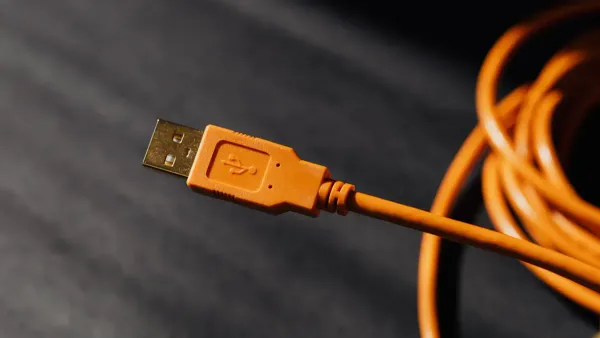
You use a micro usb connector every time you charge your device or transfer files. Micro usb has become a standard part in many electronic components, especially in integrated circuits found in smartphones, tablets, and cameras. Understanding the usb connector micro usb helps you choose the right cable and spot key features that affect performance. A micro usb cable links your device to power or data sources. You see micro usb in many gadgets because it offers reliable connections and supports essential functions in modern electronics.
Key Takeaways
- Micro USB connectors are widely used in devices like smartphones and cameras for charging and data transfer. They support up to 480 Mbps data speeds and can handle power delivery of up to 2 amps.
- Durability is a key feature of micro USB connectors, allowing for about 10,000 connect-disconnect cycles. This makes them ideal for devices that require frequent charging.
- When choosing a micro USB cable, ensure compatibility with your device's port and check the USB standard for optimal performance. Look for reputable brands to ensure safety and reliability.
- Proper maintenance can extend the life of your micro USB cables. Store them in a cool, dry place, use cable protectors, and clean connectors regularly to prevent damage.
- Micro USB remains relevant in budget and legacy devices, despite the rise of USB-C. It offers a cost-effective solution for reliable charging and data transfer.
USB Connector Micro USB Overview
What Is Micro USB?
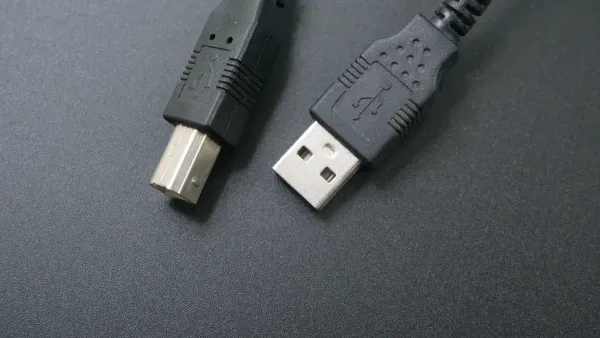
You see micro usb connectors in many electronic devices. This small connector helps you link your gadgets to power sources and transfer data. The usb connector micro usb became popular because it fits well in compact electronics. You find it in smartphones, tablets, cameras, and other portable devices. Micro usb connectors use five contacts to manage power and data. Manufacturers use materials like LCP for the housing and copper alloy for the terminals. These choices help improve durability and performance in integrated circuits.
Tip: Micro usb connectors are designed for repeated use. You can connect and disconnect them up to 10,000 times without losing reliability.
Types of Micro USBs
You encounter several types of micro usbs in the electronics industry. The usb connector micro usb comes in horizontal and vertical orientations. You see surface mount and through hole mount designs. Surface mount types work best for printed circuit boards (PCBs) that cannot be drilled. You also find top, mid, and bottom mount configurations. The bottom mount is the standard in most devices. Some micro usb connectors use pure surface mount designs, which help with compatibility in modern integrated circuits. Signal pins carry up to 1.0 amp, while power pins can handle up to 1.8 amps. These features make micro usb connectors versatile for different electronic components.
How Micro USB Works
You use a micro usb cable to connect your device to a charger or computer. The usb connector micro usb transfers both power and data through its five contacts. When you plug in the cable, the connector aligns with the contacts inside your device. This action allows electricity to flow and data to move between devices. Micro usb connectors support up to 1.25A of power and transfer speeds up to 480mbps. You benefit from a low profile height of 2.35mm, which helps fit the connector into slim devices. The table below shows the main technical specifications for micro usb connectors:
| Specification | Details |
|---|---|
| Power | 1.25A |
| Speed | 480mbps |
| Mating Cycles | 10,000 |
| Low Profile Height | 2.35mm |
| Connector Types | Type AB, Type B |
| PCB Orientations | Top, Middle, Bottom, Reverse Horizontal, Vertical |
You rely on the usb connector micro usb for charging and data transfer in many electronics. The design supports compatibility with a wide range of devices. Micro usbs remain important in integrated circuits and electronic components, especially in budget and legacy devices.
Micro USB Features
Power Delivery
You rely on micro usb connectors for safe and steady power delivery in many electronic components. These connectors support up to 2 amps of current and 5 volts of voltage. This means you can deliver a maximum of 10 watts of power to your devices. Many smartphones, tablets, and cameras use micro usb cable for charging because it fits well in compact designs and provides enough power for daily use.
| Specification | Value |
|---|---|
| Maximum Current | 2 Amps |
| Voltage | 5 Volts |
| Maximum Power | 10 Watts |
Micro usb connectors help you charge devices efficiently. You see them in integrated circuits where space is limited, but reliable charging is essential. Although newer connectors can handle more power, micro usb remains a popular choice for budget and legacy devices.
Note: If you use a micro usb cable with a device that needs more power, charging may take longer. Always check your device’s requirements before choosing a cable.
Data Transfer
Micro usb connectors make it easy for you to move data between devices. You can transfer files, photos, and music using a micro usb cable. These connectors support USB 2.0, which gives you data transfer speeds of up to 480 Mbps. Some micro usb connectors can even support USB 3.0 speeds, but most devices use the standard USB 2.0 rate.
- Micro usb supports USB 2.0 speeds of up to 480 Mbps.
- In some cases, micro usb can support USB 3.0 speeds.
- USB-C supports SuperSpeed USB with transfer rates of up to 10 Gbps.
- USB-C is preferred for high-speed data transfers.
You find micro usb connectors in many electronic components because they balance speed and compatibility. While USB-C offers faster data transfer speeds, micro usb remains useful for charging and data transfer in many devices. You can trust micro usb for reliable performance in integrated circuits and portable electronics.
Durability
Durability is one of the key features that make micro usb connectors popular in the electronics industry. You can connect and disconnect a micro usb cable about 10,000 times before it wears out. This long lifespan suits devices that need frequent charging and data transfer.
- The average lifespan of a micro usb connector is approximately 10,000 connect-disconnect cycles.
Several factors help micro usb connectors last longer:
| Factor | Description |
|---|---|
| Quality of Materials | High-quality materials enhance lifespan and performance of the connectors. |
| Construction | Robust construction reduces the likelihood of fraying and breakage. |
| Design Features | Reinforced connectors minimize stress at the ends, preventing damage. |
| Braided Cables | Braided designs resist tangling and wear, ideal for daily use. |
You benefit from these design choices in your everyday devices. Micro usbs remain a top pick for portable electronics because they combine durability, reliable charging, and data transfer. You can use them in integrated circuits and electronic components where space and reliability matter.
Tip: To extend the life of your micro usb cable, avoid bending the connector sharply and unplug it gently.
Micro USB Cable Uses
Everyday Devices
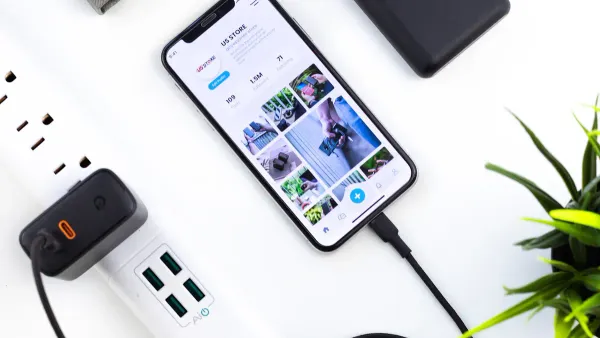
You see micro usb cables in many everyday devices. These cables help you with charging and data transfer, making them essential in your daily routine. Here are some common uses of micro usb cables in portable electronics:
- Smartphones
- Tablets
- Bluetooth speakers
- E-readers
- GPS units
- Digital cameras
- Portable game consoles
You rely on micro usb for connecting these devices to power sources or computers. The usb connector design fits well in compact electronics, supporting integrated circuits that need efficient charging and data transfer. Many devices use micro usb because it offers compatibility with a wide range of charging cables and accessories.
Accessories
You use micro usb cables with many accessories. These include mobile accessories, charging kits, and power banks. You find micro usb connectors in tablet chargers and data cables, which help you keep your devices powered and connected.
This simple add-on for the Syllucid Charge: Cable makes charging all your micro USB accessories even easier.
Accessories - On the Go Micro USB Connector I SunRADON
Micro usb cables also support fast charging cables for devices that need quick power delivery. You benefit from the versatility of micro usb in electronic components, especially when you need reliable charging and data transfer for your accessories.
Legacy and Budget Devices
You still find micro usbs in budget and legacy devices. Manufacturers choose micro usb connectors for their durability and compact size. These features make micro usb a practical choice for devices that prioritize cost-effectiveness and compatibility with existing infrastructure. You see micro usb cable used in older smartphones, tablets, and wearables.
| Aspect | Legacy Devices | New Products |
|---|---|---|
| Prevalence of Micro USB | Significant in cost-sensitive wearables | Increasingly adopting USB Type-C |
| Market Share | Steadily losing to USB Type-C | Gaining due to usability and speed |
You notice the market for USB C to micro usb adapters is growing. This trend shows the need for backward compatibility as manufacturers move toward newer usb standards. Micro usb remains important in electronic components and integrated circuits, especially in devices that need affordable and reliable charging and data transfer.
Micro USBs vs Other USB Types
Micro USB vs USB-C
You often see micro USB and USB-C connectors in modern devices. Both play important roles in electronic components and integrated circuits. Micro USB vs USB-C shows clear differences in speed, power, and design. Micro USB supports data transfer speeds up to 480 Mbps, while USB-C reaches up to 10 Gbps. You get limited power delivery with micro USB, but USB-C offers high power delivery for fast charging. The design of micro USB is non-reversible, so you must align it correctly. USB-C has a reversible and smaller design, making it easier to use.
| Feature | Micro USB | USB-C |
|---|---|---|
| Data Transfer Speed | Up to 480 Mbps | Up to 10 Gbps |
| Power Delivery | Limited | High power delivery |
| Connector Design | Non-reversible | Reversible and smaller |
You notice USB-C supports higher power currents, up to 3.0 A, and can negotiate power delivery. Micro USB supports up to 900 mA. USB-C cables work for many devices, reducing cable complexity. Micro USB requires different types for different devices.
Micro USB vs Mini USB
You may remember mini USB connectors from older devices. Micro USB replaced mini USB in many electronic components because it is smaller and more durable. Micro USB measures 6.85 x 1.8 mm, while mini USB is larger and anvil-shaped. Micro USB lasts for about 10,000 connect-disconnect cycles, but mini USB is less durable. Micro USB supports faster data transfer rates and works with USB On The Go, which mini USB does not.
| Feature | Micro USB | Mini USB |
|---|---|---|
| Year Introduced | 2007 | 2005 |
| Size | 6.85 x 1.8 mm | Larger, anvil-shaped |
| Durability | 10,000 cycles | Less durable |
| Transfer Rate | Up to 480 Mbps | Slower |
| USB On The Go Support | Yes | No |
| Current Status | Widely used | Deprecated |
Pros and Cons
You find micro USB connectors in many devices because they are easy to find and work with older electronics. Micro usbs offer wide compatibility and simple charging for integrated circuits. However, micro USB is not reversible and has slower data transfer speeds than USB-C.
-
Advantages of micro USB:
- Widespread adoption in electronic components.
- Easy to find cables and accessories for many devices.
-
Disadvantages of micro USB:
- Not reversible, so you must align the connector.
- Slower data transfer speeds and limited power delivery.
Note: Micro USB remains popular for compatibility with legacy devices, but USB-C offers better speed, power, and design for new electronics.
Choosing and Maintaining Micro USB Cable
Selection Tips
When you choose a micro usb cable for your devices, you need to consider several important factors. The right cable helps your electronic components work safely and efficiently. You should check the type of usb connector your device uses. Some cables have USB-A, USB-B, or USB-C connectors, so you must match the cable to your device’s port. You also need to look at the usb standard. If you connect devices from different generations, the cable will use the lowest usb standard. This affects how fast you can transfer data and how well your devices charge.
| Criteria | Description |
|---|---|
| Types of Micro USB Cables | Includes USB-A, USB-B, and USB-C types, which have different connectors. |
| USB Standards | Cables adopt the lowest USB standard when used with cross-generation devices. |
| Compatibility with MHL | Important to check if devices are compatible with MHL before purchasing specific cables. |
| Data Transfer Needs | Consider whether to choose USB 2.0 or USB 3.0 based on required data transfer capabilities. |
You should also look for reputable brands. Monoprice Premium, iSeeker Braided Cable, ToughTested Pro, Electronic Master, UGREEN Premium, and Cable Matters Durable offer reliable cables for your devices. These brands add safety features to prevent overcharging, overheating, and short-circuiting. This protects your electronic components and integrated circuits during charging and data transfer.
Tip: Always check your device’s manual for compatibility before buying a new micro usb cable.
Maintenance Advice
You can extend the life of your micro usb cables with simple care. Store cables in a dry, cool place to avoid humidity damage. Use cable protectors to stop fraying at the ends. Handle cables gently and never pull on the cable itself. Do not force connectors into ports, as this can damage your devices and electronic components. Keep your devices still while charging to reduce strain on the cable. Clean connectors with a soft cloth or isopropyl alcohol to remove dust. Inspect cables often for wear or damage.
- Store cables in a dry, cool place
- Use cable protectors
- Handle cables gently
- Do not force connectors into ports
- Keep devices stationary while charging
- Clean connectors regularly
- Inspect cables for wear or damage
- Invest in high-quality, certified cables
You should watch for signs of wear, such as frayed wires, damaged connectors, bent pins, or rust. If you see any of these problems, replace the cable to keep your devices safe.
Note: Good maintenance helps your micro usb cables last longer and keeps your electronic components working well.
You benefit from micro usb connectors because of their compact design, wide compatibility, and plug-and-play features. These connectors remain important for electronic components in devices like cameras, GPS units, and Bluetooth headphones.
| Type of Micro USB Connector | Common Uses |
|---|---|
| Micro USB Type-A | Digital cameras, GPS units |
| Micro USB Type-B | Android phones, Bluetooth headphones, power banks |
| Micro USB 3.0 Type-B | Portable hard drives, external storage devices |
Choose micro usb for budget devices or when you need reliable charging and cost-effective solutions. You help reduce electronic waste by using durable cables and considering eco-friendly options. For legacy electronics, micro usb still offers the best balance of price and performance.
FAQ
What devices use micro USB connectors?
You find micro USB connectors in smartphones, tablets, cameras, Bluetooth speakers, and GPS units. Many electronic components and integrated circuits in these devices rely on micro USB for charging and data transfer.
Can micro USB cables transfer both power and data?
Yes, micro USB cables support both charging and data transfer. You can use one cable to power your device and move files between devices. This makes micro USB useful in many electronic components.
How long does a micro USB connector last?
A micro USB connector usually lasts for about 10,000 connect-disconnect cycles. You benefit from this durability in devices that need frequent charging or data transfer, such as portable electronics.
Is micro USB still used in new electronics?
You still see micro USB in budget and legacy devices. Many new products now use USB-C, but micro USB remains important for cost-effective electronic components and integrated circuits.
How do I know if my device uses micro USB?
Check your device’s charging port. Micro USB ports have a small, flat, and slightly tapered shape. You can also look in your device manual or search the model online for connector details.