What Is PCM Audio and How Does It Work
Pulse-Code Modulation (PCM) is the foundational method for converting analog audio signals into a pure, uncompress
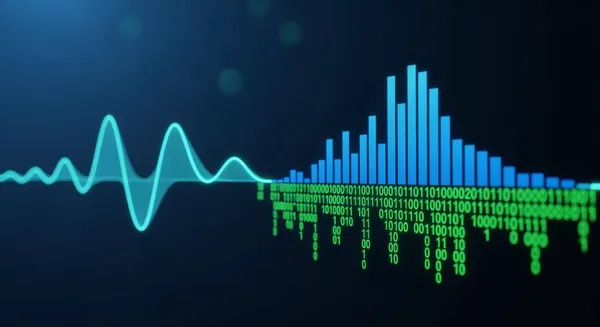
Pulse-Code Modulation (PCM) is the foundational method for converting analog audio signals into a pure, uncompressed digital signal. This process creates high-quality audio. So, what is pcm audio? It is the purest form of digital audio, ensuring excellent sound quality. This PCM audio has a superior quality.
Think of a PCM signal as a perfect, high-resolution digital photograph of a sound wave. This pulse code modulation audio captures the original audio quality without loss, creating high-fidelity (hifi) high resolution audio.
This is why PCM is the standard digital audio format found on CDs and Blu-rays. Devices use these digital signals to deliver superior sound quality. PCM audio is the benchmark for quality. The sound quality of PCM audio is unmatched.
Key Takeaways
- PCM audio is a pure, uncompressed digital sound. It gives you the best sound quality.
- PCM works by taking many snapshots of sound (sampling) and measuring their detail (bit depth). This makes a very accurate digital copy.
- Choose PCM for clear stereo sound, gaming, or if your audio system is older. It helps reduce sound delays in games.
- Use Bitstream if you have a new sound system that supports advanced surround sound like Dolby Atmos. This lets your system create immersive audio.
- The best audio setting depends on your equipment. PCM is great for pure sound, while Bitstream is for advanced surround sound.
The Science of PCM: Pulse-Code Modulation

The magic of Pulse-Code Modulation (PCM) happens through a two-step process. It first samples an analog audio wave and then quantizes it. This method turns a smooth, continuous sound wave into a precise digital signal. Understanding these steps helps explain what is pcm audio and why it delivers such high-quality audio. This process is fundamental to modern digital audio.
What is PCM Audio?
At its core, PCM audio is a direct digital representation of a sound wave. The process of pulse code modulation does not compress the audio data. This means the resulting digital signal retains all the original information. Think of it as a perfect digital blueprint of the sound. Because no data is lost, PCM audio provides excellent sound quality for playback. This makes it a benchmark for high-fidelity audio applications. The quality of PCM is what makes it the standard for CDs and other high resolution audio formats.
Sampling: Taking Snapshots of Sound
The first step in creating PCM audio is sampling. This process takes thousands of snapshots, or samples, of the analog audio wave every second. The rate of these snapshots is the sampling rate, measured in Hertz (Hz).
According to the Nyquist-Shannon sampling theorem, the sampling rate must be at least twice the highest frequency of the sound being recorded. Since human hearing tops out around 20,000 Hz (20 kHz), the standard for CD audio was set at 44,100 Hz (44.1 kHz).
This rate ensures the digital audio captures every detail the human ear can perceive. A higher sampling rate provides even more accuracy for high-frequency sounds, resulting in superior sound quality. This process creates the foundational data for the PCM signal.
Bit Depth: Capturing Audio Detail
The second step is quantization, which is determined by bit depth. After the audio is sampled, each sample is assigned a numerical value. Bit depth defines the number of possible values each sample can have. A higher bit depth provides more possible values, allowing for a more accurate measurement.
This process inherently introduces a tiny error, known as quantization noise, which is the difference between the original analog level and its rounded digital value. Increasing the bit depth reduces this noise and lowers the noise floor, improving the overall sound quality.
| Bit Depth | Possible Values | Dynamic Range |
|---|---|---|
| 16-bit | 65,536 | 96 dB |
| 24-bit | Over 16 million | 144 dB |
A 16-bit depth, used for CDs, offers excellent quality. However, 24-bit PCM audio provides a much wider dynamic range, capturing subtle details more effectively and resulting in pristine pcm audio quality. This is why many modern pcm file formats and professional audio applications use 24-bit or higher.
These complex audio processing tasks are handled by specialized integrated circuits (ICs) and system-on-chips (SoCs inside your devices). Nova Technology Company (HK) Limited, a HiSilicon-designated solutions partner, provides such chip-level solutions and system integration. They effectively bridge the gap between the science of PCM and the circuitry that brings high-quality audio to life in consumer electronics.
PCM vs. Bitstream Audio
When setting up a home theater system, users often face a choice between PCM and Bitstream audio output. Understanding the difference is key to achieving the best sound quality for your specific equipment. The main distinction lies in which device does the decoding work: the source device or the audio receiver.
PCM: The Ready-to-Play Signal
PCM audio is a fully decoded, uncompressed digital signal. Source devices like Blu-ray players and game consoles can decode audio formats internally. For example, a Blu-ray player set to PCM converts a disc's audio track into a pure PCM signal before sending it. The player does all the heavy lifting.
This ready-for-playback digital audio is then sent to a soundbar or AV receiver. Transmitting multichannel PCM audio requires significant bandwidth. An HDMI connection can carry eight channels of uncompressed 24-bit PCM audio, which uses about 37 Mbps of bandwidth. This high-quality audio stream ensures excellent sound quality without any further processing needed by the receiver. The quality of this PCM audio is superb for many applications.
Bitstream: The Encoded Audio Package
Bitstream is a compressed, encoded digital audio package. Instead of decoding the audio itself, the source device passes the raw, encoded data directly to an AV receiver or soundbar. This method is like sending a locked box of audio data for the receiver to open and assemble.
What is PCM audio's alternative? Bitstream. Formats like Dolby Atmos use bitstream to package complex audio information. This includes a core audio track, metadata for 3D audio objects, and height channel information. An Atmos-enabled receiver then uses this data to create an immersive soundfield. This process allows for advanced, object-based audio playback that PCM cannot transmit in the same way.
Key Differences for Your Setup
Choosing between PCM and Bitstream depends entirely on your hardware. A modern AV receiver with advanced decoding capabilities will benefit from a Bitstream signal. An older receiver or a direct TV connection often works best with PCM. Any HDMI connector can carry multichannel PCM audio if the player decodes it. However, lossless bitstream formats like Dolby TrueHD require at least HDMI 1.3.
This table summarizes the core differences to help you decide.
| Feature | PCM (Pulse-Code Modulation) | Bitstream (Dolby/DTS) |
|---|---|---|
| Who Decodes? | The source device (e.g., PS5, Blu-ray Player) | The audio receiver or soundbar |
| Primary Use Case | High-quality stereo and standard 5.1/7.1 surround sound. | Advanced formats like Dolby Atmos and DTS:X. |
| Connection | HDMI can carry multichannel PCM. | HDMI 1.3+ needed for lossless formats. eARC often required for Atmos. |
Ultimately, the choice impacts your audio experience. PCM provides a pure, high-quality audio signal decoded at the source, while Bitstream enables advanced surround sound features by letting your receiver handle the complex digital signals.
PCM Audio in Everyday Use: Which Setting to Choose?
Choosing the right audio setting can feel complicated, but it comes down to your specific hardware and what you want to achieve. The choice between PCM and Bitstream determines which device decodes the audio and ultimately shapes your listening experience. Understanding pcm audio in everyday use helps users get the best possible sound quality from their entertainment system.
When to Use PCM Audio
Users should select the PCM audio setting in several common situations to ensure the best performance and compatibility. PCM provides a direct, uncompressed digital audio stream, making it a reliable choice for high-quality playback.
The primary reason to choose PCM is for pure, uncompromised audio quality. PCM is uncompressed audio. Formats like Dolby Digital use lossy compression. This difference means that PCM inherently offers superior sound quality when comparing different encodings of the same sound mix. For listening to stereo music or content on high-fidelity audio systems, a PCM signal delivers the purest representation of the original recording.
Compatibility is another major factor. Many devices work best with or only support PCM audio.
- Older Equipment: Older AV receivers, such as models from the 1990s or even those from a decade ago, often lack support for modern formats like Dolby Atmos or DTS:X. Sending a PCM signal allows the source device (like a Blu-ray player) to decode the audio and send a format the receiver can understand.
- TV Speakers: PCM audio is the best option for devices using only the standard built-in television speakers. Its lack of compression prevents the muted tones and reduced audio clarity that can occur when a TV tries to process a compressed Bitstream signal.
- Device Mismatches: Sometimes, certain devices are not compatible with a specific Dolby or DTS format. Setting the audio output to PCM can resolve these digital handshake issues, ensuring consistent sound. Almost all Audio/Video Receivers (AVRs) are PCM-compatible, making it a universal solution.
When to Use Bitstream (Dolby/DTS)
The Bitstream setting is essential for anyone with a modern soundbar or AV receiver capable of decoding advanced audio formats. This setting passes the raw, encoded audio data directly to your audio equipment, unlocking a more immersive audio experience.
Bitstream is the key to hearing object-based surround sound formats like Dolby Atmos and DTS:X. These advanced audio technologies add height channels to create a three-dimensional soundscape. Many popular Blu-ray discs and streaming services use these formats to create breathtaking audio.
Movies and Shows with Advanced Audio:
- War for the Planet of the Apes (Dolby Atmos)
- Waterworld (DTS:X)
- Westworld: Season 3 (Dolby Atmos)
- Wonder Woman 1984 (Dolby Atmos)
- Zombieland: Double Tap (DTS:X)
- Zootopia (Dolby Atmos)
To enjoy these formats, your system needs to support Bitstream passthrough. Modern TVs use a feature called eARC (Enhanced Audio Return Channel) for this purpose.
- eARC is an advanced feature of the HDMI 2.1 standard.
- It allows a TV to send high-resolution audio, including Dolby Atmos and DTS:X, to a compatible soundbar or receiver.
- The increased bandwidth of eARC delivers a more complete and vibrant sound experience than the older ARC standard.
Optimizing PCM for Gaming
For competitive gaming, audio latency can mean the difference between winning and losing. Audio latency is a critical factor in fast-paced games where quick reactions are essential. This is where selecting PCM audio provides a distinct advantage.
In first-person shooters (FPS) like Valorant and Counter-Strike, players rely on crucial audio cues such as footsteps and gunshots for situational awareness. A delay in that audio puts a player at a tactical disadvantage. Choosing the PCM setting on a game console minimizes this delay. The console decodes the audio internally and sends a ready-to-play digital signal to the TV or receiver. This process eliminates the extra processing step that a receiver would need to decode a Bitstream signal, resulting in faster, more synchronized audio. This optimization ensures gamers hear what they see in near-perfect time.
Quick Guide: How to Change Audio Settings
Here are the basic steps for changing the audio output on popular devices. Menus may vary slightly by model and software version.
PlayStation 5
- Go to
Settings>Sound.- Select
Audio Output>HDMI Device Type.- Choose your device (e.g.,
AV amplifier).- Under
Audio Format (Priority), selectLinear PCM.Xbox Series X/S
- Press the Xbox button and go to
Profile & system>Settings.- Select
General>Volume & audio output.- Under
Speaker audio, setHDMI audiotoStereo uncompressedfor stereo PCM or5.1/7.1 uncompressedfor multichannel PCM.
- Press the
Settingsbutton on the remote.- Go to
All Settings>Sound.- Select
Advanced Settings.- Set
Digital Sound OutputtoPCM.
Ultimately, the choice between PCM and Bitstream depends on your gear. PCM offers the highest quality for stereo and standard surround applications and is ideal for gaming. Bitstream is necessary for experiencing the latest immersive audio formats on a capable high-fidelity audio system.
Pulse-code modulation (PCM) creates a pure digital signal. This PCM audio is uncompressed audio, decoded by a source device. The resulting PCM signal provides excellent sound quality. For the best stereo audio and gaming audio, PCM is the top choice. This PCM audio ensures superior sound quality. Choose Bitstream to let a modern receiver handle advanced audio signals. Readers now understand pulse code modulation and this digital audio. They can optimize their setup for the best digital audio quality. This knowledge of PCM audio and PCM settings empowers users to achieve the highest sound quality from their digital devices. The quality of PCM audio is unmatched. PCM, PCM, PCM, PCM, PCM, PCM.
FAQ
What is the main benefit of PCM audio?
The main benefit of PCM audio is its excellent sound quality. This digital audio format is uncompressed. It provides a pure audio signal. This results in superior sound quality. The quality of the PCM audio is very high.
Does PCM improve all audio?
PCM ensures high-quality audio playback. It preserves the original audio quality. However, the final sound quality also depends on the source recording. A poor recording will still have low sound quality, even with PCM. The audio quality is key.
Is PCM or Bitstream better for sound quality?
PCM audio offers the best uncompressed sound quality for stereo and standard surround audio. Bitstream is necessary for advanced audio formats. The choice depends on the user's equipment. The sound quality of PCM is excellent.
Why is PCM good for gaming audio?
Gamers choose PCM to reduce audio delay. The console decodes the digital audio directly. This process sends a ready-to-play PCM signal. It improves the sound quality and responsiveness of the game's audio. This quality makes a difference for PCM audio.