XL4015 Datasheet: Circuit, Schematic, Characteristics, and Applications
You use the XL4015 IC when you want a steady step-down dc-to-dc converter for your projects. This strong step-down device helps you change a higher input voltage to a lower, adjustable output voltage with good efficiency.
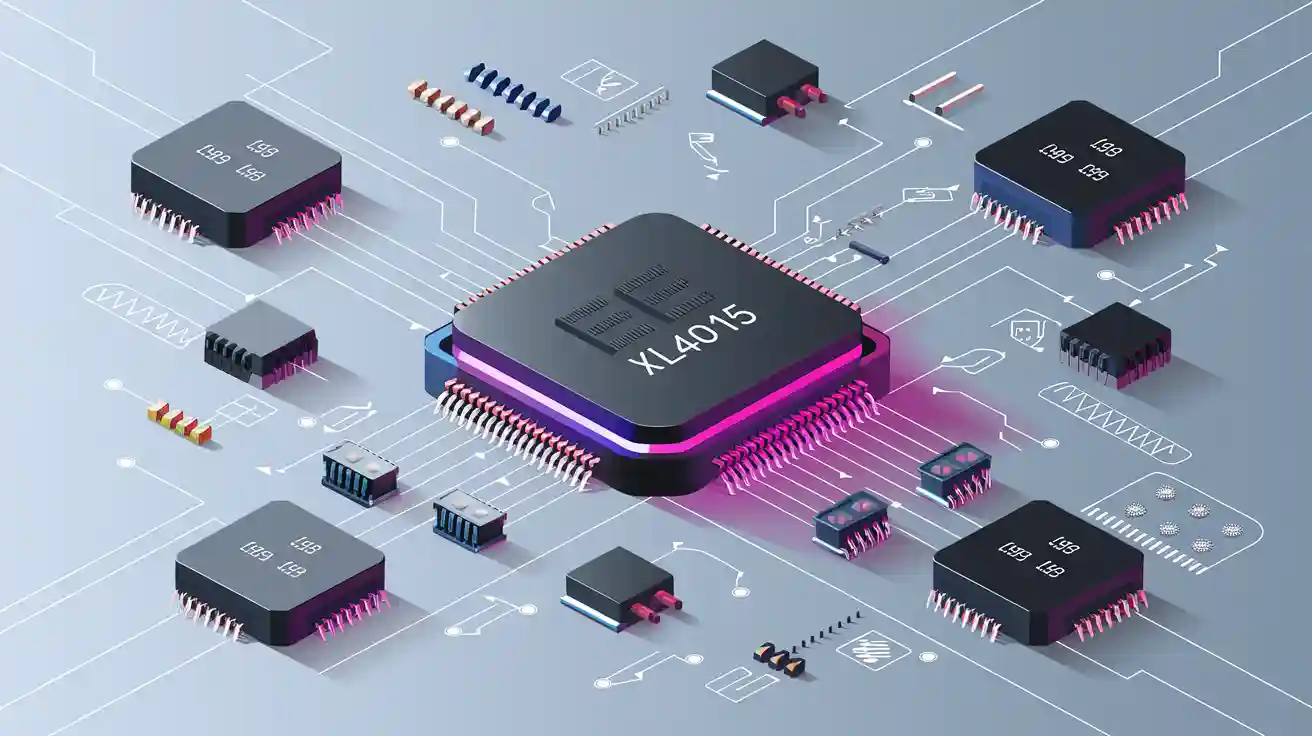
You use the XL4015 IC when you want a steady step-down dc-to-dc converter for your projects. This strong step-down device helps you change a higher input voltage to a lower, adjustable output voltage with good efficiency. The XL4015 IC works with input voltages from 4V to 38V and can give up to 5A output current. You can get up to 96% efficiency, so it is great for adjustable power supply designs and charging batteries. Many engineers choose the XL4015 IC for power supply circuits, high-efficiency output current needs, and other dc-to-dc converters.
|
Parameter |
Typical Range / Value |
|---|---|
|
Input Voltage |
4V to 38V |
|
Output Voltage |
Adjustable 1.25V to 36V |
|
Output Current |
Maximum 5A |
|
Efficiency |
Up to 96% |
The XL4015 datasheet explains why this IC is special. You can use it in step-down circuits where you need steady output and high current. The XL4015 IC gives you steady power for many output needs, so it is a top pick for adjustable power supply and battery charging projects.
Key Takeaways
-
The XL4015 is a step-down converter. It changes input voltages from 4V to 38V. It gives a steady output voltage from 1.25V to 36V.
-
It can give up to 5A output current. Its efficiency can reach up to 96%. This makes it good for power supplies and battery charging. It is also used for LED drivers and microcontroller projects.
-
The IC has built-in protections. These include over-current limit and thermal shutdown. It also has short-circuit protection. These features help keep your circuit safe.
-
To set it up right, use the correct capacitors. Use a heatsink if the current is above 2A. Adjust voltage and current limits with potentiometers.
-
Some common mistakes can cause problems. These include using long wires or missing capacitors. Turning it on with a heavy load is also bad. Always check your connections. Test with a dummy load first.
XL4015 Datasheet Overview
XL4015 IC Basics
You can use the XL4015 IC if you need a steady pwm buck converter for your projects. This IC is a strong step-down regulator. It takes in many different input voltages and gives a steady output voltage. The XL4015 IC switches at a fixed 180 kHz rate. You can set the output voltage from 1.25V to 36V. The highest output current is 5A, so it works for many power supply jobs. The XL4015 IC uses a buck design with a built-in power MOSFET. You can find this IC in battery chargers, LED drivers, and small adjustable power supplies.
Note: You can get the XL4015 datasheet from trusted places like Datasheet Hub. Always check the official datasheet for the newest technical details and tips.
Here is a list of the main features:
|
Aspect |
Description |
|---|---|
|
IC Type |
High-power step-down (buck) DC-to-DC converter |
|
Switching Frequency |
Fixed 180 kHz PWM |
|
Output Current |
Up to 5A |
|
Output Voltage |
Adjustable, from 1.25V up to 32V |
|
Input Voltage Range |
8V to 36V DC |
|
Efficiency |
Up to 96% |
|
Topology |
Buck converter with internal optimized power MOSFET |
|
Protection Features |
Over-current limit, thermal shutdown, output short-circuit protection |
|
PWM Control |
Duty cycle adjustable linearly from 0 to 100% to regulate output voltage and current |
|
Internal Features |
Fixed-frequency oscillator, internal frequency compensation, soft-start |
|
Pin Configuration |
8 pins including GND, Feedback (FB), Switch output (SW), Voltage regulator bypass (VC), VIN |
|
Applications |
Battery charging, LED driving, small adjustable power supply, telecom and networking equipment |
|
Advantages |
High efficiency, minimal external components, excellent line and load regulation |
|
Operating Temperature |
-40°C to +85°C |
Key Specifications
You should check the technical details before using the XL4015 IC. The XL4015 datasheet shows the most important numbers for safe use. Here are the main points:
-
Input voltage range: 4V to 38V (wide input range)
-
Output voltage can be set from 1.25V to 36V
-
Maximum output current: 5A (best to use up to 4.5A)
-
Output power should stay under 75W (use a heat sink if above 50W)
-
Efficiency can reach up to 96%, based on input and output
-
Load regulation: 0.8%
-
Voltage regulation: 0.8%
-
Current limit feature up to 8A
-
Thermal protection is turned on
-
Power LED shows if power is on
-
No reverse polarity protection
-
Size: 54 x 23 x 18 mm
The XL4015 IC gives a steady output with low ripple and good control. You can expect the output voltage ripple to be up to 30mV and load regulation of ±0.5%. The regulator also gives voltage regulation of ±2.5%. Test data shows the XL4015 IC can reach about 95% efficiency when used well. You should always use good cooling for safe use, especially if you use the IC near its highest current or power.
Pinout & Schematic
XL4015 Pinout
When you work with the XL4015 IC, you need to know each pin and its job in the circuit. The XL4015 IC has five main pins. Each pin helps the circuit run smoothly and safely. Here is a table that shows the pin number, name, and what each pin does:
|
Pin Number |
Pin Name |
Function Description |
|---|---|---|
|
1 |
GND |
Ground pin. Connect this pin outside the Schottky diode to the output capacitor ground path. This helps prevent voltage noise from switching current spikes. |
|
2 |
FB |
Feedback pin. This pin senses the output voltage through a resistor divider. It helps the XL4015 IC regulate the output. The feedback threshold is 1.25V. |
|
3 |
SW |
Power switch output pin. This pin supplies power to the output. |
|
4 |
VC |
Internal voltage regulator bypass pin. You usually connect this pin to VIN with a 1µF capacitor. |
|
5 |
VIN |
Supply voltage input pin. The XL4015 IC works from 8V to 36V DC. Use a large capacitor here to reduce noise. |
Tip: Always double-check your connections before powering up your circuit. A wrong pin connection can damage the XL4015 IC.
Typical Circuit Diagram
You can build a reliable step-down circuit using the XL4015 IC. This circuit lets you turn a higher voltage into a lower, steady voltage. The XL4015 IC works as a pwm buck converter, which means it uses fast switching to keep the output stable and efficient.
Here are the main parts you need for a typical XL4015 IC step-down circuit:
-
XL4015 IC (the heart of the buck converter)
-
SS54 Schottky diode (protects and improves efficiency)
-
Inductor (stores energy and smooths current)
-
Capacitors (470uF, 10uF, 0.1uF) (reduce voltage ripple and noise)
-
Feedback resistors (set the output voltage)
-
Potentiometers (let you adjust voltage and current)
-
78L05 voltage regulator (provides a steady 5V for control)
-
LM358 operational amplifier (helps with current sensing)
-
TL431 programmable reference (improves voltage accuracy)
-
LEDs (show power and status)
-
Screw terminals (make wiring easy)
You connect the input voltage to the VIN pin. The inductor and Schottky diode work with the XL4015 IC to create a smooth output. The feedback resistors and potentiometers let you set and fine-tune the output voltage. The capacitors filter out noise and keep the circuit stable. The LM358 and TL431 help with current and voltage control. LEDs show you if the circuit is working.
Note: Always use the right values for each component. This keeps your step-down circuit safe and efficient.
Features & Protections
XL4015 IC Features
The xl4015 ic has many useful features. These features help it work well in power supply projects. The table below lists what makes this regulator special compared to others:
|
Feature |
Description |
|---|---|
|
Input Voltage Range |
|
|
Output Voltage Range |
Adjustable from 1.25 to 35V |
|
Maximum Output Current |
Up to 4.5A peak, continuous operation at 4A recommended |
|
Built-in Protections |
Over current limiting, thermal shutdown |
|
Switching Frequency |
Approximately 180kHz, reducing interference |
|
On-board Display |
Built-in red voltmeter showing input and output voltage with ±0.1V accuracy |
|
User Interface |
Multi-turn potentiometer for precise voltage adjustment; two buttons to control display modes |
|
Indicators |
Green power LED, red LEDs indicating voltage display mode |
|
Thermal Management |
Comes with an adhesive heatsink for the IC; voltmeter display blanks as thermal warning |
|
Connection Terminals |
Screw terminals for easy wiring |
|
Efficiency |
Ranges from 73% to 96% depending on load and conditions |
|
Additional Features |
Reverse polarity protection diode; module dimensions 65 x 37 x 14mm; includes mounting hardware |
You can use the xl4015 ic in lots of ways because of these features. It works with many input voltages and can give high current. The voltmeter and display help you see your settings easily. You can change the output using the multi-turn potentiometer. This regulator keeps voltage and current steady. Your devices stay safe and work well.
Protection Functions
The xl4015 ic has several protections to keep your circuit safe. You do not need to worry about too much current or heat. It has current limit, thermal shutdown, and soft-start features. These protections help when you use the xl4015 ic in battery chargers, LED drivers, and power supplies.
Many xl4015 ic modules have even more protections. These include over-current, over-voltage, reverse polarity, short circuit, and over-temperature protection. The table below shows the main protections:
|
Protection Function |
Description/Details |
|---|---|
|
Over-current protection |
Stops damage from too much current |
|
Over-voltage protection |
Prevents output voltage from going too high |
|
Reverse polarity protection |
Protects if you connect power the wrong way |
|
Thermal shutdown |
Turns off output if the ic gets too hot |
|
Short circuit protection |
Limits current if output is shorted |
|
Over-temperature protection |
Shuts down after overheating |
|
Current limit protection |
Keeps current within safe limits |
|
Soft-start |
Reduces stress when you power up |
Tip: If you use the xl4015 ic with high current, always check the input voltage. Make sure it stays in the safe range. Use a heatsink if the current goes above 3A. Good airflow helps keep the regulator cool. Test your circuit with a dummy load before using real devices. The xl4015 ic has strong protections, but you should always set it up safely.
Application Circuit
Step-Down Circuit Example
You can make a simple step-down circuit with the XL4015. This circuit changes high voltage to a lower, steady voltage for your devices. Many people use it for adjustable power supplies or to run microcontrollers like Arduino.
Here is a table that lists the main parts and their values for a typical setup:
|
Component |
Value / Type |
Purpose |
|---|---|---|
|
XL4015 IC |
XL4015 |
Main step-down dc-to-dc converter |
|
Input Capacitor |
100µF electrolytic |
Reduces input voltage ripple |
|
Output Capacitor |
100µF electrolytic |
Smooths output voltage |
|
Inductor |
33µH, rated for 5A |
Stores energy, smooths current |
|
Schottky Diode |
SS54 or similar |
Fast switching, improves efficiency |
|
Potentiometer |
10kΩ (multi-turn) |
Adjusts output voltage |
|
Heatsink |
Small aluminum finned type |
Cools the XL4015 at high currents |
|
Load |
Arduino UNO or similar |
Example application |
Follow these steps to build and use the circuit: First, connect your input voltage source, like 12V, to the VIN and GND pins on the XL4015. Put a 100µF capacitor close to the VIN pin and another one at the output. Attach the inductor and Schottky diode as shown in the datasheet. Use a potentiometer to set the output voltage. Turn it slowly to get the value you want. Connect your load, like an Arduino, to the output. Make sure the input voltage is at least 1.5V higher than the output voltage. This helps the circuit work right. Add a heatsink to the XL4015 if you use more than 2A. Keep all wires short and tight to stop noise and problems.
Tip: Always check the direction of your connections. Wrong wiring can break the circuit or your devices.
Setup & Adjustment
You need to set up and adjust the XL4015 step-down circuit carefully for best results. Here is a simple guide to help you:
-
Connect the input power supply to the IN+ and IN- terminals. Make sure the voltage is safe for the XL4015.
-
Attach your load to the OUT+ and OUT- terminals.
-
Use a digital multimeter to check the output voltage and current.
-
Start with both the constant voltage (CV) and constant current (CC) potentiometers turned all the way left.
-
Turn on the circuit. Slowly turn the CV potentiometer right to raise the output voltage.
-
Adjust the CC potentiometer to set the current limit. This keeps your load safe from too much current.
-
If you use the circuit for charging batteries, set the output voltage to the battery’s float voltage with no load. Then, short the output and set the current limit to match the battery’s safe charging current.
-
For high current, always use a heatsink on the XL4015 chip. You can add a small fan for extra cooling.
-
Use a fuse on the input side for more safety.
Note: Changing the voltage or current may change the other setting a little. Adjust both until you get the exact values you want.
Common Mistakes and Troubleshooting
You might have some problems when building or using the XL4015 step-down circuit. Here is a table of common mistakes and how to fix them:
|
Mistake |
How to Fix or Avoid |
|---|---|
|
Powering on with a heavy load connected |
Power up with no load, then connect load |
|
Using long wires for input/output |
Keep wires short and close to the circuit |
|
Not using a heatsink at high current |
Always add a heatsink for 2A or more |
|
Missing large capacitors at input/output |
Add 100µF or larger capacitors |
|
Poor soldering or loose feedback connections |
Check and re-solder all connections |
|
Input voltage drops below output voltage |
Use a power switch to stop backfeed |
|
Soldering the module only with wires |
Solder the module right to the PCB |
|
Repeatedly turning power on/off under load |
Do not switch power under heavy load |
If your circuit does not work, first check all connections and part values. Make sure the input voltage is right and the output is not shorted. If the XL4015 or diode gets too hot, add better cooling or lower the current.
You can make your circuit last longer by using good capacitors and inductors, keeping it cool, and not going over the rated current. Many people say that with a good heatsink, the XL4015 stays cool and works well for a long time, even at 4A output.
XL4015 DC-DC Step Down Module Applications
Power Supply Uses
The xl4015 dc-dc step down module is used in many power supply projects. It changes a high voltage into a lower, steady voltage for your devices. You can use it for these things:
-
It powers LCD monitors and TVs. These need steady voltage and good cooling.
-
It gives energy to portable tools like oscilloscopes and multimeters. The module helps batteries last longer.
-
It supports telecom and networking gear. This means it gives steady power even when loads change.
-
It helps make DC power supplies for labs or workshops.
Tip: You can add more capacitors or filters to the output. This makes the voltage smoother and keeps your devices safe.
Battery Charging
The xl4015 dc-dc step down module is great for charging batteries. You can set the output voltage and current. This is important for safe charging. Most people use it to charge lithium-ion batteries. It works with both constant current (CC) and constant voltage (CV) charging. You set the voltage to match your battery’s full charge. You also set the current to a safe level.
You can use this module with a battery management system (BMS) for more safety. Always make sure the input voltage is higher than the battery voltage. This stops overcharging and keeps your batteries healthy.
Other Applications
You can use the xl4015 dc-dc step down module in many other ways. Here are some examples:
-
It powers LED lights. These need steady voltage and low ripple.
-
It runs audio equipment. Clean power gives better sound.
-
It drives motors in small robots or electronics.
-
It gives power to tube amplifier filaments.
|
Application Area |
Why Use XL4015? |
|---|---|
|
LED Lighting |
Stable, low-ripple output |
|
Audio Equipment |
Clean power for sensitive circuits |
|
Robotics |
Adjustable voltage for motors |
|
Microcontroller Projects |
Reliable power for development boards |
You can use this module in almost any project that needs steady DC voltage. It is efficient and has built-in protections. This makes it a good choice for many electronics today.
With the XL4015, you get good efficiency and can change the voltage and current easily. It also has strong safety features. Look at the table below for a quick look:
|
Feature |
XL4015 Benefit |
|---|---|
|
Efficiency |
Up to 96%, low heat, energy-saving |
|
Adjustability |
Wide input/output range, easy voltage/current setup |
|
Protection |
Overcurrent, thermal, and short-circuit safeguards |
There are some things you should remember:
-
This IC might not work for every battery charging job.
-
It is not sure if you can always buy this IC in the future.
If you want to try something else, here are some choices:
|
IC/Module |
Key Feature |
|---|---|
|
Adjustable, popular, 3A output |
|
|
MC34063A |
Versatile, step-up/down/inverting |
|
XL4005E1 |
High efficiency, adjustable output |
Always read the datasheet before you start. Test your circuit to make sure it works well. Trying different things helps you learn and make better projects.
FAQ
What is the maximum input voltage for the XL4015?
You can use up to 38V as the input voltage. Always check your power source before connecting it. Using a higher voltage may damage the IC.
How do you adjust the output voltage on an XL4015 module?
You turn the onboard potentiometer to set the output voltage. Use a multimeter to check the voltage as you adjust. Turn slowly for fine control.
Can you use the XL4015 to charge lithium-ion batteries?
Yes, you can charge lithium-ion batteries. Set the output voltage to the battery’s full charge value. Adjust the current limit for safe charging. Always use a battery management system for extra safety.
Why does the XL4015 get hot during use?
High current or poor cooling can make the XL4015 hot. Add a heatsink or fan to keep it cool. Check for short circuits or heavy loads if it overheats.
What should you do if the output voltage is unstable?
First, check all connections and solder joints. Make sure the input voltage stays steady. Replace any faulty capacitors or inductors. Short wires help reduce noise and improve stability.