Why MAP Sensor Cleaning Matters in 2026
Map sensor cleaning in 2026 keeps your engine running smoothly, improves fuel efficiency, and reduces emissions. Avoid costly repairs with routine care.
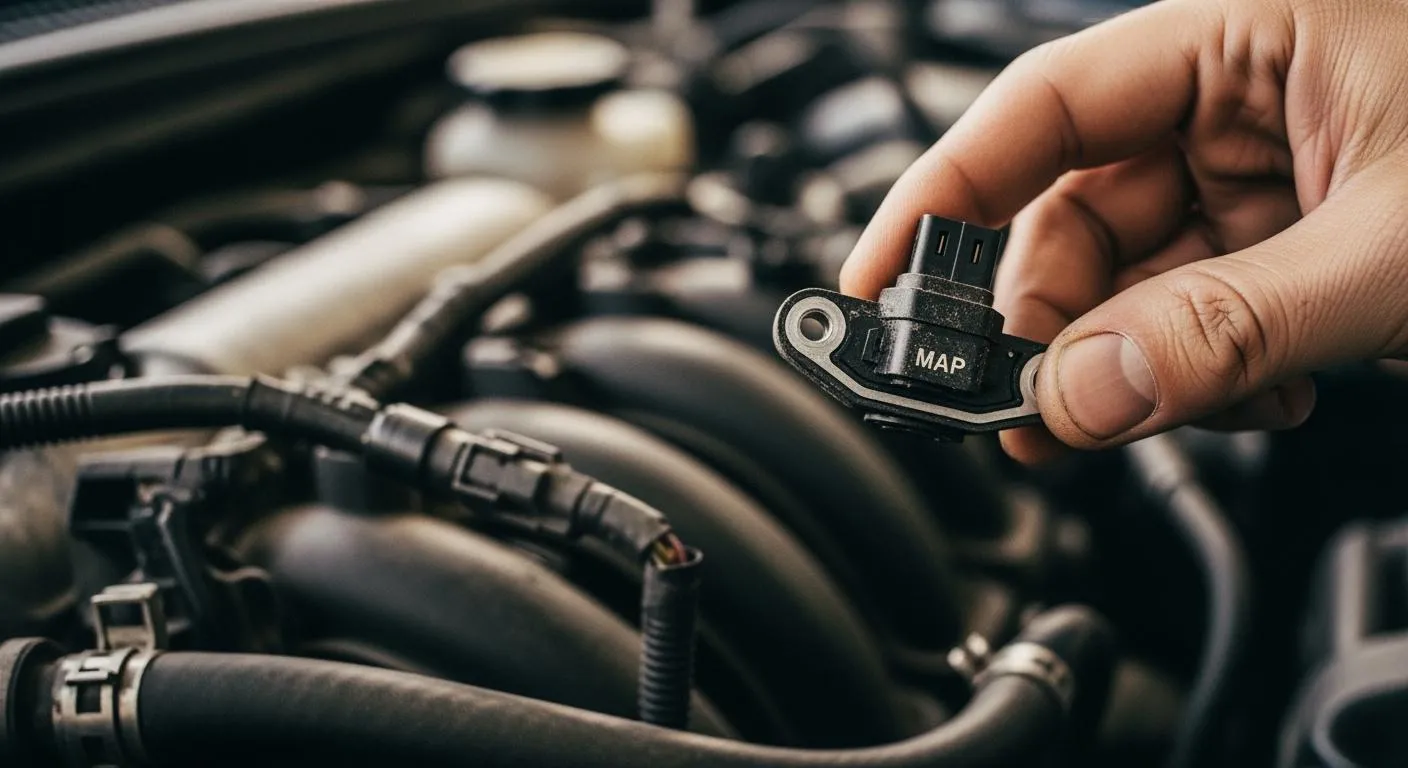
You rely on your vehicle every day, so map sensor cleaning helps you maintain optimal vehicle performance and engine efficiency. A clean map sensor keeps your engine running smoothly, improves fuel economy, and reduces harmful emissions. Neglecting this task can result in rough idling or check engine lights.
Take action to avoid these common issues:
| Common Engine Issues | Description |
|---|---|
| Loss of power | You may notice your engine feels weak or sluggish. |
| Poor fuel efficiency | Fuel consumption increases when the sensor fails. |
| Increased emissions | Your car releases more pollutants due to sensor problems. |
Key Takeaways
- Regularly clean your MAP sensor every 20,000 to 30,000 miles to maintain engine performance and fuel efficiency.
- Watch for signs like rough idling or decreased fuel efficiency; these indicate your MAP sensor may need cleaning.
- Use the right tools, like isopropyl alcohol and a soft brush, to safely clean the MAP sensor and avoid damage.
MAP Sensor Cleaning Importance

MAP Sensor’s Role in Engine Performance
You depend on accurate sensor readings for reliable vehicle performance. The map sensor measures absolute pressure inside the intake manifold. This information helps your engine control unit calculate the correct air-fuel mixture. When you clean map sensor regularly, you support engine efficiency and keep your engine running at its best.
- The map sensor provides precise data on manifold pressure.
- Your engine control unit uses this data to adjust the air-fuel mixture for efficient combustion.
- Proper air-fuel mixture and ignition timing lead to peak vehicle performance and reduced emissions.
If you drive in dusty or humid environments, contaminants can interfere with sensor signals. You should increase map sensor cleaning frequency to maintain accuracy. Manufacturers recommend cleaning every 20,000 to 30,000 miles or whenever you notice performance issues.
Tip: Diesel engines require more frequent map sensor cleaning due to higher carbon buildup compared to gasoline engines.
Nova Technology Company (HK) Limited stands out as a HiSilicon-designated solutions partner. The company specializes in chip-level solutions and system integration for automotive and industrial applications. You benefit from their expertise in advanced semiconductor technology and integrated circuit design, which supports reliable sensor performance in modern vehicles.
Effects of a Dirty MAP Sensor
A dirty map sensor can cause several problems for your vehicle. You may experience poor fuel economy, rough idling, or even failed emissions tests. The table below shows how a malfunctioning sensor impacts your engine:
| Effect | Description |
|---|---|
| Poor Fuel Economy | Increased fuel consumption due to incorrect pressure readings. |
| Higher Emissions | Poor combustion leads to more harmful exhaust emissions. |
| Failed Emissions Test | Inaccurate air-fuel mixture can result in higher levels of pollutants. |
You might notice symptoms like strong gasoline smell, visible black smoke, or sluggish response. Cleaning the map sensor restores accurate readings and helps your engine control unit optimize combustion. This simple maintenance step improves vehicle performance and reduces emissions, especially in regions with strict environmental regulations.
How to Clean MAP Sensor Safely

Signs Your MAP Sensor Needs Cleaning
You can spot early signs that your map sensor needs attention by watching for changes in your vehicle’s behavior. If you notice rough idling, sluggish acceleration, or a sudden drop in fuel efficiency, these could be bad map sensor symptoms. Sometimes, your check engine light will turn on. You may also smell gasoline or see black smoke from the exhaust.
To confirm the issue, you should use diagnostic tools and follow these steps:
- Scan for diagnostic trouble codes (DTCs). Codes like P0106 or P0069 often point to map sensor contamination.
- Check live data with a scanner. At idle, the map sensor should read between 95–105 kPa. Erratic readings suggest clogging.
- Remove the sensor and inspect it. Look for black deposits or blocked sensing holes.
- Inspect the wiring connector for corrosion or damaged pins.
- Test the sensor’s voltage and vacuum line to ensure proper function.
If you find any of these issues, you should plan for map sensor cleaning soon.
Step-by-Step to Clean MAP Sensor
You can clean map sensor at home with the right tools and a careful approach. Follow this step-by-step guide to ensure safe and effective cleaning:
- Make sure the engine is cool before you start. This prevents burns and keeps you safe.
- Disconnect the battery. Remove the electrical connector from the map sensor.
- Use a 10mm socket wrench to remove the screw holding the sensor in place.
- Spray maf sensor cleaner or isopropyl alcohol (at least 90% concentration) onto the sensor. Avoid direct spraying on the sensor element. Use a soft-bristled brush, like a toothbrush, to gently scrub away dirt.
- Let the sensor air dry completely. Do not use a cloth that leaves lint or fibers.
- Inspect the vacuum intake lines for cracks or holes. Tighten screw clamps with a flat head screwdriver to prevent leaks.
- Reinstall the sensor. Secure it with the screw and reconnect the sensor cable.
- Reset the ECU if needed. Some vehicles require this step for the sensor to function properly.
- Start your vehicle and check for normal operation. Watch for warning lights or unusual engine behavior.
Tip: Always handle the sensor gently. Avoid using abrasive materials or excessive force, as this can damage sensitive components.
Tools and Safety Tips for Cleaning
You need the right tools and safety gear to clean map sensor effectively and protect yourself:
- Isopropyl alcohol (90% or higher) or maf sensor cleaner for residue-free cleaning
- Soft-bristled brush, such as a toothbrush, for gentle scrubbing
- Lint-free cloth for drying and wiping
- Safety gloves and safety glasses to protect your hands and eyes
| Safety Precaution | Description |
|---|---|
| Ensure the engine is cool | Prevents burns or injuries while working under the hood. |
| Disconnect the battery | Keeps you safe when handling electrical components. |
| Handle the sensor gently | Avoids damage to the sensor during removal and cleaning. |
You should always use a focused spray nozzle for precise cleaning. Never use abrasive pads or harsh chemicals on the sensor element. When reinstalling, make sure all connections are tight and secure to avoid air leaks. This helps maintain vehicle performance and prevents future issues.
Note: Regular map sensor cleaning keeps your engine running smoothly and extends the life of your vehicle’s emission system.
Regular map sensor cleaning gives you many benefits:
- Improved engine performance and fuel efficiency
- Enhanced throttle response and reduced emissions
- Fewer engine stalls and longer sensor life
- Lower repair costs through early issue detection
Make sensor checks part of your routine. If unsure, ask a professional for help.
FAQ
How often should you clean your MAP sensor?
You should clean your MAP sensor every 20,000 to 30,000 miles. If you drive in dusty areas, increase the cleaning frequency.
Can you use any cleaner on a MAP sensor?
Always use MAF or electronics cleaner. Avoid harsh chemicals. These can damage the sensor and affect its accuracy.
What happens if you skip MAP sensor cleaning?
- Your engine may run rough.
- You might see a check engine light.
- Fuel efficiency drops.
- Emissions increase.