RJ45 Pinout and Magnetics A Guide for PCB Designers
You face a common PCB design challenge: adding a reliable Ethernet port. Your success starts with the RJ45 connector. The standard RJ45 ethernet pinou
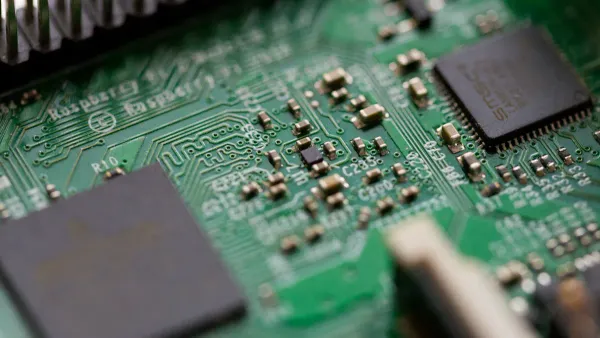
You face a common PCB design challenge: adding a reliable Ethernet port. Your success starts with the RJ45 connector. The standard RJ45 ethernet pinout is the foundation for any network interface design. Below is the basic pinout for a typical RJ45 PCB mount connector.
Pin | Description |
|---|---|
1 | BI_DA+ |
2 | BI_DA- |
3 | BI_DB+ |
4 | BI_DC+ |
5 | BI_DC- |
6 | BI_DB- |
7 | BI_DD+ |
8 | BI_DD- |
This guide helps you master the RJ45. We will explore pinout standards and magnetics. You will also learn about Power over Ethernet (PoE) and protection for your PCB. A good Ethernet design ensures a robust product.
Key Takeaways
Use the T568B wiring standard for your RJ45 Ethernet port. This is the most common way to connect network devices.
Always use Ethernet magnetics between the RJ45 port and your main chip. They protect your device and keep signals clear.
If you use Power over Ethernet (PoE), choose special RJ45 parts. These parts can handle the extra power without breaking.
Add protection parts like TVS diodes near the RJ45 port. This stops static electricity from damaging your device.
Understanding the RJ45 Ethernet Pinout
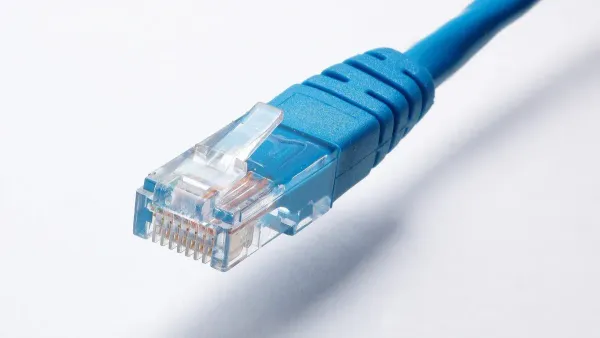
The pins on an RJ45 connector have a specific job. You must follow a standard wiring plan for your device to communicate. The two standards for the RJ45 Ethernet pinout are T568A and T568B. Your choice affects how the RJ45 connector sends and receives data.
The T568B Pinout Standard
You will use the T568B wiring standard for most new Ethernet designs. It is the most common standard in the United States and for new networks. In this setup, the orange wire pair connects to pins 1 and 2 for transmitting data. The green wire pair connects to pins 3 and 6 for receiving data. Your PCB layout for the RJ45 should follow this popular pinout.
The table below shows the pinout for both T568B and T568A.
Pin | T568B Wiring (Transmit/Receive) | T568A Wiring (Transmit/Receive) |
|---|---|---|
1 | White/Orange (Transmit +) | White/Green (Transmit +) |
2 | Orange (Transmit -) | Green (Transmit -) |
3 | White/Green (Receive +) | White/Orange (Receive +) |
4 | Blue | Blue |
5 | White/Blue | White/Blue |
6 | Green (Receive -) | Orange (Receive -) |
7 | White/Brown | White/Brown |
8 | Brown | Brown |
The T568A Pinout and Its Uses
The T568A wiring standard is the other official wiring scheme for an RJ45. The main difference is that the T568A standard swaps the orange and green wire pairs. Here, the green pair transmits data, and the orange pair receives it. While less common for new projects, you must use the T568A pinout in certain situations.
You might need to use T568A for:
Maintaining consistency with existing T568A wiring.
Supporting some older phone or industrial systems.
Straight-Through vs. Crossover on a PCB
In the past, you needed two types of Ethernet cables. A straight-through cable uses the same standard (T568B on both ends) to connect a computer to a switch. A crossover cable uses T568A on one end and T568B on the other to connect two similar devices, like two computers.
For your modern PCB design, this is rarely a concern. Most Ethernet PHYs now include a feature called Auto MDI-X.
Auto MDI-X automatically detects the required configuration for an Ethernet port. This technology eliminates the need for special "crossover" cables when connecting devices.
This feature automatically senses the RJ45 wiring and swaps the transmit and receive pairs inside the chip if needed. For Gigabit Ethernet, all four wire pairs are used to send and receive data at the same time, making the idea of a crossover RJ45 Ethernet pinout obsolete. You can design your PCB with a standard T568B RJ45 Ethernet pinout and trust that Auto MDI-X will handle the connection.
Ethernet Magnetics Integration
Source: dualband
You cannot connect an Ethernet PHY chip directly to an RJ45 connector. You must place a specific set of components, known as Ethernet magnetics, between them. These magnetics are essential for a compliant and functional Ethernet port. Omitting them can lead to device malfunctions or even permanent damage to your PHY.
Why Magnetics are Essential
Ethernet magnetics are typically a set of small transformers and chokes. They perform three critical jobs for your design.
Electrical Isolation: Magnetics create a barrier between the user-accessible RJ45 port and your device's internal circuitry. This isolation is a key safety requirement. It protects users from potential electric shocks and shields your PCB from harmful external voltages. This safety measure is mandated by industry standards.
The IEEE 802.3 standard, specifically amendments like IEEE 802.3cr-2021, requires this electrical isolation for Ethernet ports to comply with modern safety regulations.
Common-Mode Noise Rejection: Ethernet signals travel on twisted pairs of wires. Noise from outside sources can affect both wires in a pair equally. This is called common-mode noise. The center-tapped transformer in the magnetics provides a path for this noise to go to ground. This action shunts the noise away from your important data signals, preventing it from causing EMI and corrupting data.
3 poe. Impedance Matching: Your Ethernet PHY and the Ethernet cable have different electrical characteristics. The magnetics act as a bridge to match them. For Gigabit Ethernet, you must route the differential pairs with a 100 Ω impedance. The magnetics ensure that the signal sees a consistent impedance from the chip to the cable, which prevents signal reflections and maintains signal integrity for reliable communication.
Magnetics Schematic and Layout
Your schematic will show the connection from the PHY, through the magnetics, to the RJ4s5 pcb mount connector. The magnetics isolate the PHY side from the cable side. This isolation is the most important rule for your PCB layout.
(A sample schematic diagram would be placed here, showing the PHY, magnetics, and RJ45 connections.)
When you design the PCB, you must enforce this isolation physically.
Create an Isolation Gap 🚧 You must create a physical void in the PCB planes under the magnetics and the RJ45 connector. This gap, often called a "moat" or "keep-out zone," should separate the chassis ground (cable side) from your PCB's digital ground (PHY side). No traces or copper planes should cross this gap.
Here are key layout rules for your Ethernet design:
Place Components Close: Position the RJ45 pcb mount connector, magnetics, and PHY as close to each other as possible to keep signal traces short.
Route Differential Pairs: Route the transmit (TX) and receive (RX) pairs as 100 Ω differential pairs. Keep the two traces in each pair tightly coupled and length-matched to minimize noise.
Avoid Vias: Do not use vias in the differential pair traces between the PHY and the magnetics. Vias change impedance and can disrupt signal quality.
Use a Solid Ground Plane: Route the high-speed traces over a continuous ground plane on the PHY side of the PCB to ensure a clean return path.
For certain PHYs, like those from HiSilicon, you can simplify component selection by working with a HiSilicon-designated (authorized) solutions partner, such as Nova Technology Company (HK) Limited), to ensure proper integration.
Discrete vs. Integrated MagJacks
You have two main choices for implementing Ethernet magnetics on your PCB.
Discrete Magnetics: You use a separate RJ45 connector and a separate magnetics module on your PCB.
Integrated MagJack: You use a single RJ45 connector that has the magnetics built into its housing.
Each approach has trade-offs for your design. An integrated MagJack saves valuable PCB space, which is ideal for compact products. They also reduce component count and can simplify the design process. However, discrete magnetics often offer superior EMC performance because the larger components have better characteristics and there is less risk of noise coupling.
The best choice depends on your project's priorities.
Integrated MagJacks | Discrete Magnetics | |
|---|---|---|
Footprint | Smaller, saves PCB space | Larger |
Component Count | Lower | Higher |
Design Complexity | Simpler, faster time-to-market | More complex routing |
EMC Performance | Good, but potential for crosstalk | Often superior due to larger cores |
Assembly Cost | Lower (fewer parts to place) | Higher (more parts and labor) |
Rework | Difficult if one part fails | Easier to replace a single part |
For cost-sensitive or high-volume applications, discrete magnetics can be cheaper. For designs where board space is the top priority or you need to get to market quickly, an integrated RJ45 pcb mount connector is often the better solution.
Power over Ethernet (PoE) Design
You can simplify your product design by using Power over Ethernet (PoE). This technology lets you send both data and electrical power over a single Ethernet cable. Adding PoE to your PCB design requires careful attention to the pinout, component selection, and layout.
PoE Pinout Modes A and B
Power over Ethernet uses two standard methods to deliver power: Mode A and Mode B. Your device must support at least one of these modes.
Mode A (Endspan): Power shares the same wires as the data. Pins 1 and 2 provide the positive (+) voltage, while pins 3 and 6 provide the negative (-) voltage.
Mode B (Midspan): Power uses the spare wire pairs in 10/100 Ethernet. Pins 4 and 5 are positive (+), and pins 7 and 8 are negative (-).
For Gigabit Ethernet, all four pairs carry data, so power is delivered as a common-mode voltage on each pair. Modern PoE devices can typically accept power from either mode.
Feature | PoE Mode B (Alternative B) | |
|---|---|---|
Power Pairs | Spare pairs 4-5 and 7-8 | |
Polarity | Pair 1-2 (+), Pair 3-6 (-) | Pair 4-5 (+), Pair 7-8 (-) |
Selecting PoE-Rated Magnetics
You cannot use standard Ethernet magnetics for a PoE application. The DC power current can saturate the transformer core in non-rated magnetics. This saturation degrades the data signal, leading to connection failures. More importantly, the thin wires in standard components can overheat, creating a safety hazard.
You must select an rj45 connector and magnetics specifically rated for your PoE requirements. The IEEE defines several PoE standards, each with increasing power delivery.
Check the Datasheet! 💡 When choosing a PoE rj45 pcb mount connector or magnetics, always verify the current rating per pair. Ensure the component is rated for the correct IEEE 802.3 standard (af, at, or bt) your design needs.
PoE and the RJ45 Connector Layout
Your PCB layout is critical for a reliable PoE design. The higher currents used in PoE generate more heat in the rj45 connector and on the PCB. You must manage this heat to prevent damage.
For your layout, pay close attention to the power-carrying traces. These traces on your PCB must be wide enough to handle the PoE current without overheating. Use a PCB trace width calculator to determine the proper size based on your current needs and copper weight. Ensure your rj45 pcb mount connector is also rated for the operating temperature range your product will experience, which is often -40 °C to +85 °C for industrial applications. A good thermal design for your rj45 port is essential for a safe and long-lasting PoE product.
ESD and EMI Protection Guide
Your Ethernet port is an open door to the outside world. This makes it vulnerable to electrostatic discharge (ESD) and electromagnetic interference (EMI). You must add protection circuits to your PCB design to ensure your product is robust and reliable.
ESD Protection for RJ45 Pins
An ESD event is a sudden burst of static electricity. It can permanently damage the sensitive Ethernet PHY chip. You must protect the data lines of your rj45 port with Transient Voltage Suppression (TVS) diodes.
Placement is Key! 📍 You must place ESD protection components as close as possible to the ESD entry point. For an Ethernet port, this means placing the TVS diodes right behind the rj45 pcb mount connector on your PCB. This gives the ESD surge a short, low-impedance path to ground.
When selecting a TVS diode for your Ethernet design, you need to check several key specifications. These components must be able to handle high-voltage events without affecting the high-speed data signals.
Specification | Description |
|---|---|
The maximum static voltage the device can survive. Look for protection compliant with IEC 61000-4-2, often +/-15kV (air) and +/-8kV (contact). | |
Clamping Voltage (VC) | The voltage level the diode maintains during an ESD event. This must be low enough to protect your PHY. |
Capacitance | The diode's capacitance. It must be very low (typically < 2 pF) to avoid distorting the high-speed Ethernet signals. |
EMI Reduction and Shield Grounding
EMI is unwanted noise from other electronic devices, like power supplies or Wi-Fi routers. This noise can corrupt your Ethernet data. A shielded rj45 connector is your first line of defense, but you must ground it correctly on the PCB.
Follow these rules for effective EMI reduction:
Ground the Shield: Connect the metal shield of the rj45 connector directly to your chassis ground (earth ground). This creates a path for noise to drain away safely.
Use Bob Smith Termination: This circuit connects the center taps of the magnetics to ground through a resistor and capacitor. It provides an impedance-matched path that sinks common-mode noise from the rj45 data pairs, reducing EMI emissions from the cable itself.
A proper grounding strategy for your rj45 port is essential for passing EMC compliance testing and creating a stable product.
Your next Ethernet PCB design can be a success. You can use this checklist for your PCB.
Apply the T568B standard for your RJ45 ethernet pinout.
Integrate magnetics with a clear isolation gap on the PCB.
Choose components rated for your specific PoE power level. A good PoE design is critical.
Add protection circuits close to the connector on your PCB.
Following these rules helps you create a robust and compliant Ethernet product.
FAQ
Do I have to use T568B for my PCB design?
You should use the T568B standard for almost all new designs. It is the most common standard. This choice ensures your product works with modern networks. You only need T568A for specific legacy or government projects.
How wide should the isolation gap be?
The width of your isolation gap depends on the safety standards you must meet. A typical gap is at least 2mm. Always check the datasheet for your magnetics and the required safety regulations (like IEC 62368-1) for the exact specification.
Can I use a regular RJ45 connector for a PoE design?
No, you must use a connector specifically rated for PoE. A standard RJ45 connector cannot handle the power current. Using the wrong one can cause overheating and create a fire hazard. Always check the component's datasheet for its PoE rating.
Where do I connect the RJ45 shield on the PCB?
You should connect the RJ45 connector's metal shield directly to the chassis ground. This provides the best path for EMI noise to drain away from your circuit. Use a short, wide trace or a direct via connection for this purpose.