How to Troubleshoot Common Rotor Motor Issues
Quickly troubleshoot rotor motor issues like overheating, power loss, and noise with practical steps for safe and effective repairs.
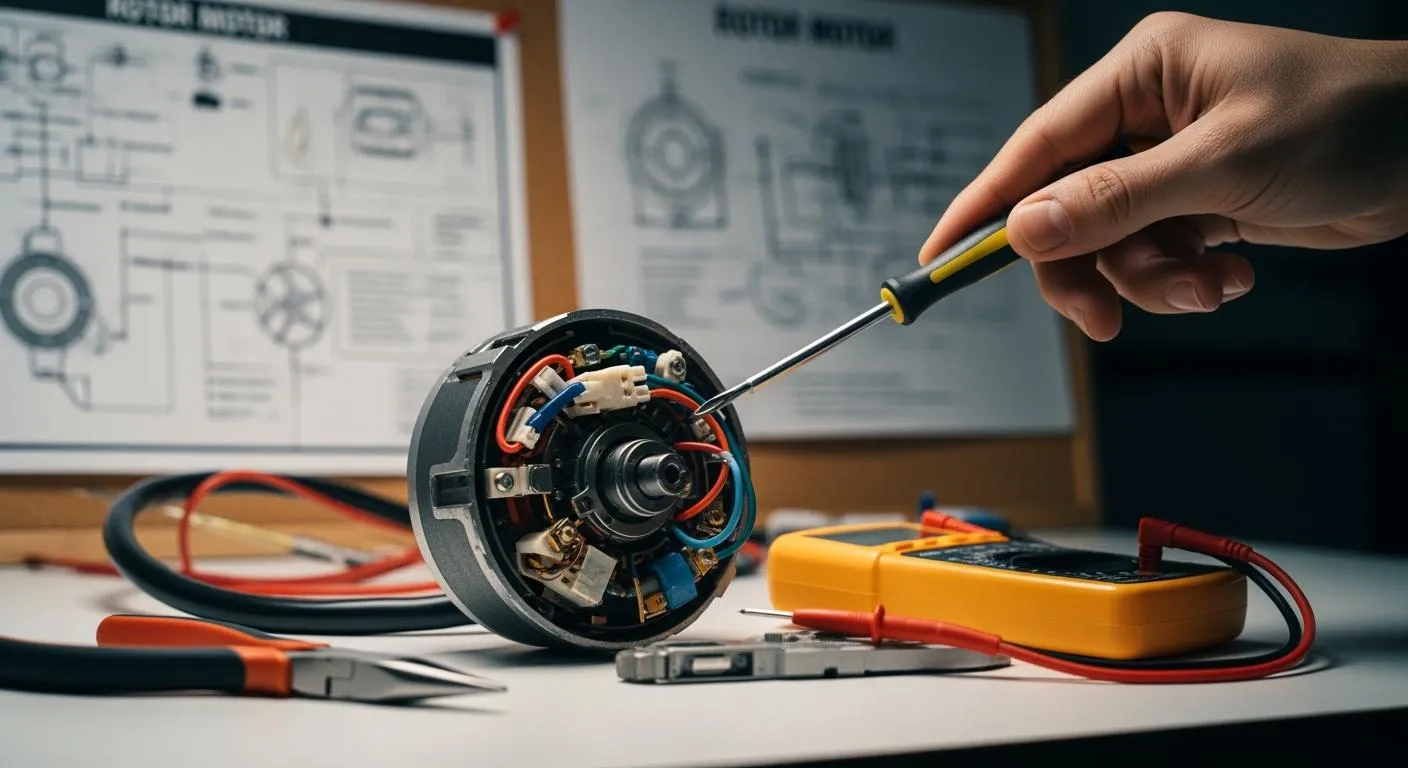
If you’ve ever felt stumped by a noisy rotor motor or sudden power loss, you’re not alone. You can spot and fix many common problems with just a bit of guidance. This guide uses plain language and simple steps, so you don’t need deep electric knowledge to get started. Many motor failures happen because of overheating, overloads, or under voltage, especially during startup. Don’t worry—troubleshooting can be straightforward, even if you’re new to this.
Key Takeaways
- Listen for unusual noises from your rotor motor. Strange sounds can indicate mechanical or electrical problems. Address them quickly to prevent further damage.
- Monitor your motor's temperature. Overheating can lead to serious failures. Regularly check for excessive load, poor ventilation, and environmental factors.
- If your motor loses power, check for signs like increased vibration or abnormal noise. Inspect connections and fuses to identify the issue.
- For motors that won’t start, look for overheating, cracked rotor bars, or short circuits. Conduct basic tests before seeking professional help.
- Implement a regular maintenance routine. Clean, lubricate, and inspect your motor to catch issues early and ensure smooth operation.
Rotor Motor Problems

When your electric motor acts up, you might notice a few common problems. Let’s break down what you should watch for and how you can spot each issue.
Unusual Noises
Strange sounds are often the first sign something’s wrong. If you hear humming, grinding, or rattling, your motor might have a mechanical or electrical problem. Humming at high speeds can mean the motor struggles with load, while low-speed humming often points to trouble in the control system. These noises usually mean the motor isn’t running efficiently. If you ignore them, you risk overheating and even a total breakdown.
Tip: Don’t wait if you hear odd noises. Early action can save your motor from bigger damage.
Overheating
Motors get hot, but too much heat spells trouble. Overheating often comes from pushing the motor too hard, poor power supply, or starting and stopping the motor too often. Sometimes, the environment—like high temperatures or dust—makes things worse. About 30% of electric motor failures happen because the insulation breaks down, and 60% of those cases are due to too much heat. If your motor feels hotter than usual or you smell something burning, shut it down and let it cool.
- Main causes of overheating:
- Excessive load
- Poor power conditions
- Too many starts and stops
- Harsh environments
Power Loss
You might notice your motor losing power if it vibrates more, makes odd noises, or runs slower than normal. Sometimes, the temperature climbs or the current spikes. Power loss often comes from rotor imbalance, short circuits in the windings, or phase loss. If you see these signs, check for loose wires or blown fuses.
- Signs of power loss:
- Increased vibration
- Abnormal noise
- Higher temperature
- Lower speed
- Higher current
Motor Won’t Start
Nothing’s more frustrating than a motor that won’t start. This can happen for several reasons. Overheating from too many starts, cracked rotor bars, or short circuits in the windings are common culprits. Sometimes, outside factors like humidity or dust play a role. Here’s a quick look at the main reasons:
| Cause | Description |
|---|---|
| Overheating | Too many starts stress the windings and cause failure. |
| External Conditions | Heat, humidity, and dust can shorten motor life. |
| Cracked Rotor Bars | These cause vibration and loss of torque. |
| Rotor Winding Short Circuit | Insulation failure leads to hot spots and less efficiency. |
If your motor refuses to start, check for these issues first. You might need to look at the current, inspect the magnetic field, or test the direct current supply in a dc motor.
Note: Rotor and stator faults cost more to fix than bearing problems. A broken rotor bar can cause a chain reaction, damaging nearby bars and raising the current.
Rotor Motor Basics
What Is a Rotor Motor
You see rotor motors everywhere, from home appliances to big machines in factories. A rotor motor is the heart of an electric motor. It turns electrical energy into motion. When you switch on a fan or a conveyor belt, the rotor spins and makes things move. The rotor sits inside the motor and works with the stator to create torque, which is the force that gets things turning.
- The rotor and stator work together to generate torque.
- Squirrel-cage rotors are popular in factories because they last long and cost less.
- Wound-rotor motors help when you need high starting torque or want to control speed.
- The way the rotor is built, like the type of windings or materials, changes how the motor works.
Nova Technology Company (HK) Limited stands out as a HiSilicon-designated solutions partner in the integrated circuit industry. The company focuses on chip-level solutions, system integration, and advanced application scenarios. If you work with semiconductors, you know how important reliable partners are for system integration and chip design.
How It Works
You might wonder how a rotor motor actually works. When you send electricity into the motor, the stator creates a magnetic field. This field pushes against the rotor, making it spin. The spinning rotor then drives whatever machine or device you connect to it. In a dc motor, the current flows in one direction, which makes the rotor turn smoothly. If you use a dc motor, you get steady speed and easy control. Many small gadgets and robots use dc motors because they are simple and reliable. You can find dc motors in toys, electric bikes, and even some medical devices.
Types of Rotor Motors
You have several types of rotor motors to choose from, each with its own strengths. Here’s a quick look:
| Type of Rotor Motor | Distinguishing Features |
|---|---|
| Squirrel-Cage Rotor | Tough, reliable, and affordable. Uses uninsulated bars and end rings. Great for most industrial machines. |
| Wound-Rotor Motor | Has windings connected to slip rings. Lets you add resistance for high starting torque and speed control. |
You also see external rotor motors in fans and blowers. These have the rotor on the outside, which helps with cooling. dc motors, as mentioned, use direct current and are perfect for applications where you need precise speed and direction. You can pick a dc motor for small robots, pumps, or even electric cars. Each type of rotor motor plays a key role in turning electrical energy into motion, making your machines work smoothly.
Troubleshooting Steps

You want your rotor motor to run smoothly, right? Let’s walk through some practical steps to diagnose and fix the most common electric motor problems. You’ll find that most issues can be tackled with basic tools and a bit of patience. If you ever feel unsure, don’t hesitate to call a professional.
Diagnosing Noises
Strange noises can make you worry about your electric motor. You might hear a low-frequency hum, growl, or whining sound that changes with speed or load. These noises often point to fluctuating magnetic forces or mechanical issues. Here’s how you can safely diagnose noise problems:
- Listen for abnormal vibration that changes with operating conditions. This could mean rotor eccentricity.
- Check bearing temperatures. If they rise despite normal lubrication and alignment, you might have extra load from an eccentric rotor.
- Use current signature analysis. Distorted current waveforms can signal early mechanical trouble.
- Pay attention to any sound that shifts as the motor’s speed or load changes. This often comes from fluctuating magnetic forces.
You can use several tools to help pinpoint the source of the noise:
| Tool/Equipment | Purpose | Description |
|---|---|---|
| Thermal Imaging Cameras | Visualize temperature distribution to detect overheating. | Captures heat signatures from the motor’s surface to spot improper cooling or excessive friction in bearings. |
| HiPot Testers | Verify insulation strength by testing dielectric breakdown. | Applies high voltage above operating levels and monitors leakage current to ensure insulation withstands operational stresses. |
| Dynamometers | Test torque, speed, and power output under load conditions. | Connects the motor to a load machine that simulates real-world conditions while measuring performance metrics. |
| Electrical Checking | Measure resistance, voltage, current, and back EMF. | Uses multimeters and power analyzers for basic checks and efficiency calculations. |
| Noise Measurement | Identify mechanical and electromagnetic issues. | Uses sound pressure mapping and vibration analysis to assess noise sources. |
| Torque Measurement | Measure the motor’s torque during operation. | Dynamic torque sensors analyze load-handling capacity to optimize machine design. |
| Partial Discharge Checking | Discover hidden faults in coils. | Monitors current and voltage waveforms during withstand voltage tests to identify insulation breakdown. |
| Simulation-Based Checking | Virtually test motors by simulating electromagnetic response. | Reduces the need for physical checking to gain insights into machine performance. |
Tip: Always turn off the electric motor before inspecting moving parts. If you notice distorted current waveforms or abnormal vibration, consider getting expert help.
Fixing Overheating
Overheating is a common headache for anyone using a rotor motor. You can spot trouble early if you know what to look for. Excessive heat, poor ventilation, overloading, and deteriorating windings are warning signs. If your motor feels hot to the touch or you see darkened paint in the middle, act fast.
Here’s what you can do:
- Check the thermal reset button on the motor to confirm overheating.
- Use a simple thermostat to monitor temperature levels.
- Employ a forward-looking infrared (FLIR) camera to detect overload temperatures.
- Utilize smart temperature sensors for precise monitoring of overheating events.
- Schedule routine inspections for wear, damage, or misalignment.
- Conduct regular motor testing, including insulation resistance and vibration analysis.
- Follow manufacturer guidelines for lubrication to prevent bearing failure.
- Maintain a clean operating environment with adequate ventilation.
Safety Alert: Make sure you protect motors from moisture and extreme temperatures. Always let the motor cool before touching it. If overheating persists after you fix the excessive load, consider replacing the motor.
Implementing a strong preventive maintenance program helps you catch issues before they become serious. Train your maintenance staff well and keep thorough documentation. This ensures your electric motor operates efficiently and reliably.
Restoring Power
Power loss in a rotor motor can slow down your work or even stop it completely. You might notice increased vibration, abnormal noise, higher temperature, lower speed, or higher current. Here’s how you can restore power:
- Measure voltage at motor terminals on all three phases.
- Check current draw. Two phases will show high current, one will show zero if there’s phase loss.
- Trace back to find the point of phase loss.
- Inspect all fuses, contactors, and connections.
- Test upstream distribution.
You can also try these fixes:
- Reduce mechanical load.
- Repair or replace motor windings.
- Install a properly sized breaker (usually 250% of full load amps).
- Correct voltage supply issues.
- Use a soft-start or variable frequency drive (VFD) to reduce inrush current.
- Replace blown fuse.
- Replace contactor.
- Repair broken wire.
- Tighten loose connections.
- Install phase loss protection relay.
Here’s a quick look at common mistakes and how to avoid them:
| Mistake | Description | Solution |
|---|---|---|
| Imbalance | An unbalanced rotor can cause excessive vibration, leading to noise and reduced motor life. | Perform dynamic balancing on the rotor. |
| Misalignment | Misaligned motor components can result in uneven load distribution and increased vibration. | Ensure proper alignment of all components. |
| Loose Components | Loose bolts or mounts can lead to increased noise and vibration during operation. | Regularly inspect and tighten loose components. |
| Resonance | Operating at certain frequencies can cause resonance, amplifying vibrations. | Avoid operating at resonance frequencies. |
Note: Failing to detect rotor imbalance, winding short circuits, or bearing failures can lead to bigger problems. Always check for these issues if you notice power loss.
Motor Startup Issues
When your rotor motor won’t start, you need a clear plan. You can follow these steps:
- Measure locked rotor current during the start attempt.
- Test insulation resistance with a megger.
- Check for winding-to-winding shorts.
- Verify breaker rating matches motor requirements.
- Measure supply voltage under load.
If you see signs of rotor bar issues or the motor isn’t working right at startup, you might need professional help.
If you suspect rotor bar problems or the motor fails to start after basic checks, reach out to a qualified technician. Diagnosing rotor health can be tricky, and some issues need expert analysis.
You can prevent startup problems by monitoring current, checking the magnetic field, and testing the direct current supply in a dc motor. Always follow safety guidelines and never bypass protective devices.
You now have a step-by-step guide to troubleshoot your rotor motor. Remember, regular maintenance and early detection can save you time and money. If you ever feel out of your depth, don’t hesitate to call a pro.
When to Call a Pro
Warning Signs
Sometimes, you just can’t fix a motor problem on your own. Certain symptoms mean you should call a professional right away. If you notice any of these issues, don’t try to push through—get expert help before things get worse. Here’s a quick table to help you spot the red flags:
| Symptoms | Common Causes | Diagnostic Steps |
|---|---|---|
| Motor runs slower than nameplate RPM | Voltage sag | Measure actual RPM with tachometer |
| Speed varies under load | Overloading | Check voltage at motor terminals under load |
| Excessive slip | Rotor bar damage | Measure current balance on all phases |
| Motor runs but overheats rapidly | Blown fuse | Measure voltage at motor terminals on all three phases |
| Unusual noise | Failed contactor contact | Check current draw (two phases will show high current) |
| Trips on overload | Broken wire | Trace back to find point of phase loss |
| Won’t restart after stopping | Loose connection | Inspect all fuses, contactors, and connections |
| Upstream breaker trip | Test upstream distribution |
If you see any of these warning signs, you might have a serious electric or magnetic issue. Don’t risk further damage to your electric motor or dc motor.
Safety Tips
Working with electric motors can be risky if you don’t follow safety rules. You want to stay safe while checking for magnetic or current problems. Here are some tips to keep you protected:
- Always wear dielectric gloves and use approved testing tools.
- Make sure the motor is grounded to prevent electric shock.
- Avoid working alone when checking for magnetic or electric faults.
- Prevent high frequency flow to stop damage from electrical discharge machining.
- Let experienced technicians handle preventive maintenance.
⚡ Tip: Never touch any part of the motor while it’s running or if you suspect a magnetic or current issue.
Maintenance Advice
You can keep your electric motor running smoothly with regular care. Good maintenance helps you avoid most magnetic, current, and torque problems. Here’s what you should do:
- Clean the motor and blades often to remove dust and debris.
- Lubricate bearings on a set schedule to prevent wear.
- Inspect the motor for signs of damage or loose connections.
- Use grounding devices to protect against magnetic and current surges.
- Monitor the condition of your dc motor and check for changes in torque or speed.
Here’s a handy table to help you plan your routine:
| Maintenance Task | Frequency |
|---|---|
| Daily visual inspections | Every day |
| Weekly bolt and connection checks | Every week |
| Cleaning dust and oil buildup | Monthly |
| Measuring current and temperature | Monthly |
| Tightening loose connections | Every 6 months |
| Routine inspections | Every 3 to 6 months |
By following these steps, you can spot electric or magnetic issues early. Regular maintenance keeps your dc motor, electric motor, and all magnetic components in top shape. You’ll also avoid sudden drops in torque or current, which can lead to bigger problems.
You’ve learned how to tackle rotor motor issues by checking for magnetic noise, magnetic overheating, and magnetic power loss. Use this table to remember the main troubleshooting steps:
| Problem | Key Steps |
|---|---|
| Motor Won’t Start | Check magnetic current, test insulation |
| Wrong Speed | Measure magnetic RPM, adjust load |
| Unbalanced Current | Balance magnetic voltage, tighten wires |
| Single-Phasing | Inspect magnetic fuses, repair connections |
Regular maintenance keeps your magnetic motor efficient. Clean, lubricate, and inspect for magnetic problems often. Preventive care stops magnetic breakdowns and boosts magnetic reliability. Use this guide whenever you spot magnetic trouble. If you feel stuck, ask for help. You can keep your magnetic rotor motor running strong with a little attention and the right magnetic steps.
FAQ
What should I do if my rotor motor keeps overheating?
First, turn off the motor and let it cool. Check for dust, blocked vents, or too much load. Clean the area and reduce the load if possible. If overheating continues, call a professional.
How often should I perform maintenance on my rotor motor?
You should inspect your motor daily for visible issues. Clean and lubricate it monthly. Tighten connections every six months. Regular checks help you catch problems early and keep your motor running smoothly.
Can I fix a noisy rotor motor myself?
You can check for loose parts, dirt, or misalignment. Tighten bolts and clean the motor. If the noise stays or gets worse, you should contact a technician. Some issues need special tools or skills.
Why does my motor lose power suddenly?
Power loss often comes from loose wires, blown fuses, or an unbalanced rotor. Check connections and fuses first. If you still see problems, you may need to replace damaged parts or get expert help.
Is it safe to run a motor with a small vibration?
No, even small vibrations can cause bigger problems over time. Stop the motor and inspect for loose parts or imbalance. Fix the issue before using the motor again to avoid damage.