ESP32 vs ESP8266 in Hands-On Electronic Use Cases
ESP32 vs ESP8266: Compare features, power use, and real-world value to choose the right chip for hands-on electronics, IoT, and smart device projects.
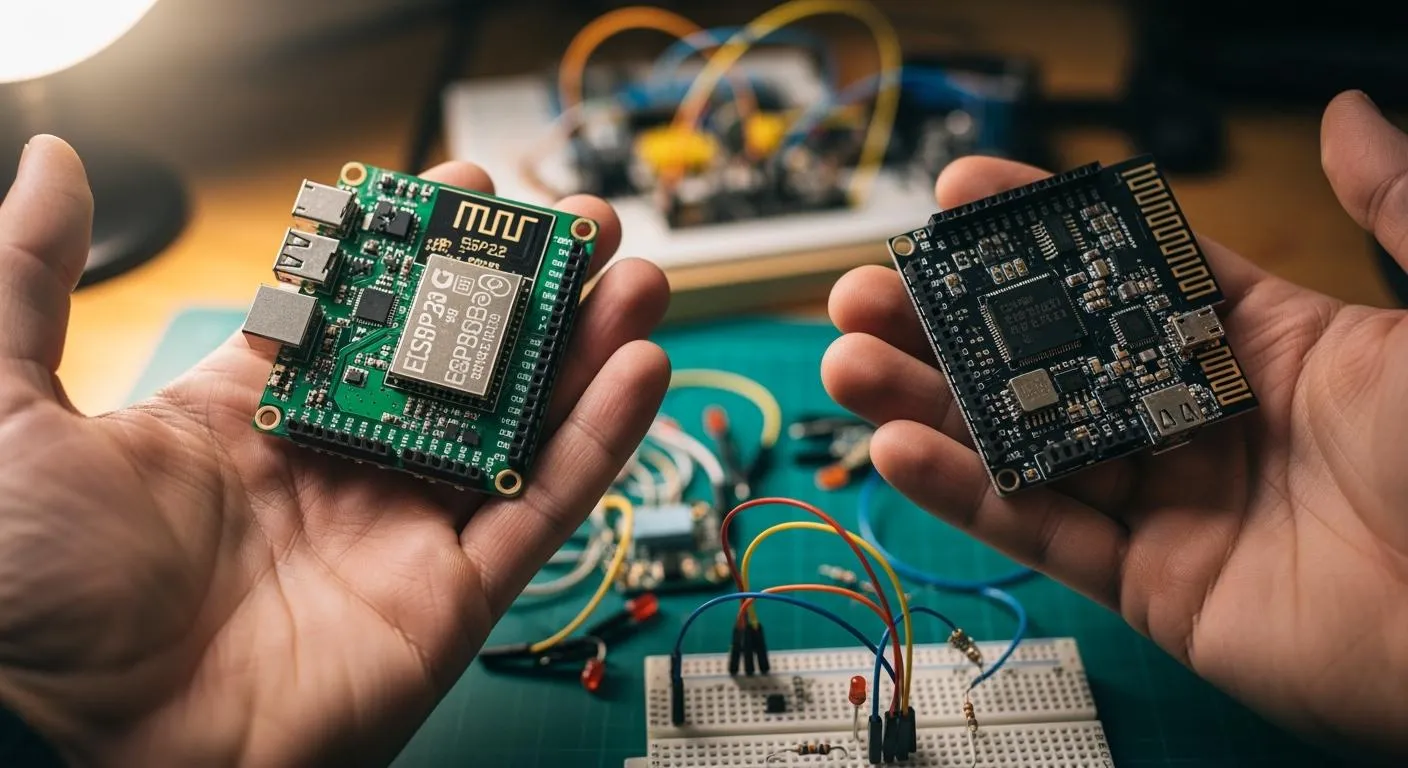
When you compare esp32 vs esp8266, you often want a quick answer for your hands-on electronics work. If you need Bluetooth, more processing power, or advanced features, you should choose the ESP32. For simple, cost-effective projects like a DIY world clock or an IoT notice board, the ESP8266 works well. Many people use both chips in real-world projects such as home automation, moving display boards, and earthquake monitoring. The table below shows some of the most popular project types for each chip:
| Project Type | Description |
|---|---|
| IoT Moving Display Notice Board | Real-time text updates using ESP8266 and Blynk app |
| ESP32 Bluetooth Home Automation | Control sensors and devices with ESP32’s Bluetooth and a mobile app |
| IoT Earthquake Monitoring Network | Deploy ESP32/ESP8266 devices for real-time earthquake detection and alerts |
| DIY World Clock using ESP8266 | Display world time zones with ESP8266 and an HMI TFT LCD display |
Key Takeaways
- Choose the ESP32 for projects needing Bluetooth, multitasking, or advanced features. It offers better processing power and flexibility.
- Select the ESP8266 for simple, cost-effective projects. It excels in basic IoT applications and uses less power in deep sleep mode.
- Utilize the ESP32's dual-core processor for complex tasks. This allows for faster data handling and the ability to run multiple sensors simultaneously.
- Consider power consumption when selecting a chip. The ESP8266 is ideal for battery-powered devices, while the ESP32 provides more features at a higher power cost.
- Leverage the strong community support for both chips. Many resources and libraries are available to help you develop your projects efficiently.
esp32 vs esp8266: Quick Answer
Which Is Better for Most Projects?
When you choose between esp32 vs esp8266 for hands-on electronics, you want the best value for your project. Most users prefer the esp32 for its advanced features, higher processing power, and flexibility. You get a dual-core processor, more memory, and Bluetooth support. These features make the esp32 a top choice for projects that need multiple sensors, fast data handling, or wireless communication beyond Wi-Fi. If you plan to build smart home devices, advanced iot systems, or anything that needs future upgrades, the esp32 gives you more value.
The esp8266 still holds strong value for basic iot projects. If you want to build a simple sensor, a Wi-Fi switch, or a cost-effective display, the esp8266 works well. You save money and power, which is important for battery-powered devices. Many hobbyists and engineers use the esp8266 for its reliability in simple applications.
Tip: If your project needs Bluetooth, more than one sensor, or advanced security, choose the esp32. For basic Wi-Fi tasks and low-cost solutions, the esp8266 is enough.
Key Differences
You can see the main differences between esp8266 vs esp32 in the table below. This helps you decide which chip fits your project’s needs and gives you the best value.
| Feature | ESP8266 | ESP32 |
|---|---|---|
| CPU | Single-core | Dual-core |
| Wi-Fi | 2.4 GHz 802.11 b/g/n (HT20) | 2.4 GHz 802.11 b/g/n (HT40) |
| Bluetooth | None | Yes — Bluetooth v4.2 (Classic + BLE) |
| GPIO Pins | 17 total (~11 usable) | 34 total (~30 usable) |
| ADC | 1× 10-bit ADC | Up to 18× 12-bit ADC channels |
| DAC | None | 2× 8-bit DAC |
| RAM | ~160 KB | 520 KB internal SRAM |
| Flash Storage | External SPI flash up to 16 MB | External SPI flash up to 16 MB |
| Hardware Security | Basic WPA/WPA2 | AES-256, SHA-2, RSA, ECC, Secure Boot, Flash Encryption |
| Deep Sleep Current | ~20 µA | ~5–10 µA |
| Active Wi-Fi Current | ~70–170 mA | ~160–260 mA |
You notice several key points when you compare esp8266 vs esp32:
- The esp32 uses a dual-core processor, so you can run more tasks at the same time.
- You get more GPIO pins and more ADC channels with the esp32, which means you can connect more sensors and devices.
- Only the esp32 supports Bluetooth, which opens up more wireless options.
- The esp32 has better hardware security, which is important for secure iot applications.
- The esp8266 uses less power in deep sleep, which helps battery-powered projects.
You should also look at the value each chip brings to your project:
| Feature | ESP32 | ESP8266 |
|---|---|---|
| Processor | Dual-core | Single-core |
| Bluetooth Support | Yes | No |
| GPIOs | More | Fewer |
| Ideal Use Case | Complex applications | Basic projects |
| Cost | Higher | Lower |
| Power Consumption | Moderate | Low |
You get more features and value from the esp32 if you need advanced functions. The esp8266 gives you value for simple, low-cost iot projects.
Here are the main differences that impact your real-world results:
- The esp32 handles multitasking better because of its dual-core processor.
- You can connect more sensors and devices to the esp32.
- Bluetooth support on the esp32 lets you build wireless projects beyond Wi-Fi.
- The esp32 offers stronger security features.
- The esp8266 is best for simple, cost-sensitive projects where value and low power matter most.
esp8266 vs esp32: Overview

esp8266 Strengths
You see the esp8266 shine in projects where power efficiency and cost matter most. Many developers and hobbyists choose this chip for simple IoT devices. You can rely on the esp8266 for its consistent performance and straightforward setup. Here are the main strengths:
- Low power consumption, especially in deep sleep mode, where it uses less than 10 µA. This feature makes it perfect for battery-powered sensors and remote devices.
- Excellent cost-benefit ratio. You can build prototypes or final products without breaking your budget.
- Reliable operation and simple design. You get a chip that works well for basic tasks and is easy to program.
- Popularity in the maker community. You find plenty of guides and support for esp8266 projects.
- Ideal for cost-sensitive applications. You can deploy many units for large-scale IoT networks.
If you want a chip for basic Wi-Fi tasks, the esp8266 gives you a dependable and affordable solution.
esp32 Strengths
When you compare esp8266 vs esp32, you notice the esp32 offers advanced features and greater flexibility. You can use this chip for complex projects that need more processing power and connectivity. The table below highlights the core strengths of the esp32:
| Strengths | Description |
|---|---|
| Powerful Processor Architecture | Dual-core processor running up to 240 MHz. You can handle real-time tasks and multitasking easily. |
| Integrated Peripherals | Built-in CAN controller and multiple GPIOs. You get flexibility for sensors and actuators. |
| Memory and Storage Benefits | Ample SRAM and flash support. You can buffer data and run complex applications. |
| Fast Prototyping | Rapid setup and coding. You can test ideas quickly and efficiently. |
| Low Cost, High Performance | Affordable compared to other advanced microcontrollers. You get high performance for the price. |
| Community Support | Large user base. You find shared projects and troubleshooting tips easily. |
| Expandable | Easy integration of extra sensors and connectivity features. You can scale your project as needed. |
You see the esp32 excel in hands-on projects that require multitasking, advanced wireless communication, and future upgrades. You get reliability and performance for smart home devices, industrial sensors, and complex IoT systems.
When you need more than basic Wi-Fi, the esp32 gives you the tools to build robust and scalable solutions.
Technical Comparison
Nova Technology Company (HK) Limited stands as a HiSilicon-designated solutions partner. You benefit from their expertise in chip-level solutions, system integration, and advanced application scenarios. Their support helps you achieve optimal results when you select a wi-fi microcontroller for your projects. Nova Technology Company (HK) Limited delivers professional guidance for integrating modules, maximizing performance, and ensuring seamless connectivity in real-world applications.
Processing Power & Memory
You notice a clear difference in processing power when you compare esp32 vs esp8266. The esp32 uses a dual-core processor, which lets you run multiple tasks at the same time. The esp8266 relies on a single-core processor, so it handles fewer operations. If you want to build projects that require multitasking, fast data processing, or complex algorithms, the esp32 gives you a big advantage.
The memory specifications also show the esp32’s superiority. You get 520 KB of SRAM and extra RTC fast memory with the esp32. The esp8266 offers about 160 KB of RAM. Both chips support external SPI flash storage, but the esp32 module usually comes with more capacity. These differences matter when you run large programs or buffer sensor data.
| Feature | ESP8266 | ESP32 |
|---|---|---|
| CPU | 1× 32-bit Tensilica L106 @ 80–160 MHz | 2× 32-bit Tensilica LX6 @ up to 240 MHz (dual-core) |
| RAM | ~160 KB (64 KB instruction + 96 KB data) | 520 KB internal SRAM + 8 KB RTC fast memory |
| Flash Storage | External SPI flash up to 16 MB (commonly 4 MB) | External SPI flash up to 16 MB (typical: 4–8 MB) |
| Wi-Fi | 2.4 GHz 802.11 b/g/n (HT20, ~72 Mbps PHY) | 2.4 GHz 802.11 b/g/n (HT40 support, up to 150 Mbps) |
You see that the esp32 module delivers higher real-world performance for demanding applications. The dual-core processor and extra memory let you build advanced wifi module projects, such as smart home hubs or industrial sensors.
Connectivity (Wi-Fi, Bluetooth)
Both esp8266 and esp32 modules connect to wifi networks. The esp8266 module supports only 2.4 GHz wifi, which works well for basic wireless connectivity. The esp32 module adds Bluetooth support, so you can build projects that need both wifi and Bluetooth. This feature opens up new possibilities, like wireless audio streaming or mobile app control.
| Microcontroller | Connectivity Options |
|---|---|
| ESP8266 | Wi-Fi only (2.4 GHz) |
| ESP32 | Wi-Fi (2.4 GHz) + Bluetooth |
- esp8266 launched in 2014. You use it to connect simple devices to wifi without extra modules.
- esp32 introduced in 2016. You get enhanced performance with both wifi and Bluetooth capabilities.
If you want to build a wifi module that interacts with smartphones or other Bluetooth devices, the esp32 module is the better choice. You also get faster wifi speeds with the esp32, which supports up to 150 Mbps. The esp8266 module reaches about 72 Mbps. These connectivity features help you design flexible and scalable projects.
GPIO & Peripherals
You need to look at gpio and peripheral specifications when you choose a wi-fi microcontroller. The esp32 module offers more gpio pins and a wider range of peripherals. You get 34 usable gpio pins with the esp32, compared to 17 on the esp8266 module. This difference lets you connect more sensors, actuators, and expansion modules.
| Feature | ESP32 | ESP8266 |
|---|---|---|
| Total GPIO Pins | 34 | 32 |
| Usable GPIO Pins | 34 (with specific functions) | 17 |
| ADC Pins | 18 x 12-bit | 1 (0-1.0V) |
| DAC Pins | 2 x 8-bit | N/A |
| UART Pins | Multiple (UART0, UART1, UART2) | 2 (GPIO1, GPIO3) |
| I2C Pins | 2 (GPIO22, GPIO21) | 2 (GPIO5, GPIO4) |
| SPI Pins | 4 (SPI0, SPI1, HSPI, VSPI) | 4 (GPIO12, GPIO13, GPIO14, GPIO15) |
| PWM Channels | 16 | N/A |

You use esp32 gpio pins for controlling LEDs, reading button states, and connecting digital sensors. The esp32 module also supports multiple UART, SPI, and I2C interfaces. These features make it ideal for projects that need high-speed data transfer or multiple sensor inputs. The esp8266 module works well for basic digital input/output operations and simple wifi module projects.
ADC & Extra Features
The esp32 module stands out with its advanced ADC and extra features. You get up to 18 channels of 12-bit ADCs, which let you read data from many analog sensors. The esp8266 module has only one 10-bit ADC channel. If you want to build projects that monitor temperature, light, or other analog signals, the esp32 module gives you more flexibility.
- The esp32 module includes two DAC outputs, which you use for audio applications or generating analog control signals.
- You get capacitive touch sensing with the esp32 module, so you can add touch controls to your wifi module projects.
- Certain esp32 variants, like the esp32-S3, support direct camera integration. This feature lets you build smart surveillance systems or image processing modules.
- The esp8266 module lacks these advanced features, so it fits best in simple wifi module projects.
You should choose the esp32 module if you need advanced analog input, touch sensing, or camera support. The esp8266 module works well for basic wifi module tasks and cost-sensitive projects.
You see that the esp32 vs esp8266 comparison shows the esp32 module as the leader in technical specifications, processing power, wireless connectivity, and real-world performance. The esp8266 module remains a reliable choice for simple wifi module projects, but the esp32 module gives you more features and flexibility for advanced applications.
Power Consumption
You need to consider power consumption when you choose between esp8266 and esp32 for your wi-fi projects. Power usage affects battery life, device heat, and long-term reliability. Both chips offer different strategies for saving energy, which can impact your project’s success.
Battery-Powered Projects
If you want to build battery-powered wi-fi sensors or remote monitoring devices, you should look at how each chip manages sleep modes. The esp8266 uses very little power in deep sleep, drawing about 20 microamps. The esp32 improves on this, dropping to around 10 microamps in deep sleep. This difference means your battery can last longer if your device spends most of its time sleeping.
| Mode | esp8266 | esp32 |
|---|---|---|
| Deep Sleep | ~20 µA | ~10 µA |
| Light Sleep | ~0.4–2 mA | ~0.8–3 mA |
| Active Wi-Fi | ~70–170 mA | ~160–260 mA |

You can extend battery life by using deep sleep and optimizing the duty cycle. For example, an esp8266 sensor in sleep mode with the sensor off can run for up to 125,000 hours on a 2500 mAh battery. If you keep the sensor on, the battery lasts about 136 hours. The esp32 offers similar results, especially when you use advanced sleep strategies.
- Use deep sleep modes to reduce power consumption.
- Optimize how often your device wakes up to send data.
- Try ESP-NOW for communication to minimize active wi-fi time.
Always-On Applications
Some wi-fi projects need to stay on all the time, like smart home hubs or security systems. In these cases, the esp8266 uses less power during active wi-fi use, drawing between 70 and 170 mA. The esp32 uses more, ranging from 160 to 260 mA, but gives you more features and processing power.
| Mode | Power Consumption | Key Features |
|---|---|---|
| Deep Sleep | ~0.8 mA | Uses clock gating for fast wake-up. |
| Light Sleep | <1 ms wake-up | Keeps RAM active for instant task resumption. |
You should choose the esp8266 for simple, always-on wi-fi projects where low power matters most. The esp32 fits best when you need extra features and can accept higher consumption. Always match your chip choice to your project’s power needs.
Cost & Availability
When you plan your electronics project, you need to think about both the cost and the availability of the microcontroller. The esp8266 and esp32 both offer strong value, but each fits different budgets and project sizes. You want to choose the right chip for your needs, whether you are building a single prototype or preparing for large-scale production.
esp8266 Cost for Prototyping
If you want to keep your project affordable, the esp8266 gives you a clear advantage. You can find esp8266 modules at a low cost, which makes them popular for hobbyists and students. The price stays steady even when you buy just one or two units. Here is what you can expect when you shop for prototyping:
- esp8266 modules usually cost between $3 and $5 per unit.
- You can find them from many suppliers, so you rarely face shortages.
- The low cost lets you experiment and test ideas without worrying about your budget.
- Many online stores and local distributors keep esp8266 modules in stock.
You can start your project quickly and cheaply with the esp8266. This chip works well for simple Wi-Fi devices and basic IoT sensors.
esp32 Cost for Production
When you move from prototyping to production, you may need more features or higher performance. The esp32 costs more than the esp8266, but you get extra value for advanced projects. Bulk pricing helps lower the cost per unit if you plan to build many devices. The table below shows typical prices for both chips in production quantities:
| Module | Typical Price Range |
|---|---|
| esp8266 | $3 – $5 |
| esp32 | $6 – $10 |
You see that the esp32 costs more, but it offers Bluetooth, more processing power, and extra security. If your project needs these features, the higher cost makes sense. You can also find esp32 modules in bulk for as low as $2.70 to $3.15, depending on the supplier and order size. Premium esp32 boards can reach up to $9.00 each.
You should always compare the cost of each chip with the features you need. The esp8266 keeps your project simple and affordable. The esp32 gives you more options for complex or future-proof designs.
Development Environment
The development environment shapes your experience when you build projects with ESP32 or ESP8266. You interact with tools, libraries, and community resources that make development smoother and more efficient. A strong development environment helps you turn ideas into working prototypes quickly.
Getting Started
You can start development with either ESP32 or ESP8266 using popular tools. Both chips support C/C++, Lua, and MicroPython. You often use the Arduino IDE for development, which provides a familiar interface and supports many libraries. PlatformIO offers another option, giving you advanced features and cross-platform support. If you want more control, you can use the Espressif SDK for direct programming.
Here is a table that compares the main features of the development environment for ESP32 and ESP8266:
| Feature | ESP32 | ESP8266 |
|---|---|---|
| Programming Languages | C/C++, Lua, MicroPython | C/C++, Lua, MicroPython |
| SDKs | Espressif SDK/IDF | Espressif SDK |
| Development Tools | Arduino IDE, PlatformIO | Arduino IDE, PlatformIO |
| Toolchain | xtensa-esp108 | N/A |
You can use the same development tools for both chips. This makes it easy to switch between ESP32 and ESP8266 as your project needs change.
Tip: You can use PlatformIO for both ESP32 and ESP8266 development. This tool helps you manage libraries and dependencies with ease.
Libraries & Community
You find a rich set of libraries for ESP32 and ESP8266 development. These libraries help you add features like Wi-Fi management, battery monitoring, dashboards, and cloud integration. Many libraries work on both chips, so you can reuse code and speed up development.
Here are some popular libraries you can use:
| Library Name | Description |
|---|---|
| ESPAutoWiFiConfig | Start serving a local webpage if your device cannot connect to Wi-Fi. |
| ESP Battery | Calculate the ESP8266 battery level. |
| ESPCanary | Create an ESP32 or ESP8266 OpenCanary Honeypot. |
| ESPConnect | Simple Wi-Fi Manager with Captive Portal for ESP8266/ESP32. |
| ESP-DASH | Create real-time dashboards for ESP8266, ESP32. |
| EspDDNS | DDNS client library with IPv6 support. |
| ESP Discord Client | Send messages from ESP8266/ESP32 to Discord. |
| ESPEssentials | Essentials to get started with ESP8266 and ESP32 projects. |
| ESPExpress | Express.js inspired web framework for ESP32/ESP8266. |
| ESPFlash | Lightweight library for SPIFFs usage on ESP8266 and ESP32. |
You benefit from a large community that shares guides, troubleshooting tips, and open-source projects. This support network makes development easier and helps you solve problems faster. You can join forums, read blogs, and access documentation for both ESP32 and ESP8266.
Note: A strong development community means you rarely get stuck. You can always find help or examples for your project.
Use Cases

Battery Sensors
You often need reliable battery sensors for remote monitoring. The esp8266 works well in entry-level iot applications where you want to measure temperature, humidity, or light. Its low power consumption in deep sleep mode helps your battery-powered devices last longer. You can use the esp8266 for simple wi-fi sensor nodes that send data to the cloud at regular intervals. Many iot projects use this chip for cost-effective, long-lasting sensors.
The esp32 gives you more options for advanced battery sensors. You can connect multiple analog sensors because it has more ADC channels. The esp32 also supports Bluetooth Low Energy, so you can sync data to mobile apps without using wi-fi all the time. Its low-power modes help you extend battery life, even when you process more data or run real-time tasks.
Smart Home Devices
You want smart home devices that respond quickly and support many features. The esp32 stands out in home automation because it offers:
- Bluetooth connectivity for pairing with phones and other devices.
- Higher processing power for real-time data processing.
- Support for multiple peripherals, so you can connect sensors, relays, and displays.
You can build smart switches, voice assistants, or security systems using the esp32. It handles complex applications like motion detection or voice control. In wearables, the esp32 processes heart rate and motion data, then syncs it to your phone using Bluetooth. Its low-power modes keep your devices running longer.
The esp8266 still fits well in simple smart home projects. You can use it for basic wi-fi switches, light controllers, or simple alarms. It keeps costs low and setup easy for basic automation.
IoT Prototyping
When you start iot prototyping, you want flexibility and fast results. The esp32 and esp8266 both work as iot boards, but the esp32 gives you more features for complex projects. The table below compares their strengths:
| Feature | ESP32 | ESP8266 |
|---|---|---|
| Wireless Connectivity | Wi-Fi and Bluetooth | Wi-Fi only |
| Processor Speed | Up to 240 MHz | Up to 80 MHz |
| Memory | 4 MB Flash + additional PSRAM | 4 MB Flash |
| GPIO | More GPIO pins, supports analog | Fewer GPIO pins |
| Programming Flexibility | Arduino IDE, PlatformIO, ESP-IDF | Arduino IDE |
You can use the esp8266 for quick, low-cost iot prototypes that need basic wi-fi. The esp32 lets you build advanced prototypes with more sensors, Bluetooth, and faster data processing. Both chips help you explore the internet of things and test new ideas for real-world applications.
Project Upgrade Example
Upgrading from esp8266 to esp32
You may want to upgrade your project from esp8266 to esp32 when you need more features or better performance. Imagine you built a Wi-Fi weather station using esp8266. It reads temperature and humidity, then sends data to the cloud. Now, you want to add more sensors, use Bluetooth, or display data on a color screen. This is where esp32 makes a big difference.
Benefits you gain when you switch to esp32:
- You get a dual-core processor. This lets you handle more tasks at the same time, like reading sensors and updating a display.
- You can connect more sensors. esp32 gives you more GPIO pins and more ADC channels.
- You add Bluetooth support. This means you can send data to your phone without Wi-Fi.
- You improve security. esp32 supports advanced encryption for safer data transfer.
- You can use touch sensors or even a camera. esp32 supports these extra features for smart projects.
Tip: When you upgrade, you can reuse most of your code. Many libraries work on both esp8266 and esp32.
Challenges you may face:
- You need to check your wiring. esp32 pins are not always in the same place as esp8266 pins.
- Some libraries may need updates. Not every esp8266 library works perfectly with esp32.
- Power usage can increase. esp32 uses more power when active, so you may need a bigger battery.
- You may need to adjust your code for new features. For example, using Bluetooth or touch sensors requires new functions.
| Upgrade Step | What to Check |
|---|---|
| Hardware Wiring | Pin mapping and voltage |
| Software Libraries | Compatibility and updates |
| Power Supply | Battery size and efficiency |
| New Features | Code changes and testing |
Upgrading to esp32 helps you build smarter, faster, and more connected devices. You get more room to grow your project and add new ideas.
You can see the main differences between esp32 vs esp8266 in the table below. Choose the ESP32 if you want advanced features, Bluetooth, or plan to scale your projects. Pick the ESP8266 for simple, low-cost solutions with basic Wi-Fi. Always match your chip to your project’s needs and think about future upgrades.
| Feature | ESP32 | ESP8266 |
|---|---|---|
| Sensor Integration | Multiple sensors supported | Limited integration |
| Protocols | MQTT, BLE, Matter, OpenThread | Basic Wi-Fi only |
| Scalability | High, future-proof | Limited |
Ready to build? Explore ESP32 tutorials or subscribe for updates.
FAQ
Can you program ESP32 and ESP8266 with the Arduino IDE?
Yes, you can use the Arduino IDE for both chips. You install the board support package, then write and upload code just like with other Arduino boards. This makes development easy for beginners.
Which chip should you choose for a battery-powered sensor?
You should pick the ESP8266 for simple, low-power sensors. It uses less energy in deep sleep. If you need more sensors or Bluetooth, the ESP32 works better, but it uses more power when active.
Do both chips support secure connections?
Yes, both chips support secure Wi-Fi connections. The ESP32 offers stronger security features, such as hardware encryption and secure boot. You should choose the ESP32 for projects that need advanced security.
Can you use the same code for ESP32 and ESP8266?
You can often reuse code between the two chips. Many libraries support both. You may need to adjust pin numbers or features, especially if your project uses Bluetooth or advanced peripherals.
What is the main advantage of the ESP32 over the ESP8266?
The ESP32 gives you more processing power, Bluetooth support, and extra GPIO pins. You can build more complex projects. The ESP8266 is best for simple, cost-effective solutions.