Why and How to Discharge Your AC Capacitor
Safely discharge your AC capacitor with the right tools and steps. Learn how to discharge AC capacitor to prevent electric shock and protect your system.
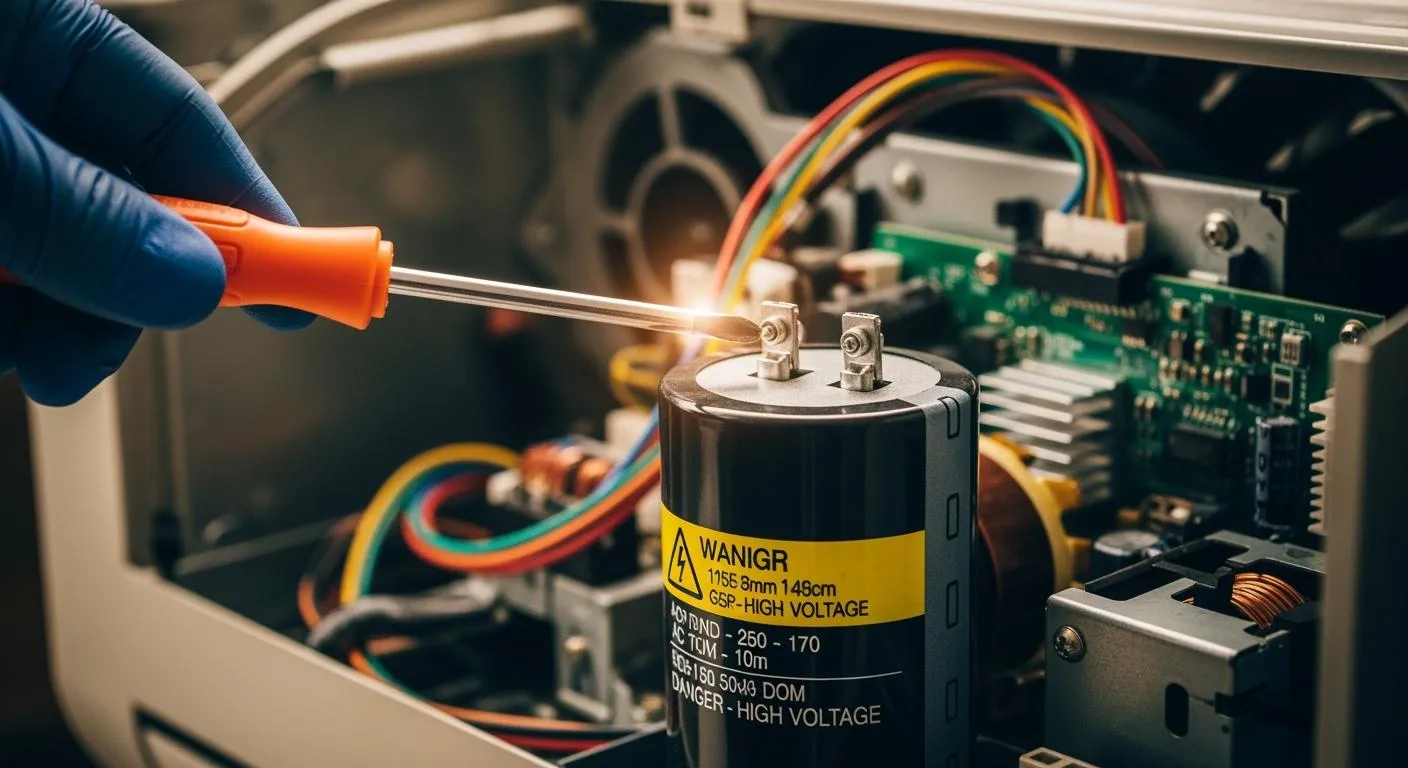
You face real danger when you handle a charged AC capacitor. These devices can deliver severe shocks, burns, or even trigger heart arrhythmia. They store high voltage, even after you unplug your AC. If you skip discharging, you risk compressor failure, motor damage, and costly repairs. Learn how to discharge ac capacitor safely.
Key Takeaways
- Always discharge your AC capacitor before any repair to prevent electric shock and protect your equipment.
- Use a multimeter to check the voltage of the capacitor before and after discharging to ensure it is safe to handle.
- The resistor method is the safest way to discharge a capacitor, as it prevents dangerous sparks and protects sensitive components.
Why You Must Discharge a Capacitor
Risks of a Charged Capacitor
You might think your AC is safe once you unplug it, but that's not true. Capacitors can hold a dangerous charge for hours or even days. When you skip checking for a charge, you put yourself at risk. Take a look at the risks below:
| Risk Type | Description |
|---|---|
| Electric Shock | 370-600V can stop the heart or cause severe burns. |
| Fire Hazard | Arcing from a charged capacitor can ignite R-454B leaks in 2025 systems. |
| System Damage | Incorrect installation can damage compressors costing $1,500-$3,000. |
| Legal Issues | DIY repairs without permits risk fines between $500-$2,000. |
The voltage stored in high-voltage capacitors is much higher than the threshold for serious electric shock. Even 100V DC or 250V AC can be hazardous, but AC capacitors often store 370V to 600V. If you don't discharge a capacitor, you could face severe injuries or even death.
When to Discharge a Capacitor
You need to discharge a capacitor before any repair or maintenance. Always start by checking for a charge, especially if you plan to remove or replace the capacitor. High-voltage capacitors can store energy long after the system is off. Here are some situations where you must discharge a capacitor:
- Before removing the capacitor from the AC unit
- Before touching any terminals or wires
- When replacing or servicing circuit components
Discharging a capacitor prevents accidental shocks and protects sensitive parts from damage.
Safety Benefits
Discharging a capacitor gives you peace of mind and keeps your workspace safe. You avoid shocks, burns, and explosions. The table below shows the main safety benefits:
| Safety Benefit | Description |
|---|---|
| Prevents shocks | Reduces risk of electrical shocks when handling the capacitor |
| Avoids burns | Stops burns from sudden energy release |
| Prevents explosions | Ensures stored energy doesn't cause explosive discharges |
If you work in the integrated circuit industry, you know how important safety is. Nova Technology Company (HK) Limited, a HiSilicon-designated solutions partner, specializes in chip-level solutions and system integration. Their expertise in handling high-voltage capacitors and checking for a charge ensures reliable and safe application scenarios in professional environments.
Remember, always discharge a capacitor before you start any work. This simple step protects you and your equipment.
How to Discharge AC Capacitor Safely
If you want to know how to discharge ac capacitor without risking your safety, you need the right tools, the right steps, and a clear understanding of the process. Nova Technology Company (HK) Limited, a HiSilicon-designated solutions partner, specializes in chip-level solutions and system integration for the semiconductor and integrated circuit industry. Their expertise in capacitor handling and system integration ensures reliable application scenarios, especially when you need to safely discharge a capacitor in professional environments.
Tools Needed
You can't discharge a capacitor safely without the proper equipment. Here’s what you need:
- Multimeter – Measures the voltage to check if the capacitor is still charged.
- Resistor – Helps safely discharge a capacitor by dissipating energy slowly.
- Alligator Clips – Securely connect the resistor to the capacitor terminals.
- Wire Stripper – Prepares wires for making and using a capacitor discharge tool.
- Electrical Tape – Secures connections and prevents accidental shocks.
- Insulated Screwdriver – Used for discharging with a screwdriver, but only as a last resort.
- Insulated Gloves – Protect your hands from electric shock.
- Safety Glasses or Face Shield – Shields your eyes from sparks or arcs.
- Flame-Resistant Clothing – Reduces burn risk if an arc flash occurs.
- Dielectric Footwear – Protects you from ground faults.
Safety Precautions
You need to follow strict safety precautions when discharging a capacitor. Here are the most important steps:
- Always check the capacitor with a multimeter before touching it.
- Use insulated tools that meet IEC 60900, NFPA 70E, OSHA, ASTM D178, and IEC 61010-1 standards.
- Keep your hands clear of the terminals at all times.
- Prefer the resistor method for discharging a capacitor, especially for high-voltage types.
- Avoid damp conditions to reduce shock hazards.
- Confirm that it has been discharged with a multimeter before reassembly.
| Standard | Description |
|---|---|
| IEC 60900 | Hand tool insulation ratings for live working |
| NFPA 70E | Electrical safety in the workplace, including PPE |
| OSHA Electrical Safety Standards | Federal requirements for electrical work |
| ASTM D178 | Rubber insulating matting for electrical work |
| IEC 61010-1 | Safety for measurement, control, and lab equipment |
Tip: Always wear insulated gloves and safety glasses. Never remove the capacitor before you discharge a capacitor.
Discharging with a Screwdriver
Discharging with a screwdriver is a common method, but it comes with risks. You need to use an insulated screwdriver and follow these steps:
- Inspect the screwdriver handle for cracks or damage.
- Grip the capacitor low on the base with one hand.
- Lay the screwdriver across both terminals to discharge a capacitor.
- Touch it again to check for sparks and confirm that it has been discharged.
This method can cause a dangerous arc, melt the screwdriver tip, or even shock you. Electrical safety experts warn that using a screwdriver can lead to injury, system damage, or void your warranty. If you must use this method, make sure you only touch insulated parts and keep your hands clear of the terminals.
Discharging with a Resistor
The resistor method is safer and more effective for how to discharge ac capacitor. Here’s how it works:
The resistor method for discharging an AC capacitor involves using a bleeder resistor that is connected in parallel with the capacitor. This resistor allows the stored charge in the capacitor to dissipate safely when the power supply is turned off. The specifications for the resistor, such as its resistance value, can be adjusted based on the desired discharge speed and the voltage rating of the capacitor.
Electrical safety experts recommend using a resistor because it prevents dangerous arcs and protects sensitive circuits. You can make and use a capacitor discharge tool with a resistor and alligator clips. This tool lets you safely discharge a capacitor without risking injury.
Step-by-Step Guide
Let’s walk through how to discharge ac capacitor using both methods. Always start by unplugging the appliance and identifying the terminals.
Resistor Method (Recommended)
- Turn off and unplug the equipment. Wait a few minutes for internal bleed resistors to work.
- Locate the capacitor and note its type and polarity.
- Check the voltage with a multimeter. If it’s above 10V, proceed.
- Connect the resistor to the capacitor terminals using alligator clips. Wait 20–60 seconds for the charge to dissipate.
- Confirm that it has been discharged with a multimeter. The voltage should be close to zero.
Screwdriver Method (Use Only If Necessary)
- Inspect the insulated screwdriver for damage.
- Grip the capacitor low on the base.
- Lay the screwdriver across both terminals to discharge a capacitor.
- Touch the terminals again to check for sparks.
- Confirm that it has been discharged with a multimeter.
Note: The resistor method is safer and prevents sparks, burns, and equipment damage. Making and using a capacitor discharge tool with a resistor is the best way to safely discharge a capacitor.
Common Mistakes to Avoid
- Never skip the multimeter check before and after discharging a capacitor.
- Don’t use a screwdriver unless you have no other option.
- Avoid incorrect wiring, which can cause motor failure or short circuits.
- Always match voltage and capacitance when replacing a capacitor.
- Don’t work in damp conditions or without PPE.
If you follow these steps, you’ll know how to discharge ac capacitor safely. You protect yourself, your equipment, and your warranty. Discharging a capacitor is a simple process, but you need to respect the risks and use the right tools.
You always need to discharge your AC capacitor before any repair. This step prevents electric shock, protects your appliance, and avoids short circuits. Use insulated tools, check with a multimeter, and keep your hands away from terminals. If you feel unsure, contact a professional. Technicians have the right tools and experience to keep you safe.
FAQ
What happens if you don’t discharge an AC capacitor?
You risk a severe electric shock or damaging your AC unit. Always discharge the capacitor before you touch any terminals or wires.
Can you discharge a capacitor with just any screwdriver?
No. Only use an insulated screwdriver. Never use a regular one. You could get shocked or cause a dangerous arc.
How do you know if a capacitor is fully discharged?
Use a multimeter to check the voltage. If it reads close to zero, you know the capacitor is safe to handle.