SPI vs UART Key Differences and Practical Applications
When you look at spi vs uart, the main difference comes from how each protocol sends data. SPI uses a clock signal for fast,
When you look at spi vs uart, the main difference comes from how each protocol sends data. SPI uses a clock signal for fast, full-duplex communication, while UART works without a clock and focuses on simple, point-to-point connections. You often find SPI in high-speed applications and UART in long-distance setups.
| Parameter | SPI | UART |
|---|---|---|
| Data Rate | Up to 50 Mbps or more | Up to 1 Mbps |
| Communication Mode | Full-duplex | Asynchronous |
| Multiple Devices | Supports several devices | Point-to-point |
Knowing these differences helps you pick the best protocol for your project. Each suits different needs in electronic components and integrated circuits, so your choice can affect speed, cost, and performance.
Key Takeaways
- SPI offers high-speed data transfer and supports multiple devices, making it ideal for applications like memory chips and display controllers.
- UART simplifies connections with just two wires, making it a great choice for point-to-point communication in embedded systems and IoT devices.
- Choose SPI for fast, short-distance communication, while UART is better for longer distances and simpler setups.
- Consider hardware complexity when selecting a protocol; SPI requires more wiring, while UART keeps it straightforward.
- Always match baud rates in UART to ensure smooth communication and prevent data loss.
SPI vs UART Overview
Key Differences
When you compare spi vs uart, you notice several important differences in how each protocol works. SPI, which stands for serial peripheral interface, uses a master-slave setup. You connect multiple devices using dedicated lines: MOSI (Master Out Slave In), MISO (Master In Slave Out), and SCK (Serial Clock). UART, on the other hand, connects two devices directly with just two wires: Tx (Transmit) and Rx (Receive).
Here is a table that highlights the main architectural differences:
| Feature | SPI | UART |
|---|---|---|
| Communication Method | Full-duplex communication | Direct communication between two UARTs |
| Number of Connections | Multiple connections (MOSI, MISO, SCK) | Two wires (Tx and Rx) |
| Data Transfer Rate | No maximum speed, can exceed 100 MHz | Configurable transfer speed |
| Hardware Complexity | More complex due to multiple lines | Simpler, only requires two lines |
| Addressing Scheme | No predefined protocol | Uses packets with start, data, parity, and stop bits |
You see that spi offers higher speed and supports more devices at once. UART keeps things simple and works well for basic point-to-point communication.
Tip: If you need to connect many chips on a circuit board and want fast data transfer, spi is often the better choice. If you want a simple connection between two devices, uart makes things easier.
Communication Types
SPI and UART use different communication types, which affect how you design your electronic systems. SPI supports full-duplex communication. This means you can send and receive data at the same time. UART usually works in half-duplex mode, so you send or receive data one way at a time.
| Feature | SPI | UART |
|---|---|---|
| Communication Type | Full duplex | Half duplex |
| Speed | Up to 100 MHz | Up to 20 KBps |
| Data Transmission | Multiple bits at once | One bit at a time |
| Complexity | More complex hardware required | Simpler hardware |
| Typical Use Cases | High-speed applications | Low-speed applications |
| Distance | Short-distance communication | Short-distance communication |
| Master/Slave Configuration | Master/slave | Point-to-point |
| Number of Devices | Multiple slaves on the same bus | Limited to one device at a time |
You find spi in high-speed applications like microcontrollers and memory chips. UART appears in situations where you need simple, reliable communication, such as connecting sensors or modules over short distances.
Recent advancements in both protocols include wireless connectivity and miniaturization. You now see spi and uart used in automotive and industrial automation, and even in IoT devices. Engineers often use UART-to-SPI bridges to connect different systems and improve data transfer.
If you want to learn more, the conference paper "Analysis and Comparison of UART, SPI and I2C" and the article "UART vs SPI: Communication Protocols Compared" provide detailed insights into these protocols and their applications.
SPI Protocol
What is SPI?
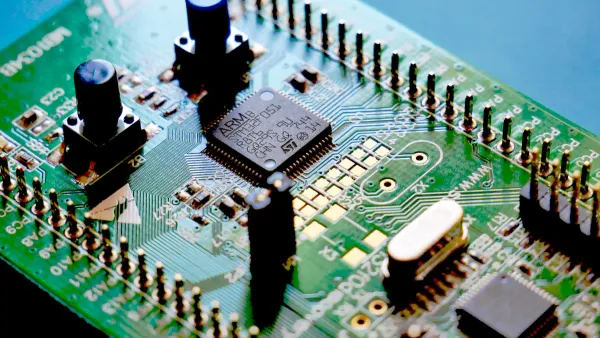
You often use SPI when you need fast and reliable data transfer between electronic components. SPI stands for serial peripheral interface. This protocol helps you connect a master device, like a microcontroller, to one or more slave devices, such as sensors or memory chips. SPI communication uses four main signals: MOSI (Master Out Slave In), MISO (Master In Slave Out), SCK (Serial Clock), and SS/CS (Slave Select or Chip Select). The master controls the clock signal, which keeps data transfer in sync.
Here is a table that shows the core features and principles of the SPI communication protocol:
| Feature/Principle | Description |
|---|---|
| High-speed communication | SPI is a high-speed, synchronous serial communication protocol used for short-distance communication. |
| Architecture | Involves a master device controlling one or more slave devices. |
| Key Signals | Includes MOSI, MISO, SCK, and SS/CS for data transfer and device selection. |
| Full-duplex communication | Allows simultaneous data transmission and reception between master and slave. |
| Clock control | The master generates the clock signal to synchronize data transfer. |
| Configuration settings | Includes CPOL and CPHA to define clock behavior and data sampling. |
You can see that SPI communication supports full-duplex data transfer. This means you can send and receive data at the same time. The protocol works best for short distances on a circuit board. You often find SPI in integrated circuits where speed and reliability matter.
SPI Use Cases
You will find SPI in many electronic applications. Here are some common uses:
- Sensor integration: You use SPI for fast data transfer with sensors like accelerometers and gyroscopes.
- Memory devices: SPI helps you access EEPROMs and flash memory quickly.
- Display controllers: You connect SPI to display controllers for high-speed image rendering.
- Communication modules: SPI supports Wi-Fi, Bluetooth, and RF modules for reliable data transmission.
- Automotive industry: You see SPI in advanced driver assistance systems and infotainment consoles.
- Healthcare technology: SPI is essential for portable diagnostic equipment and implantable monitors.
SPI plays a key role in the Internet of Things (IoT). You use it to connect smart thermostats, fitness trackers, and other devices. In cars, SPI supports real-time monitoring, which improves safety and connectivity. In healthcare, SPI communication protocol helps medical devices work reliably, making patient care better and enabling remote monitoring.
When you compare spi vs uart, you notice that SPI offers higher speed and supports more devices on a single board. You choose SPI when you need fast, synchronized data transfer between integrated circuits.
UART Protocol
What is UART?
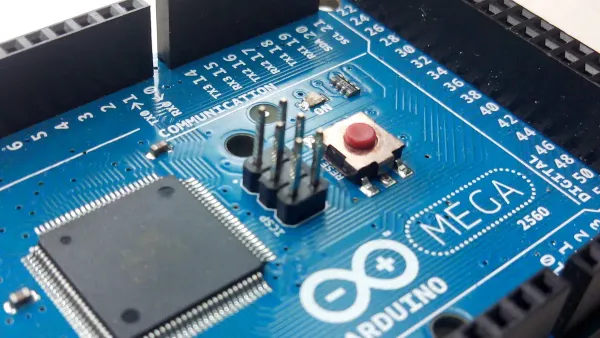
You use UART when you want simple and reliable communication between two electronic devices. UART stands for universal asynchronous receiver transmitter. This protocol lets you send data without a clock signal. You connect devices using just two wires, making the setup easy and cost-effective. Many microcontrollers include a universal asynchronous receiver-transmitter for serial communication. You often see UART in embedded systems and integrated circuits.
Here is a table that shows the main characteristics of the UART protocol:
| Characteristic | Description |
|---|---|
| Asynchronous | UART uses asynchronous serial communication without a clock signal for synchronization. |
| Data Frame Structure | Data is transmitted in packets consisting of a start bit, data frame, parity bit, and stop bits. |
| Baud Rate | The baud rate must be the same on both devices to ensure proper timing and data handling. |
| Transmission Mode | Data is sent serially, bit by bit, with the least significant bit sent first. |
| Parity Bit | Used to check for errors in data transmission, indicating if data has changed during transfer. |
| Voltage Levels | The transmission line is held high when idle and pulled low to signal the start of data transfer. |
You find that UART works well for point-to-point communication. The protocol is popular because it is simple and does not need extra hardware for synchronization.
Universal Asynchronous Receiver Transmitter
The universal asynchronous receiver transmitter works by sending and receiving data one bit at a time. You see this process in many microcontrollers and integrated circuits. The universal asynchronous receiver-transmitter starts data transmission with a start bit. The line goes from high to low, signaling the beginning of the data packet. The receiver waits for a specific number of clock cycles to sample each bit accurately.
Here is a table that explains how the universal asynchronous receiver transmitter functions:
| Step | Description |
|---|---|
| 1 | The receive process is initiated by the falling edge of the start bit. |
| 2 | The receiver waits for 8 clock cycles to establish a sampling point near the middle of the bit period. |
| 3 | The receiver waits 16 clock cycles to reach the middle of the first data-bit period. |
| 4 | The first data bit is sampled and stored, then waits another 16 clock cycles before sampling the second data bit. |
| 5 | This process repeats until all data bits are sampled, and the rising edge of the stop bit returns the UART to its idle state. |
You notice that the universal asynchronous receiver-transmitter uses a start bit and a stop bit to mark the beginning and end of each data packet. The baud rate sets the speed of data transmission. The parity bit helps you check for errors, making sure your data stays accurate.
Tip: Always match the baud rate on both devices. This ensures smooth communication and prevents data loss.
UART Use Cases
You find UART in many electronic applications. The universal asynchronous receiver-transmitter is essential for connecting microcontrollers, sensors, and modules. You use UART in embedded systems for real-time data communication. IoT devices rely on UART for efficient data transfer. Many microcontrollers have built-in universal asynchronous receiver-transmitter ports, making UART a common choice for serial communication.
Here are some common uses for UART:
- Embedded systems: You use UART for reliable data exchange between integrated circuits.
- IoT devices: UART supports efficient communication in smart sensors and controllers.
- Microcontrollers: Many chips include universal asynchronous receiver-transmitter ports for easy serial data transfer.
- Address matching: UART helps you match addresses on a register-by-register basis in microcontrollers.
- Data transmission: You use UART to send and receive data in various electronic devices.
You see that UART transmits data one bit at a time over a communication channel. Interrupt signals help manage data transfer between the universal asynchronous receiver-transmitter and external memory. The prevalence of UART in microcontrollers highlights its importance in serial data communication.
When you compare spi vs uart, you notice that UART offers a simple and effective solution for point-to-point communication. You choose UART when you need reliable, low-cost data transfer in electronic components and integrated circuits.
Technical Comparison
Speed
You need to consider speed when you compare spi vs uart for electronic components and integrated circuits. Speed affects how quickly devices can transfer data and how well your system performs. SPI stands out for high-speed communication. You often see spi communication reach speeds from 10 Mbps to 20 Mbps in practical use. Some advanced systems push spi data transfer rates even higher, making spi ideal for high-speed applications like memory chips and display controllers.
UART communication works at lower speeds. Typical uart data transfer speed ranges from 230 kbps to 460 kbps. This makes uart suitable for simple serial communication between two devices, but not for high-speed data transfer. You should use uart when you need reliable communication over longer distances, but you do not need high speed.
Here is a table that shows the maximum and typical data transfer speeds for both protocols:
| Protocol | Maximum Speed | Typical Speed |
|---|---|---|
| UART | 230 kbps to 460 kbps | Lower than SPI |
| SPI | 10 Mbps to 20 Mbps | Higher than UART |
Tip: Choose spi for high-speed data transfer and high-speed applications. Use uart when you need simple, reliable communication and do not require high speed.
Wiring
Wiring complexity plays a big role in system performance and scalability. SPI requires more connections than uart. You need four main lines for spi: MOSI, MISO, SCK, and SS/CS. Each slave device in spi needs its own slave select line. As you add more devices, wiring becomes more complex. This makes spi less scalable for large systems with many integrated circuits.
UART wiring is much simpler. You only need two wires: Tx and Rx. This simplicity makes uart easy to use for point-to-point connections. You can connect two devices without worrying about extra lines. If you want to expand your system, uart does not require more wires for each new device. This helps you keep your design clean and reduces troubleshooting time.
Note: SPI wiring complexity increases with each new device. UART keeps wiring simple, even as your system grows.
Data Transmission
Data transmission reliability and error handling matter for electronic components. SPI communication uses full-duplex serial communication, which means you can send and receive data at the same time. This boosts system performance and makes spi great for high-speed data transfer. However, spi does not have built-in error checking. You need extra tools or software to ensure data integrity.
UART offers basic error checking. Each uart data packet includes start and stop bits, and you can add a parity bit for error detection. This makes uart more reliable in noisy environments. You can spot corrupted data frames during transmission, but uart does not provide advanced error correction. Both protocols have limits in noisy settings, but uart gives you more built-in protection.
Here is a table that compares error checking and data integrity:
| Feature | SPI | UART |
|---|---|---|
| Error Checking | No built-in error checking mechanism | Start/stop bits and parity for basic error checking |
| Data Integrity | Needs external methods | Basic error detection, no advanced correction |
| Noise Tolerance | Less tolerant to noise | More robust in point-to-point communication |
- SPI: No built-in error checking mechanism.
- UART: Uses start/stop bits and parity for error checking.
Tip: Use uart when you need basic error detection. Choose spi if you can add extra error-checking tools and need high-speed communication.
Complexity
Protocol complexity affects how you integrate and troubleshoot your system. SPI supports full-duplex communication and works well for data streaming. You need to manage separate slave select lines for each device. This complicates integration, especially when you add more devices to your circuit board. Troubleshooting spi can take more time because of the extra wiring and configuration.
UART is simpler. You configure baud rates and connect two wires. This makes uart easy to integrate into electronic components and integrated circuits. You must set the same baud rate on both devices to avoid transmission errors. UART simplifies troubleshooting because you deal with fewer connections and settings.
Here is a table that shows how protocol complexity impacts system integration:
| Protocol | Characteristics | Impact on Integration and Troubleshooting |
|---|---|---|
| SPI | Full-duplex, master/slave, no predefined protocol | Complicates adding multiple devices due to separate slave select lines |
| UART | Asynchronous, configurable baud rates | Easier integration but requires careful baud rate configuration |
Note: SPI offers high speed and supports many devices, but increases complexity. UART keeps things simple and helps you avoid common errors.
Advantages and Disadvantages
SPI Pros and Cons
When you work with SPI in electronic components, you notice several strengths and weaknesses. SPI gives you high-speed data transfer and precise timing control. You can connect many devices, but each slave needs its own chip select line. This increases hardware complexity. SPI works well for short distances and offers low latency, which boosts system performance in integrated circuits.
Here is a table that shows the main advantages and disadvantages of SPI:
| Advantages | Disadvantages |
|---|---|
| Simplified design | Requires one CS line per slave device |
| High-speed data transfer | Increases hardware complexity with multiple slaves |
| Flexible architecture | Lacks flow control and acknowledgment mechanisms |
| Precise timing control | Fixed master-slave relationships |
| Low latency | Master may not know if a slave is present |
| Minimal overhead | Software changes needed for adding slaves |
You may face challenges when you use SPI in multi-device systems:
- You have a limited number of connections because each slave needs a dedicated chip select pin.
- SPI does not include built-in error checking, so you must add extra hardware or software for data integrity.
- Managing chip select signals becomes complex as you add more devices.
- SPI works best with short cables. Longer cables can cause signal loss and reduce transfer reliability.
- SPI does not support multi-master setups, so you cannot have more than one master device.
- SPI may not be efficient for low-speed communication.
Tip: Choose SPI when you need fast transfer and low latency in integrated circuits, but plan for extra wiring and careful bus management.
UART Pros and Cons
UART gives you simple and versatile serial communication. You only need two wires for data transfer, which makes setup easy. UART communication works well for short distances and real-time data exchange. You do not need a master-slave configuration, so you can use it in many electronic components.
Here is a table that lists the main pros and cons of UART:
| Pros of UART | Cons of UART |
|---|---|
| Simplicity and versatility | Limited cable length |
| Widespread adoption | Lack of inherent flow control |
| Asynchronous communication | Single-point communication |
| No master-slave configuration | Limited data frame structure |
| Efficient for short distances | Synchronization challenges |
| Low overhead | Not suitable for high-speed communication |
| Real-time communication | No built-in addressing |
| Flexibility in baud rate selection | Power consumption |
You may encounter issues with UART in long-distance setups:
- Data loss can happen if the system cannot process incoming data quickly.
- High baud rates may cause clock errors and lead to data loss.
- Long cables can introduce delays and incomplete data transmission.
Note: Use UART for simple, short-distance transfer in electronic components. Avoid it for high-speed or long-distance communication protocols.
Protocol Selection
Application Factors
When you choose between spi and uart, you need to look at several important factors. These factors help you decide which protocol fits your project and improves system performance. You want your electronic components and integrated circuits to work smoothly and efficiently.
Here are the main things you should consider:
- Speed: If your project needs fast data transfer, spi is a better choice. You see spi in memory chips and display controllers because it moves data quickly.
- Hardware Complexity: Spi requires more wires and connections. You need extra lines for each device. Uart uses only two wires, which makes it easier to set up.
- Distance Communication: Uart works well for longer distances. You often use uart communication in industrial machines and GPS modules. Spi is best for short-distance connections on a circuit board.
- Power Efficiency: If you build battery-powered devices, you want to save energy. Uart uses less power because it has fewer wires and simpler hardware.
- Environmental Conditions: Think about where your devices will work. Long cables can cause noise and signal loss. Uart handles noise better over long distances. Spi works best in clean, short-range environments.
Tip: Always check the distance and speed your application needs. This helps you pick the right protocol and avoid problems with signal quality.
When you compare spi vs uart, you see that each protocol fits different needs in electronic components and integrated circuits. SPI gives you higher speed and supports more devices, but it uses more wires and power. UART is simpler, uses fewer connections, and works well for basic, low-speed tasks.
| Feature | SPI | UART |
|---|---|---|
| Speed | High | Moderate |
| Complexity | More complex | Simple |
| Power | Higher | Lower |
| Scalability | Multiple devices | One-to-one |
Think about your project’s speed, wiring, and device needs before you choose. What protocol will you use for your next design? Share your thoughts below!
FAQ
What makes SPI faster than UART in integrated circuits?
SPI uses a clock signal to synchronize data transfer. You can send and receive data at the same time. This setup allows higher speeds in microcontrollers and memory chips.
Can you connect multiple devices with UART?
You can only connect two devices with UART. The protocol supports point-to-point communication. For more devices, you need extra UART ports or use a different protocol.
Why do engineers choose UART for long-distance communication?
UART works well over longer cables. You get basic error checking with start, stop, and parity bits. This helps you maintain reliable data transfer in industrial machines and sensors.
Does SPI support error detection?
SPI does not include built-in error detection. You must add extra software or hardware for checking errors. UART provides simple error checking with parity bits.
Which protocol uses less wiring in electronic projects?
UART uses only two wires: transmit and receive. You get a simple setup for connecting microcontrollers and modules. SPI needs more wires for each device, which increases complexity.