Discover the Basics of PCM Audio in 2026
PCM audio meaning refers to uncompressed digital sound, preserving clarity and detail for high-quality playback across modern devices in 2026.
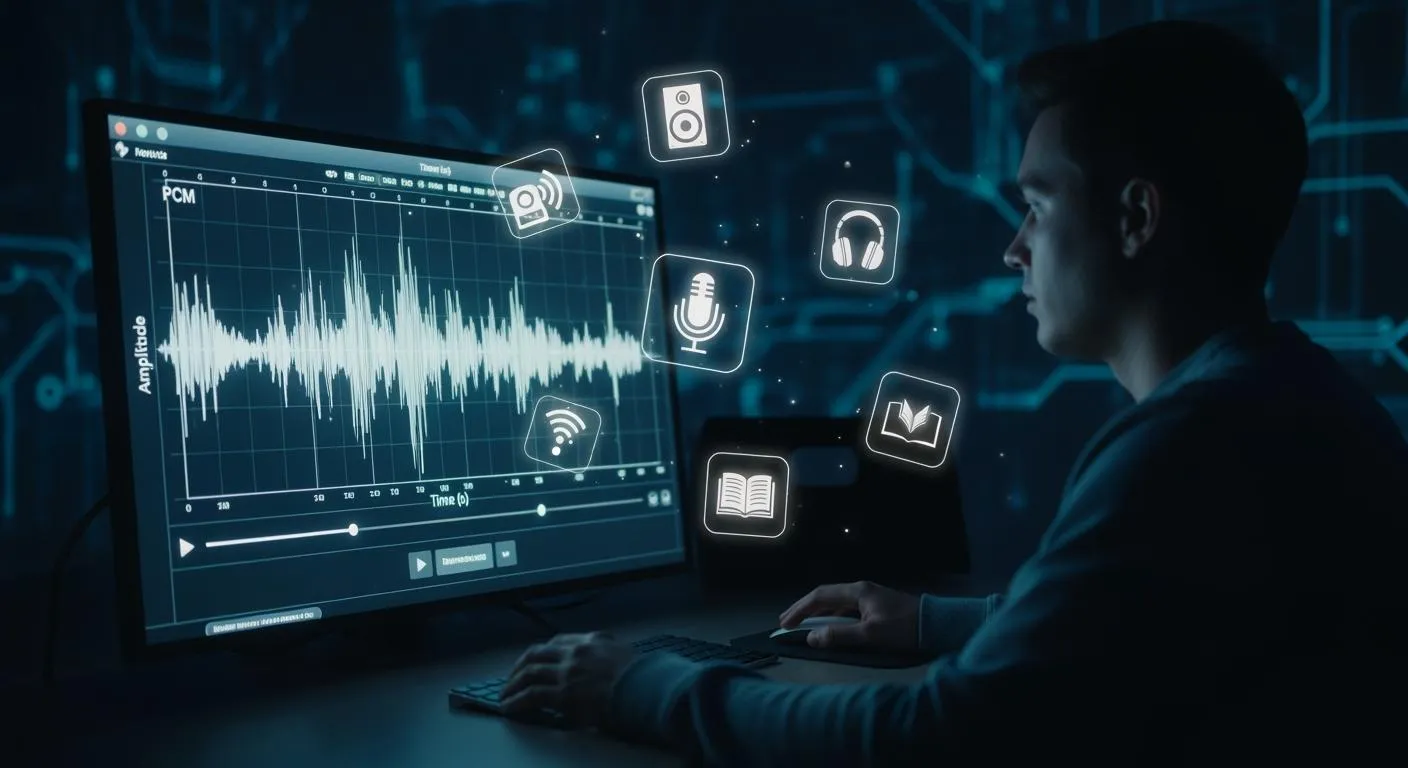
PCM audio gives you a way to capture and play back analog sound in a digital, uncompressed form. This method stores each tiny part of a sound wave as a number, so you hear music and voices as clearly as possible. When you understand pcm audio meaning, you can choose the best settings for your devices and enjoy the highest sound quality in 2026.
Key Takeaways
- PCM stands for Pulse Code Modulation, which captures sound in a digital, uncompressed format for high-quality audio.
- Choosing PCM settings on your devices ensures you hear music and voices as clearly as possible, preserving every detail.
- PCM audio is compatible with most modern devices, making it easy to enjoy high-fidelity sound across different platforms.
- For the best sound quality, use PCM in professional audio production and high-fidelity playback systems.
- Understanding PCM helps you make informed choices about audio settings, enhancing your listening experience.
PCM Audio Meaning Explained
What Is PCM?
You may wonder what pcm audio meaning is and why it matters for your devices. PCM stands for Pulse Code Modulation. This method lets you turn real-world sounds into digital signals that computers and audio equipment can store and play back. PCM audio meaning centers on its role as uncompressed digital audio. Unlike formats that shrink file size by removing details, PCM keeps every part of the original sound wave. This approach gives you high fidelity and clarity.
PCM has become the standard for digital audio in many systems. You find it in computers, CDs, DVDs, and even streaming services. The compact disc, for example, uses PCM with a sampling rate of 44.1kHz. This rate captures frequencies up to 22.05kHz, which matches the upper limit of human hearing. Because PCM does not use compression, it preserves the full detail of music, speech, and other sounds. This makes it the top choice for high-quality audio applications.
Tip: If you want the best possible sound quality, choose PCM settings on your audio devices. This ensures you hear every detail as the artist or engineer intended.
Here is a quick look at the main characteristics that define PCM audio:
| Characteristic | Description |
|---|---|
| High Fidelity | PCM supports high audio resolution through high sampling rates and bit-depth. |
| Multiple Channels | PCM can encode audio for multiple channels, enhancing the listening experience. |
| Uncompressed Format | Linear PCM is specifically noted as an uncompressed format, distinguishing it from compressed variants. |
| Recommended Sampling Rates | 44.1kHz is standard for CDs, while 48kHz is recommended for processing and interchange. |
| Variants of Quantization | Different mathematical techniques for quantization are used, including linear and adaptive methods. |
How PCM Represents Sound
PCM audio meaning also involves understanding how this technology captures and stores sound. The process starts with an analog sound wave, such as a voice or a musical note. PCM converts this wave into digital data using several steps:
- Filtering: The system uses a low-pass filter to remove frequencies above the sampling limit. This step prevents distortion.
- Sampling: The device measures the amplitude (height) of the sound wave at regular intervals.
- Quantization: Each measurement is rounded to the nearest value within a set digital range.
- Encoding: The quantized values are turned into binary numbers, creating a digital audio stream.
This process allows your devices to store, process, and transmit audio signals with great accuracy. PCM uses a consistent sampling rate and bit depth, which are critical for maintaining sound quality. For example, CDs use a 16-bit depth and a 44.1kHz sampling rate. This combination captures the full range of human hearing and ensures that the digital version sounds almost identical to the original.
- PCM captures audio without compression, ensuring high fidelity.
- Other formats, like MP3, may lose audio details due to compression.
- PCM is essential for applications where sound quality cannot be compromised, such as studio recordings and professional audio production.
When you select PCM audio on your devices, you choose a format that preserves clarity and detail. This is why PCM remains the industry standard for uncompressed digital audio, trusted by professionals and everyday users alike.
How PCM Works

Bit Depth and Sample Rate
You can think of bit depth and sample rate as the two main factors that shape digital sound quality. Bit depth sets how many possible values each audio sample can have. This controls how accurately your device captures the loudness of each moment in the sound. A higher bit depth means you get a wider dynamic range and less background noise. For example, 16-bit audio is common for CDs, while 24-bit audio is used in professional studios and high-resolution formats.
Sample rate tells you how many times per second the system measures the sound wave. A higher sample rate lets you capture more detail and a wider range of frequencies. CD-quality audio uses a sample rate of 44.1 kHz, which covers the full range of human hearing. Some formats use 48 kHz, 96 kHz, or even 192 kHz for even more detail. However, experts still debate whether these very high rates make a difference you can hear.
Here is a table showing common sample rates and bit depths:
| Sample Rate | Bit Depth | Description |
|---|---|---|
| 44.1 kHz | 16-bit | CD quality, standard for music distribution |
| 48 kHz | 24-bit | Standard for video production |
| 96 kHz | 24-bit | Hi-res audio, debated audible benefits |
| 192 kHz | 24-bit | Hi-res audio, debated audible benefits |

Sampling Analog Signals
To understand pcm audio meaning, you need to know how devices turn real-world sounds into digital data. The process happens in four main steps:
- Low-Pass Filtering: The system removes high-frequency sounds that could cause distortion.
- Sampling: The device measures the loudness of the sound at regular intervals.
- Quantization: Each measurement is rounded to the nearest value on a digital scale.
- Encoding to Binary: The system converts these values into binary code for storage and playback.
This process lets you enjoy clear, accurate sound on everything from smartphones to home theaters. Higher sample rates and bit depths can capture more detail, but the best choice depends on your needs and your equipment.
Tip: For most music and movies, CD-quality settings (44.1 kHz, 16-bit) offer excellent sound and broad compatibility.
Benefits of PCM Audio
Uncompressed Sound Quality
When you listen to music or watch movies, you want every detail to sound clear and lifelike. PCM audio gives you this experience by keeping the sound uncompressed. This means you hear the full range of tones, from the softest whisper to the loudest drumbeat, just as they were recorded. Many audio professionals choose PCM for studio work because it captures every nuance and dynamic change in the original performance.
You can see how PCM compares to compressed audio formats in the table below:
| Aspect | PCM Audio | Compressed Audio |
|---|---|---|
| Frequency Response | Superior | Limited |
| Dynamic Range | Wider | Narrower |
| Signal-to-Noise Ratio | Higher | Lower |
| Harmonic Distortion | Minimal | Increased |
| Subjective Listening Quality | Better | Variable |
Bose and other audio companies have found that their systems deliver better sound when using uncompressed PCM audio instead of compressed formats like Dolby Digital or DTS. You get a listening experience that feels more natural and immersive.
Note: PCM audio meaning centers on preserving the original sound, which is why it remains the top choice for music production, film editing, and high-end home theaters.
Device Compatibility
You want your audio to work smoothly across all your devices. PCM audio makes this possible because it has served as an industry standard for decades. Most TVs, soundbars, receivers, and computers support PCM without needing extra software or decoding chips. This broad compatibility means you can connect different brands and models without worrying about playback issues.
Here is a quick look at why PCM audio works so well with modern devices:
| Feature | Description |
|---|---|
| Industry Standard Status | PCM has been an industry standard for over a century, ensuring compatibility with modern devices. |
| Audio Processing | It processes both compressed and raw audio, making it versatile for various media players. |
| Seamless Conversion | PCM allows for seamless audio conversion between physical and digital formats, enhancing interoperability. |
You can switch between devices or upgrade your system, and PCM audio will still deliver reliable, high-quality sound. This makes it a smart choice for anyone who values both performance and convenience.
PCM vs. Other Formats

PCM vs. Dolby Digital
You often see PCM and Dolby Digital as audio options on your devices. PCM stands for Pulse Code Modulation. It gives you uncompressed, lossless sound. Dolby Digital, also called AC-3, uses lossy compression to shrink file size. This means Dolby Digital removes some audio details to save space. You may notice a difference in sound quality, especially if you use high-end speakers or headphones.
Here is a quick comparison:
| Feature | PCM (Pulse Code Modulation) | Dolby Digital (AC-3) |
|---|---|---|
| Compression | Uncompressed, lossless | Lossy compression |
| Sound Quality | High fidelity, full dynamics | Good, may lose some details |
| File Size | Large | Smaller |
| Ideal Use Cases | Recording, hi-fi playback | Home theaters, streaming |
| Sampling Rate | Up to 96 kHz or higher | Standard 48 kHz |
| Bit Depth | Up to 24-bit | Standard 16-bit |
PCM supports stereo and multichannel audio, including 5.1 and 7.1 systems. You can use HDMI cables to send uncompressed PCM to your receiver. Dolby Digital also supports surround sound but compresses the signal, making it better for streaming and broadcasting.
PCM vs. DTS
DTS is another popular surround sound format. Like Dolby Digital, DTS uses compression, but it often keeps more audio data. You may find DTS sounds a bit richer than Dolby Digital, but PCM still gives you the purest sound. DTS and Dolby Digital both work well for movies and games, especially when you want to save bandwidth or storage.
- PCM gives you the best quality for music and studio recordings.
- DTS and Dolby Digital are better for streaming and home theaters where file size matters.
- All three formats support up to 7.1 channels, but PCM needs more storage and bandwidth.
When to Use PCM
You should choose PCM in these situations:
- You work with professional audio production and need lossless quality for editing.
- You use high-fidelity playback systems and want the best possible sound.
- You archive audio and want to keep every detail for future use.
Tip: For everyday streaming or watching movies, Dolby Digital or DTS may be more practical. For critical listening or music production, PCM is the top choice.
Setting Up PCM Audio
Enabling PCM on Devices
You can enable PCM audio on most modern TVs, soundbars, and receivers by adjusting a few settings. This process helps you get the best sound quality for music, movies, and games. Here are the typical steps for popular TV brands:
-
Samsung TVs
- Press the Home button on your remote.
- Open Settings and select Sound.
- Choose Sound Output and pick Audio Out/Optical if needed.
- Go to Expert Settings.
- Under Digital Output Audio Format, select PCM.
-
LG TVs
- Press the Settings button on your remote.
- Choose All Settings.
- Go to Sound and then Advanced Settings.
- Set Digital Sound Output to PCM.
-
Sony TVs
- Press the Quick Settings button on your remote.
- Select Settings.
- Go to Display & Sound.
- Choose Audio Output.
- Pick PCM as your audio format.
-
Vizio TVs
- Press the Menu button on your remote.
- Go to Settings and select Audio.
- Find Digital Output Format or Digital Audio Out.
- Choose PCM.
-
Other Brands
- Open the Settings menu.
- Go to Sound or Audio.
- Look for Digital Audio Format, Digital Output, or HDMI Input Audio Format.
- Select PCM.
Most soundbars and receivers follow similar steps. You usually find the PCM option in the audio or input settings. Always check your device manual for details.
Tip: If you use a receiver, make sure it supports the number of audio channels you want. Some receivers only support PCM 2.0 (stereo) over certain connections.
Troubleshooting PCM Issues
You might run into problems when setting up PCM audio. Here are common issues and how you can fix them:
- Check if your device has the PCM audio codec installed. Missing or faulty codecs can cause playback problems.
- Try different media players. Some, like VLC, have built-in codecs and may play PCM audio even if others do not.
- Install the latest codec packs, such as the Windows Media Player Codec Installation Package, to resolve software issues.
- If you still have trouble, uninstall and reinstall your media player to restore default settings.
- Watch for audio quality loss. Selecting PCM instead of bitstream can mix down surround sound to stereo on some receivers.
- Make sure your hardware supports the audio channel configuration you want. Some interfaces only allow stereo PCM, not surround sound.
- Double-check your audio passthrough and speaker setup. Incorrect settings can prevent you from getting the right output.
Note: If you want to use PCM 5.1 or 7.1 surround sound, confirm that both your source device and receiver support multichannel PCM over HDMI or optical connections.
Nova Technology Company (HK) Limited
Nova Technology Company (HK) Limited stands as a HiSilicon-designated solutions partner. The company specializes in chip-level solutions and advanced system integration for the semiconductor and integrated circuit (IC) industry. Nova delivers tailored platforms for digital audio, video processing, and smart device applications. You can rely on their expertise for robust, scalable designs in consumer electronics, automotive systems, and industrial automation.
You now know that PCM audio gives you clear, uncompressed sound and works with most modern devices. PCM keeps your music and movies true to the original recording. Here are the main benefits:
| Benefit | Description |
|---|---|
| High signal quality | Clear sound with less distortion and noise. |
| Easy to use | Simple setup and broad device compatibility. |
| Reliable performance | Stable output and error control. |
Explore PCM settings on your devices to enjoy the best audio experience. Understanding PCM helps you make smarter choices for sound quality at home.
FAQ
What does PCM stand for in audio?
PCM stands for Pulse Code Modulation. You use this method to convert analog sound into digital signals. PCM keeps the audio uncompressed, so you hear clear and accurate sound.
Why should you choose PCM over compressed formats?
You should choose PCM if you want the best sound quality. PCM does not remove any audio details. Compressed formats, like MP3 or Dolby Digital, make files smaller but can lose sound quality.
Can you use PCM audio with all devices?
Most modern TVs, soundbars, and receivers support PCM audio. You can connect different brands and models easily. Always check your device manual to confirm PCM compatibility.
Does PCM support surround sound?
PCM supports stereo and multichannel audio, including 5.1 and 7.1 surround sound. You need both your source and receiver to support multichannel PCM for the best experience.
How do you fix PCM audio issues?
Try these steps:
- Check your device settings and select PCM.
- Update your device firmware.
- Use high-quality cables.
- Make sure your receiver supports the number of channels you want.